1. Introdución
Welcome to the John Adams CoComelon GLOWPAD! This light-up drawing pad allows children aged 3 and above to create vibrant, glowing pictures. Please read this manual carefully to ensure proper setup, operation, and maintenance of your GLOWPAD.

Image: The CoComelon GLOWPAD in its retail packaging, demonstrating its light-up drawing feature.
2. Información de seguridade
Warning: Not suitable for children under 3 years of age. Adult supervision is required during use.
Always ensure the GLOWPAD is used on a stable surface. Keep the product away from water and extreme temperatures. Do not attempt to open or modify the device.
3. Contido do paquete
Before starting, please check that all components are present in the box:
- 1 x GLOWPAD Light-up tablet
- 2 x Neon marker pens
- 1 x Manual de instrucións (este documento)

Image: A visual representation of the included components.
4. Configuración
4.1 Instalación da batería
The GLOWPAD requires 3 AAA batteries (not included). Follow these steps to install them:
- Locate the battery compartment on the back of the GLOWPAD.
- Using a small screwdriver, unscrew the battery compartment cover.
- Introduza 3 pilas AAA, asegurándose de manter a polaridade correcta (+/-).
- Coloque a tapa e fíxaa co parafuso.

Image: The reverse side of the GLOWPAD, indicating the battery compartment location.
5. Instrucións de funcionamento
5.1 Drawing on the GLOWPAD
- Turn on the GLOWPAD using the power switch (usually located on the side or back).
- Use the special neon marker pens to draw directly onto the GLOWPAD's screen.
- Watch as the LED lights illuminate your drawings, making them glow vibrantly.
5.2 modos de luz
The GLOWPAD features 8 different light modes to enhance your creations:
- Press the light mode button (refer to the device for exact location, typically near the screen) to cycle through the available modes.
- Modes include various static colors and a dynamic color-changing light show.

Image: A graphic highlighting the 8 available light-up color modes.
6. Mantemento
6.1 Limpeza da pantalla
To clear your drawings and start fresh:
- Use the provided wipe-off cloth to gently clean the screen.
- Para marcas difíciles, un lixeiro damp cloth (water only) can be used, followed by immediate drying with a soft, dry cloth.
- Do not use abrasive cleaners or solvents, as these may damage the screen.
6.2 Substitución da batería
When the lights dim or the GLOWPAD stops functioning, it's time to replace the batteries. Refer to Section 4.1 for battery installation instructions.
7 Solución de problemas
- GLOWPAD not turning on:
- Check if the batteries are correctly installed and have sufficient charge.
- Asegúrese de que o interruptor de alimentación estea na posición "ON".
- As luces son tenues ou parpadean:
- Substitúe as pilas por outras novas.
- Pens not drawing clearly:
- Ensure the pen caps are securely replaced after use to prevent drying.
- If pens are dry, they may need to be replaced.
8. Especificacións
| Número de modelo | 11130 |
| Dimensións do produto | 36 x 5 x 28 cm |
| Peso do elemento | 410 g |
| Pilas necesarias | 3 x AAA (non incluído) |
| Idade recomendada | 36 meses - 6 anos |
| Tipo de material | Plástico |
| Requírese montaxe | Non |
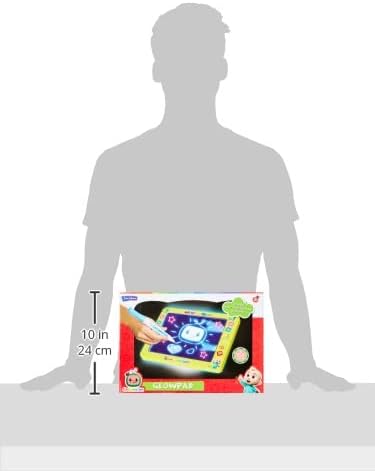
Image: The GLOWPAD shown with approximate dimensions for scale.
9. Garantía e soporte
For warranty information or technical support, please refer to the contact details provided on the product packaging or visit the official John Adams websitio. Garda o comprobante de compra para reclamacións de garantía.


