Introdución
Thank you for choosing the SENGBIRCH Bluetooth Keyboard Case. This manual provides essential instructions for the proper setup, operation, and maintenance of your new keyboard case. Please read this manual thoroughly before use to ensure optimal performance and longevity of your product.
Compatibilidade
This keyboard case is specifically designed for the following Samsung Galaxy Tab 12.4-inch models:
- Samsung Galaxy Tab S7+ (2020): Models SM-T970, SM-T975, SM-T976
- Samsung Galaxy Tab S7 FE (2021): Models SM-T730, SM-T733, SM-T736, SM-T738
- Samsung Galaxy Tab S8+ (2022): Models SM-X800, SM-X806
Please verify your tablet model number before use to ensure compatibility.

Image: Compatibility chart for SENGBIRCH keyboard case with various Samsung Galaxy Tab models.
Contido do paquete
Comprobe se o paquete contén os seguintes elementos:
- 1 x SENGBIRCH Keyboard Case
- 1 x Bluetooth Keyboard (QWERTZ German Layout)
- 1 x cable de carga micro USB
- 1 Manual de usuario (inglés)
Instrucións de configuración
1. Instalación da tableta
- Gently align your Samsung Galaxy Tab with the elastic TPU inner shell of the case.
- Carefully press the tablet into the shell, ensuring all corners and edges are securely fitted. The elastic TPU material provides a snug fit and protection against impacts.

Image: Step-by-step illustration of inserting the tablet into the protective case.

Image: Detail of the elastic TPU inner shell for tablet protection.
2. Cargar o teclado
- Localiza o porto de carga micro USB no teclado.
- Connect the provided Micro USB cable to the keyboard and a USB power source (e.g., computer, wall adapter).
- A luz indicadora de carga acenderase. Unha carga completa adoita tardar unhas 2 horas.
3. Emparellar o teclado Bluetooth
- Turn on the keyboard by sliding the power switch to the 'ON' position. The power indicator light will briefly turn on.
- Preme o Conectar button on the keyboard. The Bluetooth indicator light will start blinking, indicating it is in pairing mode.
- On your Samsung Galaxy Tab, go to Configuración > Dispositivos conectados > Bluetooth.
- Ensure Bluetooth is enabled. Your tablet will search for available devices.
- Select "Bluetooth Keyboard" (or similar name) from the list of available devices.
- Follow any on-screen prompts to complete the pairing process. Once paired, the Bluetooth indicator light on the keyboard will turn off.
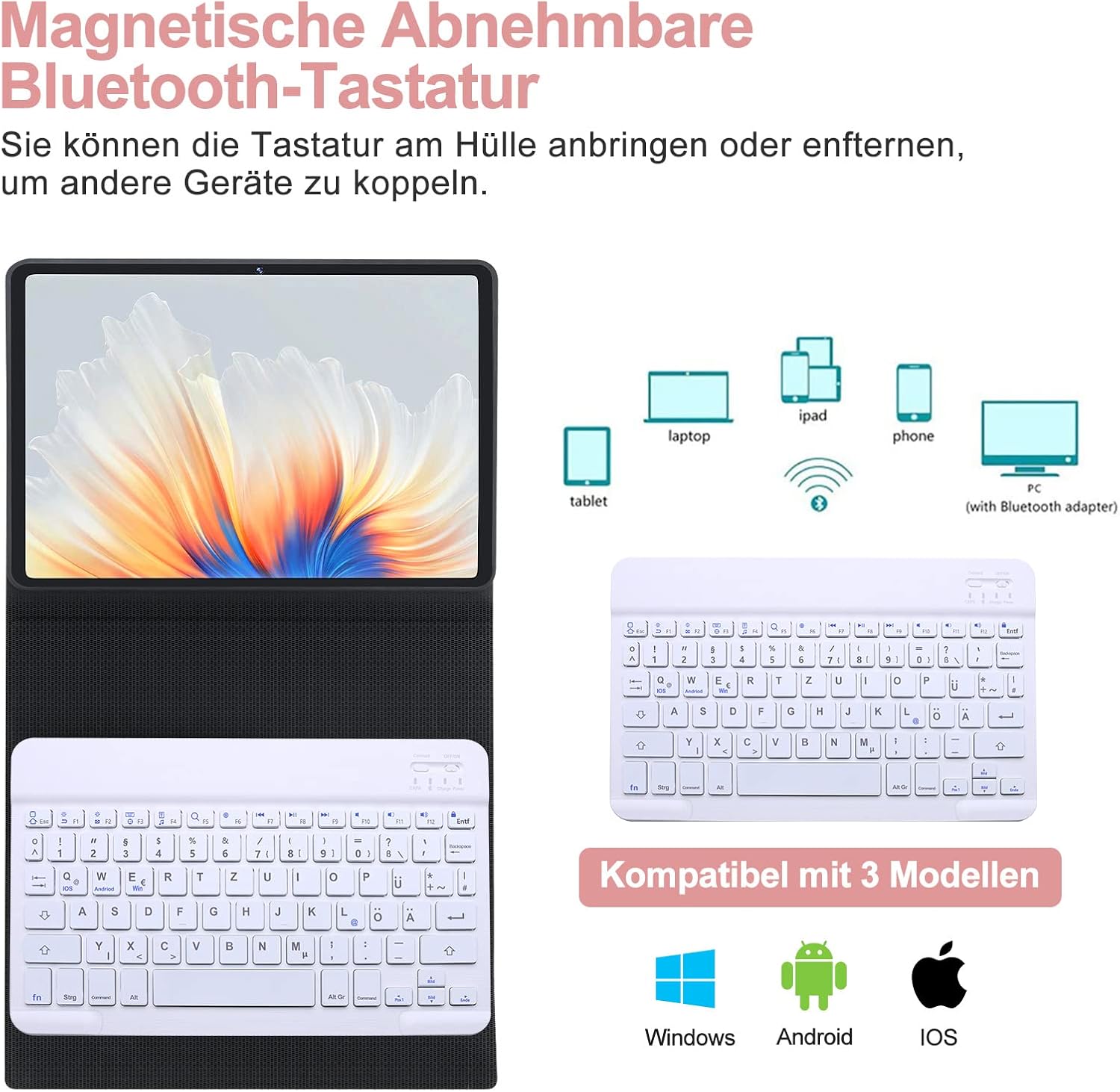
Image: Detachable Bluetooth keyboard and its multi-device compatibility.
Instrucións de funcionamento
1. Using the Keyboard with Your Tablet
- The keyboard is magnetically attached to the case and can be easily detached for flexible positioning.
- The case features three indentations to adjust the viewing angle of your tablet (120°, 125°, 130°). Position your tablet in one of these grooves for comfortable typing or viewing.

Image: Adjustable viewing angles for the tablet.
2. QWERTZ German Layout and Special Keys
The keyboard features a QWERTZ German layout. Below are some common special key combinations:
- @ Symbol: Preme Alt Gr + Q.
- Sistemas operativos de conmutación: This keyboard supports Windows, Android, and iOS. To switch between systems, press Fn + Q (iOS), Fn + W (Android), or Fn + E (Windows). Ensure the correct system is selected for optimal key function.

Image: QWERTZ German keyboard layout with special key functions highlighted.
3. Magnetic Pen Holder
The case includes a magnetic area designed to securely hold and charge your S Pen (if applicable to your tablet model).
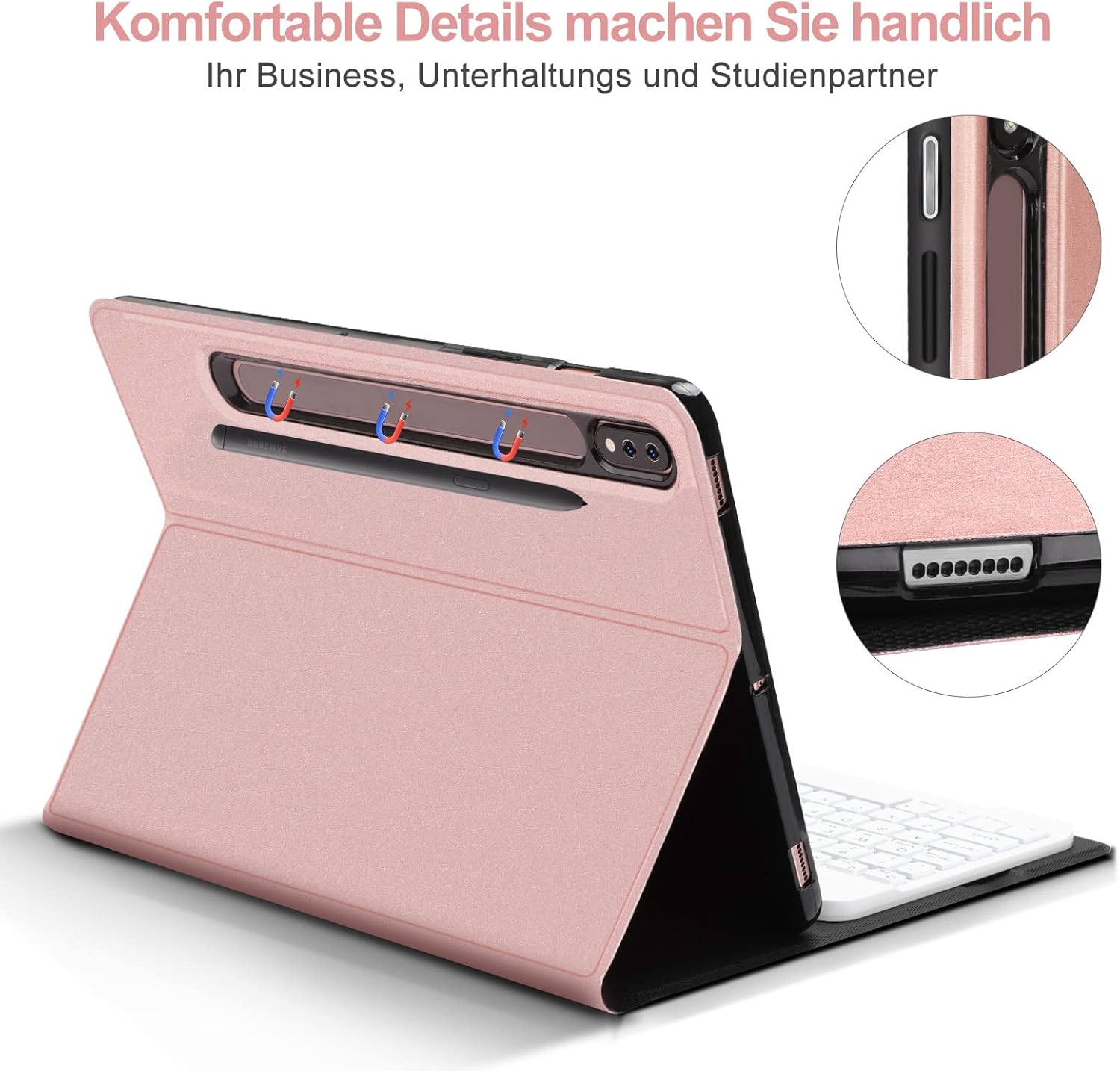
Image: Magnetic pen holder and charging area.
Mantemento
- Limpeza do caso: Wipe the synthetic leather exterior with a soft, damp pano. Evite produtos químicos agresivos ou produtos de limpeza abrasivos.
- Limpeza do teclado: Use a soft, dry cloth to clean the keyboard surface. For dust between keys, use compressed air. Do not immerse the keyboard in water.
- Almacenamento: When not in use for extended periods, turn off the keyboard to conserve battery life. Store the case and keyboard in a cool, dry place away from direct sunlight and extreme temperatures.
Resolución de problemas
- O teclado non se conecta:
- Asegúrate de que o teclado estea acendido e completamente cargado.
- Asegúrate de que o Bluetooth estea activado na túa tableta.
- Preme o botón "Conectar" no teclado para entrar no modo de emparellamento.
- Forget the device in your tablet's Bluetooth settings and try pairing again.
- Ensure the correct operating system mode (Fn+W for Android) is selected on the keyboard.
- Keys not responding or incorrect characters:
- Check if the keyboard is properly paired.
- Verify that the correct operating system mode is selected on the keyboard (Fn+Q for iOS, Fn+W for Android, Fn+E for Windows).
- Recarga o teclado.
- @ symbol not working:
- For QWERTZ layout, ensure you are pressing Alt Gr + Q.
- Confirm the keyboard is set to the correct operating system mode for your tablet.
- Autonomía curta da batería:
- Ensure the keyboard is fully charged (approx. 2 hours).
- Apague o teclado cando non estea en uso.
Especificacións
| Característica | Detalle |
|---|---|
| Marca | SENGBIRCH |
| Compatibilidade de modelos | Samsung Galaxy Tab S7+/S7 FE/S8+ 12.4" |
| Cor | Ouro rosa |
| Tecnoloxía de conectividade | Bluetooth |
| Disposición do teclado | QWERTZ alemán |
| Características especiais | Ergonomic, Detachable Magnetic Keyboard, Adjustable Viewángulos ing |
| Tipo de batería | Ion de litio |
| Tempo de carga | Aprox. 2 horas |
| Número de botóns | 78 |
| Compoñentes incluídos | Cable USB |
Garantía e Soporte
SENGBIRCH offers a 2-year quality guarantee for this product. If you encounter any issues or have questions regarding the operation of your keyboard case, please contact our customer support team. We provide 24-hour online support to assist you.
For support, please refer to the contact information provided with your purchase or visit the official SENGBIRCH websitio.


