Introdución
Grazas pola compraasing the Fenton FT210LED Party Speaker. This manual provides essential information for the safe and correct operation of your device. Please read it thoroughly before use and retain it for future reference.
The FT210LED is a versatile portable party speaker designed for various audio needs, featuring Bluetooth connectivity, a built-in MP3 player, AUX input, and a microphone for karaoke. Its integrated battery and trolley system ensure portability, while colorful LED lighting enhances the atmosphere.
Instrucións de seguridade importantes
- Lea atentamente todas as instrucións antes de utilizar o dispositivo.
- Conserve este manual para futuras consultas.
- Non expoña a unidade á choiva nin á humidade para evitar incendios ou descargas eléctricas.
- Asegúrese de que a fonte de alimentación voltage cumpre cos requisitos especificados na unidade.
- Non abras a c.asing. Non hai pezas que o usuario poida reparar no interior. Encomende calquera mantemento a persoal cualificado.
- Evite colocar a unidade preto de fontes de calor ou baixo a luz solar directa.
- Limpar só cun pano seco.
- Non bloquee ningunha abertura de ventilación.
- Use só accesorios/accesorios especificados polo fabricante.
- Disconnect the unit during lightning storms or when unused for long periods.
Contido do paquete
Ao desembalar, asegúrese de que todos os elementos enumerados a continuación estean presentes e en bo estado:
- Fenton FT210LED Party Speaker
- Micrófono con fíos
- Control remoto
- Cable de alimentación
- Manual de usuario (este documento)

Figura 1: The Fenton FT210LED speaker shown with its accompanying remote control, power cable, and wired microphone.
Configuración
1. Cargando a batería
The FT210LED features an integrated rechargeable battery for portable use. Before first use, fully charge the speaker.
- Connect the provided power cable to the speaker's power input and a suitable wall outlet (230V / 50Hz).
- A luz indicadora de carga acenderase.
- Allow several hours for a full charge. The indicator light may change or turn off when fully charged (refer to the specific behavior of your unit's indicator).
The speaker can be operated while charging.
2. Posicionamento do altofalante
The FT210LED is designed for portability and can be used in various locations. It features a trolley system for easy transport.
- Using the Trolley System: Extend the retractable handle and tilt the speaker to roll it on its integrated wheels.
- Nun trípode: The speaker is equipped with a hat (pole mount) for placement on a standard speaker tripod (not included). Ensure the tripod is stable and rated for the speaker's weight (11.55 kg).

Figura 2: The base of the speaker, illustrating the wheels, retractable handle, and the pole mount for tripod placement.
Instrucións de funcionamento
Panel de control rematadoview

Figura 3: The main control panel located on the rear of the speaker, featuring media player controls, volume, tone adjustments, and input ports.

Figura 4: Un detallado view of the input section and control knobs on the speaker's rear panel.
Familiarize yourself with the control panel (Figures 3 & 4) before operation. Key controls include:
- Interruptor de alimentación: Activa/desactiva o altofalante.
- Interruptor de luz: Controls the LED lighting.
- Reproductor multimedia: USB/MicroSD slots, display, and playback controls (Play/Pause, Next, Previous, Mode).
- Botón de volume: Axusta o volume xeral.
- Botón de agudos: Axusta as frecuencias altas.
- Botón de baixo: Axusta as frecuencias baixas.
- Botón de volume do micrófono: Axusta o volume do micrófono.
- Botón de eco: Axusta o efecto de eco para o micrófono.
- Entrada de micrófono: Conector de 6.3 mm para conexión de micrófono.
- Entrada AUX: Conector de 3.5 mm para dispositivos de son externos.
- DC12V externo: Input for external 12V power source (e.g., car battery, not for charging).
1. Acendido/apagado
Localiza o POTENCIA switch on the control panel and toggle it to the ON position to power on the speaker. Toggle to DESACTIVADO para apagar.
2. Conexión Bluetooth
Stream audio wirelessly from your smartphone, tablet, or laptop.
- Acende o altofalante.
- Preme o MODO button on the control panel or remote control until "Bluetooth" or "BT" appears on the display. The speaker will enter pairing mode, indicated by a flashing Bluetooth icon or sound.
- No teu dispositivo, activa o Bluetooth e busca os dispositivos dispoñibles.
- Select "Fenton FT210LED" from the list.
- Unha vez conectado, o altofalante emitirá un son de confirmación e o indicador Bluetooth deixará de parpadear.
- Agora podes reproducir audio desde o teu dispositivo a través do altofalante.
3. Reprodución por USB/MicroSD
Reproducir audio MP3 files directly from a USB flash drive or MicroSD card.
- Insira unha unidade flash USB no USB port or a MicroSD card into the MICROSD slot.
- The speaker will automatically switch to USB/MicroSD mode and begin playing audio. If not, press the MODO botón para seleccionar a entrada correcta.
- Usa os controis de reprodución (REPRODUCIR/PAUSA, SEGUINTE, ANTERIOR) on the control panel or remote control to manage playback.
4. Entrada AUX
Conecta dispositivos de son externos cun cable de son de 3.5 mm.
- Conecte un extremo dun cable de audio de 3.5 mm (non incluído) ao AUX IN porto do altofalante.
- Connect the other end to the headphone jack or audio output of your external device (e.g., MP3 player, TV).
- Preme o MODO botón ata que apareza "AUX" na pantalla.
- Adjust the volume on both the speaker and your external device.
5. Uso do micrófono (karaoke)
The speaker comes with a wired microphone for karaoke or public address.
- Conecte o micrófono con cable ao MIC EN jack on the control panel.
- Ensure the microphone's ON/OFF switch is in the ON posición.
- Axuste o volume do micrófono usando o MIC VOL botón.
- Apply an echo effect using the ECO botón.

Figura 5: The wired microphone, model DM-100, with its power switch.
6. Iluminación LED
The integrated colorful LED lights on the woofers can be turned on or off.
- Localiza o LUZ switch on the control panel.
- Cambia o interruptor a ON to activate the LED lights.
- Cambia o interruptor a DESACTIVADO to deactivate the LED lights.

Figura 6: The speaker with its LED lights active, displaying blue and purple hues.

Figura 7: Un ángulo view do espectáculo do oradorasing its dynamic green and blue LED lighting.
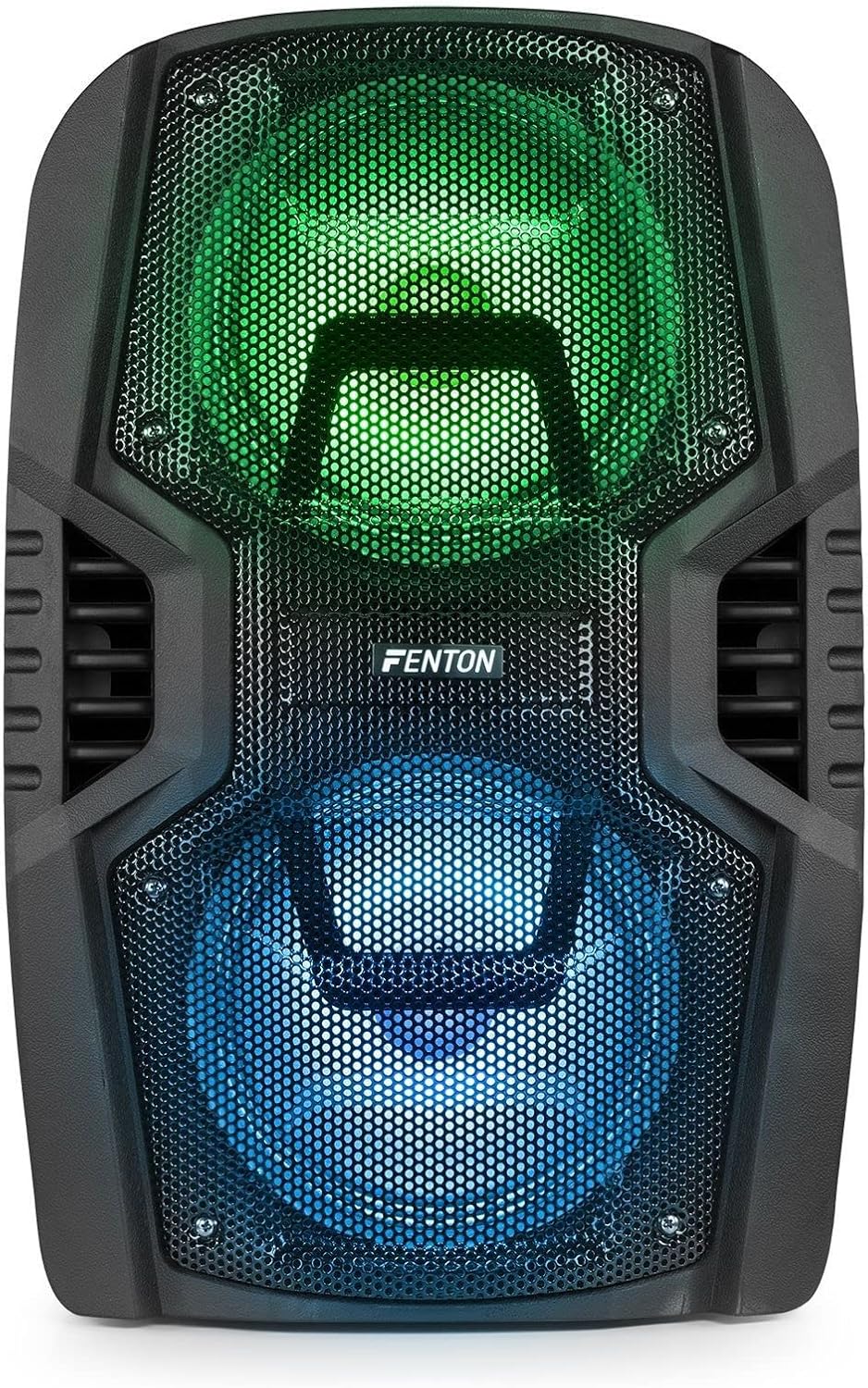
Figura 8: The front of the speaker with its LED lights displaying vibrant green and blue colors.

Figura 9: The speaker positioned in a room with low lighting, demonstrating the atmospheric effect of its blue LED lights.
Mantemento
- Limpeza: Usa un pano suave e seco para limpar o exterior do altofalante. Non empregues produtos de limpeza abrasivos, ceras nin disolventes.
- Almacenamento: Cando non o use durante períodos prolongados, garde o altofalante nun lugar fresco e seco, lonxe da luz solar directa e de temperaturas extremas.
- Coidado da batería: To prolong battery life, avoid fully discharging the battery frequently. Recharge the battery periodically if the speaker is stored for a long time.
- Ventilación: Asegúrate de que as aberturas de ventilación estean libres de po e residuos para evitar o sobrequecemento.
Resolución de problemas
| Problema | Causa posible | Solución |
|---|---|---|
| Sen poder | Battery discharged; Power cable not connected; Power switch OFF. | Charge the battery; Connect power cable securely; Turn power switch ON. |
| Sen son | Volume demasiado baixo; Modo de entrada incorrecto seleccionado; Dispositivo non conectado correctamente. | Increase volume; Select correct input (Bluetooth, USB, AUX); Reconnect device. |
| Bluetooth non se sincroniza | Speaker not in pairing mode; Device Bluetooth OFF; Too far from speaker. | Ensure speaker is in BT mode; Enable Bluetooth on device; Move device closer (within 10m). |
| O micrófono non funciona | Microphone OFF; Mic Vol too low; Microphone not connected. | Turn microphone ON; Increase Mic Vol; Connect microphone securely. |
| As luces LED non funcionan | Light switch OFF. | Turn Light switch ON. |
Especificacións
| Marca | Fenton |
| Número de modelo | FT210LED (170.022) |
| Potencia de saída | 700 W |
| Resposta en frecuencia | 50 Hz - 18000 Hz |
| Woofers | Dobre 10 polgadas |
| Batería | 7.4 V/3 Ah |
| Conexión Voltage | 230 V / 50 Hz |
| Entradas de audio | Bluetooth, USB, MicroSD, AUX (3.5mm), Wired Microphone (6.3mm) |
| Características especiais | Integrated LED lighting, Trolley system, Echo effect for microphone |
| Dimensións do produto (L x W x H) | 48.5 x 39.5 x 75.5 cm |
| Peso do elemento | 11.55 kg |
| Fabricante | Tronios BV |
Garantía e Soporte
Para obter información sobre a garantía ou asistencia técnica, consulte a documentación proporcionada no momento da compra ou póñase en contacto co seu vendedor. Garde o comprobante de compra para calquera reclamación de garantía.