1. Introdución
The Electro-Harmonix Intelligent Harmony Machine is a compact and powerful pitch-shifting pedal designed to generate harmonies and pitch shifts. It offers two primary modes: Intelligent Harmony and Polyphonic Override, allowing for a wide range of musical applications from diatonic harmonies to polyphonic pitch shifting. This manual provides detailed instructions for setup, operation, and understanding the pedal's various features.
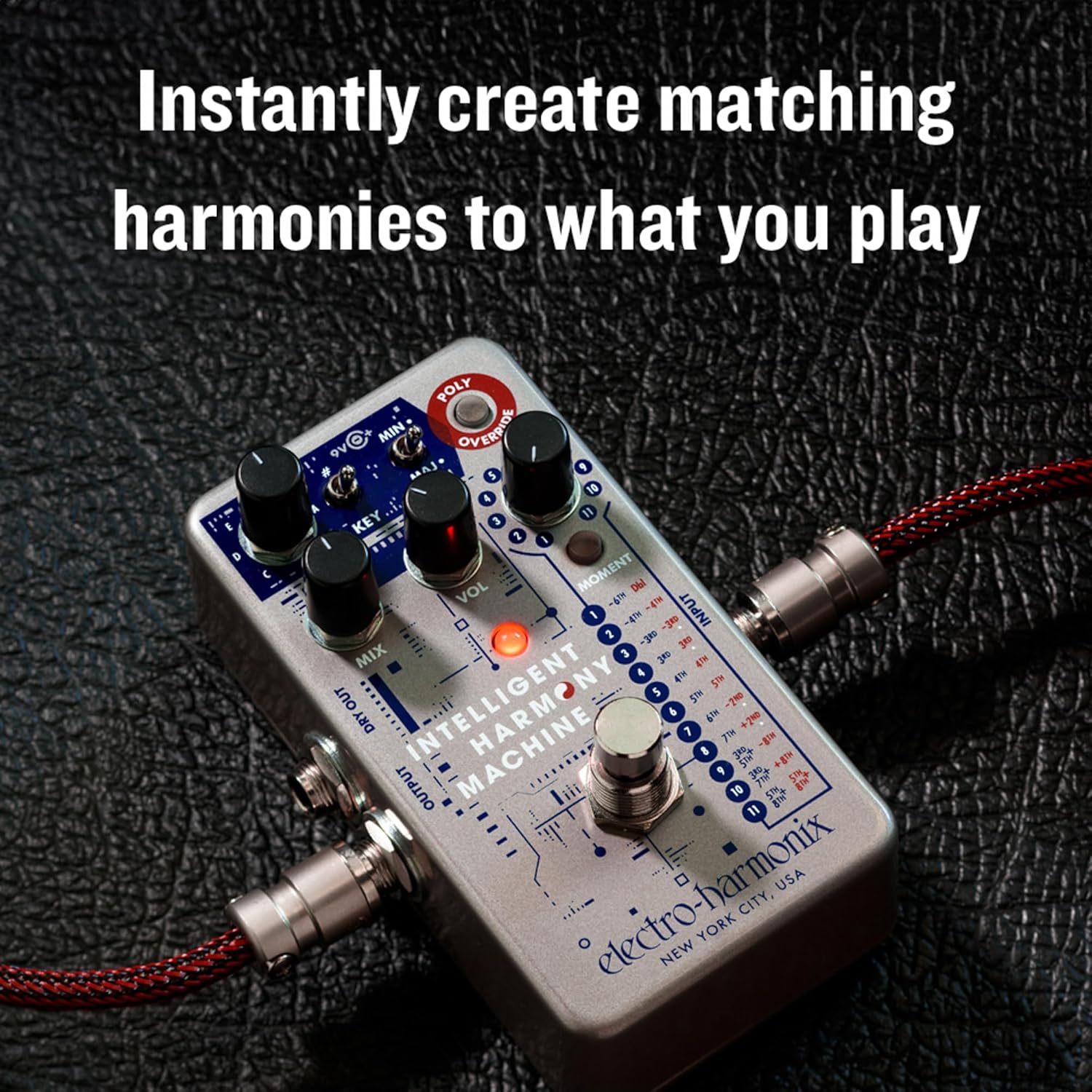
The Intelligent Harmony Machine instantly creates matching harmonies to your playing.

A compact pedal offering powerful harmony and pitch-shifting capabilities.

Experience precise tracking and a high-quality musical tone.
2. Configuración e conexións
To begin using your Intelligent Harmony Machine, follow these connection steps:
- Conecte o seu instrumento ao ENTRADA conector situado no lado dereito do pedal.
- Conecta o SAÍDA jack on the left side to your amplificador ou o seguinte pedal da túa cadea de sinal.
- For a stereo setup or to send your dry signal separately, connect the SECAR jack to another amplificador ou entrada.
- Power the pedal using either a 9V battery or an optional 9V DC power adapter connected to the 9V entrada.

Proper connection of input and output cables for optimal performance.
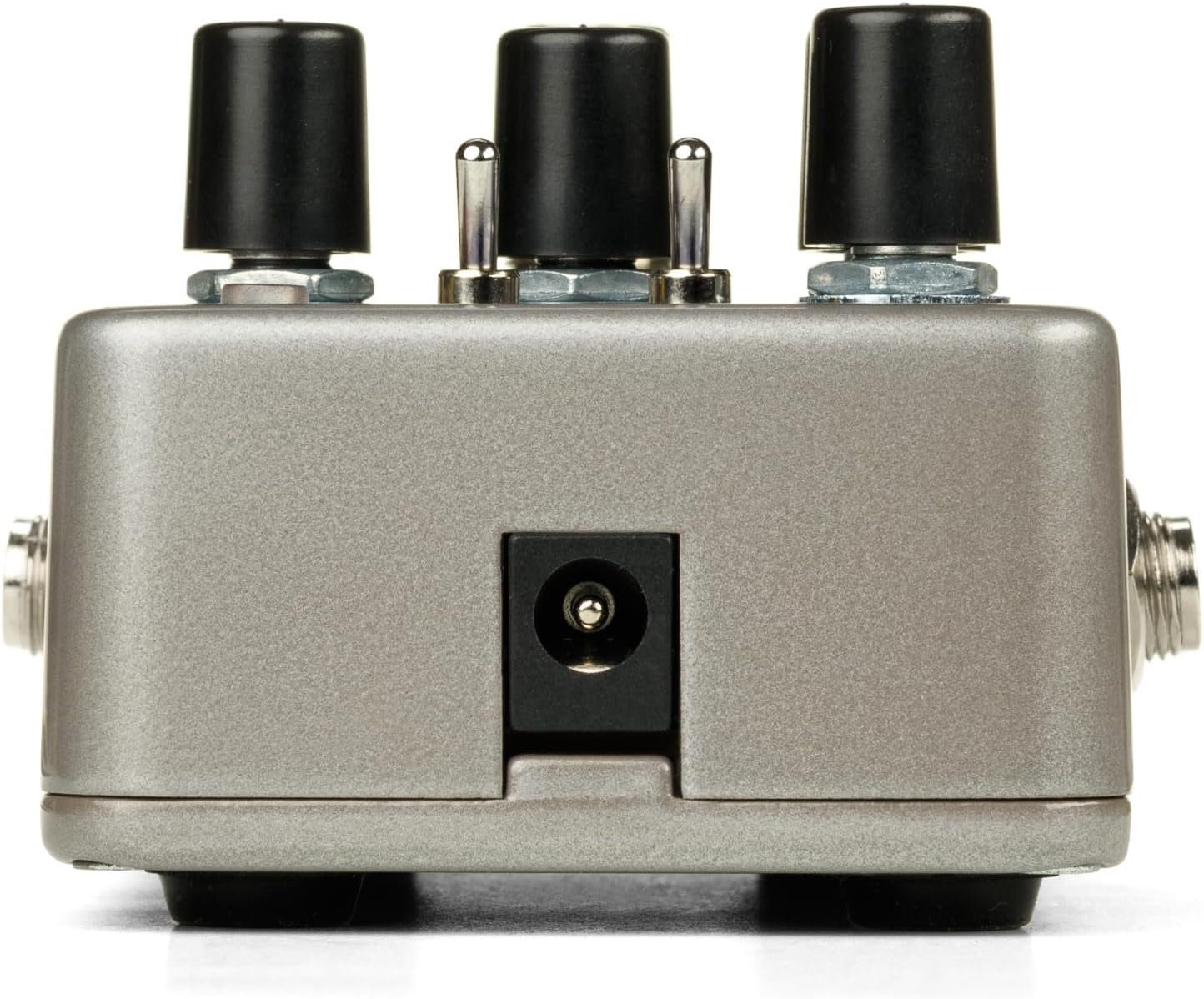
The 9V power input for connecting a DC adapter.
3. Controis e características
Familiarize yourself with the pedal's controls:
- Botón MIX: Adjusts the balance between your dry (unaffected) signal and the shifted/harmonized signal.
- Botón VOL: Controla o volume de saída xeral do pedal.
- KEY Knob: Selects the musical key (C, D, E, F, G, A, B) for the Intelligent Harmony Mode.
- #/MIN/MAJ Switch: This three-position switch allows you to select between sharp (#), minor (MIN), or major (MAJ) intervals, influencing the harmony generated in Intelligent Harmony Mode.
- INTERVAL Selector (1-11): This rotary switch selects the specific harmony or pitch shift interval. Refer to the pedal's graphic for detailed interval descriptions for each setting.
- MOMENT Button: When pressed, this button enables momentary operation of the footswitch, meaning the effect is active only while the footswitch is held down. It also allows for sweep time adjustments in secondary mode.
- POLY OVERRIDE Button: Engages the Polyphonic Override Mode, allowing the pedal to act as a standard polyphonic pitch shifter, applying shifts to chords as well as single notes.
- DRY OUT Jack: Provides an unaffected output of your instrument's signal, useful for parallel processing or stereo setups.

Acabadoview of the Intelligent Harmony Machine's controls.
4. Modos de funcionamento
The Intelligent Harmony Machine offers versatile operation through its distinct modes:
Intelligent Harmony Mode
In this mode, the pedal analyzes your playing and generates diatonic harmonies based on the selected key and interval. This ensures musically correct harmonies that fit within the chosen scale.

Intelligent Harmony Mode generates diatonic harmonies based on your selected key.
Polyphonic Override Mode
When the POLY OVERRIDE button is engaged, the pedal functions as a polyphonic pitch shifter. This means it can apply pitch shifts to entire chords without glitching, similar to other polyphonic pitch pedals. The INTERVAL selector determines the specific pitch shift.
Moment Mode
The MOMENT button allows for temporary activation of the effect. When held down, the effect is active; releasing it bypasses the effect. This mode also enables sweep time control for smooth transitions between dry and effect signals.

Momentary Mode allows for dynamic, on-demand effect activation and sweep control.
5. Sound Examples and Demonstrations
The following video demonstrates various sounds and applications of the Intelligent Harmony Machine. Refer to the timestamps for specific examples:
Official product video demonstrating the Electro-Harmonix Intelligent Harmony Machine's capabilities.
- 0:31 - 0:39: Introduction to the Intelligent Harmony Machine.
- 1:08 - 1:14: Baritone sound example using Polyphonic Override Mode.
- 1:58 - 2:06: Octave down blend with dirty and clean signals.
- 3:09 - 3:14: Introduction to Intelligent Harmony Mode examples.
- 3:49 - 3:57: Demonstrating secondary mode for chord inversions (presets 9-11).
- 4:35 - 4:37: Polyphonic Override with a 5th up, 50% mix.
- 5:21 - 5:23: Capo Effect using Polyphonic Override 3rd up, 100% mix.
- 6:08 - 6:10: Bamboo Flute Effect.
- 6:27 - 6:29: Intelligent Harmony Machine with EBow.
- 6:57 - 6:59: Western Swing style.
- 7:35 - 7:37: Minor Triad Inversion three.
- 8:30 - 8:37: Stereo Doubler effect.
- 8:55 - 9:07: Two tracks of Intelligent Harmony Machine for layered sounds.
6. Especificacións
| Peso do elemento | 1.31 libras (592 gramos) |
| Dimensións do produto | 4.5 x 2.75 x 2.1 polgadas (11.43 x 6.98 x 5.33 cm) |
| Fonte de enerxía | Battery Powered, DC Power (9 Volts) |
| Tipo de material | Metal, Plástico |
| Formato de sinal | Analóxico |
| Tipo de conector | 1/4" instrument cable |
| Interface de hardware | Audio de 1/4 de polgada |
7 Solución de problemas
If you encounter issues with your Intelligent Harmony Machine, consider the following:
- Sen son: Ensure all cables are securely connected. Check your instrument, amplifier, and power supply. Verify the MIX knob is not set entirely to dry.
- Weak or Distorted Signal: Check your instrument's output and amplifier's input levels. Ensure the power supply is providing the correct voltage (9 V).
- Unexpected Harmony/Pitch: Double-check the KEY knob setting and the #/MIN/MAJ switch position. In Intelligent Harmony Mode, the pedal relies on accurate key selection. Ensure the INTERVAL selector is set to your desired effect.
- Polyphonic Glitches: While the Polyphonic Override Mode is designed for chords, extreme playing or very complex voicings might occasionally produce artifacts. Adjust your playing style or settings.
- Moment Mode Not Working: Ensure the MOMENT button is pressed to activate momentary operation.
8. Garantía e soporte
Electro-Harmonix products are designed for reliability and performance. For warranty information, service, or technical support, please refer to the official Electro-Harmonix websitio web ou póñase en contacto directamente co servizo de atención ao cliente. Garde o recibo da compra como proba de compra para reclamacións de garantía.
Para obter recursos adicionais e información sobre o produto, visite a Electro-Harmonix Store on Amazon.


