1. Produto rematadoview
The HUAWEI WiFi AX2 is a high-performance wireless router designed to provide fast and reliable internet connectivity throughout your home. It supports Wi-Fi 6 technology, offering speeds up to 1500 Mbps, with a 5GHz band supporting up to 1201 Mbps and a 2.4GHz band supporting up to 300 Mbps. This router features HarmonyOS Mesh+ for seamless multi-router setups, comprehensive parental controls, and an advanced antenna design for stable connections.
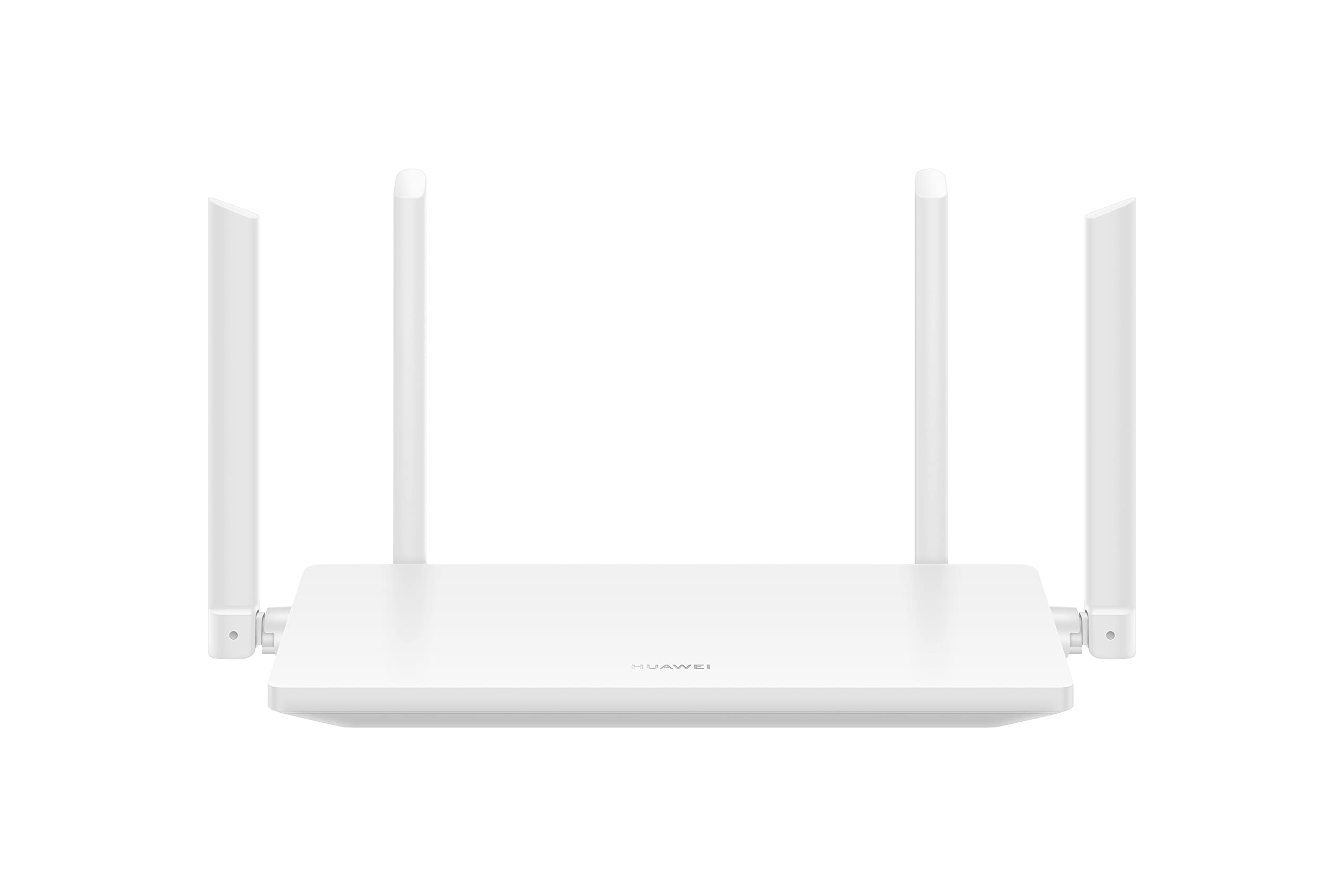
Imaxe 1.1: Fronte view of the HUAWEI WiFi AX2 Wireless Router, showing its sleek white design and four external antennas.
2. Contido do paquete
Antes de continuar coa configuración, asegúrate de que todos os elementos estean presentes no paquete:
- HUAWEI WiFi AX2 Wireless Router (WS7001-20)
- Adaptador de alimentación
- Cable Ethernet
- Guía de inicio rápido
- Tarxeta de garantía
3. Instrucións de configuración
Follow these steps to set up your HUAWEI WiFi AX2 Router:
- Conecte o adaptador de alimentación: Plug the power adapter into the router's power port and then into a wall outlet. The power indicator light on the router should turn on.
- Conectarse a Internet: Connect one end of the Ethernet cable to the WAN port (usually labeled 'WAN' or a globe icon) on your router and the other end to your modem's LAN port.
- Conecta os teus dispositivos:
- Conexión por cable: Connect your computer or other network devices to any of the LAN ports (labeled 1, 2, 3) on the router using an Ethernet cable.
- Conexión sen fíos: No teu dispositivo con Wi-Fi (teléfono intelixente, tableta, portátil), busca o nome da rede Wi-Fi (SSID) impreso na etiqueta da parte inferior do teu enrutador. Selecciónao e introduce o contrasinal da Wi-Fi (que tamén aparece na etiqueta).
- Accede a Web-based Management Page: Abrir a web navegador nun dispositivo conectado e introduza 192.168.3.1 in the address bar. Follow the on-screen instructions to complete the initial setup, including setting up your Wi-Fi name and password.
- Download the HUAWEI AI Life App: For easier management and advanced features, download the HUAWEI AI Life app from your device's app store. Use the app to configure settings, manage connected devices, and utilize parental controls.

Imaxe 3.1: Traseira view of the HUAWEI WiFi AX2 Router, showing the power port, three LAN/WAN ports, and the WPS/Reset button.
4. Instrucións de funcionamento
4.1 Dual-Band Automatic Switching
The HUAWEI WiFi AX2 operates on both 2.4GHz and 5GHz bands simultaneously. It intelligently switches your devices between these bands to ensure optimal connection quality and speed at all times. This means you don't need to manually select between 2.4GHz and 5GHz networks.
4.2 HarmonyOS Mesh+
If you have multiple HUAWEI routers that support HarmonyOS Mesh+, you can group them under a single Wi-Fi name. This creates a unified mesh network, allowing your devices to automatically switch between routers as you move around your home, ensuring continuous and strong Wi-Fi coverage.
4.3 Comprehensive Parental Control
Manage your family's internet usage with the built-in parental control features. Through the HUAWEI AI Life app, you can:
- Bloquear o acceso a contidos inapropiados websitios.
- Limit internet access time for specific devices.
- View internet usage statistics for connected devices.
5. Mantemento
Para garantir un rendemento e unha lonxevidade óptimos do seu router, teña en conta os seguintes consellos de mantemento:
- Colocación: Place the router in a central location, away from obstructions, large metal objects, and other electronic devices that may cause interference. Ensure adequate ventilation around the router.
- Actualizacións de firmware: Regularly check for and install firmware updates through the HUAWEI AI Life app or the web-based management page. Updates often include performance improvements and security patches.
- Reinicio: Se tes problemas de rede, proba a reiniciar o enrutador desconectando o adaptador de corrente durante 10 segundos e logo volvéndoo conectar.
- Limpeza: Manteña o router limpo e libre de po. Use un pano suave e seco para limpar o exterior. Non empregue produtos de limpeza líquidos.

Imaxe 5.1: Lateral view of the HUAWEI WiFi AX2 Router, highlighting the ventilation slots for proper heat dissipation.
6 Solución de problemas
If you encounter issues with your HUAWEI WiFi AX2 Router, refer to the following common problems and solutions:
| Problema | Causa posible | Solución |
|---|---|---|
| Sen acceso a Internet | Incorrect cable connection, modem issue, or incorrect router settings. | Check that the Ethernet cable is securely connected to the WAN port and your modem. Reboot both the modem and the router. Verify internet settings via the web-based management page or AI Life app. |
| Velocidade Wi-Fi lenta | Interference, too many connected devices, outdated firmware, or poor router placement. | Ensure the router is placed optimally (see Maintenance section). Reduce the number of active devices. Update router firmware. Consider if your internet service provider (ISP) speed is the bottleneck. |
| Desconexións frecuentes do wifi | Signal interference, distance from router, or channel congestion. | Move closer to the router. Check for sources of interference (e.g., microwaves, cordless phones). Use the AI Life app to analyze Wi-Fi channels and switch to a less congested one. |
| Non se pode acceder á páxina de configuración do enrutador | Incorrect IP address, device not connected to router, or browser issue. | Ensure your device is connected to the router's Wi-Fi or via an Ethernet cable. Verify you are entering 192.168.3.1 correctly. Try a different web navegador. |
If the problem persists, perform a factory reset by pressing and holding the WPS/Reset button on the back of the router for approximately 10 seconds until the indicator light flashes. Note that a factory reset will erase all your custom settings.
7. Especificacións
| Característica | Detalle |
|---|---|
| Marca | HUAWEI |
| Nome do modelo | WS7001-20 |
| Número de modelo do artigo | WS7001-20 |
| Dimensións do produto | 25.76 x 16.35 x 2.9 cm |
| Peso do elemento | 580 g |
| Tipo sen fíos | 802.11ax (Wi-Fi 6) |
| Clase de banda de frecuencia | Dobre banda (2.4 GHz e 5 GHz) |
| Tecnoloxía de conectividade | Wi-Fi |
| Sistema Operativo | RouterOS |
| Número de portos | 3 (LAN/WAN auto-sensing) |
| Características especiais | Modo Punto de Acceso |
| Dispositivos compatibles | Smartphone, Tablet |
| Usos recomendados para o produto | Casa |
| Pilas incluídas | Non |
| Data de primeira dispoñibilidade | 7 de setembro de 2023 |
8. Garantía e soporte
8.1 Información da garantía
For detailed warranty information, please refer to the warranty card included in your product package or visit the official HUAWEI websitio. Os termos e condicións da garantía poden variar segundo a rexión e o vendedor.
8.2 Soporte técnico
If you require further assistance or have technical questions not covered in this manual, please contact HUAWEI customer support. You can find contact details on the official HUAWEI website or through the HUAWEI AI Life app.


