1. Introdución
Grazas pola compraasing the Audizio Monza DAB+ FM Radio with Bluetooth. This manual provides essential information for the safe and correct operation of your device. Please read it thoroughly before use and retain it for future reference.
The Audizio Monza is a versatile portable radio offering DAB+ digital radio, FM radio, and Bluetooth connectivity for wireless audio streaming. It features a 2.4-inch full-color display, alarm functions, and a universal headphone output.
2. Instrucións de seguridade
- Non expoña a unidade á choiva nin á humidade para evitar descargas eléctricas.
- Do not open the housing; there are no user-serviceable parts inside.
- Use só o adaptador de alimentación proporcionado.
- Manteña a unidade afastada de fontes de calor e da luz solar directa.
- Asegúrese de que haxa unha ventilación axeitada arredor da unidade.
- Limpar só cun pano seco.
3. Contido do paquete
- Audizio Monza DAB+ FM Radio
- Adaptador de alimentación
- Manual de usuario (este documento)
4. Produto rematadoview
4.1 Controis do panel frontal
The front panel features a 2.4-inch full-color display, control buttons, and a central rotary knob for navigation and volume control.

Unha fronte clara view of the Audizio Monza radio, showing the digital radio display tuned to 'NPO Radio 2' with current time and signal strength indicator. The control knobs and buttons are visible.
4.2 Conexións do panel traseiro
The rear panel includes the power input and a headphone jack.

The back panel of the Audizio Monza radio, indicating the DC 9V power input and a 3.5mm headphone jack. This illustrates the universal headphone output feature, which mutes the speakers when headphones are connected.
5. Configuración
5.1 Conexión de alimentación
- Connect the supplied power adapter to the DC 9V input on the rear of the radio.
- Conecta o adaptador de corrente a unha toma de corrente axeitada.
5.2 Acendido inicial e selección do idioma
- Prema o botón de acendido (U) to turn on the radio.
- The display will prompt you to select a language. Use the rotary knob to navigate and press OK para confirmar a súa selección.
5.3 Axuste da antena
Estenda a antena telescópica completamente para unha recepción óptima de radio DAB+ e FM. Axuste a súa posición para obter a mellor calidade de sinal.
6. Instrucións de funcionamento
6.1 Selección de modo
Preme o MODO button to switch between DAB+ Radio, FM Radio, and Bluetooth modes.
6.2 Funcionamento da radio DAB+
- Select DAB+ Radio mode using the MODO botón.
- The radio will automatically perform a full scan for available DAB+ stations upon first use or if no stations are found. To initiate a scan manually, press the ESCANEAR botón.
- Use the rotary knob to browse through the list of available stations. Press OK para seleccionar unha estación.
- Para gardar unha emisora como predefinida, manteña premido o botón PRESET button. Use the rotary knob to select a preset number (1-10) and press OK para confirmar.
- Para recuperar unha emisora presintonizada, prema brevemente o botón PRESET botón e, a seguir, use o botón rotatorio para seleccionar a predefinición desexada e prema OK.
6.3 Funcionamento da radio FM
- Seleccione o modo de radio FM usando o botón MODO botón.
- To automatically scan for the next available station, press the ESCANEAR botón.
- To manually tune, rotate the rotary knob.
- Saving and recalling FM presets follows the same procedure as DAB+ presets (see 6.2).
6.4 Funcionamento Bluetooth
- Seleccione o modo Bluetooth usando o botón MODO button. The display will show "Bluetooth Connected" or "Bluetooth Pairing".
- On your Bluetooth-enabled device (e.g., smartphone, MP3 player, laptop), enable Bluetooth and search for available devices.
- Select "Audizio Monza" from the list of devices.
- Unha vez emparellado, podes transmitir audio desde o teu dispositivo á radio.
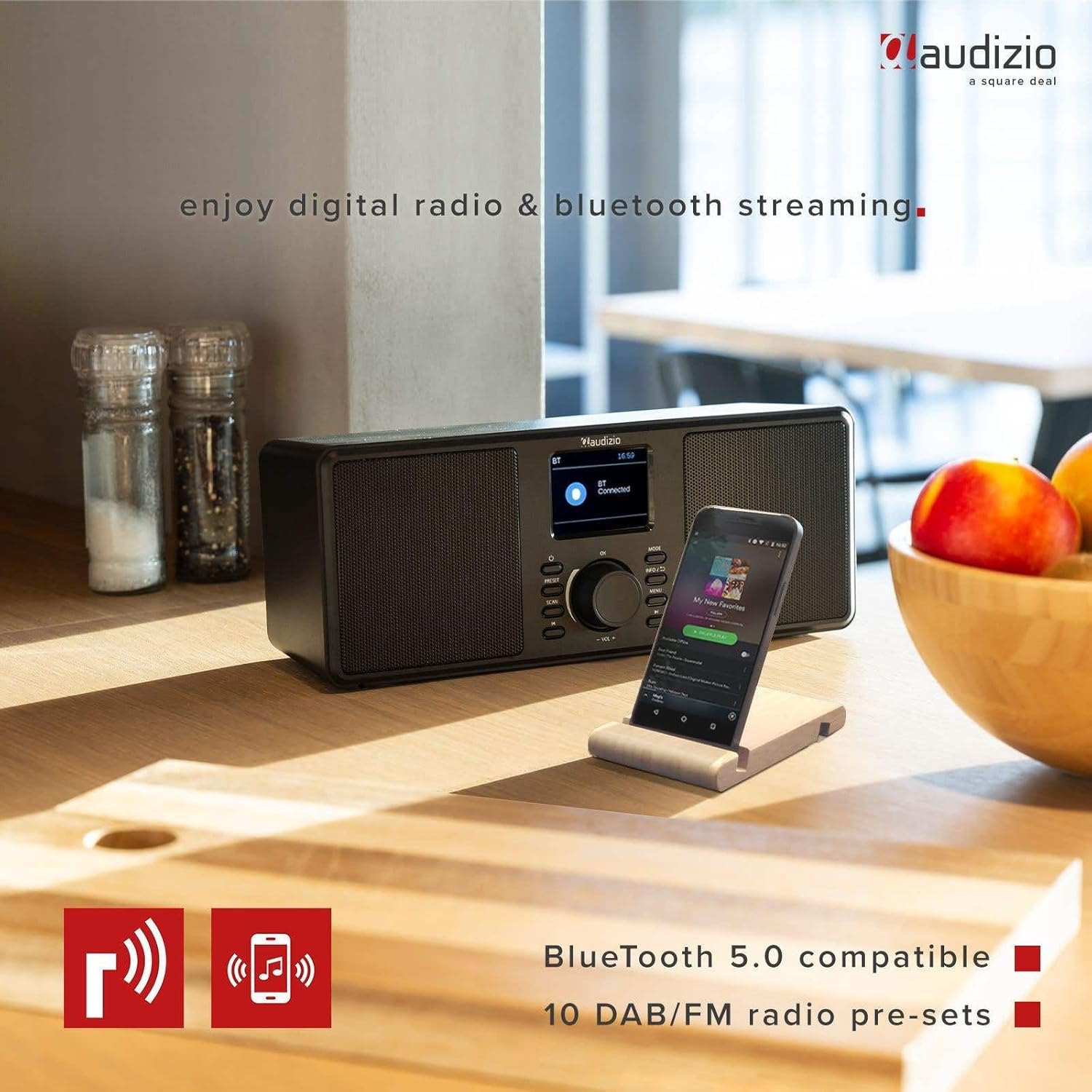
The Audizio Monza radio shown next to a smartphone, illustrating its Bluetooth streaming capability for playing music from mobile devices. The image highlights Bluetooth 5.0 compatibility and 10 DAB/FM radio pre-sets.
6.5 Función de alarma e repetición
The radio includes an alarm function with DAB/FM/buzzer wake-up options.

A close-up of the radio's screen displaying detailed alarm settings, including Alarm 2 status (Off), frequency (Daily), wake-up time (06:00), source (Digital Radio), preset (Last Listened), and duration (60 minutes).
- Preme o MENÚ button and navigate to the Alarm settings.
- Follow the on-screen prompts to set the alarm time, source (DAB, FM, or Buzzer), frequency (Daily, Weekdays, Weekends, Once), and duration.
- Cando soe a alarma, prema o botón AMORTAR button (often integrated with the OK botón ou un botón dedicado) para silencialo temporalmente.
- Para desactivar a alarma, prema o botón POTENCIA botón.
6.6 Headphone Usage
Connect 3.5mm headphones to the headphone jack on the rear panel. The radio's speakers will automatically mute when headphones are connected.
7. Mantemento
7.1 Limpeza
Wipe the radio's surface with a soft, dry, lint-free cloth. Do not use abrasive cleaners, waxes, or solvents as they may damage the finish.
7.2 Almacenamento
If storing the radio for an extended period, disconnect it from the power outlet and store it in a cool, dry place away from direct sunlight and extreme temperatures.
8 Solución de problemas
| Problema | Causa posible | Solución |
|---|---|---|
| Sen poder | O adaptador de corrente non está conectado ou está avariado. | Asegúrate de que o adaptador de corrente estea conectado correctamente á radio e a unha toma de corrente que funcione. |
| No radio reception / Poor sound quality | Antenna not extended or poorly positioned. Weak signal. | Estenda e axuste completamente a antena telescópica. Probe a mover a radio a unha localización diferente. Realice unha nova busca de emisoras. |
| Bluetooth non se conecta | Radio not in Bluetooth mode. Device not in pairing mode or out of range. | Ensure the radio is in Bluetooth mode. Make sure your device's Bluetooth is on and in pairing mode. Move your device closer to the radio. |
| Non hai son dos altofalantes | Volume too low. Headphones connected. | Aumenta o volume. Desconecta os auriculares se non os usas. |
| Radio presets not saving | Procedemento de gardado incorrecto. | Asegúrate de premer e manter o botón PRESET button to save, and then press OK to confirm the preset number. |
9. Especificacións
| Característica | Especificación |
|---|---|
| Marca | Audizio |
| Modelo | Monza (102.420) |
| Dimensións (L x W x H) | 36 x 14.5 x 15.5 cm |
| Peso | 1.4 kg |
| Tamaño de visualización | 2.4 polgadas |
| Tecnoloxía de sintonizador | DAB+, FM |
| Bandas de radio compatibles | VHF II (87.5-108 MHz), VHF III (174-240 MHz) |
| Tecnoloxía de conectividade | Bluetooth |
| Interface de hardware | Audio de 3.5 mm |
| Speaker Output Power (Max) | 50 vatios |
| Fonte de enerxía | Battery (external power adapter required) |
| Frecuencia | 60 Hz |
| Característica especial | Portátil |
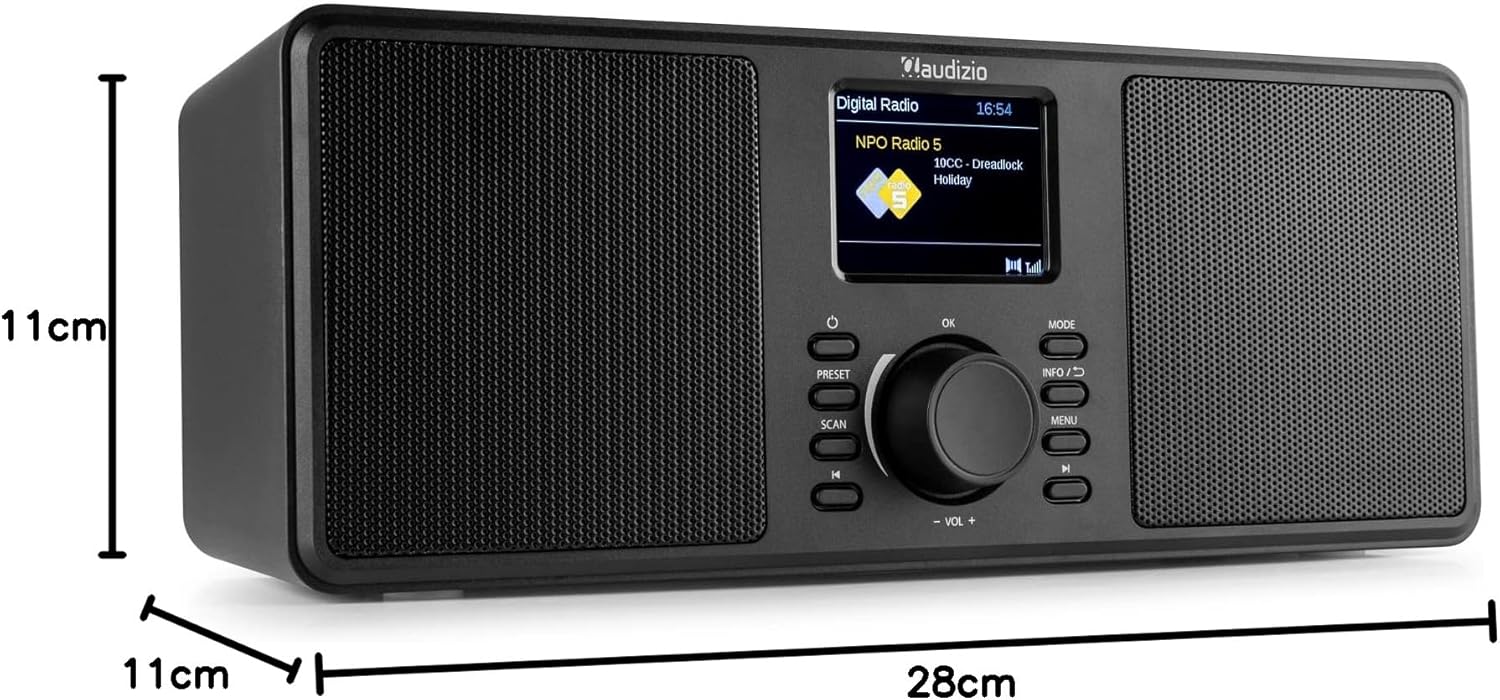
An image illustrating the physical dimensions of the Audizio Monza radio: 28cm width, 11cm height, and 11cm depth.
10. Garantía e soporte
10.1 Información da garantía
Warranty terms and conditions are typically provided with your purchase documentation or can be found on the official Audizio websitio. Garde o comprobante de compra para calquera reclamación de garantía.
10.2 Atención ao cliente
For technical support or service inquiries, please refer to the contact information provided in your purchase documentation or visit the official Audizio website for their customer service details.


