1. Introdución
Grazas pola compraasing the Comix S360A Cross Cut Paper Shredder. This manual provides essential information for the safe and efficient operation, maintenance, and troubleshooting of your shredder. Please read these instructions carefully before use and retain them for future reference.
The Comix S360A is designed for secure disposal of sensitive documents, credit cards, and CDs. It features a cross-cut mechanism for enhanced security and includes a jam-proof system with reverse and forward functions to clear paper jams. An energy-saving mode ensures optimal efficiency during operation.
2. Instrucións de seguridade importantes
ADVERTENCIA: O incumprimento destas instrucións de seguridade pode provocar incendios, descargas eléctricas ou lesións.
- Manteña os nenos e as mascotas lonxe da trituradora.
- Keep loose clothing, jewelry, hair, and ties away from the paper entry slot.
- Do not insert fingers or other body parts into the paper entry slot.
- Do not spray any flammable products or lubricants into the shredder.
- Do not shred metal objects, wet paper, or adhesive labels.
- Desconecte sempre a trituradora cando non a estea a usar ou antes de limpala.
- Do not operate the shredder if the power cord is damaged. Contact customer support for assistance.
- Asegúrese de colocar a trituradora sobre unha superficie estable e nivelada.
- Do not overload the shredder beyond its specified sheet capacity.
3. Contido do paquete
Comprobe se o paquete contén os seguintes elementos:
- Comix S360A Shredder Head
- Waste Bin (13 Liter capacity)
- Manual de instrucións (este documento)
4. Configuración
- Desembalar a trituradora: Retire coidadosamente todos os compoñentes da embalaxe.
- Place the Waste Bin: Position the waste bin on a flat, stable surface.
- Mount the Shredder Head: Carefully place the shredder head onto the top of the waste bin, ensuring it is securely seated. The shredder will not operate if the head is not correctly positioned.
- Conectar enerxía: Enchufe o cable de alimentación nunha toma eléctrica estándar.
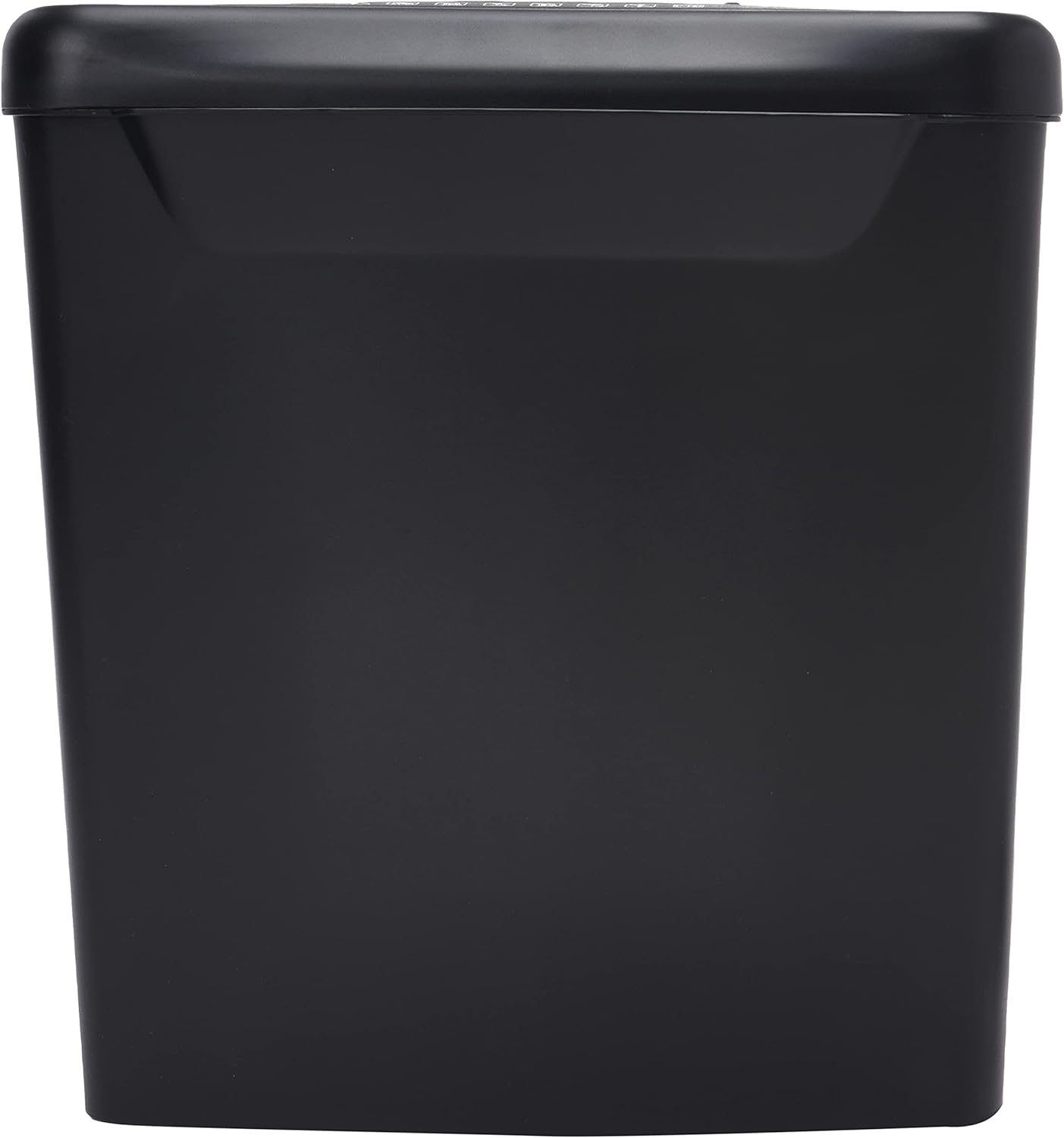
Imaxe: Lateral view of the Comix S360A shredder bin, showing its black exterior and compact design. The shredder head is not visible in this image.
5. Instrucións de funcionamento
Interruptor de control 5.1
The shredder features a slide switch with three positions:
- AUTOMÁTICO: The shredder will automatically start when paper is inserted and stop when shredding is complete. This is the normal operating mode.
- OFF: The shredder is powered off. Always set the switch to OFF when emptying the bin or when the shredder is not in use.
- REV (Marcha atrás): This position reverses the shredder blades to help clear paper jams.

Imaxe: Arriba view of the shredder head, highlighting the paper entry slot, the three-position control switch (Rev, OFF, Auto), and various safety warning icons.
5.2 Shredding Documents
- Ensure the shredder head is securely placed on the waste bin.
- Enchufe o cable de alimentación nunha toma eléctrica.
- Axuste o interruptor de control a AUTO.
- Insert up to 8 sheets of 70gsm A4 paper into the paper entry slot. The shredder will start automatically.
- For credit cards or CDs, use the dedicated slot if available (refer to product specifications for capability).
- The shredder will stop automatically once the shredding process is complete.
5.3 Ciclo de traballo
The Comix S360A has a continuous run time of minutos 2, followed by a rest time of minutos 40. Exceeding the run time may cause the shredder to overheat and automatically shut off. Allow the shredder to cool down for the specified rest time before resuming operation.
6. Mantemento
6.1 Baleirado do lixo
- Axuste o interruptor de control a DESACTIVADO.
- Desconecte a trituradora da toma de corrente.
- Levante o cabezal da trituradora do colector de lixo.
- Dispose of the shredded paper.
- Replace the shredder head securely onto the waste bin.
- Volva conectar a trituradora á toma de corrente.
6.2 Lubricación das láminas da trituradora
Regular oiling of the shredder blades is recommended to maintain optimal performance and extend the life of your shredder. Use shredder oil specifically designed for paper shredders.
- Aplique unha liña fina de aceite para a trituradora de documentos na ranura de entrada de papel.
- Axuste o interruptor de control a AUTO.
- Insert a sheet of paper to distribute the oil evenly across the blades.
- Repeat this process periodically, especially after emptying a full waste bin or if the shredder's performance decreases.
6.3 Limpeza
Wipe the exterior of the shredder with a soft, dry cloth. Do not use abrasive cleaners or solvents. Ensure the shredder is unplugged before cleaning.
7 Solución de problemas
| Problema | Causa posible | Solución |
|---|---|---|
| A trituradora non arranca. |
|
|
| Atasco de papel. |
|
|
| A trituradora para durante o funcionamento. |
|
|
8. Especificacións
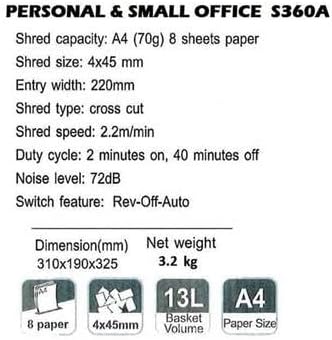
Image: Technical specifications sheet for the Comix S360A, detailing performance metrics and physical attributes.
- Modelo: S360A
- Tipo de trituración: Corte transversal
- Tamaño de trituración: 4 x 45 mm
- Shred Capacity (A4, 70g): 8 follas
- Ancho de entrada: 220 mm
- Velocidade de trituración: 2.2 m/min
- Capacidade do lixo: 13 litros
- Ciclo de traballo: 2 minutos On / 40 minutos Off
- Nivel de ruído: 72 dB
- Switch Feature: Rev-Off-Auto
- Dimensións do produto: 310 x 190 x 325 mm (L x W x H)
- Peso neto: 3.2 kg
- Características especiais: Energy Saving Mode, Jam Pro, Quiet Operation
9. Garantía e soporte
For warranty information or technical support, please refer to the warranty card included with your product or contact Comix customer service through their official website or the retailer where the product was purchased. Please have your model number (S360A) and purchase date available when contacting support.


