1. Introdución
This user manual provides essential information for the installation, operation, and maintenance of your TRAMSMART 6 Inch Smart LED Recessed Lights. Please read this manual thoroughly before installation and retain it for future reference. These smart recessed lights offer advanced features including RGBCW color changing, dimmable functionality, and compatibility with smart home assistants like Alexa and Google Assistant.
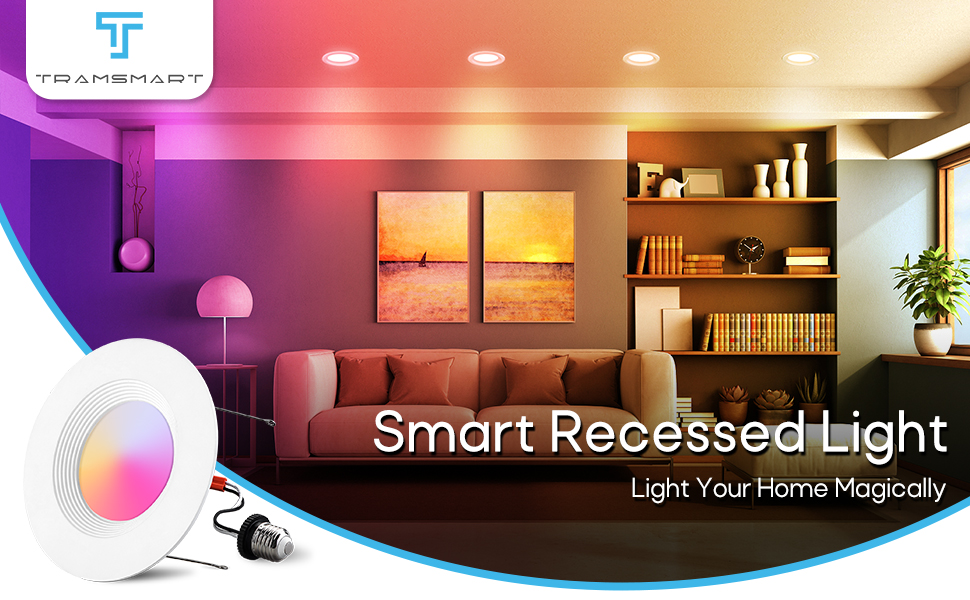
Image 1.1: TRAMSMART Smart Recessed Light in a living room setting, showcasing as súas capacidades de iluminación.
2. Información de seguridade
AVISO: Risco de descarga eléctrica. Desconecte a alimentación no fusible ou no disyuntor antes de instalar ou realizar o mantemento. Unha instalación incorrecta pode provocar descargas eléctricas ou incendios.
- Ensure the power supply is turned off before installation, removal, or maintenance.
- Este produto está destinado unicamente para uso en interiores. Non o expoña á auga nin á humidade.
- Consulte a un electricista cualificado se non está seguro sobre o proceso de instalación.
- Non intente modificar nin desmontar a lámpada.
- Usar só cunha fonte de alimentación de CA de 120 V.
3. Contido do paquete
Verify that all components are present and undamaged upon opening the package. If any items are missing or damaged, please contact customer support.
- 8 x TRAMSMART 6 Inch Smart LED Recessed Lights
- 8 x E26 Socket Adapters
- 1 x Remote Control (as per product specifications, though primary control is via app/voice)
- 1 x Manual de usuario (este documento)

Imaxe 3.1: Acabadoview of the TRAMSMART 6 Inch Smart LED Recessed Lights 8-pack, including packaging and a glimpse of the control app.
4. Especificacións
| Característica | Especificación |
|---|---|
| Número de modelo | RL-8P |
| Wattage | 13W (Equivalent 80W) |
| Saída de lumens | 1100 lm |
| Temperatura da cor | 2700K-6500K (RGBCW) |
| CRI | > 90 |
| Ángulo do feixe | 95° |
| Voltage | 120 V CA |
| Material | Aluminio, Policarbonato |
| Dimensións (produto) | 2.8 x 7.7 x 7.6 polgadas |
| Peso do elemento | 4.89 libras (para o paquete de 8) |
| Conectividade | Wi-Fi, Bluetooth |
| Compatibilidade | Alexa, Google Assistant, TUYA APP |
| Certificacións | ETL |

Image 4.1: Detailed dimensions and key specifications of the TRAMSMART Smart LED Recessed Light.
5. Configuración e instalación
The TRAMSMART Smart LED Recessed Lights are designed for easy retrofit installation. Please follow these steps carefully.
- Apagar a enerxía: Before starting any electrical work, ensure the power to the circuit is turned off at the breaker panel.
- Preparar a apertura: If installing in a new location, cut a hole of 2.56"-3" in diameter in the ceiling using a hole punch. For existing recessed cans, ensure the opening is compatible with a 6-inch fixture.
- Conecte o adaptador: Screw the E26 socket adapter into the existing recessed can socket by turning clockwise.
- Connect the Downlight: Plug the E26 adapter's male connector into the downlight's female connector.
- Insert the Downlight: Push both ends of the flip clip till it can fit into the recessed can. The spring clips will secure the light in place.
- Restaurar enerxía: Once the light is securely installed, restore power at the circuit breaker.

Image 5.1: Step-by-step installation guide for the TRAMSMART Smart LED Recessed Light.
Nota importante: These lights are designed to be controlled via the app or voice commands. Do not use them with external dimmer switches, as this may cause malfunction or damage.
6. Instrucións de funcionamento
6.1 Control intelixente de aplicacións
The TRAMSMART Smart LED Recessed Lights are controlled primarily through the TUYA APP. Download the TUYA APP from your smartphone's app store (iOS or Android).
- Emparejamento: Follow the in-app instructions to pair your lights. This typically involves ensuring the lights are powered on and in pairing mode (often indicated by flashing).
- Control individual: Once paired, you can control individual lights to adjust brightness, color, and color temperature (2700K-6500K).
- Control de grupo: Use the app's group setting feature to control multiple lights simultaneously. This allows you to manage lighting in different rooms or zones with a single command.
- Scheduled Timing: Set schedules for your lights to automatically turn on/off at specific times, enhancing energy efficiency and convenience.
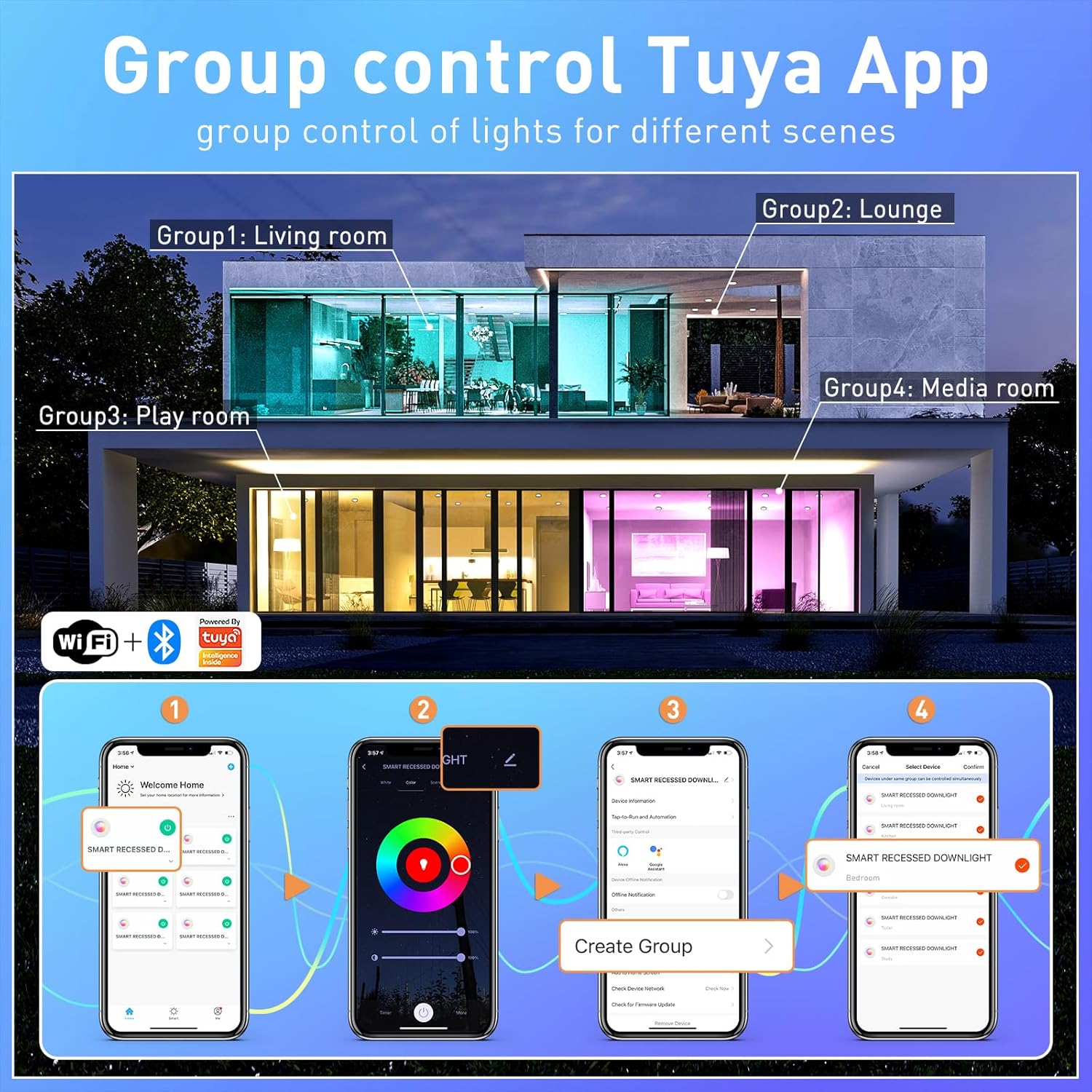
Image 6.1: Tuya App interface demonstrating group control functionality for multiple lights across different rooms.

Image 6.2: Timed adjustment feature within the app, allowing users to schedule light changes.
6.2 Control por voz
These smart recessed lights are compatible with Alexa and Google Assistant. After pairing your lights with the TUYA APP, link your TUYA account to your Alexa or Google Home app.
- Comandos de Alexa: "Alexa, turn on the living room lights," "Alexa, set the kitchen lights to blue," "Alexa, dim the bedroom lights to 50%."
- Google Assistant Commands: "Hey Google, turn off the lights," "Hey Google, change the dining room lights to warm white," "Hey Google, brighten the study lights."
6.3 Funcións de cambio de cor e regulación da intensidade
The lights offer 16 million colors and adjustable white light from 2700K (warm white) to 6500K (cool white), along with 1% to 100% dimming capability.
- Selección de cor: Use the color wheel in the TUYA APP to select any desired color.
- Axuste da luz branca: Slide the color temperature bar in the app to choose between warm, neutral, and cool white tones.
- Control de brillo: Adjust the brightness slider in the app or use voice commands to set the desired light intensity.

Image 6.3: Visual representation of the 16 million color options and dimmable functionality.

Image 6.4: Illustration of the extensive color palette and tunable white light range.
6.4 Music Sync and Scene Modes
Enhance your environment with dynamic lighting effects that respond to sound or pre-set scenes.
- Sincronización de música: The lights can change color and intensity in rhythm with music or other sounds detected by your smartphone's microphone. Activate this feature within the TUYA APP.
- Modos de escena: The app provides 8 pre-set scenes and 3 light modes (e.g., Night, Read, Working, Leisure, Soft, Colorful, Dazzling, Gorgeous) to suit various moods and activities.

Image 6.5: Music sync feature in action, showing lights changing with the beat of music.
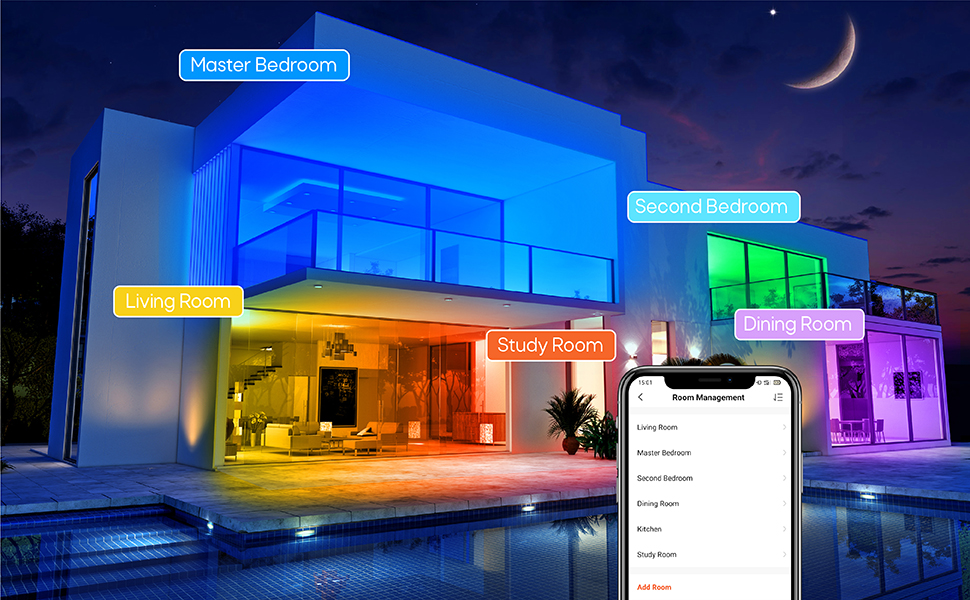
Imaxe 6.6: Ex.amples of colorful scenes and light modes for different moods and activities.
7. Mantemento
These LED recessed lights require minimal maintenance.
- Limpeza: Ensure the power is off before cleaning. Wipe the surface of the light with a soft, dry cloth. Do not use abrasive cleaners or solvents.
- Non hai pezas reparables polo usuario: There are no user-serviceable parts inside the fixture. Do not attempt to open or repair the light.
- Lonxevidade: LED lights have a long lifespan. If a light fails prematurely, contact customer support for assistance.
8 Solución de problemas
If you encounter issues with your TRAMSMART Smart LED Recessed Lights, refer to the following troubleshooting guide:
| Problema | Causa posible | Solución |
|---|---|---|
| A luz non se acende | No power, loose connection, faulty light. | Check circuit breaker. Ensure connections are secure. Test with a known working light if possible. |
| Lights are offline/unresponsive in app | Wi-Fi connectivity issue, light lost pairing. | Ensure your Wi-Fi network (2.4GHz) is stable. Power cycle the light (turn off/on at switch). Re-pair the light through the TUYA APP if necessary. |
| Lights in a group do not change color together | Individual light connectivity issue, app synchronization error. | Check individual light status in the app. Ensure all lights in the group have a strong Wi-Fi connection. Try re-creating the group in the app. |
| Cannot connect to Alexa/Google Assistant | TUYA account not linked, incorrect device name. | Ensure your TUYA account is correctly linked to your Alexa/Google Home app. Verify device names in TUYA match those used in voice commands. |
| As luces parpadean | Incompatible dimmer switch, unstable power. | These lights are not compatible with external dimmer switches. Ensure they are connected to a standard ON/OFF switch. Check for stable power supply. |
9. Garantía e soporte
TRAMSMART products are designed for quality and reliability. For specific warranty details, please refer to the product packaging or contact TRAMSMART customer support. If you require technical assistance or have questions not covered in this manual, please visit the official TRAMSMART store or contact their support channels.
TRAMSMART Store: Visit TRAMSMART Store on Amazon
10. Información normativa
This product complies with relevant safety and regulatory standards. For a comprehensive user guide in PDF format, please refer to the following link:
Guía do usuario (PDF): Descargar guía de usuario


