1. Introdución
The HMF 1413-07 Lockable Document Box is designed for the secure storage and transport of important documents and valuables. Constructed from seamless drawn sheet steel with a high-quality powder-coated light grey surface, it offers protection against scratches and unauthorized access. This document box is suitable for DIN A4 sized documents and features a three-digit combination lock for enhanced security. Its folding handle allows for convenient transport and space-saving storage.
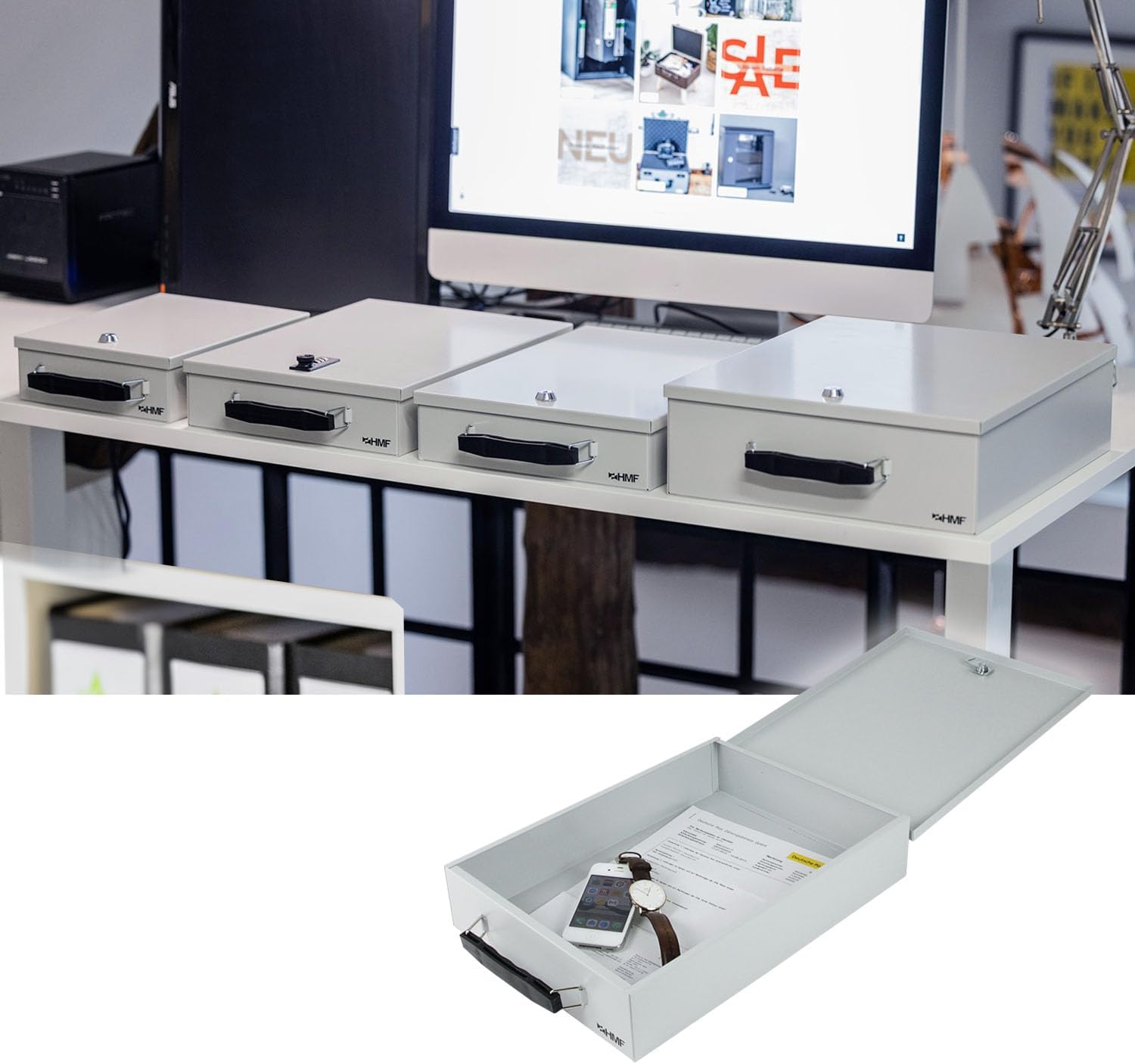
Imaxe 1.1: Acabadoview of HMF 1413-07 Lockable Document Boxes in use on a desk. One box is open, displaying its interior suitable for documents and small items.
2. Instrucións de seguridade
- Do not force the lock mechanism. If the combination is forgotten, professional assistance may be required to open the box without damage.
- Keep the combination confidential and store it in a safe place, separate from the document box.
- Ensure the box is closed and locked when transporting or storing valuable items.
- Avoid exposing the box to extreme temperatures or harsh chemicals, which could damage the finish or internal components.
3. Setup: Setting the Combination Lock
The HMF 1413-07 document box comes with a pre-set combination, usually "0-0-0". Follow these steps to set your personal combination:
- Abre a caixa: Ensure the lock is set to the current combination (factory default is "0-0-0"). Push the release button or slide the latch to open the box.
- Locate the Reset Lever/Button: Inside the open box, usually on the back of the lock mechanism, you will find a small lever or button. Push this lever to the "SET" position or press the button firmly.
- Define a túa nova combinación: While the reset lever/button is engaged, rotate the three number dials to your desired personal combination. Choose a memorable sequence.
- Confirmar nova combinación: Return the reset lever/button to its original position (e.g., "OFF" or released). Your new combination is now set.
- Proba o bloqueo: Scramble the dials. Then, enter your new combination and attempt to open the box to ensure it works correctly.
Importante: Do not forget your new combination. There is no master key or override for this type of lock. If the combination is lost, the box may need to be forced open, potentially causing damage.
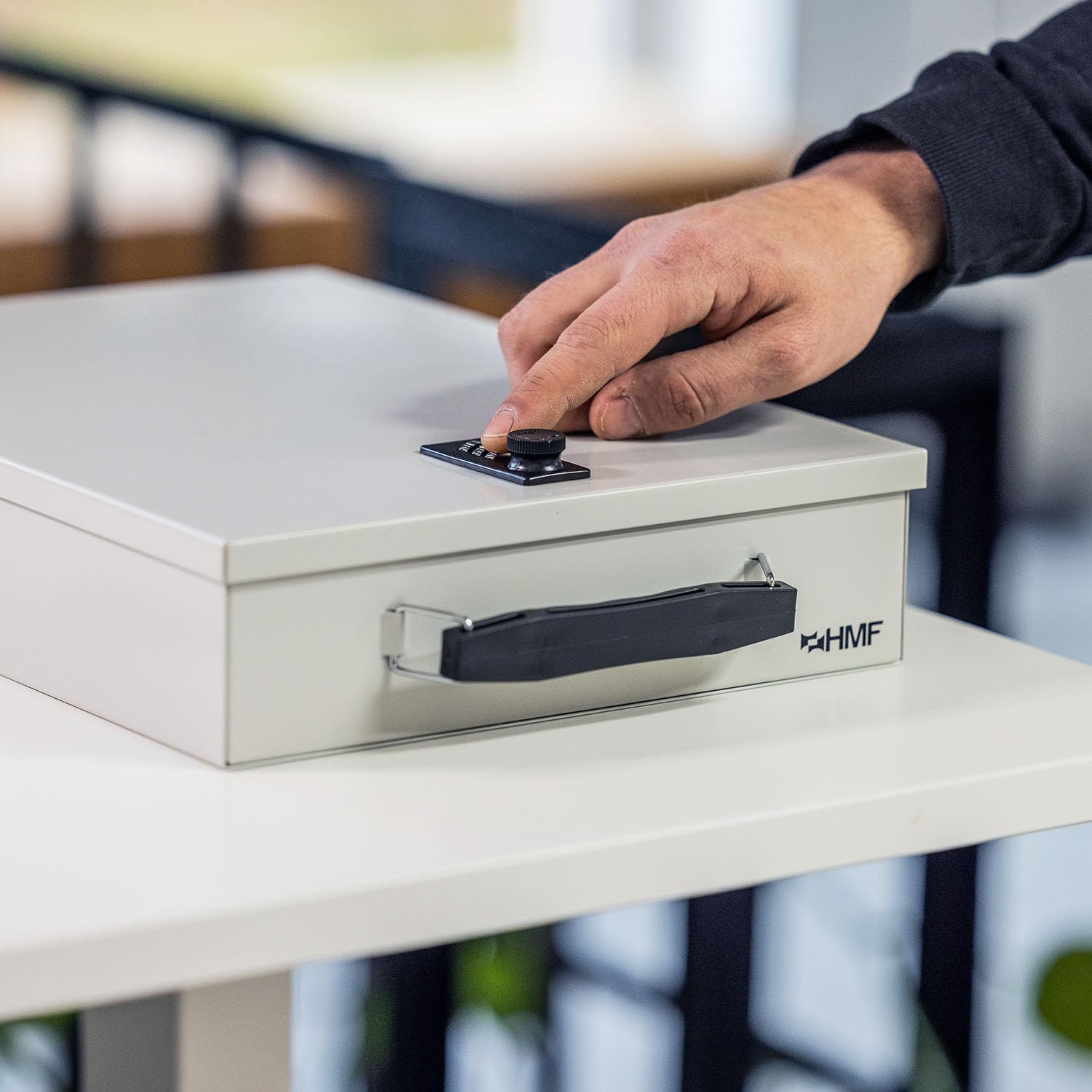
Image 3.1: A hand adjusting the dials of the three-digit combination lock on the HMF document box.
4. Operating the Document Box
4.1 Opening the Box
- Rotate the three number dials to your set combination.
- Once the correct combination is aligned, push the lock release button or slide the latch mechanism.
- The lid will spring open slightly, allowing you to fully open the box.
4.2 Closing and Locking the Box
- Peche a tapa firmemente ata que encaixe no seu lugar.
- Scramble the number dials to secure the lock. The box is now locked.
4.3 Using the Folding Handle
The document box is equipped with a folding handle for easy portability. To use, simply lift the handle from its recessed position. When not in use, the handle can be folded flat against the side of the box for compact storage.

Image 4.1: The HMF document box shown fitting into a drawer, with detailed views of its combination lock and ergonomic folding handle.
5. Mantemento
To ensure the longevity and proper function of your HMF document box, follow these maintenance guidelines:
- Limpeza: Limpe o exterior cun suave, damp cloth. Avoid abrasive cleaners or solvents, which can damage the powder-coated finish.
- Mecanismo de peche: The combination lock is generally maintenance-free. If the dials become stiff, a small amount of graphite powder (not oil) can be applied to the mechanism.
- Almacenamento: Store the box in a dry environment to prevent rust or corrosion.
6 Solución de problemas
6.1 Lock Not Opening
- Combinación incorrecta: Double-check that you have entered the correct three-digit combination. Ensure each number is precisely aligned in the center of the viewxanela.
- Diales non aliñados: Sometimes the dials may not be perfectly aligned. Gently wiggle each dial to ensure it's fully seated on the correct number.
- Stuck Mechanism: If the lock feels stiff, try applying slight pressure to the lid while entering the combination and pressing the release button.
6.2 Forgotten Combination
If you have forgotten your combination, there is no simple way to reset it without knowing the current combination. The manufacturer does not provide a master key or override code for this type of lock. In such cases, professional locksmith services may be required, or the box may need to be opened by force, which could result in damage to the product.
7. Especificacións
| Característica | Detalle |
|---|---|
| Número de modelo | 1413-07 |
| Marca | HMF |
| Material | Seamless drawn sheet steel |
| Cor | Gris Claro |
| Tipo de bloqueo | Cadeado de combinación de 3 díxitos |
| Dimensións externas (L x W x H) | 37.5 x 26.5 x 8 cm (Depth including handle and hinge, Height including lock) |
| Dimensións internas (L x A x H) | 36 x 26 x 7 cm |
| Compatibilidade | Suitable for DIN A4 documents |
| Peso | 2.00 kg |
| Características especiais | Scratch-resistant powder-coated surface, folding handle |
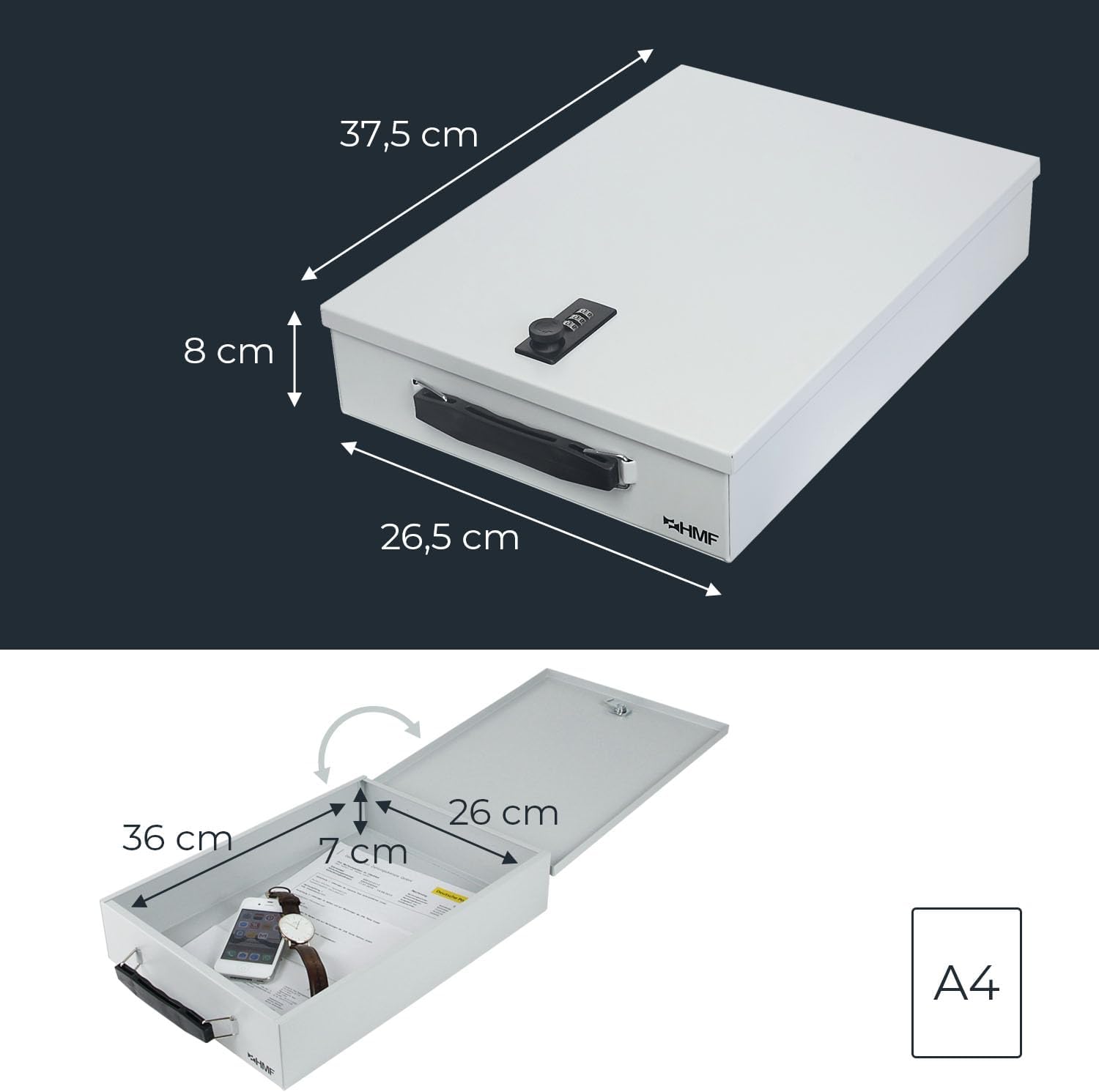
Image 7.1: Detailed dimensions of the HMF 1413-07 document box, illustrating external measurements and internal capacity for DIN A4 documents.
8. Garantía e soporte
Information regarding specific warranty terms and direct customer support contacts for the HMF 1413-07 Lockable Document Box is not available in the provided product data. For warranty claims or technical assistance, please refer to the retailer where the product was purchased or visit the official HMF websitio para obter información xeral de asistencia.


