1. Instrucións de seguridade importantes
Please read all instructions carefully before using the Baseus A7 Handheld Vacuum. Keep this manual for future reference.
- Non empregue o aspirador preto da auga nin en condicións húmidas.
- Non aspire materiais inflamables ou combustibles, cinzas quentes nin obxectos afiados.
- Manteña o cabelo, a roupa solta, os dedos e todas as partes do corpo lonxe das aberturas e das partes móbiles.
- Use só o cable de carga subministrado polo fabricante.
- Non fagas funcionar o aspirador cun cable ou enchufe danados.
- Asegúrese de que o filtro estea correctamente instalado antes do seu uso.
- Este aparello non está pensado para o seu uso por persoas (incluídos nenos) con capacidades físicas, sensoriais ou mentais reducidas, ou con falta de experiencia e coñecementos, a menos que teñan supervisión ou instrucións sobre o uso do aparello por unha persoa responsable da súa seguridade.
- Os nenos deben ser supervisados para asegurarse de que non xoguen co aparello.
2. Contido do paquete
Verifica que todos os elementos estean presentes no paquete:

Figura 2.1: Compoñentes incluídos
- Baseus A7 Handheld Vacuum Cleaner
- Flagship Flexible Extender Tube
- Silicone Brush / Precision Extensions (2-in-1 Crevice Tool)
- Cable de carga USB-C
- Storage Cloth Bag
- HEPA Filter (pre-installed or spare)
- Manual de usuario
- Tarxeta de garantía
3. Produto rematadoview
The Baseus A7 is a portable, cordless handheld vacuum designed for efficient cleaning in various environments, including cars, carpets, and other small areas. It features two suction levels and a USB-C rechargeable battery.

Figure 3.1: Suction Power and Runtime
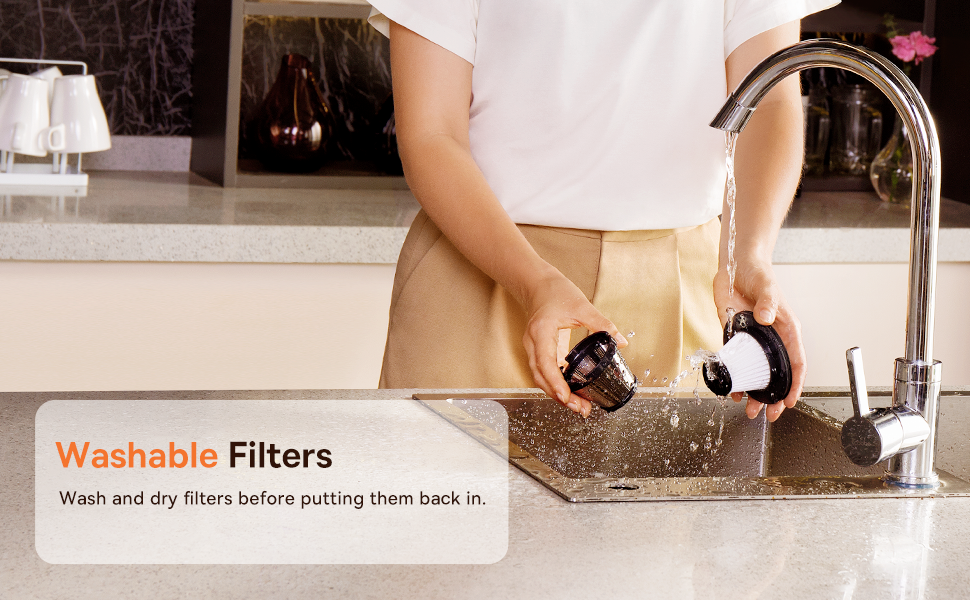
Figure 3.2: Powerful and Portable Design
Características principais:
- Sen fíos e portátiles: Designed for easy handling and use in various locations.
- Dous niveis de succión: Standard (4500PA) for general cleaning and High (8000PA) for tougher debris.
- USB-C recargable: Convenient charging with a modern USB-C port.
- Filtración HEPA: Captures fine dust and allergens.
- 500ml Dust Box: Large capacity for extended cleaning sessions.
4. Configuración e carga
4.1 Cargo inicial
Before first use, fully charge the vacuum cleaner. The charging time is approximately 3 to 3.5 hours.
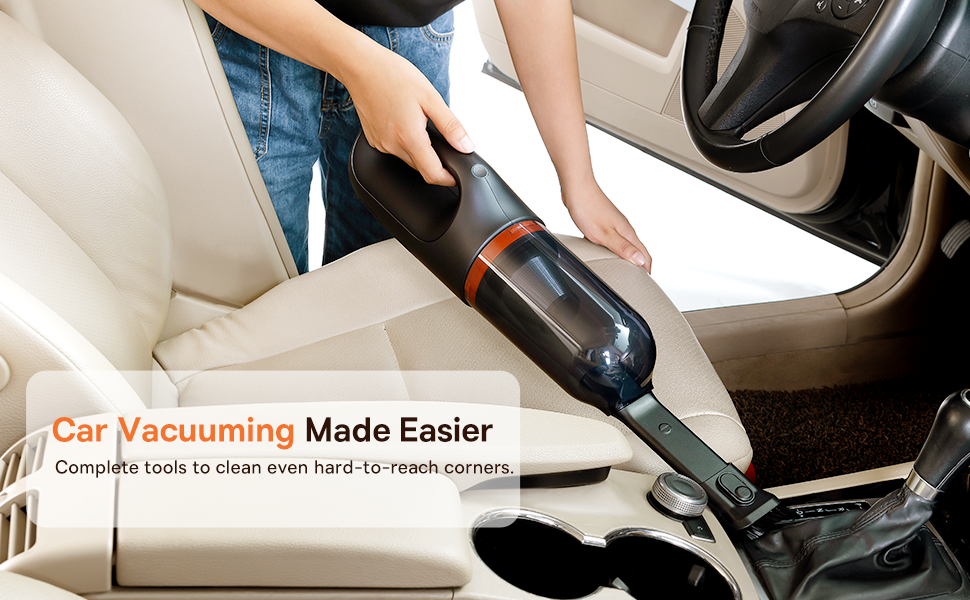
Figura 4.1: Carga por USB-C
- Connect the provided USB-C charging cable to the charging port on the vacuum cleaner.
- Conecta o outro extremo do cable a un adaptador de corrente USB compatible (non incluído) ou a un porto USB.
- The indicator light will show charging status (refer to the device for specific light patterns).
- Once fully charged, disconnect the vacuum from the power source.
4.2 Instalación de accesorios
Select the appropriate attachment for your cleaning task and firmly attach it to the vacuum's suction inlet.
- Flexible Extender Tube: For reaching deep or awkward spaces.
- 2-in-1 Crevice Tool (Silicone Brush/Precision Extensions): Use the narrow end for tight corners and crevices, or slide the brush attachment forward for delicate surfaces.
5. Instrucións de funcionamento
5.1 Acendido/apagado e niveis de succión
- To turn on the vacuum, press the power button. It will start in Standard suction mode (4500PA).
- Press the power button again to switch to High suction mode (8000PA).
- Preme o botón de acendido unha terceira vez para apagar o baleiro.
5.2 Aplicacións de limpeza
The Baseus A7 is versatile for various cleaning tasks:

Figure 5.1: Versatile Cleanups

Figure 5.2: Car Vacuuming Made Easier
- Interiores de coches: Use the crevice tool for tight spots between seats and the flexible tube for under seats.
- Household Surfaces: Effective for quick cleanups on tables, countertops, and furniture.
- Pelo de mascota: Can be used for light pet hair removal on upholstery.
- Keyboards and Electronics: Use the brush attachment for delicate cleaning.
For optimal performance, ensure the dust box is not overfilled and the filter is clean.
6. Mantemento
6.1 Baleirar a caixa do po
Empty the dust box regularly to maintain suction power and prevent blockages.
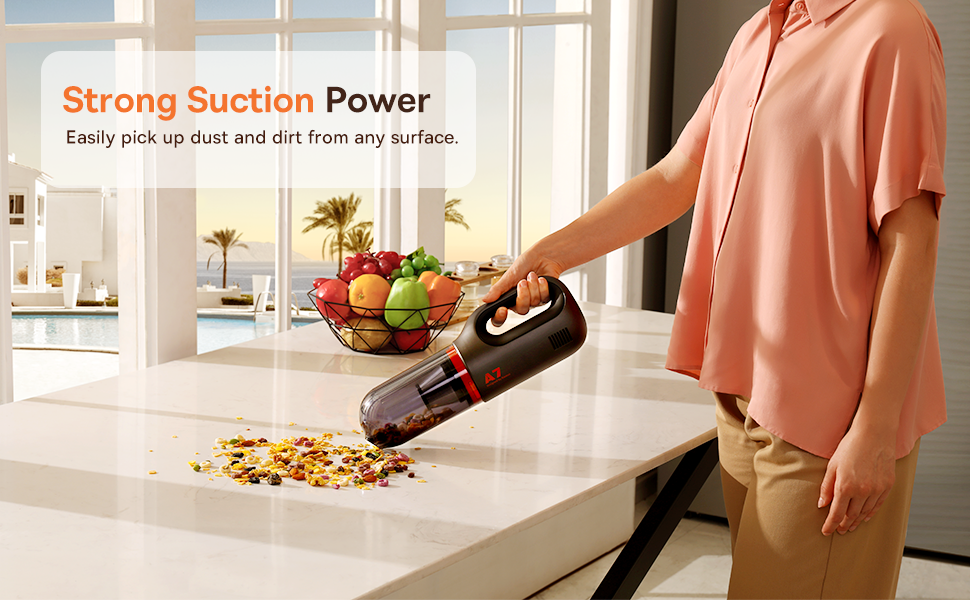
Figure 6.1: Easy to Empty Dust Box
- Asegúrate de que o aspirador estea apagado.
- Twist or unlatch the dust box from the main body of the vacuum (refer to device for specific mechanism).
- Carefully empty the collected debris into a trash receptacle.
- Reattach the dust box securely.
6.2 Limpeza do filtro
The HEPA filter is washable and should be cleaned periodically to ensure efficient filtration and suction.

Figure 6.2: Washing the HEPA Filter
- Remove the dust box and then carefully remove the HEPA filter.
- Rinse the filter under cool, running water until clean. Do not use detergents.
- Deixa que o filtro seque completamente ao aire durante polo menos 24 horas antes de volvelo inserir na aspiradora. Non uses a aspiradora cun filtro húmido.
- Ensure the filter is fully dry and properly seated before reassembling the vacuum.
7 Solución de problemas
If you encounter issues with your Baseus A7 vacuum, refer to the following common problems and solutions:
| Problema | Causa posible | Solución |
|---|---|---|
| Sen alimentación / Non se acende | A batería está esgotada. | Charge the vacuum fully (approx. 3-3.5 hours). |
| Poder de succión débil | A caixa de po está chea. O filtro está obstruído. Attachment is not properly sealed. | Baleira a caixa de po. Clean and dry the HEPA filter. Ensure attachments are firmly connected. |
| O aspirador para inesperadamente | A batería está baixa. Protección contra sobrequecemento activada. | Recarga a batería. Apague o aspirador e déixeo arrefriar durante 30 minutos antes de volver usalo. |
| O indicador de carga non funciona | Problema co cable ou adaptador de carga. Problema co porto de carga. | Try a different USB-C cable and power adapter. Ensure the cable is fully inserted. If the issue persists, contact customer support. |
If the problem persists after trying these solutions, please contact Baseus customer support.
8. Especificacións
| Característica | Detalle |
|---|---|
| Marca | Baseus |
| Nome do modelo | A7 |
| Característica especial | HEPA, Portable |
| Tipo de filtro | Cartucho (HEPA) |
| Sen fíos | Si |
| Capacidade | 500 mililitros |
| Wattage | 120 vatios |
| Tempo de carga | 3 - 3.5 horas |
| Usos recomendados | Car, Carpet, Household |
| Factor de forma | Portátil |
| Cor | Negro |
| Dimensións do produto | 4 cm de longo x 13 cm de ancho x 3 cm de alto |
| Tipo de batería | Ión de litio (2 baterías incluídas) |
| Nivel de ruído | 75 decibeis |
| Ampera | 1.4 Amps |
| Número de velocidades | 2 |
| Peso do elemento | 3.43 libras |
| Fonte de enerxía | Alimentado por batería |
9. Garantía e soporte
The Baseus A7 Handheld Vacuum comes with a warranty to ensure your satisfaction.
- Garantía: Includes a 1-year warranty card and a 3-year guarantee. Please refer to the warranty card included in your package for specific terms and conditions.
- Atención ao cliente: For any questions, technical assistance, or warranty claims, please contact Baseus customer support through their official websitio web ou a información de contacto que aparece na tarxeta de garantía.
10. Vídeo do produto
Watch the official product video for a visual guide on the Baseus A7 Handheld Vacuum's features and usage.
Video 10.1: Baseus A7 Handheld Vacuum Overview and Demonstration. This video showcases the vacuum's design, suction capabilities, and how to use its various attachments for different cleaning scenarios.


