1. Introdución
Thank you for choosing the HTC True Wireless Earbuds 1. This manual provides essential information to help you set up, operate, and maintain your earbuds for optimal performance.
Contido do paquete
Asegúrate de que todos os elementos estean presentes no teu paquete:
- 1 Pair HTC True Wireless Earbuds
- 1 Cable de carga USB-C
- 2 Pairs of Rubber Eartips (S/L)
- 1 Guía rápida
- 1 tarxeta de garantía
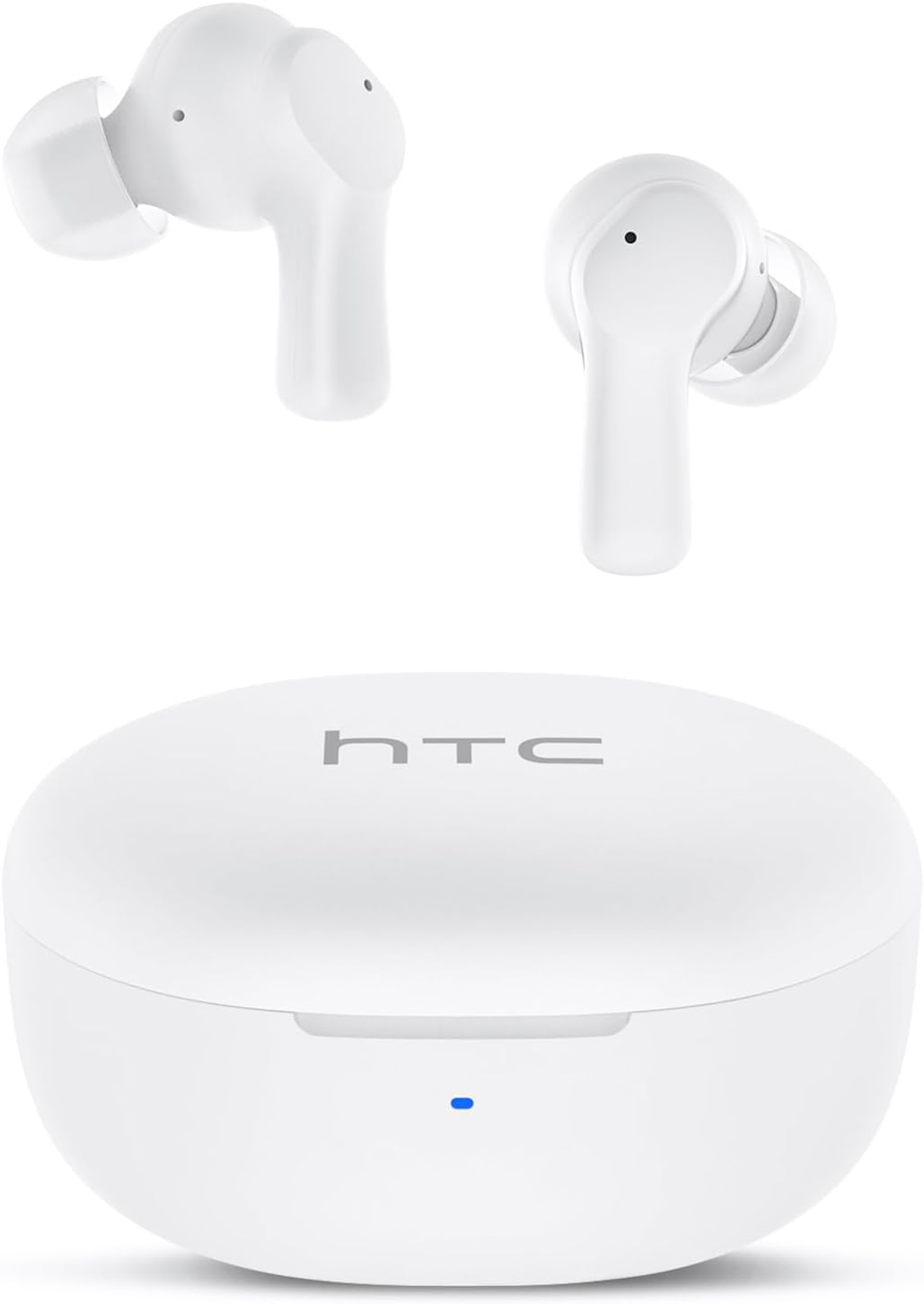
Image: HTC True Wireless Earbuds 1 and their charging case.

Image: The charging case opened, showing the two earbuds nestled inside.
2. Configuración e emparellamento
Configuración inicial
- Eliminar a película protectora: Before first use, remove the protective film from the charging contacts on both earbuds.
- Charge Earbuds: Place the earbuds back into the charging case and close the lid. Connect the charging case to a USB power source using the provided USB-C cable. Ensure the earbuds and case are fully charged before initial use.
- Encendido: Abre a tapa da caixa de carga. Os auriculares acenderanse automaticamente e entrarán no modo de emparellamento.
Emparejamento Bluetooth
The HTC True Wireless Earbuds 1 feature one-step auto-pairing after the initial setup.
- Activar Bluetooth: No teu dispositivo (teléfono intelixente, tableta, ordenador), activa o Bluetooth.
- Busca Dispositivos: In your device's Bluetooth settings, search for available devices.
- Select 'HTC TWS2': From the list of found devices, select 'HTC TWS2' to connect.
- Confirmación: Unha vez conectados, escoitarás un aviso sonoro e os auriculares estarán listos para usar.
After the first successful pairing, the earbuds will automatically connect to the last paired device when taken out of the charging case, provided Bluetooth is enabled on the device.

Image: Illustration of the one-step auto-pairing process, showing earbuds connecting to a smartphone.
3. Como levar posto
For optimal sound quality and comfort, it is important to wear the earbuds correctly.
- Choose Eartips: Select the rubber eartips (S, M, L) that best fit your ear canal. A proper seal enhances bass response and noise isolation.
- Inserir auriculares: Gently insert each earbud into its corresponding ear (L for left, R for right).
- Rotate to Lock: Rotate the earbud slightly forward or backward until it feels secure and comfortable in your ear canal.

Image: Diagram showing how to properly insert the earbuds and the available S/M/L silicone eartips.
4. Operating Instructions (Touch Control)
The HTC True Wireless Earbuds 1 feature intuitive touch controls on each earbud. The following actions can be performed:
| Acción | Control | Función |
|---|---|---|
| Reprodución de música | Single tap (either earbud) | Reproducir/Pausa |
| Reprodución de música | Toca dúas veces o auricular esquerdo | Canción anterior |
| Reprodución de música | Toca dúas veces o auricular dereito | Próxima canción |
| Chamadas | Single tap (either earbud) | Responder / Rematar a chamada |
| Chamadas | Presión longa (en calquera dos auriculares) | Rexeitar a chamada |
| Asistente de voz | Triple tap (either earbud) | Activar o asistente de voz (Siri, Asistente de Google, etc.) |
| Control de volume | Presión longa do auricular esquerdo | Baixar o volume |
| Control de volume | Presión longa do auricular dereito | Subir volume |
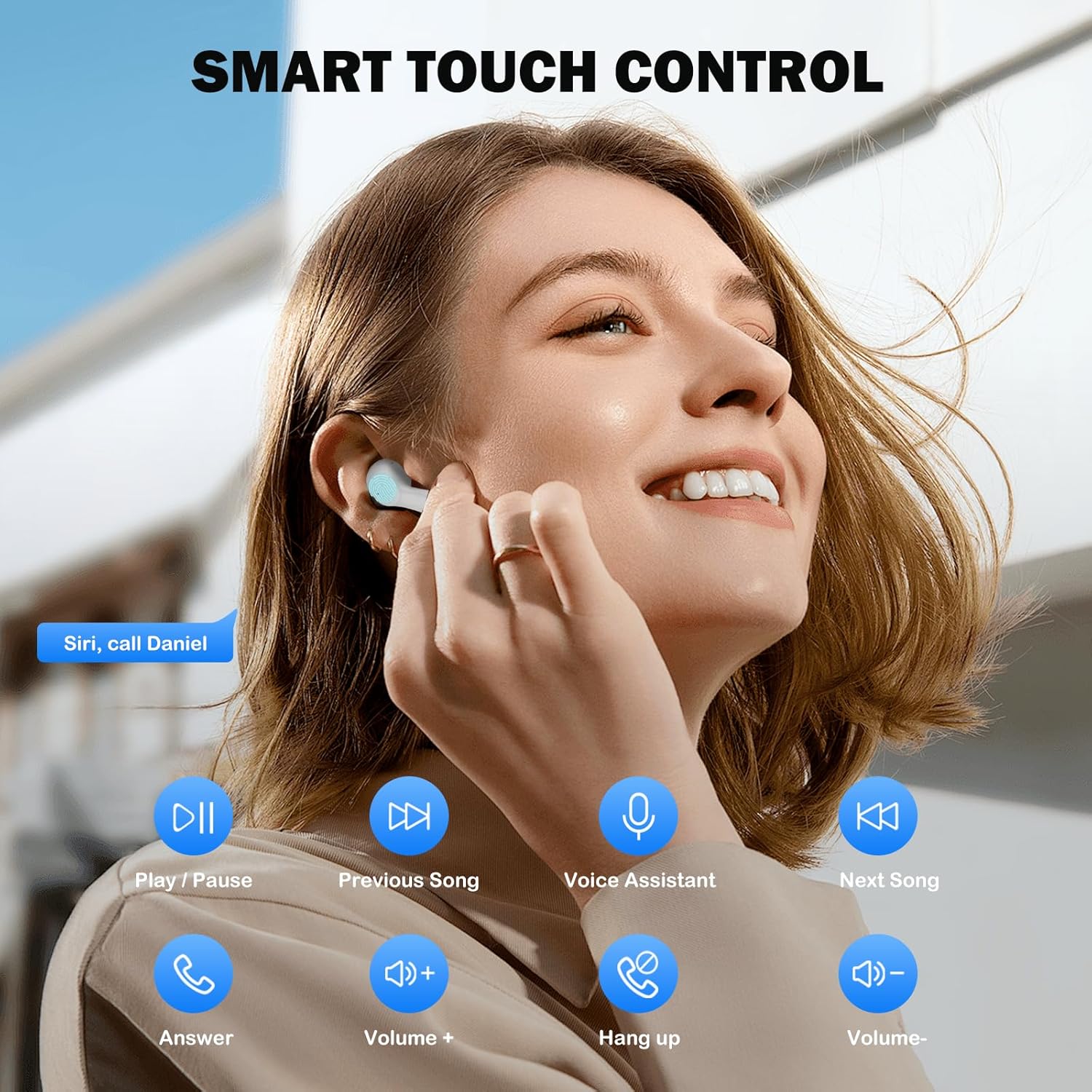
Image: Visual guide to the smart touch controls for music, calls, and voice assistant.
5. Cargando
The earbuds and charging case are powered by internal rechargeable batteries.
Cargando os auriculares
Place the earbuds into the charging case. They will automatically begin charging. The LED indicator on the case will show charging status.
Cargando o caso
Connect the provided USB-C cable to the charging port on the case and to a USB power adapter (not included). The LED indicator on the case will show charging progress. A full charge for the earbuds takes approximately 40 minutes.
Duración da batería
- Auriculares: Up to 8 hours of listening time on a single charge (at 50% volume).
- Con estuche de carga: Up to 40 hours of total playtime with multiple charges from the case.
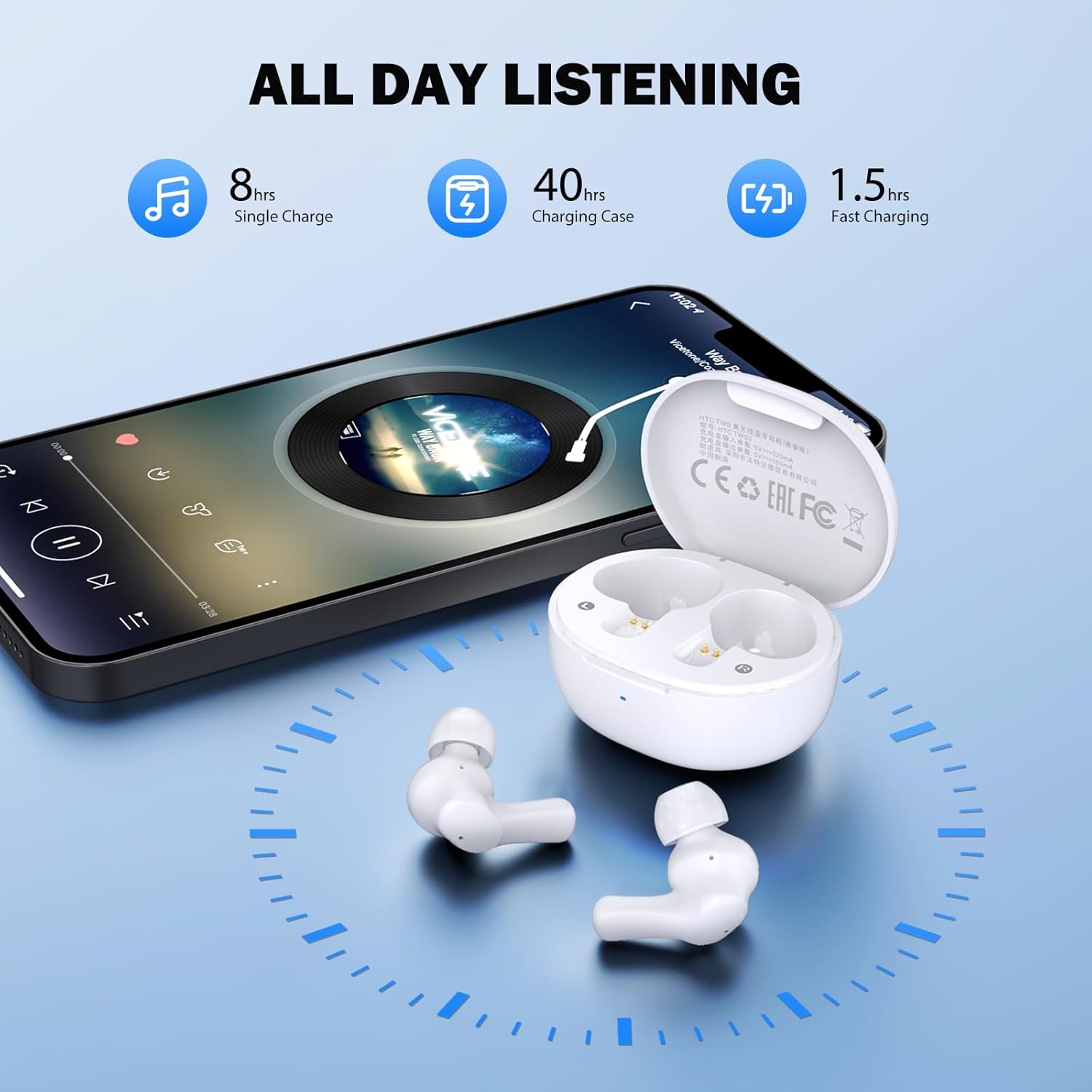
Image: Visual representation of 8 hours single charge, 40 hours with charging case, and 1.5 hours fast charging for the case.
6. Mantemento e coidados
Proper care ensures the longevity and performance of your earbuds.
Limpeza
- Limpa regularmente os auriculares e a funda de carga cun pano suave, seco e sen fiapos.
- Retire as almofadas para os oídos e límpeas con auga e xabón suave, logo séqueas ben antes de volvelas colocar.
- Ensure charging contacts on both earbuds and inside the case are clean and free of debris.
Resistencia á auga
The earbuds are rated IPX4 resistente á auga, meaning they are protected against splashing water from any direction. They are suitable for exercise and light rain, but should not be submerged in water or exposed to heavy downpours.
Almacenamento
Cando non estean en uso, garde os auriculares no seu estoxo de carga para protexelos e mantelos cargados.
7 Solución de problemas
Se atopas problemas, proba as seguintes solucións:
- Sen son: Ensure earbuds are charged, connected to your device, and volume is up on both the earbuds and your device.
- Problemas de emparellamento: Asegúrate de que o Bluetooth estea activado no teu dispositivo e que os auriculares estean en modo de emparellamento. Tenta desactivar o Bluetooth e activalo de novo no teu dispositivo.
- Un auricular non funciona: Volve colocar os dous auriculares na caixa de carga, pecha a tapa, agarda uns segundos e volve retiralos. Isto adoita volver sincronizalos.
- Conexión intermitente: Ensure there are no obstructions between the earbuds and your device. Keep your device within the 10-meter Bluetooth range.
Restablecemento de fábrica
If problems persist, a factory reset may resolve them:
- Coloque os dous auriculares no estoxo de carga.
- With the earbuds in the case, quickly tap each earbud 5 times.
- The LED on the earbuds will flash red, then turn off, indicating a successful reset.
- Close the charging case lid, then open it again to re-initiate pairing.

Image: Visual instructions for initial setup, wearing the earbuds, and performing a factory reset.
8. Especificacións
| Característica | Detalle |
|---|---|
| Nome do modelo | HTC TWS2 |
| Tecnoloxía de conectividade | Sen fíos (Bluetooth 5.3) |
| Alcance Bluetooth | Ata 10 metros (33 pés) |
| Tipo de controlador de audio | Controlador dinámico de 10 mm |
| Rango de frecuencias | 20 Hz - 20,000 Hz |
| Duración da batería dos auriculares | Ata 8 horas (unha soa carga) |
| Tempo de reprodución total (con estuche) | Ata 40 horas |
| Tempo de carga dos auriculares | Aproximadamente 40 minutos |
| Nivel de resistencia á auga | IPX4 (Sweatproof, Splash Resistant) |
| Tipo de control | Control táctil |
| Micrófono | Built-in with Call Noise Cancellation |
| Baixa latencia | 40 ms (Modo de xogo) |
| Peso dos auriculares | Approximately 3.8g per earbud |
| Dispositivos compatibles | dispositivos iOS, Android e Windows |

Image: Diagram illustrating the 10mm diameter loud speaker for HiFi stereo sound.

Image: Visual representation of Bluetooth 5.3 technology benefits: low consumption, faster transmission, lower latency, and built-in microphone.
9. Garantía e soporte
Información da garantía
Your HTC True Wireless Earbuds 1 come with a warranty. Please refer to the included Warranty Card for detailed terms and conditions, including coverage period and what is covered.
Atención ao cliente
For any questions, technical assistance, or warranty claims, please contact HTC customer support. Refer to the contact information provided in your Quick Guide or on the official HTC websitio.


