1. Introdución
Thank you for choosing the Xigmatek Lux M Micro-ATX Mini Tower PC Case. This manual provides detailed instructions for the installation, operation, and maintenance of your new PC chassis. Please read this manual carefully before beginning the assembly process to ensure proper installation and to maximize the performance and longevity of your system.
The Lux M case is designed to offer a robust and aesthetically pleasing housing for your computer components, featuring a tempered glass side panel, a metallic front panel with a unique cut-out pattern, and pre-installed fixed RGB fans for optimal cooling and visual appeal. It supports Micro-ATX and Mini-ITX motherboards and is compatible with various cooling solutions, including water cooling.
2. Información de seguridade
Observe as seguintes precaucións de seguridade durante a instalación e o funcionamento:
- Always disconnect the power supply from the wall outlet before installing or removing any components to prevent electric shock.
- Handle all components with care. Avoid touching circuit boards directly; hold them by their edges.
- Wear an anti-static wrist strap when handling sensitive electronic components to prevent electrostatic discharge (ESD) damage.
- Keep the case and components away from liquids, excessive heat, and direct sunlight.
- Asegúrate de que haxa unha ventilación axeitada arredor da carcasa do PC para evitar o sobrequecemento.
- Keep small parts and screws out of reach of children.
3. Contido do paquete
Verifica que todos os artigos estean no teu paquete. Se falta algún artigo ou está danado, ponte en contacto co teu vendedor.
- Xigmatek Lux M Micro-ATX Mini Tower PC Case
- Accessory box (containing screws, standoffs, cable ties, etc.)
- Manual de usuario (este documento)
4. Produto rematadoview
Familiarize yourself with the various parts of your Xigmatek Lux M PC case.
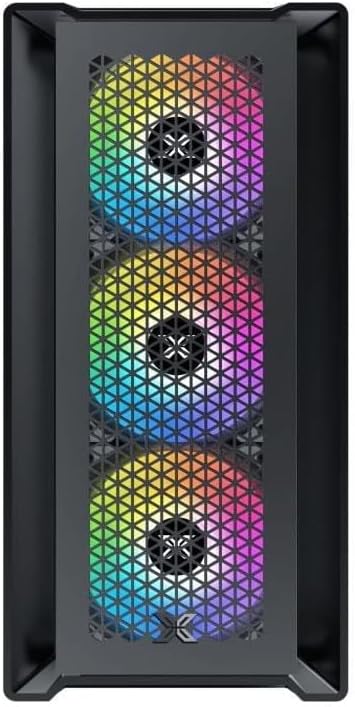
Figura 4.1: Fronte View. This image displays the front of the Xigmatek Lux M case, highlighting the metallic mesh panel with a triangular design and the three pre-installed 120mm fixed RGB fans.

Figure 4.2: Angled Top-Front View. This perspective shows the tempered glass side panel, offering a clear view of the interior, and the top panel with its I/O ports (USB, audio) and power button.
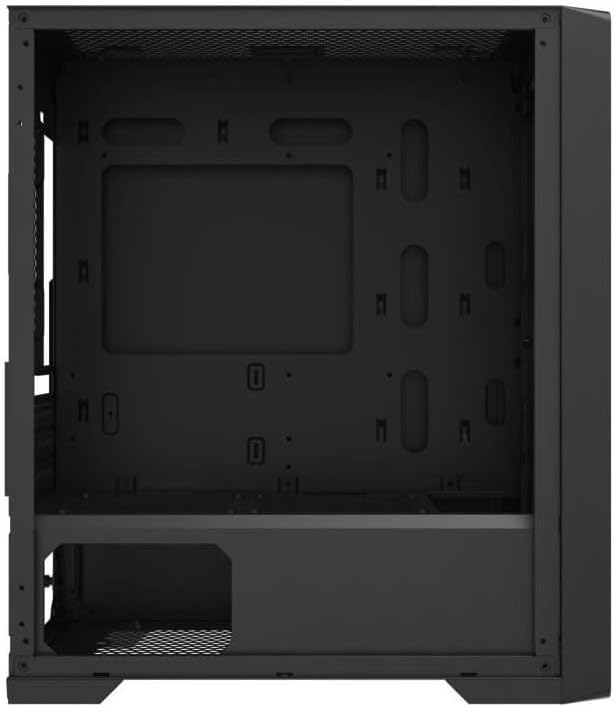
Figure 4.3: Interior Layout. The internal structure of the case, featuring the motherboard mounting tray, cutouts for cable management, and the power supply shroud at the bottom.
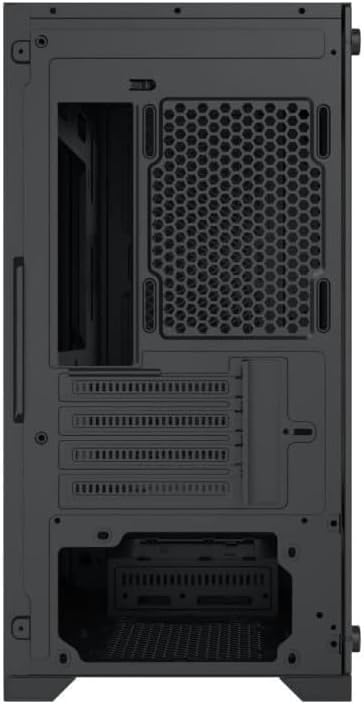
Figura 4.4: Traseira View. This image illustrates the rear of the case, including the expansion slots for graphics cards and other add-in cards, the rear fan mounting area, and the power supply mounting bracket.
5. Configuración e instalación
Follow these steps to install your computer components into the Xigmatek Lux M case.
5.1. Preparación do caso
- Coloque a caixa sobre unha superficie plana e estable.
- Remove the tempered glass side panel by unscrewing the thumb screws and carefully lifting it off. Set it aside on a soft, non-abrasive surface.
- Remove the opposite steel side panel by unscrewing the thumb screws and sliding it backward.
5.2. Instalación da placa base
The Lux M supports Micro-ATX and Mini-ITX motherboards.
- Instala a protección de E/S (se non está preinstalada na placa base) na abertura traseira da caixa.
- Align the motherboard with the pre-installed standoffs. Ensure all screw holes on the motherboard match the standoffs.
- Secure the motherboard using the provided motherboard screws. Do not overtighten.
5.3. Instalación da fonte de alimentación (PSU)
The PSU mounts at the rear bottom of the case.
- Slide the PSU into its designated compartment from the rear of the case.
- Align the PSU's screw holes with the holes on the case's rear panel.
- Fixe a fonte de alimentación cos parafusos proporcionados.
5.4. Storage Drive Installation (2.5"/3.5" Drives)
The case supports 2x 2.5"/3.5" storage drives.
- Locate the drive cage beneath the PSU shroud or dedicated 2.5" mounting points behind the motherboard tray.
- For 3.5" HDDs, slide the drive into a drive tray (if applicable) and secure it with screws.
- For 2.5" SSDs, secure them directly to the mounting points using the provided screws.
5.5. Graphics Card (VGA) and Expansion Card Installation
A carcasa admite tarxetas gráficas de ata 320 mm de lonxitude.
- Retire as tapas das ranuras de expansión necesarias da parte traseira da caixa.
- Insert your graphics card or other expansion card into the appropriate PCIe slot on your motherboard.
- Secure the card to the case using the expansion slot screws.
5.6. Cooling System Installation (Optional)
The Lux M comes with 4x 120mm X24F fixed RGB fans. It supports additional cooling options.
- Enfriador de CPU: Max height of 160mm. Install your CPU cooler according to its manufacturer's instructions.
- Soporte de radiador: The case supports radiators of 360mm, 240mm, or 120mm. Refer to your radiator's manual for installation. Common mounting locations include the front and top panels.
5.7. Xestión de cables
Utiliza os recortes para o paso de cables e os puntos de suxeición que hai detrás da bandexa da placa base para organizar os cables. Isto mellora a circulación do aire e a estética.
5.8. Asemblea Final
- Once all components are installed and cables are managed, reattach the steel side panel and secure it with thumb screws.
- Carefully reattach the tempered glass side panel and secure it with thumb screws.
6. Instrucións de funcionamento
After completing the installation, connect your peripherals (monitor, keyboard, mouse) and power cable to the PC. Press the power button located on the top panel of the case to start your system.
The pre-installed X24F RGB fans feature fixed RGB lighting, which will illuminate automatically upon system power-on. No additional software or controller is required for their basic operation.
Ensure that the case's ventilation is not obstructed to maintain optimal airflow and cooling performance.
7. Mantemento
Regular maintenance helps ensure the longevity and optimal performance of your PC components.
- Limpeza do po: Periodically clean dust filters (if present) and the interior of the case using compressed air or a soft brush. Dust accumulation can hinder airflow and lead to overheating.
- Limpeza exterior: Limpe as superficies exteriores cun suave, damp cloth. Avoid harsh chemicals that may damage the finish or tempered glass.
- Vidro temperado: Clean the tempered glass panel with a glass cleaner and a microfiber cloth to avoid scratches and streaks.
8 Solución de problemas
If you encounter issues during or after installation, consider the following common troubleshooting steps:
- Sen enerxía:
- Ensure the power cable is securely connected to both the PSU and the wall outlet.
- Check that the PSU switch is in the 'ON' position.
- Verifique que o cable do interruptor de alimentación do panel frontal estea conectado correctamente ao conector do panel frontal da placa base.
- Fans Not Spinning / RGB Not Lighting:
- Ensure all fan power cables are securely connected to the motherboard or a fan controller.
- For RGB, confirm that any necessary RGB headers are connected to the motherboard (though the included fans are fixed RGB and should light up with power).
- Sen saída de visualización:
- Verify that your monitor cable is connected to the graphics card (if installed) and not the motherboard's integrated graphics port.
- Volva colocar a tarxeta gráfica na súa ranura PCIe.
- Sobrequecemento:
- Ensure all case fans are spinning and oriented correctly for optimal airflow (intake/exhaust).
- Clean any dust filters and internal components.
- Verify that the CPU cooler is properly seated and making good contact with the CPU.
For more complex issues, consult your component manuals or seek assistance from Xigmatek support or a qualified technician.
9. Especificacións
| Característica | Especificación |
|---|---|
| Marca | Xigmatek |
| Nome do modelo | Lux M |
| Número de modelo | EN 48540 |
| Tipo de caso | Mini Torre |
| Compatibilidade da placa base | Micro-ATX, Mini-ITX |
| Material | Tempered Glass (side panel), Metal (front panel) |
| Cor | Negro |
| Ventiladores preinstalados | 4 x 120mm X24F Fixed RGB Fans |
| Soporte radiador | 360 mm, 240 mm, 120 mm |
| Altura máxima do refrigerador da CPU | 160 mm |
| Lonxitude máxima de VGA | 320 mm |
| Lonxitude máxima da PSU | 165 mm |
| Bahías de almacenamento | 2x 2.5"/3.5" |
| Características especiais | RGB Lighting, Triangular Mesh Front Design |
10. Garantía e soporte
Xigmatek products are manufactured to the highest quality standards. For warranty information and technical support, please refer to the warranty card included with your product or visit the official Xigmatek websitio. Garde o comprobante de compra para reclamacións de garantía.
For further assistance, you may contact Xigmatek customer support through their official channels.


