1. Produto rematadoview
The Oladance OWS1 Open Ear Headphones offer a unique open-ear design for comfort and situational awareness. These wireless Bluetooth 5.2 headphones feature dual 16.5mm drivers for high-quality sound and extended battery life, making them suitable for various activities.
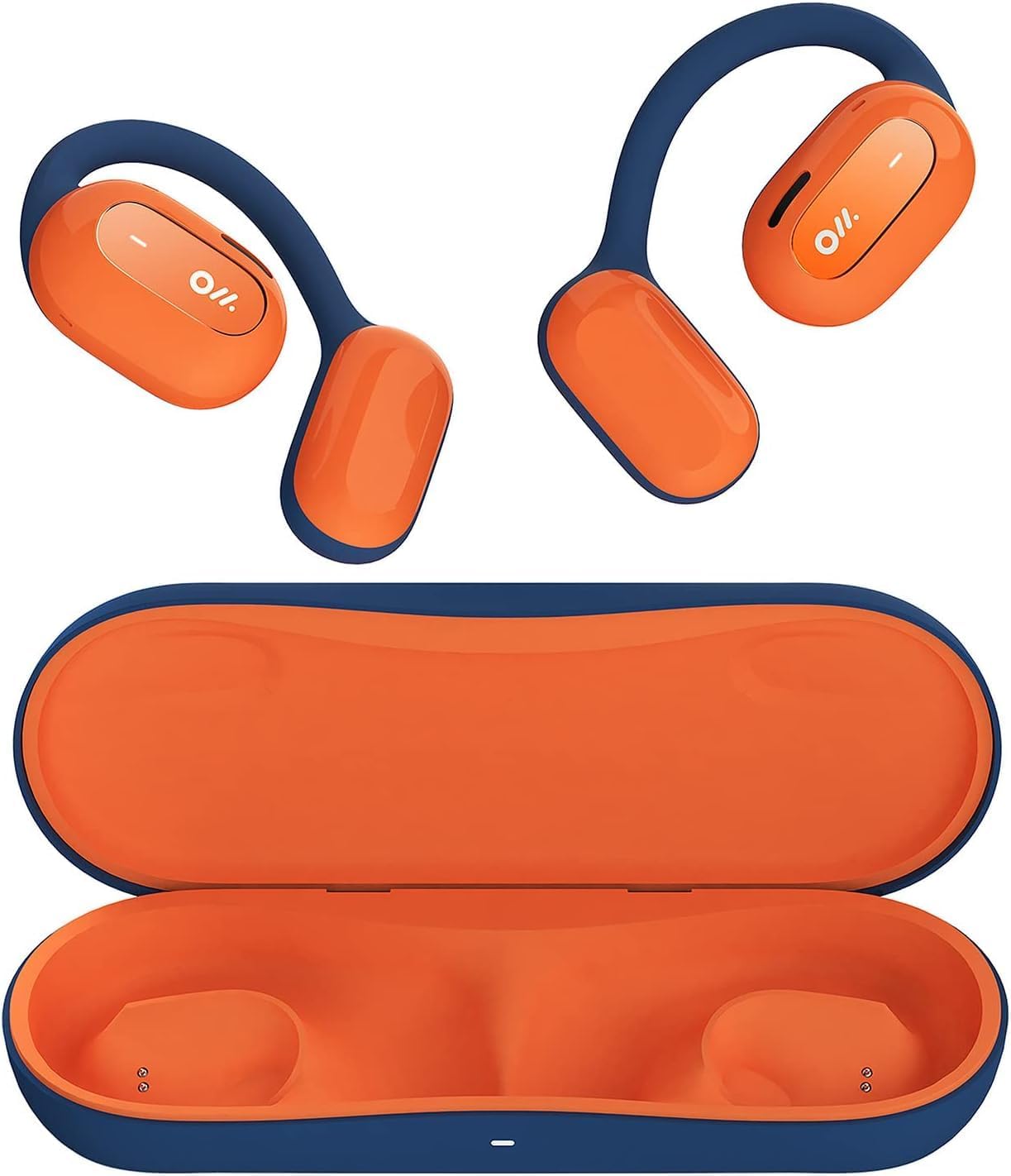
Image 1: Oladance OWS1 Open Ear Headphones and their carry case.
2. Que hai na caixa
- 1 × Oladance Wearable Stereo (Pair of Open Ear Headphones)
- 1 × Non-charging Carry Case
- 1 × cable tipo C
- 1 × Manual de usuario
3. Características clave
- True Open Ear Design: Earbuds rest gently on top of the ear, avoiding insertion into the ear canal for enhanced comfort and situational awareness.
- 360° Superior Sound: Equipped with dual powerful 16.5mm dynamic drivers and bio-diaphragm technology for rich, clear audio across all volume levels.
- Anti-Hearing Loss Focus: Designed to prevent common health issues associated with traditional earbuds by not blocking the ear canal, reducing pressure and potential hearing damage.
- Extended 16-Hour Playtime: Features a built-in 160mAh battery and low-consumption algorithms, providing up to 16 hours of continuous playback on a single charge. Note: A separate charging case is required for extended playtime beyond the included carry case.
- Ajuste seguro e cómodo: Multi-point support system distributes weight evenly across the ear, ensuring a stable and comfortable fit for various activities.

Image 2: The Oladance OWS1 headphones are designed for a secure and comfortable fit, ideal for activities like yoga.
4. Guía de configuración
4.1 Carga inicial
Before first use, fully charge your Oladance OWS1 headphones. Connect the provided Type-C cable to the charging port on the headphones and a compatible USB power source. The LED indicator will show charging status.
4.2 Acendido/Apagado
- Para acender: Press and hold the power button (location typically on one of the earbud units) for approximately 2-3 seconds until you hear an audible prompt or see an LED indicator light up.
- Para apagar: Press and hold the power button for approximately 3-5 seconds until you hear an audible prompt or the LED indicator turns off.
4.3 Emparejamento Bluetooth
- Asegúrese de que os auriculares estean apagados.
- Press and hold the power button for approximately 5-7 seconds until the LED indicator flashes red and blue alternately. This indicates the headphones are in pairing mode.
- No teu dispositivo (teléfono intelixente, tableta, ordenador), vai á configuración de Bluetooth.
- Busca "Oladance OWS1" in the list of available devices.
- Select "Oladance OWS1" to connect. Once connected, the LED indicator will typically flash blue slowly or turn off, and you will hear a confirmation tone.

Image 3: The Oladance OWS1 headphones are designed for an ergonomic and stable fit during various activities.
5. Instrucións de funcionamento
5.1 Controis básicos
| Función | Acción |
|---|---|
| Reproducir/Pausa música | Prema unha vez o botón multifunción. |
| Próxima pista | Prema dúas veces o botón multifunción. |
| Pista anterior | Prema tres veces o botón multifunción. |
| Subir volume | Prema unha vez o botón Volume +. |
| Baixar o volume | Prema unha vez o botón de Volume -. |
| Responder/Finalizar chamada | Prema unha vez o botón multifunción durante unha chamada entrante ou activa. |
| Rexeitar a chamada | Manteña premido o botón multifunción durante 2 segundos durante unha chamada entrante. |
| Activa o asistente de voz | Manteña premido o botón multifunción durante 2 segundos. |
5.2 Conexión multipunto
The Oladance OWS1 headphones support multi-point connection, allowing them to be connected to two Bluetooth devices simultaneously. This enables seamless switching between devices without re-pairing.
- Ensure the headphones are paired with the first device.
- Put the headphones into pairing mode again (usually by holding the power button until the LED flashes red and blue).
- On the second device, search for "Oladance OWS1" in the Bluetooth settings and connect.
- The headphones should now be connected to both devices. Audio will automatically switch to the device playing content or receiving a call.

Image 4: The open-ear design allows for comfortable extended wear, even during work or calls.
6. Coidados e mantemento
- Limpeza: Use a soft, dry cloth to wipe the headphones. Avoid using harsh chemicals or abrasive materials.
- Almacenamento: Store the headphones in their provided non-charging carry case when not in use to protect them from dust and damage.
- Resistencia á auga: The headphones are water-resistant (IPX4 rated). Avoid submerging them in water or exposing them to high-pressure water jets. Dry thoroughly if they get wet.
- Temperatura: Evite expoñer os auriculares a temperaturas extremas (calor ou frío) ou a alta humidade.

Image 5: The included carry case protects your Oladance OWS1 headphones during transport and storage.
7 Solución de problemas
- Non se pode acender
- Ensure the headphones are fully charged. Connect them to a power source using the Type-C cable.
- Non se pode sincronizar co dispositivo
- Ensure the headphones are in pairing mode (LED flashing red and blue).
- Desactiva e activa o Bluetooth do teu dispositivo.
- Borra as conexións Bluetooth anteriores no teu dispositivo.
- Achega os auriculares ao dispositivo.
- Sen son ou volume baixo
- Comprobe os niveis de volume tanto nos auriculares como no dispositivo conectado.
- Asegúrate de que os auriculares estean conectados correctamente ao teu dispositivo.
- Tenta reproducir audio desde unha aplicación ou fonte diferente.
- Conexión intermitente
- Asegúrate de que non haxa obstáculos entre os auriculares e o dispositivo.
- Evitar fortes interferencias electromagnéticas.
- Keep the headphones within the effective Bluetooth range (typically 10 meters).
8. Especificacións do produto
| Característica | Detalle |
|---|---|
| Número de modelo | OLA02 |
| Marca | Oladance |
| Tecnoloxía de conectividade | Sen fíos (Bluetooth 5.2) |
| Colocación do oído | Orella aberta |
| Factor de forma | Orella aberta |
| Tamaño do controlador | Dous controladores dinámicos de 16.5 mm |
| Duración da batería (media) | Ata 16 horas |
| Tempo de carga | Aproximadamente 2 Horas |
| Nivel de resistencia á auga | Resistente á auga (IPX4) |
| Formato de micrófono | Integrado |
| Tipo de control | Control multimedia (botóns) |
| Material | Plástico |
| Dimensións do produto | 13 x 11 x 457.2 cm |
| Peso do elemento | 260 g |

Image 6: A close-up of the Oladance OWS1 headphones, highlighting their design and color.
9. Garantía e soporte
Oladance products are covered by a limited warranty. For detailed warranty information, product support, or service inquiries, please refer to the official Oladance websitio web ou póñase en contacto directamente co servizo de atención ao cliente. Garde o comprobante de compra para reclamacións de garantía.
Para obter máis axuda, visite: www.oladance.com


