1. Produto rematadoview
The STABILA LD220 is a compact and easy-to-use laser distance measuring tool designed for quick and accurate measurements. It features an impact-resistant housing with a shock-absorbent STABILA soft grip casing, ensuring durability in various working conditions. The large digits on the display facilitate easy reading of measurements.
Características principais:
- Compact, easy-to-use laser.
- 4 basic measuring functions: length, area, volume, and continuous measurement.
- Calculates measuring results quickly.
- Large digits for easy readability.
- Impact-resistant housing with shock-absorbent STABILA soft grip casing.
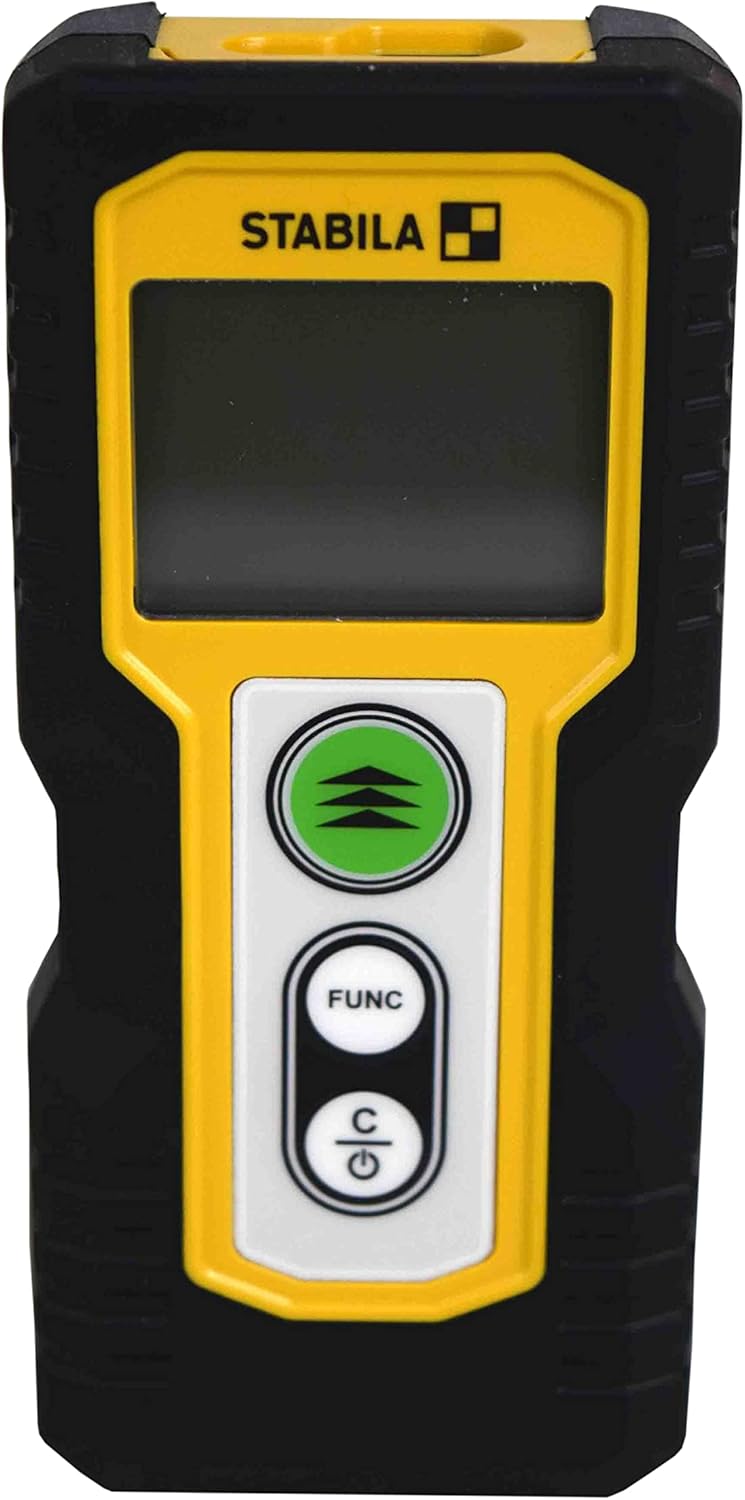
Figura 1.1: Fronte view of the STABILA LD220 laser distance measuring tool, showcasinpolo seu deseño compacto e a súa pantalla.
2. Iniciación
2.1 Contido do paquete
Asegúrese de que todos os compoñentes estean presentes:
- STABILA LD220 Laser Distance Measuring Tool
- Batteries (Alkaline, LR03/AAA type)
2.2 Instalación da batería
The STABILA LD220 requires two AAA alkaline batteries for operation. Follow these steps to install them:
- Localiza a tapa do compartimento da batería na parte traseira do dispositivo.
- Deslice a tapa cara abaixo ou na dirección indicada por unha frecha para abrila.
- Insert two AAA alkaline batteries, ensuring the correct polarity (+ and -) as marked inside the compartment.
- Peche a tapa do compartimento da batería deslizándoa de volta ao seu lugar ata que faga clic de forma segura.

Figure 2.1: The STABILA LD220 device shown alongside two AAA batteries, indicating the power source.

Figura 2.2: Primeiro plano view of the two AAA alkaline batteries, which power the device.
2.3 Acendido/Apagado
Para acender o dispositivo, prema Power/Clear (C) botón. Para apagar, manteña premido o botón Power/Clear (C) button for a few seconds, or the device will automatically shut off after a period of inactivity to conserve battery life.
3. Instrucións de funcionamento
The STABILA LD220 offers four primary measuring functions. Familiarize yourself with the buttons:
- Measurement Button (Green, with three arrows): Initiates a measurement or activates continuous measurement.
- Function Button (FUNC): Cycles through different measurement modes (Length, Area, Volume, Continuous).
- Power/Clear Button (C): Powers the device on/off, clears the last measurement, or exits a function.

Figura 3.1: Detalle view of the STABILA LD220's control panel, highlighting the measurement, function, and power/clear buttons.
3.1 Medición de lonxitude
This is the default mode for single distance measurements.
- Asegúrese de que o dispositivo estea acendido.
- Apunte o raio láser á superficie obxectivo.
- Preme o Botón de medición once. The measured distance will appear on the display.
3.2 Medición continua (seguimento)
This mode allows for dynamic measurement, displaying real-time distance as you move the device.
- Preme o FUNC button until the continuous measurement icon (often a series of horizontal lines or a tracking symbol) appears on the display.
- Preme o Botón de medición para iniciar a medición continua.
- Move the device slowly towards or away from the target. The display will update the distance continuously.
- Preme o Botón de medición de novo ou o C botón para deter a medición continua.
3.3 Medición da área
To calculate the area of a rectangular space (Length x Width).
- Preme o FUNC button until the area measurement icon (a square or rectangle) appears.
- Measure the first side (e.g., length) by pointing the laser and pressing the Botón de medición.
- Measure the second side (e.g., width) by pointing the laser and pressing the Botón de medición de novo.
- O dispositivo calculará e mostrará a área automaticamente.
3.4 Medición de volume
To calculate the volume of a rectangular space (Length x Width x Height).
- Preme o FUNC button until the volume measurement icon (a cube or rectangular prism) appears.
- Measure the first side (e.g., length) by pointing the laser and pressing the Botón de medición.
- Measure the second side (e.g., width) by pointing the laser and pressing the Botón de medición.
- Measure the third side (e.g., height) by pointing the laser and pressing the Botón de medición.
- O dispositivo calculará e mostrará o volume automaticamente.

Figure 3.2: The product packaging illustrating the various measuring functions, including length, area, volume, and tracking.
4. Coidados e mantemento
Proper care and maintenance will extend the life of your STABILA LD220.
- Limpeza: Use un suave, damp cloth to clean the device. Do not use harsh chemicals, abrasive cleaners, or solvents. Ensure the laser lens and display are kept clean for accurate readings.
- Almacenamento: Store the device in a dry, cool place, away from direct sunlight and extreme temperatures. If storing for an extended period, remove the batteries to prevent leakage.
- Manexo: Although the device has an impact-resistant housing, avoid dropping it or subjecting it to severe shocks.
- Coidado da batería: Substitúa as pilas cando apareza o indicador de pila baixa na pantalla. Desfágase das pilas usadas segundo a normativa local.
5 Solución de problemas
If you encounter issues with your STABILA LD220, refer to the following common problems and solutions:
| Problema | Causa posible | Solución |
|---|---|---|
| O dispositivo non se acende. | Baterías gastadas ou instaladas incorrectamente. | Check battery polarity. Replace with new AAA alkaline batteries. |
| Medicións inexactas. | Laser lens is dirty; target surface is too reflective/absorbent; device is unstable during measurement. | Clean the laser lens with a soft cloth. Use a target plate for difficult surfaces. Ensure the device is held steady. |
| A pantalla mostra unha mensaxe de erro. | Medición fóra de rango; erro interno. | Ensure target is within the 100ft (30m) range. Power off and restart the device. If the error persists, contact support. |
| O raio láser non é visible. | Luz ambiental brillante; láser non activado. | Use in lower light conditions or use a laser target plate. Press the measurement button to activate the laser. |
6. Especificacións técnicas
Detailed specifications for the STABILA LD220 Laser Distance Measuring Tool:
| Especificación | Valor |
|---|---|
| Número de modelo | Stabila - 06220 |
| Rango de medición | Ata 100 pés (30 m) |
| Funcións de medición | Length, Area, Volume, Continuous Measurement |
| Cor | Negro |
| Material | Plástico |
| Dimensións do artigo (L x W x H) | 8 x 5 x 2 polgadas |
| Peso do elemento | 8 onzas |
| Pilas necesarias | No (Included Components: Stabila - 06220, but requires 2x AAA Alkaline batteries for operation) |
| Tipo de batería | Alcalino (AAA) |
| Fabricante | Stabila |
| Data de primeira dispoñibilidade | 17 de marzo de 2022 |

Figura 6.1: Traseira view of the STABILA LD220, displaying the product label with model number, power requirements, and laser class information.
7. Garantía e soporte
For information regarding product warranty, returns, or technical support, please refer to the documentation included with your purchase or visit the official Stabila websitio. Os termos e condicións específicos da garantía poden variar segundo a rexión e o vendedor.


