1. Introdución
This manual provides essential information for the safe and effective use of your Midea Robot Vacuum M3L. Please read this manual thoroughly before operating the device and retain it for future reference.
The Midea Robot Vacuum M3L is designed to provide efficient and comprehensive floor cleaning. It features a 3-stage cleaning process that includes sweeping, vacuuming, and mopping, ensuring thorough removal of dirt and debris from various floor types.
2. Produto rematadoview
The Midea M3L robot vacuum is equipped with advanced features for autonomous cleaning:
- Alta potencia de succión: Delivers 3000 PA suction for effective removal of hair, dust, and small particles.
- Duración prolongada da batería: Operates for up to 150 minutes on a single charge, covering large areas.
- Recarga automática: The robot automatically returns to its charging base when the battery is low.
- Navegación intelixente: Utilizes mapping technology to learn home layouts and plan efficient cleaning paths.
- Evitación de obstáculos: Equipped with 360° sensors to detect and navigate around obstacles.
- Sensores de acantilado: Built-in anti-drop sensors prevent the robot from falling down stairs.
- Múltiples modos de limpeza: Offers Edge, Auto, and Spot cleaning modes to suit different needs.
- Control remoto: Includes a user-friendly remote for basic operation and scheduling.
- Control da aplicación: Compatible with a mobile application for advanced features like setting no-go zones and customized cleaning schedules.
- Habilidade para escalar: Can climb over obstacles up to 21mm, such as carpets or cords.
3. Configuración
3.1 Desembalaxe
Carefully remove all components from the packaging. Ensure all accessories are present:
- Midea Robot Vacuum M3L
- Base de carga
- Adaptador de alimentación
- Control remoto
- Cepillos Laterais
- Ferramenta de limpeza
- Manual de usuario
3.2 Colocación da base de carga
Place the charging base against a wall in an open area, ensuring there are no obstacles within 1 meter (3 feet) to the front and 0.5 meters (1.5 feet) to the sides. Connect the power adapter to the charging base and plug it into a power outlet.
3.3 Carga inicial
Place the robot vacuum onto the charging base. Ensure the charging contacts on the robot align with those on the base. The indicator light on the robot will show charging status. For first-time use, charge the robot for at least 6 hours to ensure optimal battery performance.

Image: Self-Recharging. The robot vacuum automatically returns to its charging base when its battery level is low, ensuring it is always ready for the next cleaning cycle.
3.4 Instalación da batería do control remoto
Open the battery compartment on the back of the remote control and insert two AAA batteries (not included), observing the correct polarity. Close the compartment.
3.5 Mobile Application Setup (Optional)
Download the Midea app from your smartphone's app store. Follow the in-app instructions to connect your robot vacuum to your home Wi-Fi network. This enables advanced control features.
4. Instrucións de funcionamento
4.1 Acendido/Apagado
Press and hold the power button on the robot for a few seconds to turn it on or off. A voice prompt will confirm the action.
4.2 Inicio dun ciclo de limpeza
Press the 'Clean' button on the robot or the remote control to start an automatic cleaning cycle. The robot will begin cleaning in Auto Mode.
4.3 Modos de limpeza
The Midea M3L offers several cleaning modes to address different cleaning needs:

Image: Multiple Cleaning Modes. The robot vacuum supports Edge Mode for cleaning along walls, Auto Mode for general area cleaning, and Spot Mode for concentrated cleaning of specific dirty areas.
- Modo automático: The robot cleans in an organized, systematic pattern to cover the entire floor area.
- Modo de borde: The robot cleans along walls and furniture edges to ensure thorough cleaning of corners and perimeters.
- Modo puntual: The robot cleans a specific area in a spiral pattern, ideal for concentrated dirt or spills.
Select the desired mode using the remote control or the mobile application.
4.4 Uso do mando a distancia

Image: Remote Control. The included remote control allows users to steer the robot to a particular area, select cleaning modes, or set cleaning appointments.
O mando a distancia permítelle:
- Iniciar/Pausa a limpeza
- Send the robot back to the charging base
- Select cleaning modes (Auto, Edge, Spot)
- Set cleaning schedules
- Manually control the robot's direction
4.5 Obstacle Avoidance and Cliff Sensors

Image: Anti-Collision Sensors. The robot vacuum is equipped with sensors to detect and avoid collisions with furniture and other objects, protecting both the robot and your home.

Image: Smart Cliff Sensors. Anti-drop sensors located on the bottom of the robot prevent it from falling off ledges or stairs, ensuring safe operation.
The robot is designed to detect and avoid obstacles. Its anti-collision sensors help protect furniture and the robot itself. Smart cliff sensors on the underside prevent the robot from falling down stairs or off elevated surfaces.
4.6 Climbing Ability
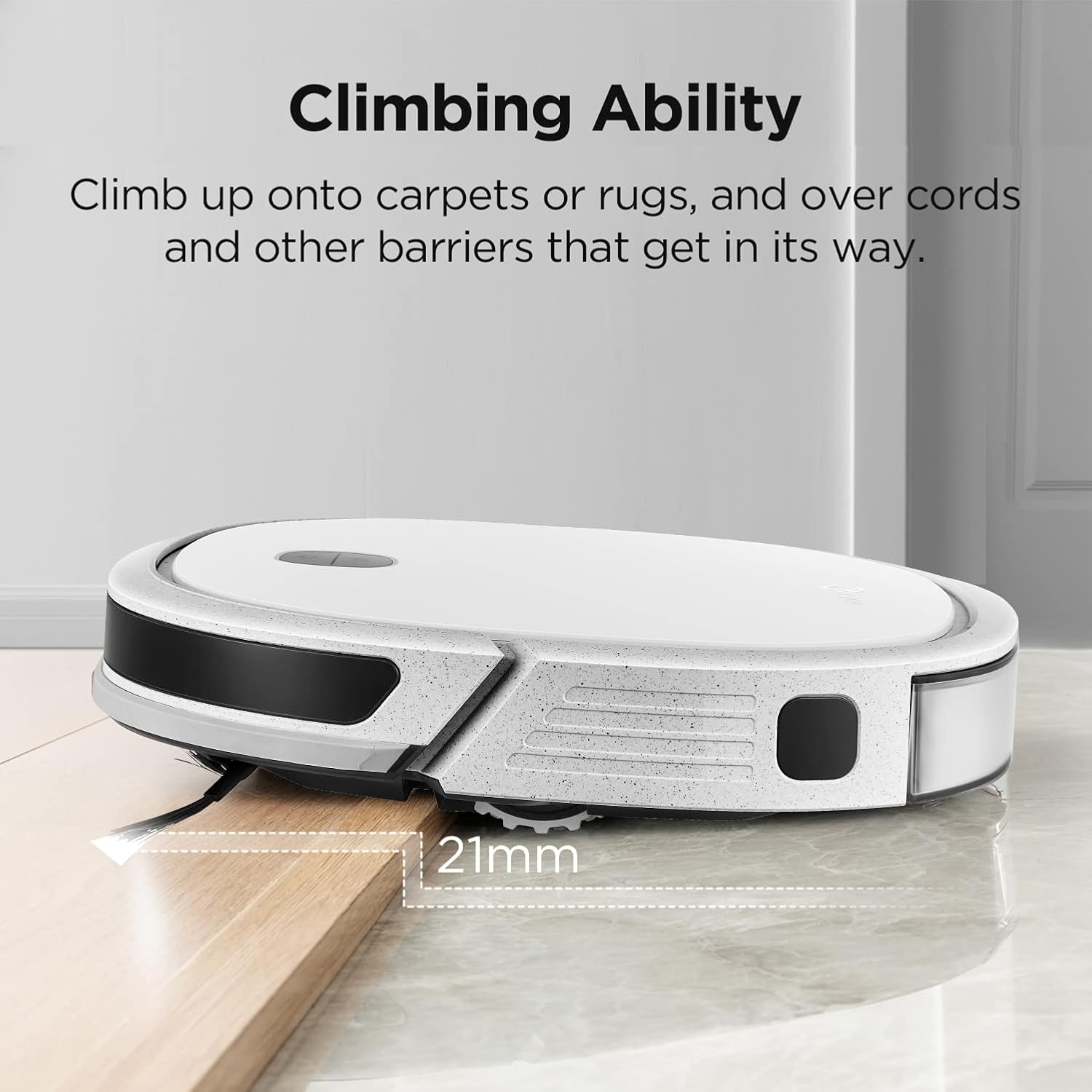
Image: Climbing Ability. The robot vacuum can navigate over small obstacles such as carpets, rugs, and floor transitions up to 21mm in height.
The Midea M3L can climb over obstacles up to 21mm high, allowing it to transition between different floor types and navigate over small rugs or cords.
4.7 Funcionamento silencioso

Image: Cleaning in Quietness. The Midea M3L is designed to operate with minimal noise, allowing for cleaning without significant disturbance to household activities.
The robot vacuum is engineered for quiet operation, minimizing disruption during cleaning cycles.
5. Mantemento
Un mantemento regular garante un rendemento óptimo e prolonga a vida útil do teu robot aspirador.
5.1 Baleirar o colector de lixo
After each cleaning cycle, or when indicated, remove the dustbin and empty its contents into a trash receptacle. Rinse the dustbin with water if necessary, ensuring it is completely dry before reinserting.
5.2 Cepillos de limpeza
Regularly inspect and clean the main brush and side brushes. Use the provided cleaning tool to remove tangled hair or debris. Replace brushes if they show signs of wear.
5.3 Limpeza dos filtros
Remove the filter from the dustbin and tap it gently to remove dust. For thorough cleaning, rinse the filter under running water. Allow it to air dry completely before reinstallation. Replace filters every 3-6 months, depending on usage.
5.4 Limpeza de sensores
Wipe the anti-collision sensors, cliff sensors, and charging contacts with a clean, dry cloth to ensure they remain free of dust and debris, which can affect navigation and charging.
5.5 Mopping Pad Maintenance
If using the mopping function, remove and clean the mopping pad after each use. Wash it with water and mild detergent, then allow it to air dry. Replace the pad when it becomes worn or loses effectiveness.
6 Solución de problemas
If you encounter issues with your Midea Robot Vacuum M3L, refer to the following common problems and solutions:
| Problema | Causa posible | Solución |
|---|---|---|
| O robot non se acende | Batería baixa; o botón de acendido non foi premido o tempo suficiente | Cargar o robot; premer e manter premido o botón de acendido durante 3 segundos |
| O robot non carga | Charging contacts dirty; Charging base not powered; Robot not properly aligned | Clean charging contacts; Ensure charging base is plugged in; Realign robot on base |
| O robot quédase atascado con frecuencia | Too many obstacles; Brushes tangled | Clear floor of loose cables/small objects; Clean main and side brushes |
| Mal rendemento da limpeza | Dustbin full; Filter clogged; Brushes worn or dirty | Empty dustbin; Clean/replace filter; Clean/replace brushes |
| Robot falls down stairs | Cliff sensors dirty or blocked | Clean cliff sensors with a dry cloth |
If the problem persists, please contact Midea customer support.
7. Especificacións
| Característica | Especificación |
|---|---|
| Marca | Midea |
| Modelo | M3L |
| Dimensións (paquete) | 46.5 x 41.29 x 13.2 cm |
| Peso do produto | 4.26 kg |
| Potencia de succión | 3000 PA |
| Duración da batería | Ata 150 minutos (2.5 horas) |
| Métodos de control | Control remoto, aplicación móbil |
| Características especiais | Wireless, Anti-collision sensors, Smart cliff sensors, Self-recharging, Climbing ability (21mm) |
| Dispositivos compatibles | Teléfono intelixente |
| Compoñentes incluídos | Control remoto |
8. Información da garantía
The Midea Robot Vacuum M3L comes with a manufacturer's warranty. Please refer to the warranty card included in the product packaging or visit the official Midea websitio web para obter termos e condicións detallados relativos á cobertura e duración da garantía.
9. Apoio
For further assistance, technical support, or service inquiries, please contact Midea customer support through their official websitio web ou a información de contacto proporcionada na documentación do produto. Tamén podes visitar o Midea Brand Store on Amazon para obter información adicional sobre o produto.


