Produto rematadoview
The Logitech H390 USB Headset is designed for clear audio communication and comfortable use across various applications, including video meetings, music listening, and gaming. It features a noise-cancelling microphone and convenient in-line controls for volume and mute functions. This wired headset connects via USB-A, offering a simple plug-and-play experience.

Figure 1: Logitech H390 USB Headset.
Guía de configuración
Conectando o teu auricular
The Logitech H390 headset is designed for easy setup with its plug-and-play USB-A connectivity. No additional software or drivers are typically required for basic functionality.
- Localizar un porto USB-A: Identify an available USB-A port on your computer (PC, Mac, or Chromebook).
- Plug In the Headset: Insert the USB-A connector of the H390 headset firmly into the USB-A port on your device.
- Recoñecemento do sistema: Your operating system should automatically detect and configure the headset as an audio input and output device. This may take a few moments.
- Verificar a configuración de son: After connection, it is recommended to verify your audio settings in your computer's sound preferences to ensure the Logitech H390 is selected as the default playback and recording device.

Figure 2: USB-A Plug for easy connection.

Figure 3: Headset connected to a laptop, illustrating cable length.
Instrucións de funcionamento
Controis en liña
The Logitech H390 features convenient in-line controls located on the headset cable, allowing for quick adjustments without needing to interact with your computer's software.
- Botón para subir o volume: Press the '+' button to increase the audio output volume.
- Botón para baixar o volume: Press the '-' button to decrease the audio output volume.
- Botón de silencio: Press the central button to mute or unmute the microphone. A red indicator light on the control unit signifies that the microphone is muted.

Figura 4: detallada view of in-line controls.
Uso do micrófono
The headset is equipped with a rotating, noise-cancelling microphone designed to minimize background noise for clear voice capture.
- Posicionamento: For optimal voice clarity, position the microphone boom arm so that the microphone is approximately 2-3 centimeters (about 1 inch) from your mouth.
- Cancelación de ruído: The noise-cancelling feature helps to filter out ambient sounds, making your voice clearer to listeners.
- Almacenamento: When not in use, the microphone boom arm can be rotated upwards and tucked away discreetly.

Figure 5: Rotating noise-cancelling microphone.
Digital Stereo Sound
The Logitech H390 delivers enhanced digital stereo audio, suitable for a wide range of applications from online meetings to multimedia consumption.

Figure 6: User experiencing digital stereo sound.
Mantemento e coidados
To ensure the longevity and optimal performance of your Logitech H390 headset, follow these simple care guidelines:
- Limpeza: Gently wipe the headset, including the ear cushions and microphone, with a soft, damp pano. Evite o uso de produtos químicos agresivos ou produtos de limpeza abrasivos.
- Almacenamento: Garda os auriculares nun lugar limpo e seco, lonxe de temperaturas extremas e da luz solar directa. Evita enredar o cable.
- Manexo: Do not pull the cable forcefully when disconnecting the headset. Always grasp the USB plug. Avoid dropping the headset or subjecting it to strong impacts.
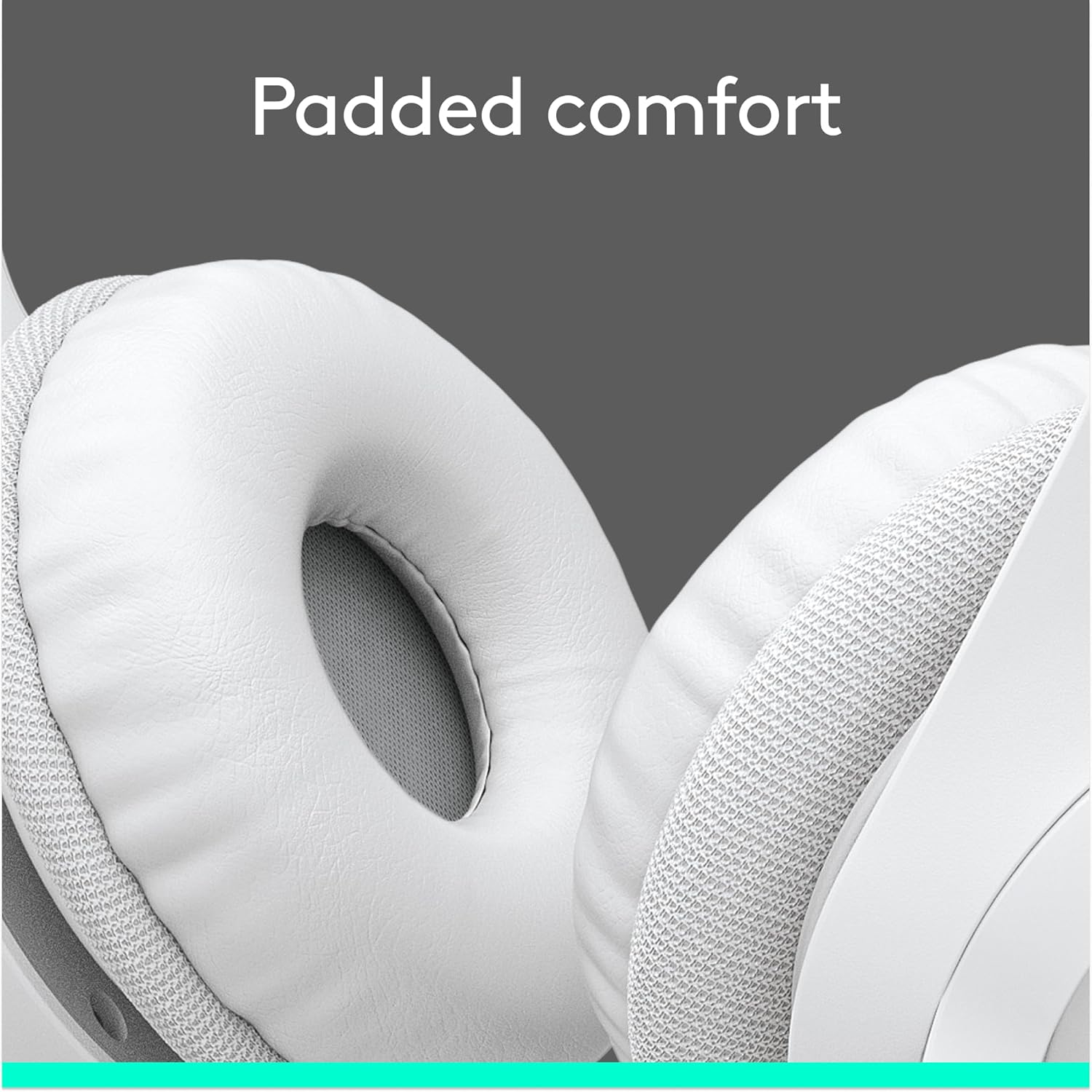
Figure 7: Padded ear cups for comfortable wear.
Resolución de problemas
If you encounter issues with your Logitech H390 headset, try the following common troubleshooting steps:
- Sen son/Micrófono non funciona:
- Asegúrate de que o conector USB-A estea completamente inserido no porto.
- Check your computer's sound settings to confirm the Logitech H390 is selected as the default playback and recording device.
- Verify that the microphone mute button on the in-line control is not activated (red light off).
- Try plugging the headset into a different USB port on your computer.
- Reinicia o teu ordenador.
- Audio distorsionado:
- Adjust the volume using the in-line controls or your computer's volume settings.
- Asegúrate de que non haxa outros dispositivos de son que interfiran.
- Proba cun porto USB diferente.
- Background Noise from Microphone:
- Ensure the microphone is positioned correctly, close to your mouth.
- The H390 features noise cancellation, but excessive background noise may still be picked up. Try to use the headset in a quieter environment if possible.
For further assistance, refer to the support section or contact Logitech customer service.
Especificacións
| Característica | Detalle |
|---|---|
| Nome do modelo | H390 |
| Número de modelo do artigo | 981-001285 |
| Tecnoloxía de conectividade | Con cable (USB-A) |
| Jack para auriculares | USB |
| Control de ruído | Cancelación adaptativa de ruído |
| Micrófono | Included, Rotating, Noise-Cancelling |
| Controis en liña | Volume Control, Mute |
| Lonxitude do cable | 6.23 pés (1.9 m) |
| Colocación do oído | Sobre orella |
| Almofadas para orellas | Leatherette, Padded |
| Diadema | Adjustable, Padded |
| Dispositivos compatibles | Windows, macOS, ChromeOS |
| Cor | Branco |
| Peso do elemento | 6.9 onzas (0.43 libras) |
| Fabricante | Logitech |
| Data de primeira dispoñibilidade | 18 de xaneiro de 2023 |
Garantía e Soporte
Información da garantía
Logitech products typically come with a limited hardware warranty. For specific warranty terms and conditions applicable to your Logitech H390 headset, please refer to the warranty documentation included with your purchase or visit the official Logitech support websitio.
Atención ao cliente
If you require technical assistance, have questions about your product, or need to initiate a warranty claim, please contact Logitech customer support through their official channels. You can often find support resources, FAQs, and contact information on the Logitech websitio.
For additional information, you may also refer to the official Manual do usuario (PDF) proporcionado por Logitech.


