1. Introdución
This manual provides detailed instructions for the installation, operation, and maintenance of your HuTools Keypad Door Lock with Handle (Model DKSET). This electronic deadbolt lock set offers keyless entry, multiple user codes, and enhanced security features for your home.

Image: HuTools Keyless Deadbolt Handleset, highlighting key features.
2. Contido do paquete
Comprobe que todos os compoñentes estean presentes antes de comezar a instalación:
- 1 x HuTools Electronic Keypad & Interior Assembly
- 1 x HuTools Handleset
- 2 chaves de reserva
- 1 x Latch & Strike Plate
- Hardware de montaxe
- Guía de instalación (este documento)
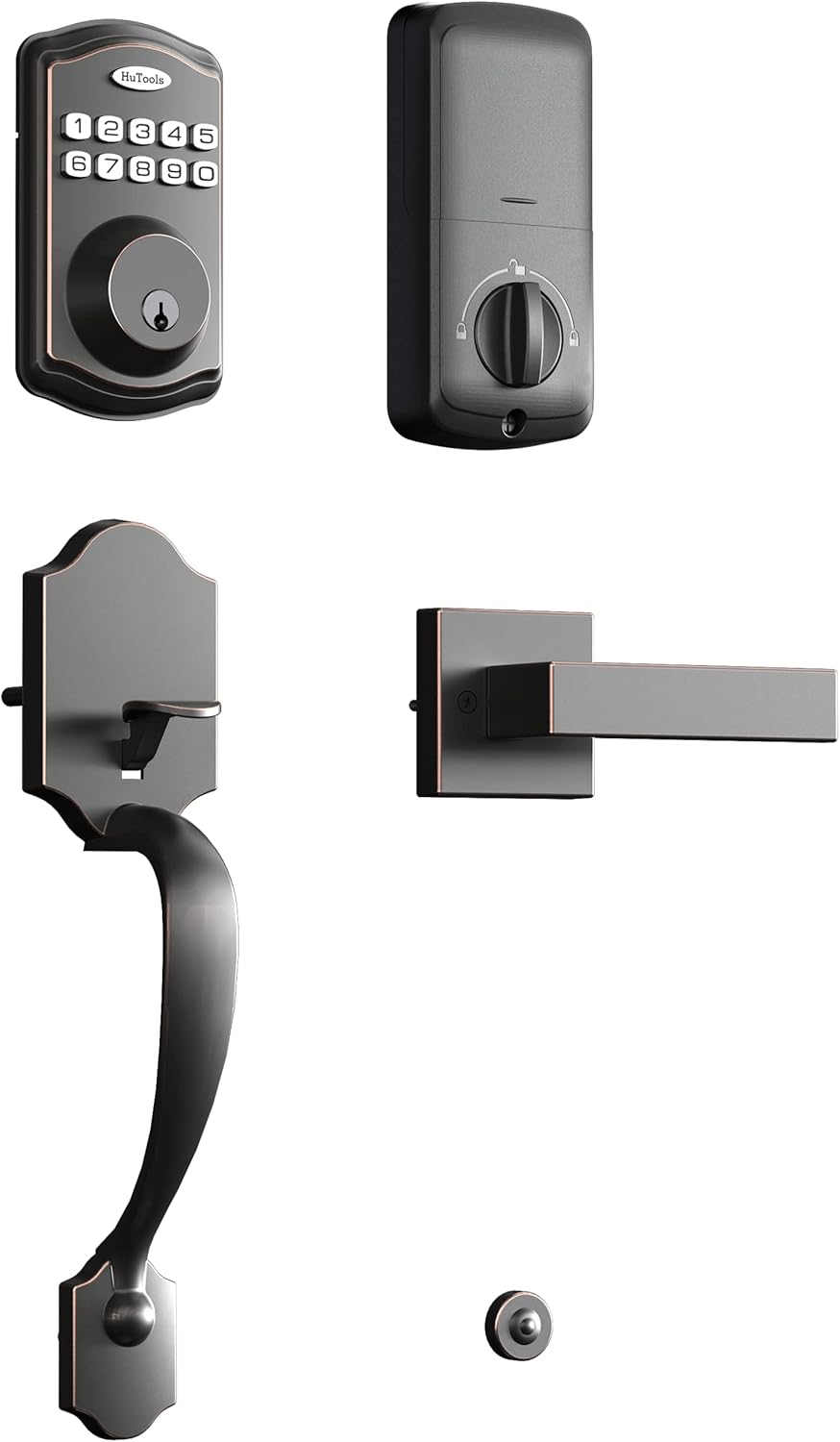
Image: All included components of the lock set.
3. Especificacións
| Característica | Especificación |
|---|---|
| Marca | HuTools |
| Número de modelo | DKSET |
| Tipo de bloqueo | Peche de teclado |
| Material | Bronze, Nickel, Stainless Steel, Zinc |
| Dimensións do artigo (L x W x H) | 6.06 x 3 x 1.2 polgadas |
| Compatibilidade do grosor da porta | 1-3/8 polgadas a 2 polgadas |
| Retroceso axustable | 2-3/8 inches or 2-3/4 inches |
| Diámetro do burato da porta | 2-1/8 polgadas |
| Códigos de usuario | Up to 20 (4 to 10 digits) |
| Fonte de enerxía | 4 pilas AA (non incluídas) |
| Temperatura de funcionamento | -4 °F a 129 °F |

Image: Product dimensions for installation reference.
4. Guía de instalación
The HuTools Keypad Door Lock is designed for easy installation on most standard American right and left-handed doors. No hard wiring or app is required.
4.1. Preparación da porta
- Ensure your door thickness is between 1-3/8 inches and 2 inches.
- Verify the door hole diameter is 2-1/8 inches.
- Adjust the backset to either 2-3/8 inches or 2-3/4 inches as needed.
4.2. Instalación de hardware
Follow the detailed instructions provided in the included installation guide for step-by-step assembly. The adjustable throughbolt slides for easy installation without drilling additional holes.
- Instale o pestillo e a placa do peche no marco da porta.
- Monte o conxunto do teclado exterior.
- Instale o conxunto interior, conectando os cables necesarios.
- Secure the handleset.
- Insert 4 AA batteries (not included) into the interior assembly.
- Test the lock functionality with the backup keys and default code.
5. Funcionamento
5.1. Configuración de códigos de usuario
You can customize up to 20 user codes, each 4 to 10 digits long, to share with family and friends. A one-time user code can also be generated for visitors or service personnel, which automatically deletes after a single use.

Image: The keypad allows for programming up to 20 unique user codes.
5.2. Función de bloqueo automático
For peace of mind, enable the Auto Lock feature. This will automatically lock the deadbolt between 10 to 99 seconds after the door is unlocked. This feature helps ensure your door is always secured.
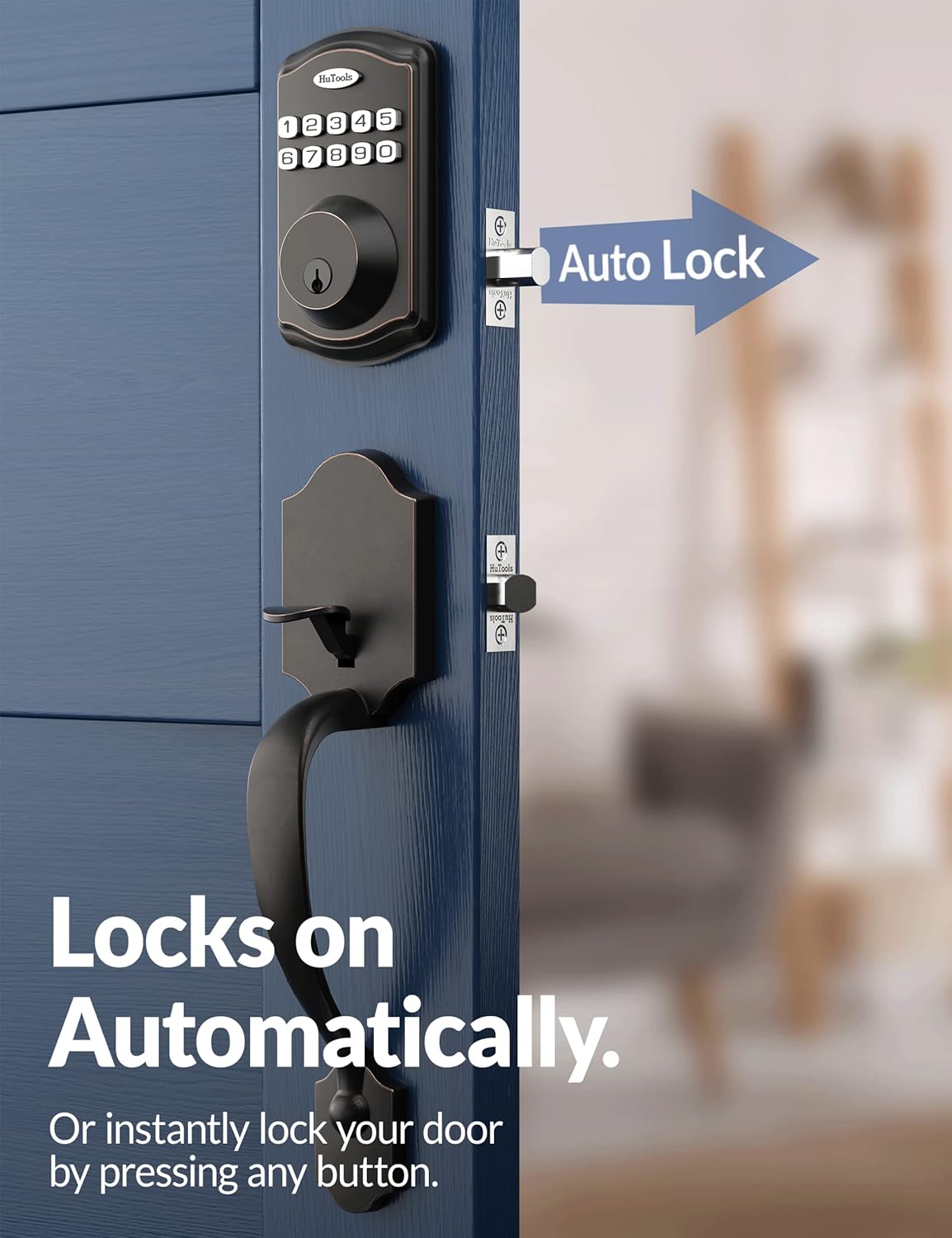
Image: The Auto Lock feature automatically secures the door.
5.3. Instant Locking
To instantly lock your door when leaving, simply press and hold any single button on the keypad for 2 seconds.
5.4. Modo de vacacións
Activate Vacation Mode to disable all access codes and functions until the master code is entered on the keypad. This provides enhanced security when you are away for extended periods.
5.5. Virtual Password
Utilize the virtual password feature by entering random digits before or after your actual access code. This helps confuse prying eyes and enhances security.
5.6. Modo silencioso
Enable Silent Mode to mute audio indicators while locking and unlocking the door, preventing disturbances, especially during quiet hours.
5.7. Wrong Entry Limits
The keypad will be disabled after 10 incorrect access attempts, ensuring your property remains secure against unauthorized access attempts.
6. Xestión da batería
The lock operates on 4 AA batteries (not included) and is designed for long-lasting performance, typically over 300 days. A low battery indicator will flash red lights when the batteries are getting low, signaling that replacement is needed.
Two backup keys are included with your lock set. In the event of battery depletion or electronic malfunction, these keys provide manual access to your home.
7 Solución de problemas
If you encounter any issues with your HuTools Keypad Door Lock, please refer to the following common solutions:
- O teclado non responde: Check battery levels. Replace all 4 AA batteries if they are low or depleted.
- Bloqueo sen activar/desactivar: Ensure the door is properly aligned and the deadbolt can extend and retract freely without obstruction. Check for any debris in the strike plate.
- Introdución de código incorrecta: If the keypad is disabled after multiple incorrect attempts, wait for the lockout period to expire before trying again. Ensure you are entering the correct user code or master code.
- Funcionalidade intermitente: Verify that all internal connections are secure and that the lock is properly installed according to the guide.
- Lost Master Code: Refer to the full installation guide for instructions on how to reset the lock and reprogram the master code.
For persistent issues, please contact HuTools customer support.
8. Garantía e soporte
The HuTools Keypad Door Lock is backed by a limited lifetime mechanical and electronic warranty, reflecting its durable construction and reliable performance. This product has been tested to handle a busy household for over 30 years.
For any questions, technical assistance, or warranty claims, HuTools provides free lifetime technical support. Please refer to the contact information provided in your product packaging or visit the official HuTools websitio para obter detalles de asistencia.


