1. Introdución
This manual provides detailed instructions for the Vanja USB-C SD Card Reader, Model 430C. This device is designed for high-speed data transfer between various memory cards and USB-C enabled devices. Please read this manual thoroughly to ensure proper usage and optimal performance.
2. Produto rematadoview
The Vanja USB-C SD Card Reader (Model 430C) is a compact and efficient tool for managing data from various memory card formats. It features a USB-C interface for broad compatibility and high-speed data transfer.
Características principais:
- USB 3.2 Gen 1 Interface: Supports data transfer speeds up to 5 Gbps, enabling quick transfer of large files.
- Universal Card Compatibility: Reads SD, MicroSD, SDXC, SDHC, MMC, and UHS-I cards up to 2TB capacity.
- Soporte amplo de dispositivos: Compatible with iPhone 15/16 series, MacBook Pro, iPad, Mac desktops, Windows laptops, and USB-C Android devices.
- Conexión por cable: Ensures stable and reliable data transfer without wireless interference or battery concerns.
- Plug & Play: No drivers or complex setup required for most operating systems (iOS, iPadOS, macOS, Windows, Android).
- Deseño compacto e duradeiro: Features an aluminum shell for heat dissipation and a nylon cable for enhanced durability.
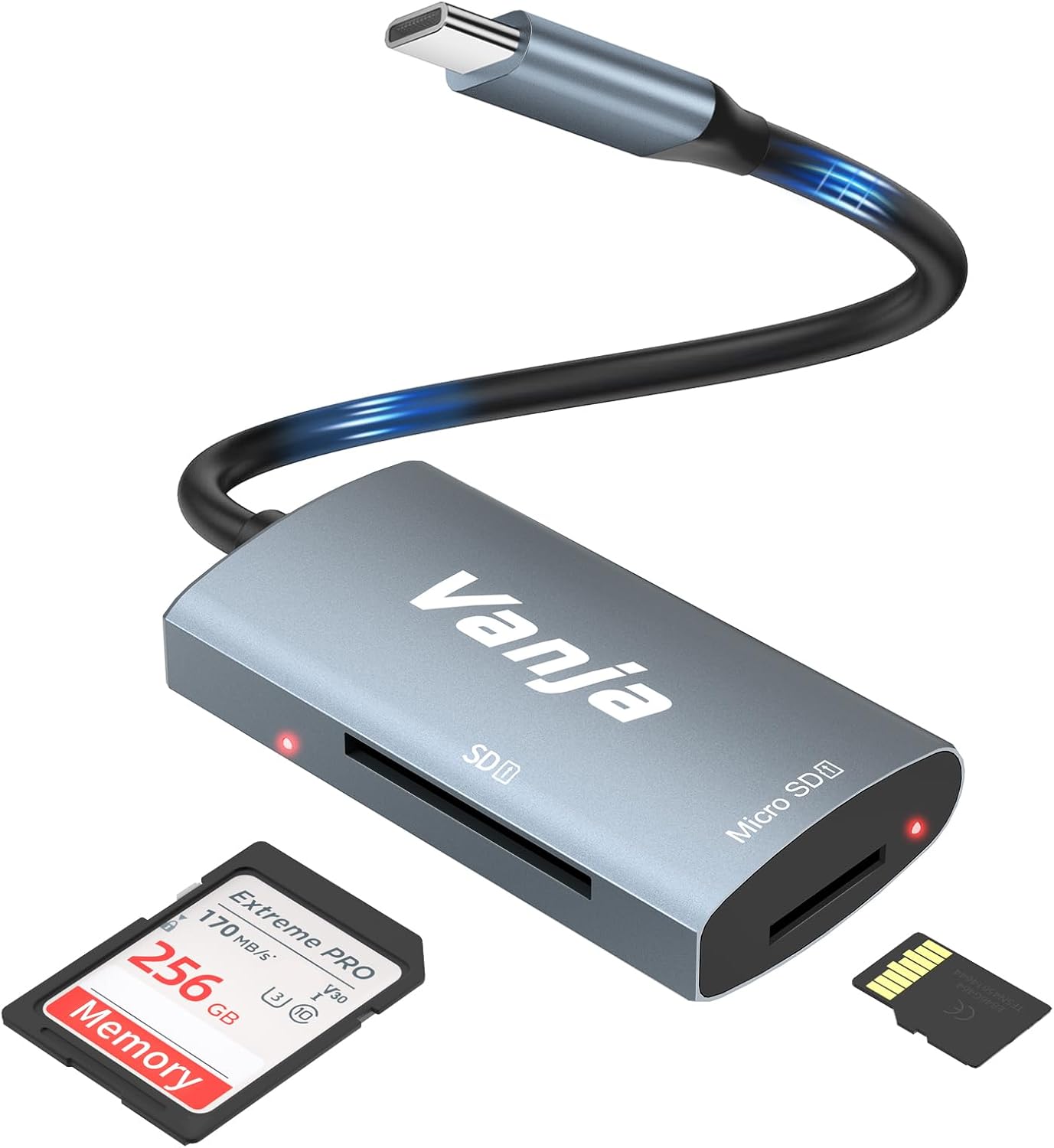
Figure 1: The Vanja USB-C SD Card Reader, showing its USB-C connector, SD card slot, and MicroSD card slot, alongside an SD card and a MicroSD card.
3. Instrucións de configuración
The Vanja USB-C SD Card Reader is designed for simple plug-and-play operation. No software installation or drivers are typically required.
- Inserir tarxeta de memoria: Gently insert your SD card into the SD slot or your MicroSD card into the MicroSD slot on the card reader. Ensure the card is inserted correctly with the contacts facing down. A slight click indicates it is securely in place.
- Conectar ao dispositivo: Plug the USB-C connector of the card reader into an available USB-C port on your compatible device (e.g., iPhone 15/16, MacBook, iPad, Windows laptop, Android phone).
- Acceso Files: Your device should automatically detect the card reader and the inserted memory card. You can then access the files through your device's file xestor ou aplicación de fotos.
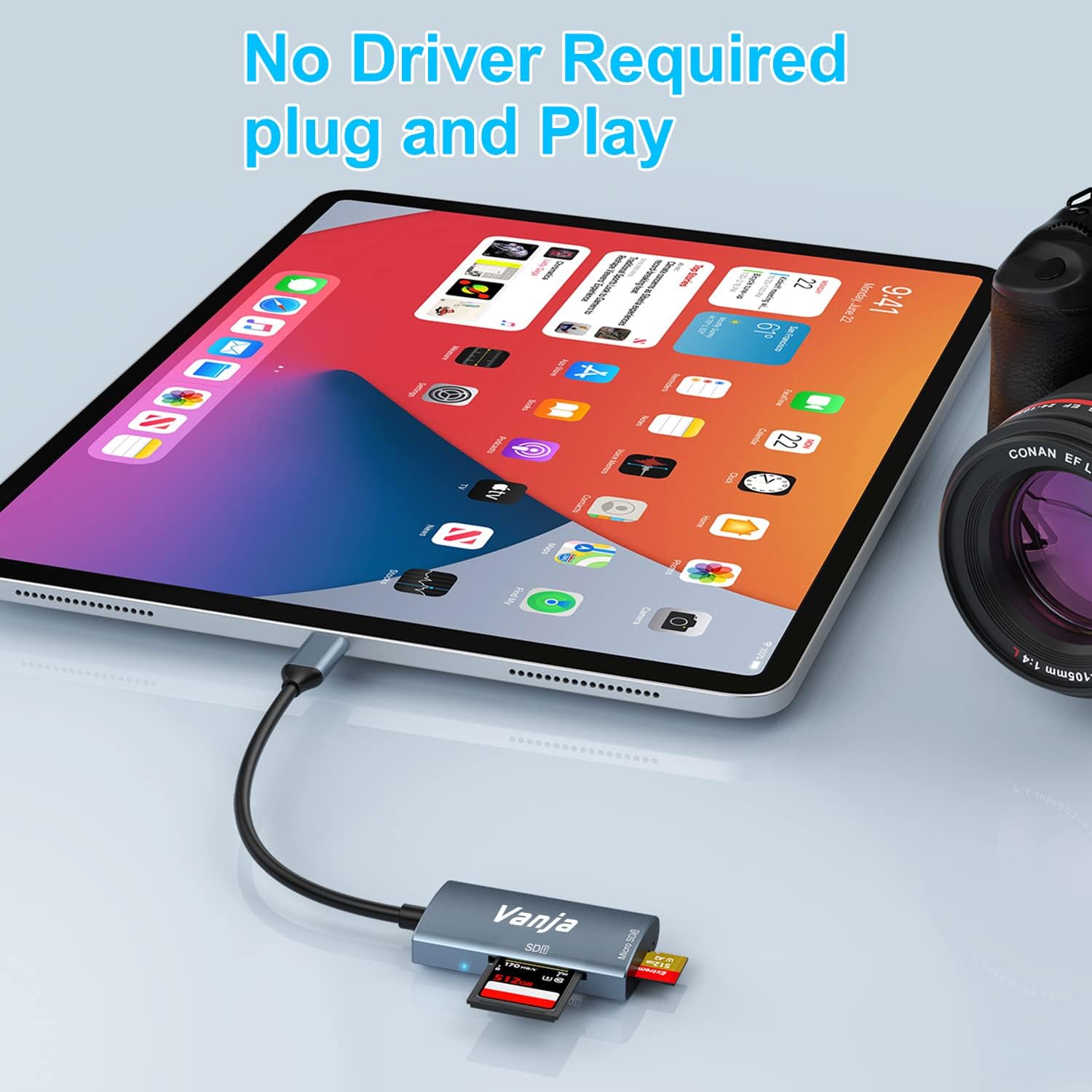
Figure 2: The card reader connected to an iPad Pro, demonstrating the plug-and-play functionality with a MicroSD card inserted.
4. Instrucións de funcionamento
Once connected, the card reader functions like any external storage device.
Transferencia de datos:
- Locate Drive: On Windows, the card will appear as a removable drive under "This PC." On macOS, it will appear on the desktop or in Finder. On iOS/iPadOS, access it via the "Files" app. On Android, use your device's file xestor.
- Copiar/Mover Files: Arrastra e solta files between the memory card and your device's internal storage, or use the copy/paste functions provided by your operating system.
- Expulsar con seguridade: Always safely eject the memory card or card reader from your operating system before physically disconnecting it to prevent data corruption.

Figure 3: The card reader connected to a laptop, illustrating high-speed data transfer (5 Gbps) between a memory card and the computer.
5. Compatibilidade
Tipos de tarxetas de memoria compatibles:
- Tarxeta SD
- MicroSD Card (TF Card)
- Sdhc
- SDXC
- MMC
- UHS-I Cards
- Supports capacities up to 2TB.
Compatible Devices and Operating Systems:
- Dispositivos Apple: iPhone 15/16 series (USB-C models), MacBook Pro, iPad (USB-C models), Mac desktops.
- Dispositivos Windows: Laptops and desktops with USB-C ports.
- Dispositivos Android: Samsung Galaxy smartphones and other USB-C enabled Android phones/tablets.
- Sistemas operativos: iOS, iPadOS, macOS, Windows, Android, Linux, Chrome OS.

Figure 4: Visual representation of the universal compatibility of the card reader with different memory card formats and USB-C enabled devices.
6. Especificacións
| Marca | Vanja |
| Número de modelo | 430C |
| Tecnoloxía de conectividade | USB Type C (USB 3.2 Gen 1) |
| Velocidade de transferencia de datos | Ata 5 Gbps |
| Tipos de soportes compatibles | SD Card, SDHC, SDXC, microSD, microSDHC, MMC, UHS-I |
| Capacidade máxima admitida | 2TB (depending on card type) |
| Compatibilidade do sistema operativo | Android, iOS, Linux, Mac OS, Windows |
| Peso do elemento | 1.13 onzas (aprox. 32 gramos) |
| Dimensións do paquete | 5.35 x 3.35 x 0.55 polgadas (aprox. 13.6 x 8.5 x 1.4 cm) |
| Cor | Blue-Gray |
| Características especiais | Compact, Easy Setup, Plug & Play, Aluminum Housing, Nylon Cable |
7 Solución de problemas
If you encounter issues with your Vanja USB-C SD Card Reader, try the following solutions:
- Dispositivo non recoñecido:
- Ensure the card reader is firmly plugged into the USB-C port of your device.
- Proba cun porto USB-C diferente no teu dispositivo, se está dispoñible.
- Reinicia o teu ordenador ou dispositivo.
- Comprobe se a tarxeta de memoria está inserida correctamente no lector de tarxetas.
- Proba o lector de tarxetas cunha tarxeta de memoria diferente para descartar problemas coa tarxeta.
- Asegúrate de que o sistema operativo do teu dispositivo estea actualizado.
- Transferencia de datos lenta:
- Verify that your device's USB-C port supports USB 3.0/3.1/3.2 speeds. Older USB 2.0 ports will result in slower transfers.
- Ensure your memory card is a high-speed card (e.g., UHS-I or faster).
- Evitar a transferencia de moitos pequenos files simultaneously; compressing them into an archive can sometimes improve speed.
- Pecha outras aplicacións que poidan estar a consumir recursos do sistema.
- Memory Card Not Reading:
- Comprobe se a tarxeta de memoria está danada ou corrompida. Próbeo noutro dispositivo se é posible.
- Ensure the memory card is inserted in the correct orientation.
- Clean the contacts on the memory card with a soft, dry cloth.
8. Mantemento
To ensure the longevity and optimal performance of your Vanja USB-C SD Card Reader, follow these maintenance guidelines:
- Manter limpo: Usa un pano suave e seco para limpar o exterior do lector de tarxetas. Evita usar produtos de limpeza líquidos ou solventes.
- Protexer portos: Keep the card slots and USB-C connector free from dust and debris. Use compressed air if necessary, but gently.
- Almacenar correctamente: When not in use, store the card reader in a cool, dry place, away from direct sunlight and extreme temperatures.
- Manipular con coidado: Evita deixar caer o dispositivo nin sometelo a impactos fortes. Non introduzas as tarxetas de memoria nas ranuras á forza.
9. Garantía e soporte
For warranty information, technical support, or further assistance with your Vanja USB-C SD Card Reader, please refer to the official Vanja websitio web ou póñase en contacto directamente co servizo de atención ao cliente.
You can visit the official Vanja store for more product information and support resources: Vanja Store on Amazon.


