1. Introdución
Thank you for choosing the ErGear Height Adjustable Electric Standing Desk. This desk is designed to enhance your workspace with dependable, scientifically-designed ergonomic features, promoting a healthier and more productive work environment. It allows for seamless transitions between sitting and standing positions, offering optimal comfort and productivity throughout your day.
This manual provides essential information for the safe and efficient use of your new electric standing desk, including setup, operation, maintenance, and troubleshooting.
2. Información de seguridade
AVISO: Lea atentamente todas as instrucións de seguridade antes da montaxe e o uso. O incumprimento destas instrucións pode provocar lesións ou danos no produto.
- The desk has a maximum weight limit of 176 libras (80 kg)Non exceda esta capacidade de peso.
- Proper assembly is required for stability and safety. Ensure all screws and fasteners are securely tightened.
- If the desk is used in an environment with children, consider anchoring the desk to the wall to prevent tipping.
- Keep hands and objects clear of the lifting mechanism during operation to prevent pinching or damage.
- Ensure all cables connected to devices on the desk have sufficient slack to accommodate height adjustments.
- Non te sentes nin te poñas de pé enriba do escritorio.
- Do not disassemble or modify the motor or control box. Contact customer support for any repairs.
3. Contido do paquete
Please verify that all components are present and undamaged. A detailed list of all parts and hardware is provided in the separate installation manual included with your purchase. Key components include:
- Escritorio (Dúas pezas)
- Lifting Columns (Legs)
- Caixa de control
- Controlador do teléfono
- Adaptador de alimentación e cable
- Dual Cable Access Holes
- Ganchos de almacenamento
- Ferramentas e ferraxes de montaxe
4. Configuración e montaxe
The ErGear Electric Standing Desk is designed for straightforward assembly. Most users report an average assembly time of 30 minutes. For detailed, step-by-step instructions, please refer to the dedicated Installation Manual (PDF) provided with your product or available online via the link in the Support section.
Consellos clave para a montaxe:
- Lay out all components and hardware before beginning.
- Follow the numbered steps in the installation manual precisely.
- Ensure all connections are secure before plugging in the desk.
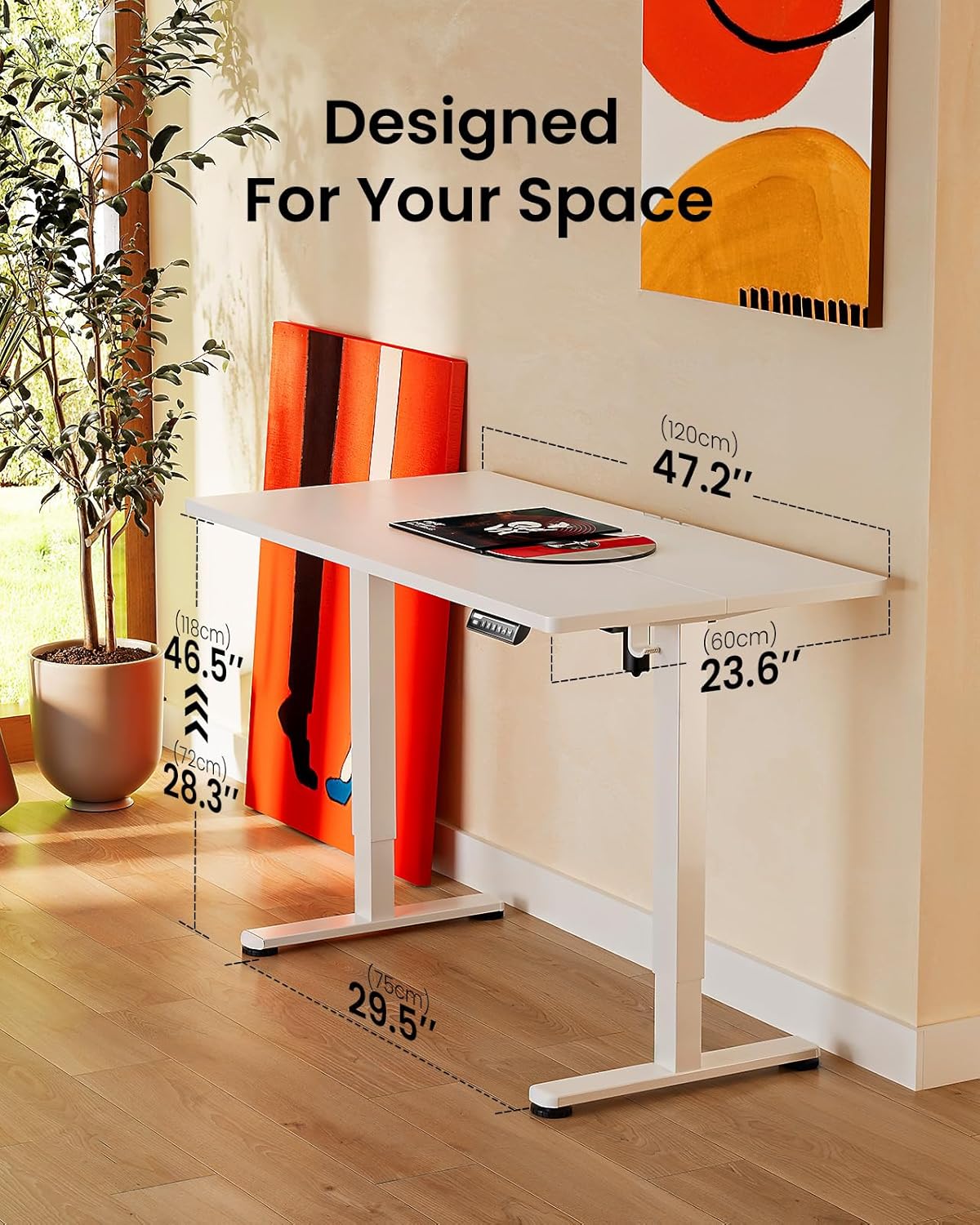
Image: ErGear standing desk with dimensions showing 47.2 inches width, 23.6 inches depth, and height adjustable from 28.3 to 46.5 inches. This illustrates how the desk is designed to fit various spaces.

Image: Diagram illustrating the simplified assembly process of the ErGear standing desk, highlighting an average assembly time of 30 minutes.
5. Instrucións de funcionamento
O seu escritorio eléctrico ErGear de pé conta cun panel de control intuitivo para un axuste sinxelo da altura e configuracións de memoria.
Axuste de altura
The desk's height can be freely adjusted from De 72 cm (28.35 polgadas) a 118.8 cm (46.79 polgadas). Use the up and down arrows on the control panel to manually adjust the desk to your desired height. The motor provides powerful and smooth lifting performance.
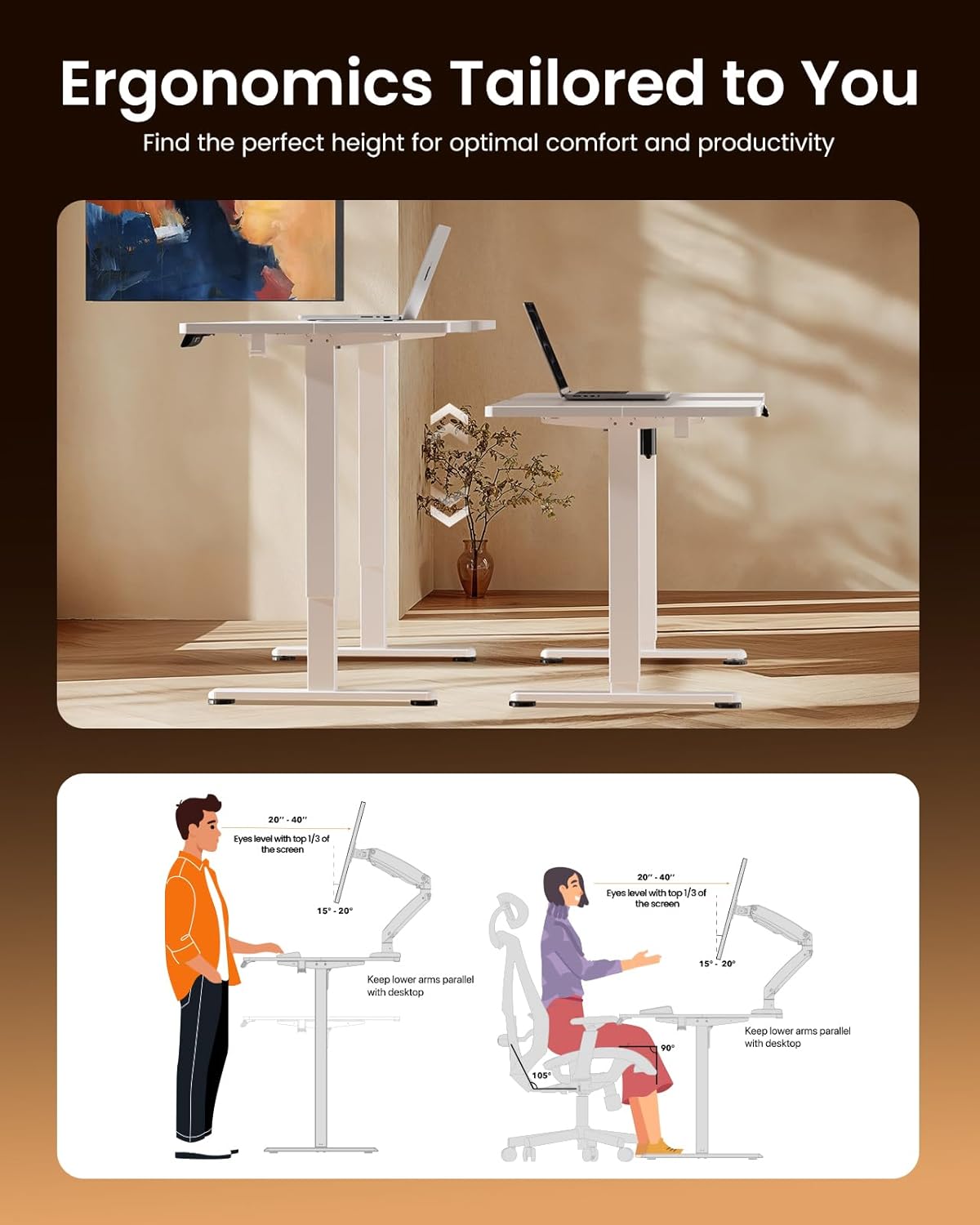
Image: Illustrations demonstrating proper ergonomic postures for both sitting and standing positions when using the ErGear desk, emphasizing ideal screen height and arm placement for comfort and productivity.
Presets de memoria
The control panel includes three memory preset buttons (1, 2, and 3). These allow you to save your favorite sitting and standing heights for quick and convenient adjustment.
- Para gardar unha altura: Adjust the desk to your desired height using the up/down arrows. Press the 'M' button (or 'Set' button, if present) followed by the desired number button (1, 2, or 3). The display will confirm the setting is saved.
- Para recordar unha altura: Simply press the corresponding number button (1, 2, or 3). The desk will automatically move to the saved height.
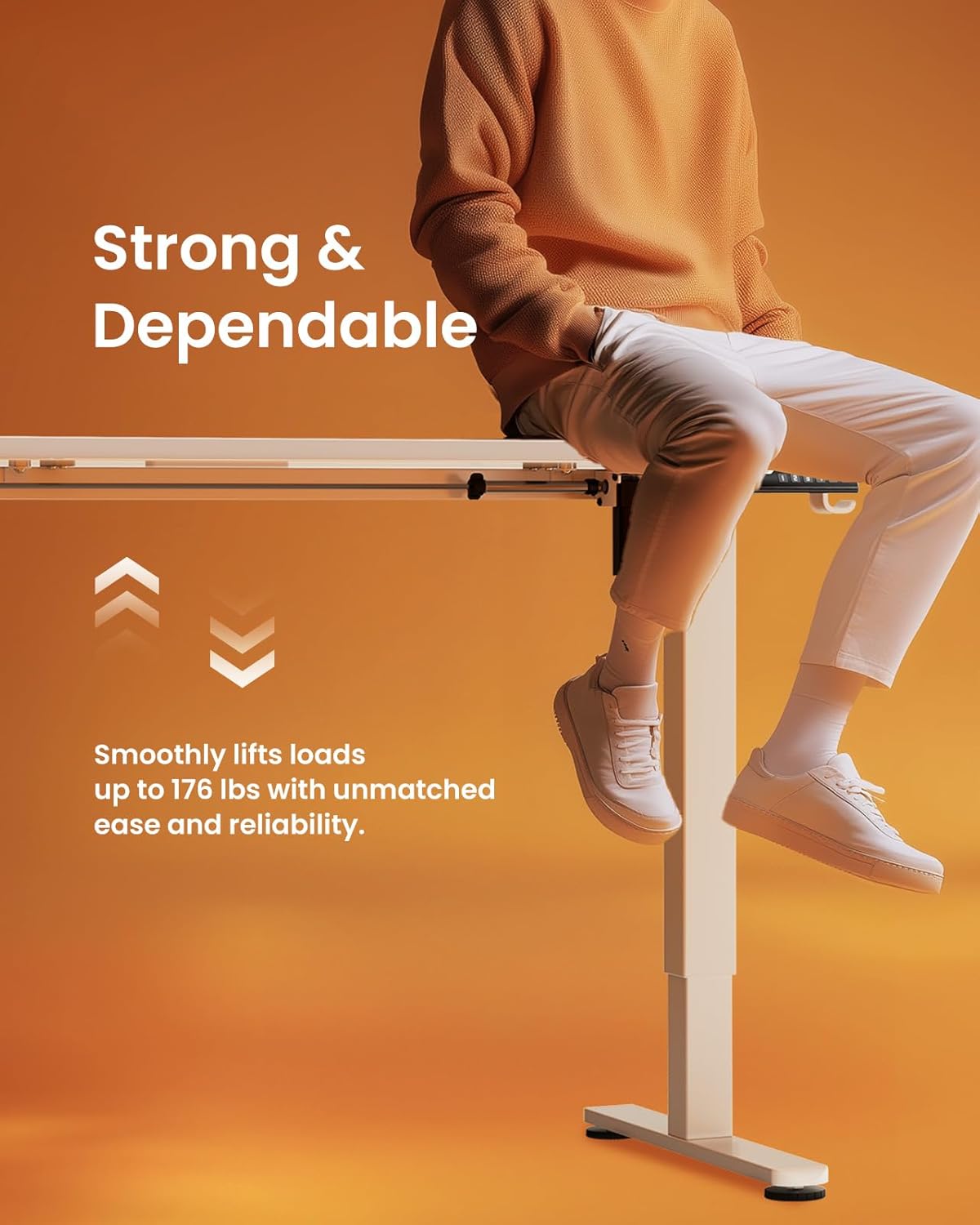
Image: A person sitting on the edge of the ErGear standing desk, illustrating its robust construction and ability to smoothly lift loads up to 176 lbs with ease and reliability.
6. Mantemento
Para garantir a lonxevidade e o rendemento óptimo do seu escritorio eléctrico de pé ErGear, siga estas sinxelas pautas de mantemento:
- Limpeza: The desk surface is easy to clean. Use a soft, damp cloth with a mild cleaner to wipe down the desktop and frame. Avoid abrasive cleaners or harsh chemicals that could damage the finish.
- Comprobacións periódicas: Comprobe periodicamente todos os parafusos e elementos de fixación para asegurarse de que permanecen axustados. Volva a apertalos se é necesario.
- Xestión de cables Utilize the integrated cable access holes and storage hooks to keep cables organized and prevent tangling, especially during height adjustments.
- Coidados do motor: The uprated motor is designed for long-term operation (tested 50,033 times). No special maintenance is required for the motor itself, but avoid overloading the desk beyond its 176 lbs capacity.
7 Solución de problemas
If you encounter any issues with your ErGear Electric Standing Desk, please refer to the following common troubleshooting tips:
- O escritorio non se move: Check if the power cable is securely plugged into both the desk and the wall outlet. Ensure there are no obstructions preventing the desk from moving freely.
- Movemento irregular/bambeo: Verify that the desk is assembled correctly and all fasteners are tightened. Ensure the desk is placed on a flat, stable surface.
- O panel de control non responde: Unplug the desk from the power outlet for 30 seconds, then plug it back in. This can reset the control system.
- Ruídos pouco comúns: A slight humming sound during operation is normal. If you hear loud grinding or unusual noises, discontinue use and contact customer support. One user reported a loud coil whining noise from the power adapter; if this occurs, contact support for a replacement.
For more complex issues or if the problem persists, please contact ErGear Customer Support.
8. Especificacións
| Característica | Especificación |
|---|---|
| Marca | ErGear |
| Dimensións do produto (P x A x A) | 24" D x 48" W x 28.35" H |
| Cor | Branco |
| Estilo | Moderno |
| Material base | Aceiro de aliaxe |
| Tipo de acabado | Pintado |
| Característica especial | Height adjustable electric standing desk |
| Tipo de habitación | Oficina |
| Usos recomendados | Traballando |
| Tipo de montaxe | Montaxe no piso |
| Descrición do intervalo de idade | Adulto |
| Grao do produto | Novo |
| Fabricante | ErGear |
| Altura do elemento | 46.46 polgadas |
| Tipo de material superior | Madeira de enxeñería |
| Material Pata Moble | Aceiro de aliaxe |
| Mecanismo de elevación | Eléctrico |
| Número de posicións de altura | 3 (Preaxustes de memoria) |
| Forma | Rectangular |
| Deseño de escritorio | Escritorio de pé |
| Estilo de pernas | Marco de aceiro sólido |
| Cor superior | Branco |
| Cor de base | Branco |
| Espesor da mesa | 0.67 polgadas |
| Altura máxima | 46.46 polgadas |
| Altura mínima | 28.35 polgadas |
| Recomendación de peso máximo | 176 libras |
| Montaxe necesaria | Si |
9. Garantía e soporte
ErGear stands behind the quality of its products. Your electric standing desk comes with the following warranty coverage:
- Protección de 5 anos: On desktop and desk frame.
- Protección de 2 anos: On motors and electrical components.
For any questions, technical assistance, or warranty claims, please contact ErGear Customer Support. You can also find additional resources, including the full installation manual, on the official ErGear brand store or by visiting the user guide link below:
Guía oficial do usuario (PDF): Descarga aquí
Visit the ErGear Store: ErGear Official Store


