1. Introdución
Thank you for choosing the Roseland Boombox 20W TWS Bluetooth Speaker. This manual provides essential information for the safe and efficient operation of your device. Please read it thoroughly before use and retain it for future reference.
The Roseland Boombox 20W TWS Bluetooth Speaker delivers rich, powerful sound. Connect wirelessly via Bluetooth, or use AUX and USB inputs for versatile playback. Enjoy up to 5.5 hours of playtime on a single charge. The integrated color-changing light enhances your listening experience. This lightweight speaker features a convenient handle for portability and supports True Wireless Stereo (TWS) pairing for an expanded soundstage.
2. Contido do paquete
Asegúrate de que todos os elementos estean presentes no paquete:
- Roseland Boombox 20W TWS Bluetooth Speaker
- Cable de carga USB-C
- Cable auxiliar (AUX).
- Manual de instrucións (este documento)
3. Características do produto
- Saída de audio: 20W for powerful sound.
- True Wireless Stereo (TWS): Connect two speakers wirelessly for stereo sound.
- Conectividade: Bluetooth, AUX Input, USB Port.
- Duración da batería: Ata 5.5 horas de xogo.
- Tempo de carga: Aproximadamente 2.5 horas.
- Iluminación: Integrated color-changing light.
- Método de control: Controis táctiles.
- Portabilidade: Lightweight design with a convenient handle.
- Durabilidade: Construción impermeable.
4. Controis e Indicadores
The control panel is located on the rear of the speaker. Specific button functions are detailed below. (Refer to the image for visual reference).
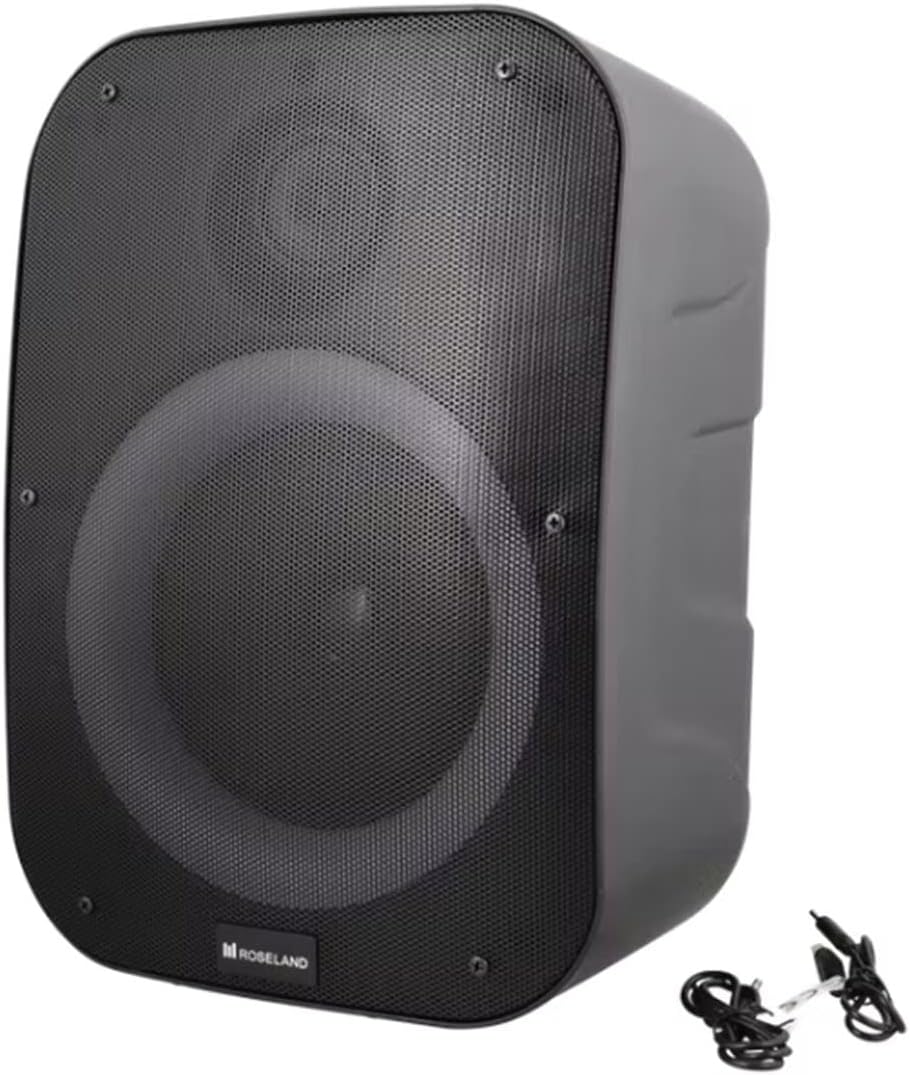
Imaxe: Traseira view of the Roseland Boombox, highlighting the control panel and integrated handle for portability.
- Botón de encendido: Manteña premido para activar ou desactivar o altofalante.
- Botón de modo (M): Press to switch between Bluetooth, AUX, and USB playback modes.
- Botón Reproducir/Pausa (▶❚❚): Preme para reproducir ou pausar o audio.
- Botón para baixar o volume / pista anterior (-): Preme para baixar o volume. Mantén premido para ir á pista anterior.
- Botón para subir volume / seguinte canción (+): Preme para aumentar o volume. Mantén premido para ir á seguinte pista.
- Botón de modo de luz: Press to cycle through different color-changing light modes or turn the lights off.
- Botón de emparellamento TWS: Press to initiate True Wireless Stereo pairing (see Section 5.4).
- Porto de carga (USB-C): Connect the USB-C cable for charging.
- Porto de entrada AUX: Connect an external audio device using the auxiliary cable.
- Porto USB: Insira unha unidade flash USB para reproducir audio.
5. Configuración
5.1 Carga do altofalante
- Connect the supplied USB-C charging cable to the speaker's USB-C charging port.
- Conecta o outro extremo do cable USB-C a un adaptador de corrente USB compatible (non incluído) ou ao porto USB dun ordenador.
- A luz indicadora de carga acenderase, normalmente en vermello, durante a carga. Apagarase ou cambiará de cor (por exemplo, azul) cando estea completamente cargada.
- Unha carga completa leva aproximadamente 2.5 horas.
5.2 Acendido/Apagado
- Para acender: Press and hold the Power Button for a few seconds until you hear an audible prompt or see an indicator light.
- Para apagar: Press and hold the Power Button again for a few seconds until the speaker powers down.
5.3 Emparejamento Bluetooth
- Ensure the speaker is powered on and in Bluetooth mode. If not, press the Mode Button (M) until you hear a "Bluetooth mode" prompt or see a flashing blue indicator light.
- Activa o Bluetooth no teu teléfono intelixente, tableta ou outro dispositivo compatible con Bluetooth.
- Busca "Roseland Boombox" in the list of available Bluetooth devices.
- Select "Roseland Boombox" to connect. Once connected, you will hear a confirmation sound, and the indicator light will become solid blue.
- O altofalante tentará reconectarse automaticamente co último dispositivo emparellado ao acendelo.
5.4 Emparellamento estéreo sen fíos verdadeiro (TWS)
TWS allows you to connect two Roseland Boombox speakers wirelessly for a stereo sound experience.
- Ensure both Roseland Boombox speakers are powered on and in Bluetooth mode, but not yet connected to any device.
- On one of the speakers (this will be the primary speaker), press the TWS Pairing Button. You will hear a prompt indicating it's searching for another speaker.
- Os dous altofalantes conectaranse automaticamente entre si. Escoitarás un son de confirmación unha vez que o emparellamento TWS sexa satisfactorio.
- Now, connect your Bluetooth device to the primary speaker (the one you pressed the TWS button on) as described in Section 5.3. The audio will now play in stereo through both speakers.
5.5 Conexión AUX
- Connect one end of the supplied AUX cable to the AUX Input Port on the speaker.
- Conecta o outro extremo do cable AUX á toma de auriculares ou á saída de audio do teu dispositivo de audio externo.
- Press the Mode Button (M) on the speaker until you hear an "AUX mode" prompt.
- Control playback and volume directly from your connected audio device.
Reprodución por USB 5.6
- Inserir unha unidade flash USB que conteña son MP3 files into the USB Port on the speaker.
- Press the Mode Button (M) on the speaker until you hear a "USB mode" prompt.
- O altofalante comezará a reproducir audio automaticamente files da unidade USB.
- Use the Play/Pause, Volume Up/Down, and Next/Previous Track buttons on the speaker to control playback.
6. Instrucións de funcionamento
6.1 Reprodución de música
- Reproducir/Pausa: Preme o botón Reproducir/Pausa.
- Próxima pista: Manteña premido o botón para subir o volume (+).
- Pista anterior: Manteña premido o botón para baixar o volume (-).
- Axuste de volume: Press the Volume Up (+) or Volume Down (-) buttons to adjust the volume.
6.2 modos de luz
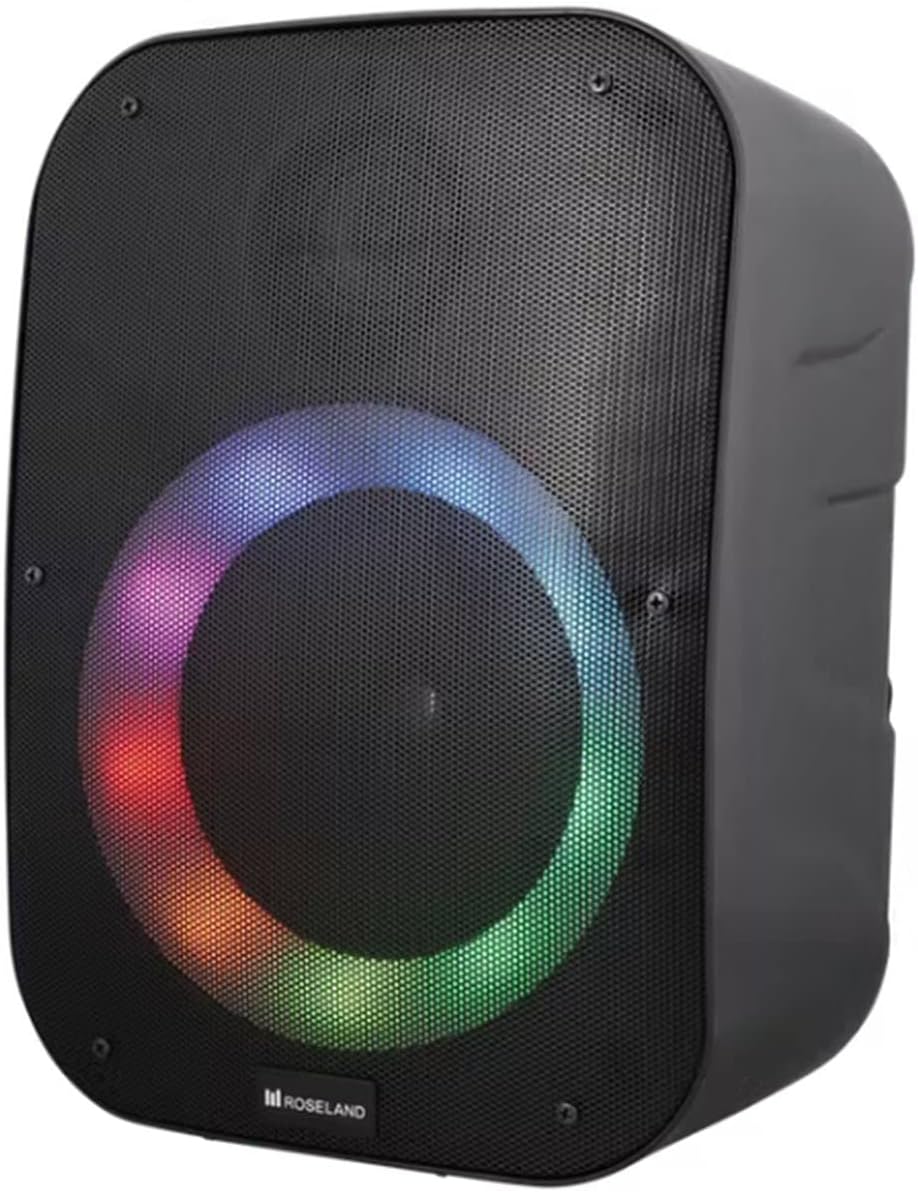
Imaxe: Fronte view of the Roseland Boombox showcasing its dynamic color-changing light feature.
Press the Light Mode Button on the control panel to cycle through various color-changing light patterns. Continue pressing to find your preferred mode or to turn the lights off.
7. Mantemento
- Limpeza: Usa un pano suave e seco para limpar a superficie do altofalante. Non empregues produtos de limpeza abrasivos nin solventes.
- Almacenamento: Garde o altofalante nun lugar fresco e seco, lonxe da luz solar directa e de temperaturas extremas, cando non o use durante períodos prolongados.
- Coidado da batería: Para prolongar a duración da batería, cárguea completamente antes do primeiro uso e cárguea polo menos unha vez cada tres meses se non a usa con regularidade.
8 Solución de problemas
| Problema | Causa posible | Solución |
|---|---|---|
| O altofalante non se acende. | Batería baixa. | Cargue o altofalante co cable USB-C incluído. |
| Sen son. | Volume demasiado baixo; modo incorrecto; dispositivo non conectado. | Increase volume; ensure correct mode (Bluetooth/AUX/USB); re-pair Bluetooth device or check AUX/USB connection. |
| Falla o emparellamento Bluetooth. | O altofalante non está en modo de emparellamento; o dispositivo está demasiado lonxe; interferencias. | Ensure speaker is in Bluetooth pairing mode; move device closer; turn off other Bluetooth devices. |
| Fallou o emparellamento de TWS. | Speakers too far apart; one speaker already paired to a device. | Ensure both speakers are in TWS pairing mode and close to each other; disconnect any Bluetooth devices from both speakers before TWS pairing. |
9. Especificacións
| Característica | Detalle |
|---|---|
| Nome do modelo | Roseland Boombox 20W TWS Bluetooth Speaker |
| Marca | Roseland |
| Potencia de saída do altofalante | 20 vatios |
| Tecnoloxía de conectividade | Bluetooth, Auxiliary (AUX), USB |
| Comunicación sen fíos | Bluetooth |
| Modo de saída de audio | Estéreo |
| Configuración da canle de son envolvente | 2.0 |
| Método de control | Toca |
| Fonte de enerxía | Wireless (Rechargeable Battery) |
| Duración da batería | Ata 5.5 horas |
| Tempo de carga | Aproximadamente 2.5 horas |
| Características especiais | Bluetooth, USB Port, Color-changing Light, Waterproof |
| Uso recomendado | Para teléfono intelixente ou tableta |
| Dispositivos compatibles | Personal Computer, Television, Tablet, Smartphone, Laptop |
| Tipo de montaxe | Montaxe no piso |
| ASIN | B0B58VP4RH |
10. Información da garantía
This Roseland Boombox 20W TWS Bluetooth Speaker comes with a Garantía limitada do fabricante dun ano desde a data de compra. Esta garantía cobre defectos de materiais e fabricación en condicións de uso normal. Non cobre danos causados por mal uso, accidentes, modificacións non autorizadas ou causas externas.
For warranty claims or support, please contact your retailer or the manufacturer's customer service with your proof of purchase.
11. Información de seguridade
- Non expoña o altofalante a temperaturas extremas, á luz solar directa nin a chamas abertas.
- Do not disassemble, repair, or modify the speaker yourself. This may void the warranty and pose safety risks.
- Manteña o altofalante lonxe de nenos e animais.
- Use only the supplied charging cable. Using incompatible chargers may damage the device or cause fire.
- Evite escoitar a volumes altos durante períodos prolongados para evitar danos auditivos.
- Although waterproof, avoid submerging the speaker in water for prolonged periods or exposing it to high-pressure water jets.