1. Produto rematadoview
This manual provides instructions for the VENTION USB C to 2 RCA Audio Cable, designed to convert audio signals from USB-C enabled devices to 2 RCA (left and right channel) outputs. This allows for connection to various audio systems such as speakers, amplifiers, and home theater setups.

Image 1.1: VENTION USB C to 2 RCA Audio Cable. This image shows the cable with its USB-C connector and two RCA connectors (red and white/black).
2. Características clave
- USB-C to 2 RCA Conversion: Converts digital audio from USB-C devices into analog stereo audio for RCA inputs.
- Ampla compatibilidade: Supports various USB-C devices including smartphones, tablets, and laptops.
- Versatile Audio Applications: Connects to a range of RCA-enabled audio equipment such as TVs, receivers, amplifiers, DVD players, and speakers.
- Integrated Audio Decoder Chip: Features a built-in JieLi Audio Decoder Chip for improved sound quality and compatibility.
- Construción duradeira: Equipped with gold-plated connectors for stable, corrosion-resistant connections, an aluminum alloy shell for durability, and an enamelled copper conductor for reliable signal transmission.

Image 2.1: Gold-plated Interface. This image highlights the gold-plated RCA connectors, indicating enhanced durability and signal stability.
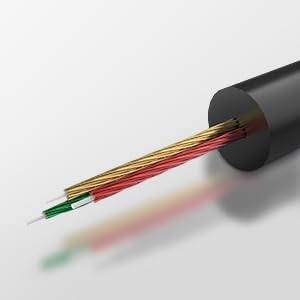
Image 2.2: High-end Audio Decoder Chip. This image provides a visual representation of the internal audio decoding chip within the USB-C connector.
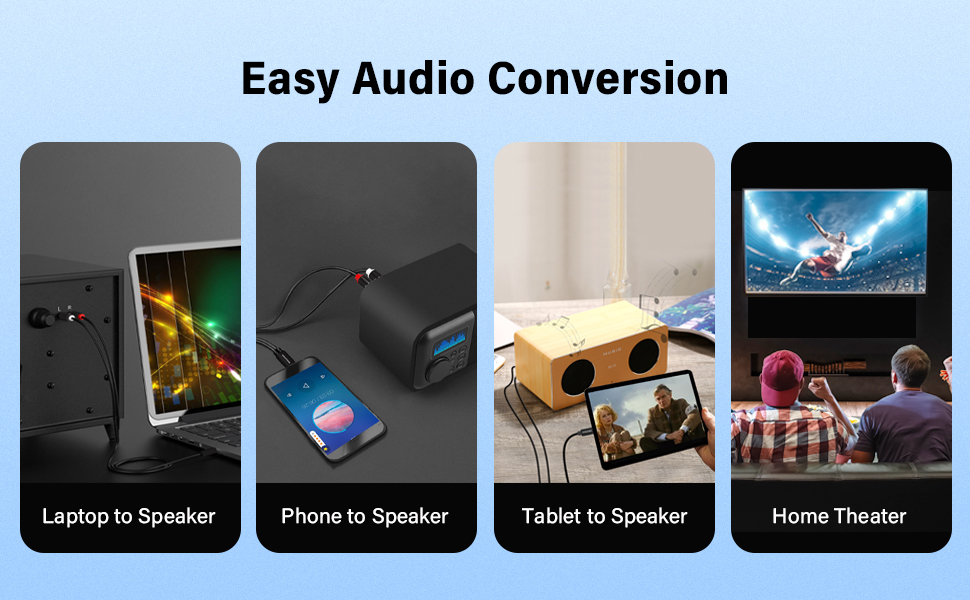
Image 2.3: Multiple Shielding Processes. This image illustrates the internal construction of the cable, showing its multi-layered shielding for signal integrity.
3. Instrucións de configuración
Follow these steps to connect your VENTION USB C to 2 RCA Audio Cable:
- Identificar portos: Locate the USB-C port on your source device (e.g., smartphone, tablet, laptop) and the RCA input ports (typically red for right channel, white or black for left channel) on your audio receiving device (e.g., speaker, ampvidador, TV).
- Conectar USB-C: Insert the USB-C end of the cable firmly into the USB-C port of your source device.
- Connect RCA: Connect the red RCA plug to the right audio input and the white/black RCA plug to the left audio input on your audio receiving device. Ensure both RCA plugs are fully inserted.
- Conexión segura: Verifique que todas as conexións estean seguras e asentadas correctamente.
Video 3.1: VENTION USB C to 2 RCA Audio Cable Usage. This video demonstrates the connection process of the cable to various devices and highlights its features.

Image 3.1: Tablet Connected to Speaker. This image shows a tablet connected to a speaker using the USB C to 2 RCA audio cable.
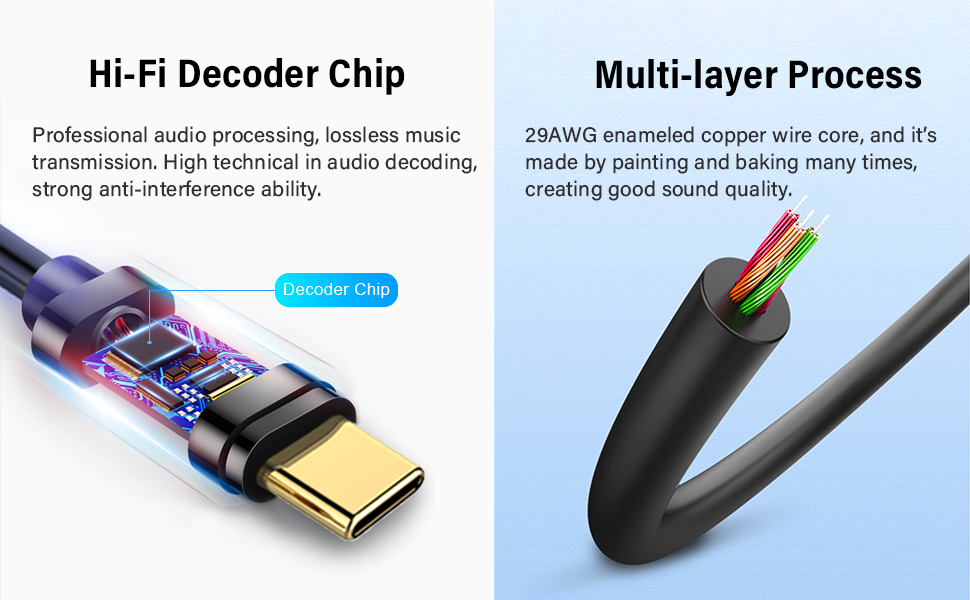
Image 3.2: Phone Connected to Power Amplifier. This image illustrates a smartphone connected to a power amplifier a través do cable de audio.

Image 3.3: PC Connected to Speaker. This image displays a laptop connected to a speaker, demonstrating the cable's use with computers.
4. Instrucións de funcionamento
Once the cable is connected, it operates as a plug-and-play audio solution:
- Seleccione entrada: On your audio receiving device, select the appropriate input source (e.g., "AUX," "Line In," or the specific RCA input).
- Reproducir audio: Begin playing audio content from your USB-C source device.
- Axustar o volume: Adjust the volume levels on both your source device and the audio receiving device to your desired listening level.
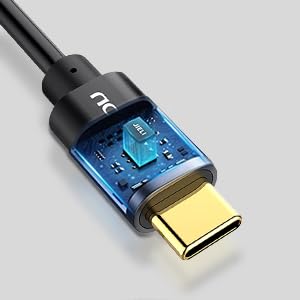
Image 4.1: Hi-Fi Noise Cancelling. This graphic illustrates the cable's ability to reduce noise and deliver clear sound, showing a comparison of fluctuated sound before conversion and clear sound after conversion.
5. Mantemento
To ensure the longevity and optimal performance of your audio cable, follow these maintenance guidelines:
- Manter limpo: Limpe regularmente o cable e os conectores cun pano suave e seco para eliminar o po e os residuos.
- Evita dobrar: Do not excessively bend or kink the cable, especially near the connectors, as this can damage internal wiring.
- Almacenamento adecuado: Store the cable in a cool, dry place away from direct sunlight and extreme temperatures when not in use.
- Manexo suave: Always insert and remove connectors gently to prevent damage to the cable plugs or device ports.
6 Solución de problemas
If you encounter issues with your VENTION USB C to 2 RCA Audio Cable, refer to the following troubleshooting steps:
| Problema | Solución |
|---|---|
| Sen saída de audio |
|
| Mala calidade do son (estática, distorsión) |
|
| USB-C connector feels warm during use |
|
| Source device does not recognize the cable |
|
7. Especificacións
| Característica | Detalle |
|---|---|
| Marca | VENCIÓN |
| Modelo | BGDB |
| Tipo de conector | USB Type-C to 2 RCA |
| Tipo de cable | Cable de audio |
| Lonxitude | 2 m (6.5 pés) |
| Cor | Negro |
| Material condutor | Enamelled Copper |
| Material de carcasa | Aliaxe de aluminio |
| Interface Process | Chapado en ouro |
| Característica especial | Built-in JieLi Audio Decoder Chip |
| Dispositivos compatibles | Laptop, Television, Tablet, Smartphone, Speaker, Amplifier, DVD Player, Car Stereo |
| Peso do elemento | 1.76 onzas (0.05 quilogramos) |
| Certificación | CE |
8. Garantía e soporte
VENTION products typically come with a standard manufacturer's warranty. For specific warranty terms and conditions, please refer to the product packaging or the official VENTION websitio.
For technical assistance, customer service, or to report any issues, please visit the official VENTION websitio web ou póñase en contacto directamente co seu equipo de atención ao cliente.
VENTION Official Store: Visitar a tenda


