1. Introdución
Grazas pola compraasing the Audizio Naples DAB+ / Internet Radio. This device offers a comprehensive audio experience with multiple playback options, including DAB+, FM, Internet Radio, Bluetooth 5.0, CD player, and USB/Micro SD MP3 playback. This manual provides detailed instructions for setup, operation, and maintenance to ensure optimal performance and longevity of your device.
2. Información de seguridade
Please read these safety instructions carefully before using the device and retain them for future reference.
- Fonte de enerxía: Empregue só o adaptador de corrente especificado. Asegúrese de que o volumetage coincide cos requisitos do dispositivo.
- Auga e humidade: Non expoñas o dispositivo á choiva, á humidade nin a líquidos que caian por pingas/salpicaduras. Non coloques obxectos cheos de líquido, como vasos, enriba do dispositivo.
- Ventilación: Asegúrese de que haxa unha ventilación axeitada. Non bloquee as aberturas de ventilación.
- Calor: Manteña o dispositivo lonxe de fontes de calor como radiadores, rexistros de calor, estufas ou outros aparellos (incluídos amplificadores) que producen calor.
- Limpeza: Unplug the device from the power outlet before cleaning. Use a soft, dry cloth. Do not use liquid cleaners or aerosol cleaners.
- Servizo: Non intente atender este produto vostede mesmo. Remita todo o servizo a persoal de servizo cualificado.
- Colocación: Coloque o dispositivo nunha superficie plana e estable.
3. Contido do paquete
Verifica que todos os elementos estean presentes no paquete:
- Audizio Naples DAB+ / Internet Radio Unit
- Control remoto
- Adaptador de alimentación
- Manual de usuario (este documento)
4. Produto rematadoview
The Audizio Naples is a versatile stereo music system designed for various audio sources. It features a sleek design with dual powerful speakers and a clear 2.8-inch LCD display.

Imaxe 4.1: Fronte view of the Audizio Naples radio with its remote control.
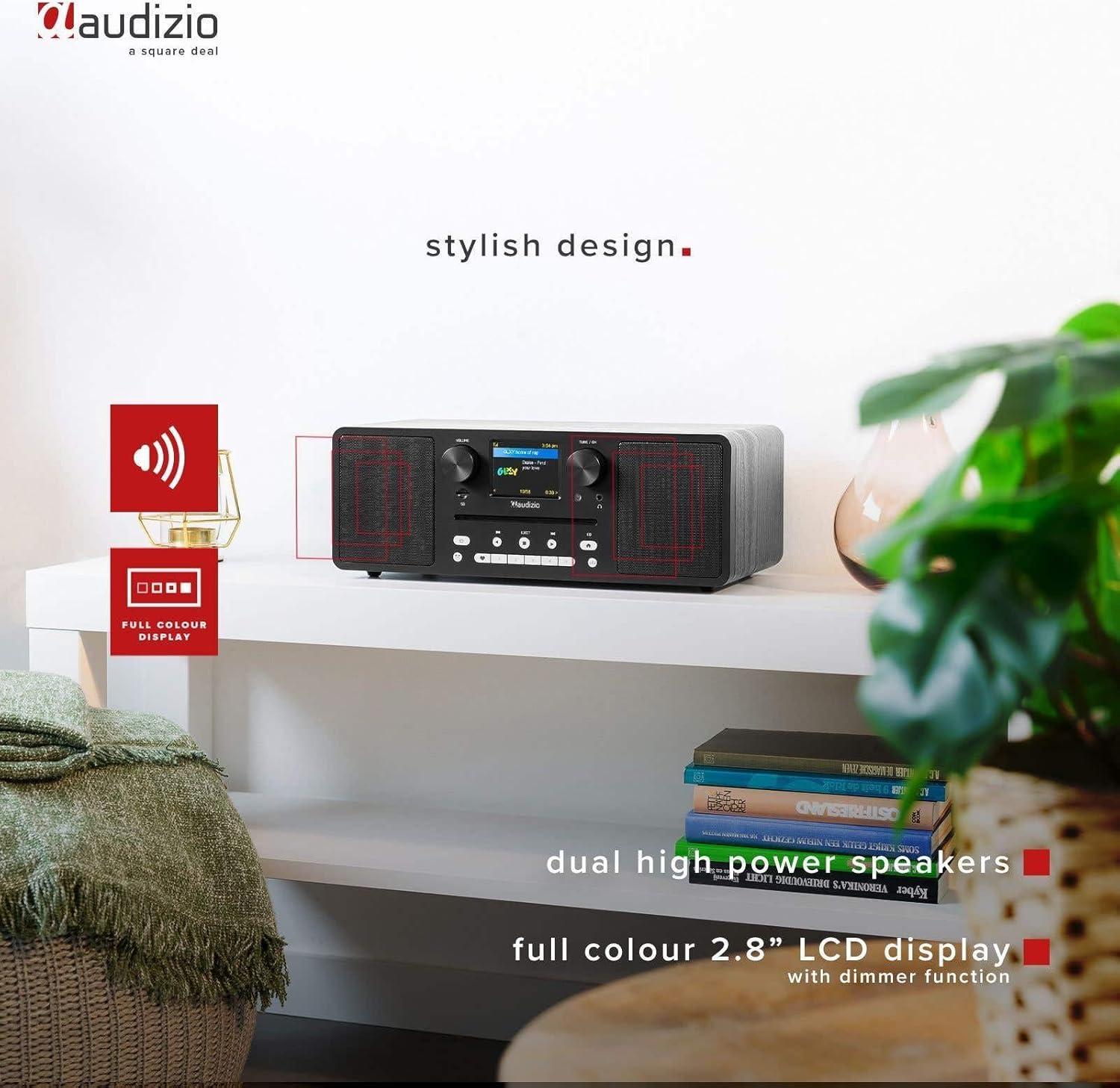
Image 4.2: The Audizio Naples radio highlighting its stylish design, dual high-power speakers, and 2.8-inch full-color LCD display with dimmer function.
4.1 Controis e características do panel frontal
- Botón de volume: Axusta o nivel de saída de audio.
- Tune/OK Knob: Navega polos menús e confirma as seleccións.
- Pantalla LCD de 2.8 polgadas: Shows current mode, station information, track details, and menu options.
- Ranura para CD: Para inserir CD de son.
- Botóns de control: Power, Mode, Play/Pause, Skip, Eject, EQ, Presets.
- Jack para auriculares: Saída de 3.5 mm para escoita privada.
- Ranura Micro SD: Para reproducir MP3 files desde unha tarxeta Micro SD.
4.2 Conexións do panel traseiro
- ENTRADA CC 12 V: Entrada de enerxía.
- Interruptor ON / OFF: Interruptor de alimentación principal.
- Porto USB: Para reproducir MP3 files desde unha unidade USB.
- AUX IN: Entrada de 3.5 mm para conectar dispositivos de son externos.
- LIÑA: 3.5mm output for connecting to external amplificadores ou altofalantes.

Imaxe 4.3: Lateral view highlighting the universal headphone output, line out, and Aux input connections.

Image 4.4: Close-up of the Audizio Naples radio showing the USB port, micro SD slot, and the CD player slot.
5. Configuración
5.1 Conexión de alimentación
- Connect the provided power adapter to the "DC IN 12V" port on the rear of the Audizio Naples.
- Conecta o adaptador de corrente a unha toma de corrente axeitada.
- Flip the "ON/OFF" switch on the rear panel to the "ON" position. The display will light up.
5.2 Configuración inicial e conexión Wi-Fi
Upon first power-on, the device will guide you through the initial setup, including language selection and network configuration for Internet Radio functionality.
- Siga as instrucións na pantalla para seleccionar o idioma que prefira.
- The device will scan for available Wi-Fi networks. Select your network from the list.
- Enter your Wi-Fi password using the Tune/OK knob to navigate and select characters. Press OK to confirm each character and the entire password.
- Once connected, the device will confirm the successful Wi-Fi connection.
6. Instrucións de funcionamento
6.1 Selección de modo
Preme o MODO button on the front panel or remote control to cycle through available modes: Internet Radio, DAB+, FM, Bluetooth, CD, USB, Micro SD, AUX In.
6.2 Radio por Internet
Accede a miles de emisoras de radio de todo o mundo a través da túa conexión Wi-Fi.

Image 6.1: The Audizio Naples radio demonstrating its Internet Radio capability, connecting to global stations.
- Selecciona o modo "Radio por Internet".
- Use the Tune/OK knob to browse stations by location, genre, or search.
- Press OK to select a station.
- To save a station as a preset, press and hold one of the numbered preset buttons (1-5) on the front panel or remote.
6.3 DAB+ / Radio FM
Goza de emisións de radio dixitais (DAB+) e analóxicas (FM).
- Seleccione o modo "DAB+" ou "FM".
- For DAB+, the radio will automatically scan for available stations on first use. For FM, use the Tune/OK knob to manually tune or press and hold to auto-scan.
- Use the Tune/OK knob to select a station from the list.
- Save presets as described for Internet Radio.
6.4 Reprodución por Bluetooth
Transmite audio sen fíos desde os teus dispositivos con Bluetooth.
- Select "Bluetooth" mode. The display will show "Pairing".
- On your smartphone or other Bluetooth device, enable Bluetooth and search for "Audizio Naples".
- Select "Audizio Naples" to pair. Once connected, you will hear a confirmation sound.
- Start playing audio on your connected device.
6.5 CD / USB / Micro SD Playback
Play audio from CDs, USB drives, or Micro SD cards. The device supports CD, CD-R, CD-RW, and MP3 CD formats.

Image 6.2: A CD being inserted into the slot-loading CD player of the Audizio Naples radio.
- CD: Insert a CD into the slot. The device will automatically switch to CD mode and begin playback. Use the Play/Pause, Skip buttons for control. Press EJECT to remove the CD.
- USB/Micro SD: Insert a USB drive into the USB port or a Micro SD card into the Micro SD slot. Select "USB" or "Micro SD" mode. The device will display the file structure, allowing you to navigate and select MP3 files para a reprodución.
6.6 ENTRADA AUX
Connect external audio sources using a 3.5mm audio cable.
- Connect your external device (e.g., MP3 player) to the "AUX IN" port using a 3.5mm audio cable.
- Select "AUX In" mode.
- Controla a reprodución desde o teu dispositivo externo.
6.7 Reloxo despertador e temporizador de sono
The Audizio Naples features a dual alarm clock and a sleep timer function.
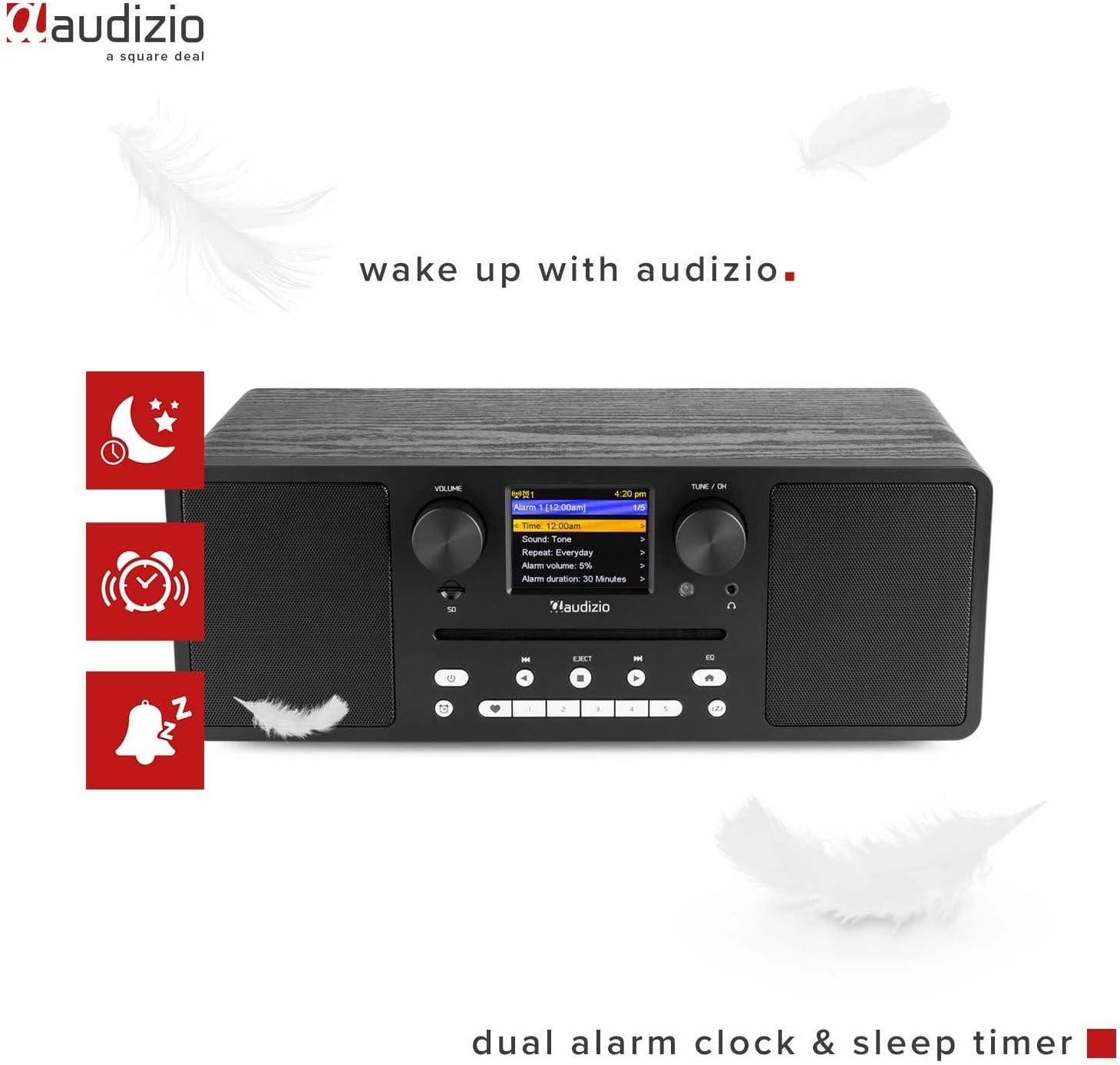
Image 6.3: The Audizio Naples radio showing icons related to its dual alarm clock and sleep timer functions.
- Configuración da alarma: Access the alarm settings through the system menu. You can set two independent alarms with customizable sources (buzzer, radio station) and volume.
- Temporizador de sono: Set a timer for the radio to automatically turn off after a specified duration. This can be found in the system settings.
6.8 Axustes do ecualizador
Adjust the audio output with various equalizer presets.
- Preme o EQ button on the front panel or remote.
- Cycle through presets like Rock, Pop, Classical, Jazz, or a custom setting.
6.9 Control remoto
O mando a distancia incluído proporciona un acceso cómodo a todas as funcións a distancia.

Image 6.4: The Audizio Naples radio shown with its dedicated remote control.
- Asegúrese de que as pilas estean inseridas correctamente.
- Point the remote control towards the front panel of the radio.
- Buttons on the remote mirror most functions available on the unit itself, including power, mode, volume, tuning, presets, EQ, and info.
7. Mantemento
7.1 Limpeza
- Desenchufe sempre o dispositivo antes de limpalo.
- Use un pano suave, seco e sen fiapos para limpar as superficies exteriores.
- Non empregues produtos de limpeza abrasivos, ceras ou disolventes, xa que poden danar o acabado.
7.2 Coidado do reprodutor de CD
- Handle CDs by the edges to avoid fingerprints and scratches.
- Clean CDs with a soft, dry cloth, wiping from the center outwards.
- Do not insert damaged or irregularly shaped discs into the CD slot.
8 Solución de problemas
| Problema | Causa posible | Solución |
|---|---|---|
| Sen poder | Power adapter not connected; ON/OFF switch is OFF. | Ensure power adapter is securely connected and the ON/OFF switch is in the ON position. |
| Sen son | Volume too low; Mute activated; Incorrect input mode. | Increase volume; Check if mute is active; Select the correct input mode (e.g., CD, Bluetooth). |
| Non se pode conectar á wifi | Contrasinal incorrecto; Enrutador demasiado lonxe; Problemas de rede. | Verificar o contrasinal da wifi; Achegar a radio ao router; Reiniciar o router; Comprobar a configuración da rede. |
| DAB/FM reception poor | Sinal débil; Antena non estendida. | Extend the telescopic antenna fully; Reposition the radio for better signal reception. |
| O emparejamento por Bluetooth falla | Device not in pairing mode; Other device connected. | Ensure the radio is in Bluetooth pairing mode; Disconnect any other Bluetooth devices from the radio; Restart Bluetooth on your device. |
| Non se reproduce o CD | CD inserted incorrectly; Disc is dirty or scratched; Unsupported format. | Re-insert CD correctly; Clean the disc; Ensure it is an audio CD or MP3 CD. |
9. Especificacións
| Característica | Detalle |
|---|---|
| Marca | Audizio |
| Número de modelo | Nápoles |
| Potencia de saída | 60 vatios |
| Tecnoloxía de conectividade | Bluetooth 5.0, USB, Wi-Fi (802.11b/g/n) |
| Sintonizador de radio | DAB+, Internet Radio, FM |
| Reproductor de CD | Slot-loading, compatible with CD, CD-R, CD-RW, MP3 CD |
| Reprodución multimedia | USB, Micro SD (MP3 files) |
| Mostrar | 2.8-inch LCD with dimmer function |
| Saídas de audio | 3.5mm Headphone Jack, 3.5mm Line Out |
| Entradas de audio | Entrada AUX de 3.5 mm |
| Ecualizador | Presets (Rock, Pop, Classical, Jazz) |
| Características especiais | Dual Alarm Clock, Sleep Timer, Remote Control |
| Cor | Negro |
| Dimensións (L x W x H) | 350 x 195 x 127 mm |
| Peso | 3.2 kg |
| Potencia Voltage | 230Vac/50Hz |
10. Garantía e soporte
For warranty information and technical support, please refer to the documentation provided with your purchase or contact Audizio customer service. Keep your proof of purchase for warranty claims.
For further assistance, visit the official Audizio websitio ou póñase en contacto co seu distribuidor local.


