Introdución
Thank you for choosing the HTC True Wireless Earbuds 7. This manual provides essential information for setting up, operating, maintaining, and troubleshooting your new earbuds. Please read it thoroughly before use to ensure optimal performance and longevity of your device.
Contido do paquete
Asegúrate de que todos os elementos estean presentes no paquete:
- 2 x HTC Wireless Earbuds (Left and Right)
- 1 x estuche de carga
- 1 x cable USB-C
- 2 Pairs x Silicone Earplugs (S, L) - Note: Medium size earplugs are pre-installed on the earbuds.
- 1 x English Manual (This document)

Image: HTC True Wireless Earbuds 7, charging case, and USB-C cable.
Guía de configuración
1. Carga inicial
Antes do primeiro uso, carga completamente os auriculares e a caixa de carga.
- Coloque os dous auriculares no estoxo de carga.
- Connect the provided USB-C cable to the charging port on the case and a power source (e.g., USB wall adapter, computer USB port).
- The indicator lights on the charging case will illuminate to show charging status. All three indicator lights will show blue when fully charged.
Tempo de carga:
- Auriculares: aproximadamente 40 minutos
- Estuche de carga: aproximadamente 1.5 horas

Image: HTC True Wireless Earbuds 7 charging case showing battery indicator lights.
Video: Demonstrates charging the HTC True Wireless Earbuds 7 charging case using the USB-C cable.
2. Emparellamento co teu dispositivo (emparellamento nun só paso)
The earbuds utilize advanced Bluetooth 5.3 technology for fast and stable connection.
- Abre a caixa de carga. Os auriculares entrarán automaticamente no modo de emparellamento.
- No teu dispositivo (teléfono intelixente, tableta, ordenador), activa o Bluetooth.
- Busca "HTC TWS7" in the list of available Bluetooth devices.
- Select "HTC TWS7" to connect. Once paired, the earbuds will automatically connect to your device in the future when taken out of the case.
Important Tip: When pairing for the first time, please take both earbuds out of the charging box for pairing.

Image: Illustrates the one-step pairing process with a smartphone.
3. Adjusting Earplugs for Best Fit
For optimal sound quality and comfort, choose the silicone earplugs that best fit your ears. The earbuds come with medium-sized earplugs pre-installed, and S/L sizes are included in the package.
- Gently remove the pre-installed earplug from the earbud.
- Select a different size (S or L) and carefully attach it to the earbud's nozzle, ensuring it is securely fastened.
- Test the fit and sound quality. A good seal will provide better bass and noise isolation.

Image: Close-up of an earbud highlighting the soft silicone eartips for a comfortable fit.
Instrucións de funcionamento
Controis táctiles intelixentes
The HTC True Wireless Earbuds 7 feature intuitive touch controls on each earbud. The touch-sensitive area is located on the outer surface of each earbud.
| Función | Acción |
|---|---|
| Reproducir/Pausa | Toca calquera dos auriculares unha vez. |
| Responder/colgar a chamada | Toca calquera dos auriculares unha vez. |
| Canción anterior | Toca dúas veces o auricular esquerdo. |
| Próxima canción | Toca dúas veces o auricular dereito. |
| Asistente de voz | Toca tres veces calquera dos auriculares. |
| Rexeitar a chamada | Mantén premido durante 2 segundos. |
| Modo xogo activado/desactivado | Mantén premido durante 2 segundos. |
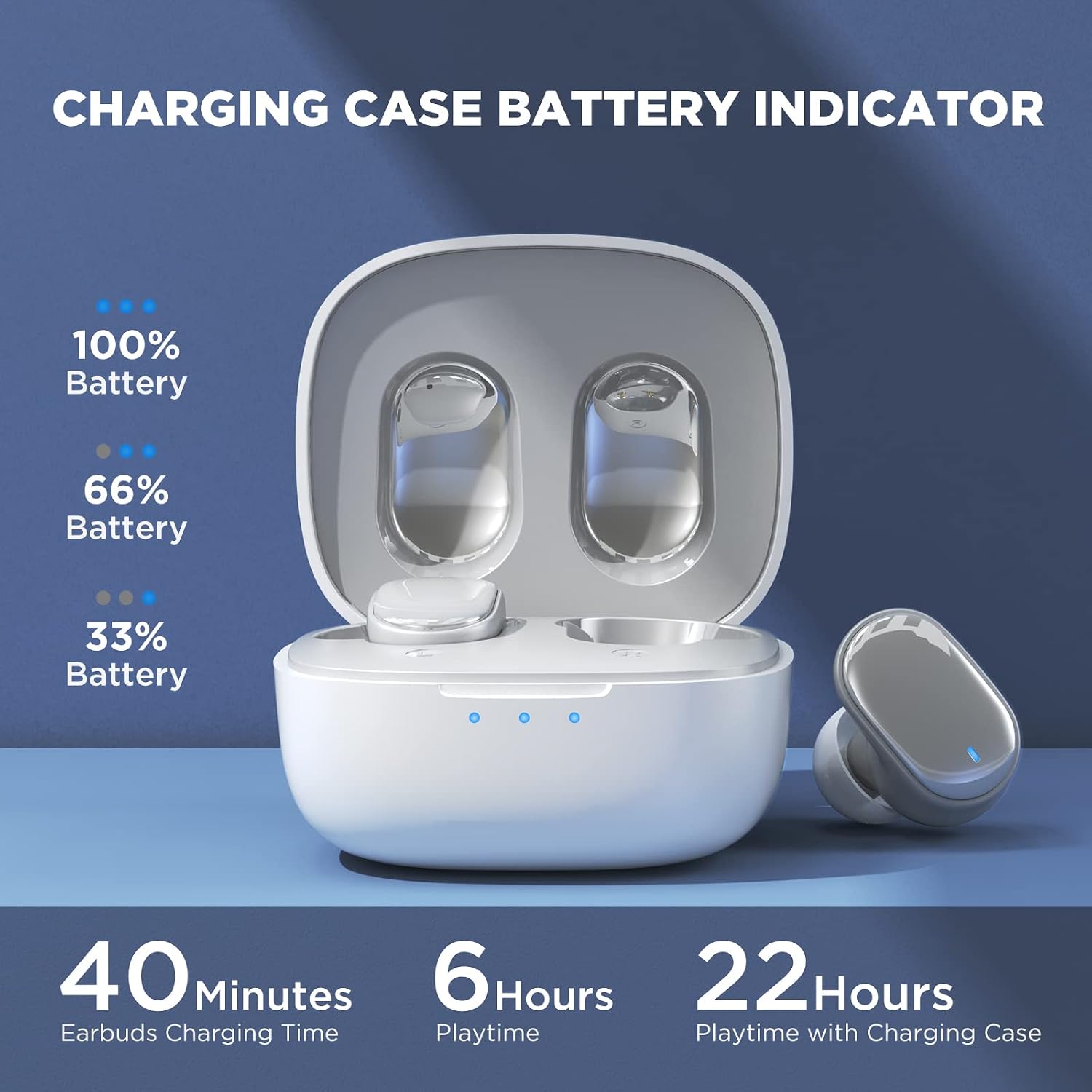
Image: Visual guide to the smart touch controls on the earbud.
Modo de xogo
Designed specifically for gaming, Game Mode provides an ultra-low latency of 45ms, ensuring audio and video remain synchronized for a smoother gaming experience. To activate or deactivate Game Mode, tap and hold either earbud for 2 seconds.
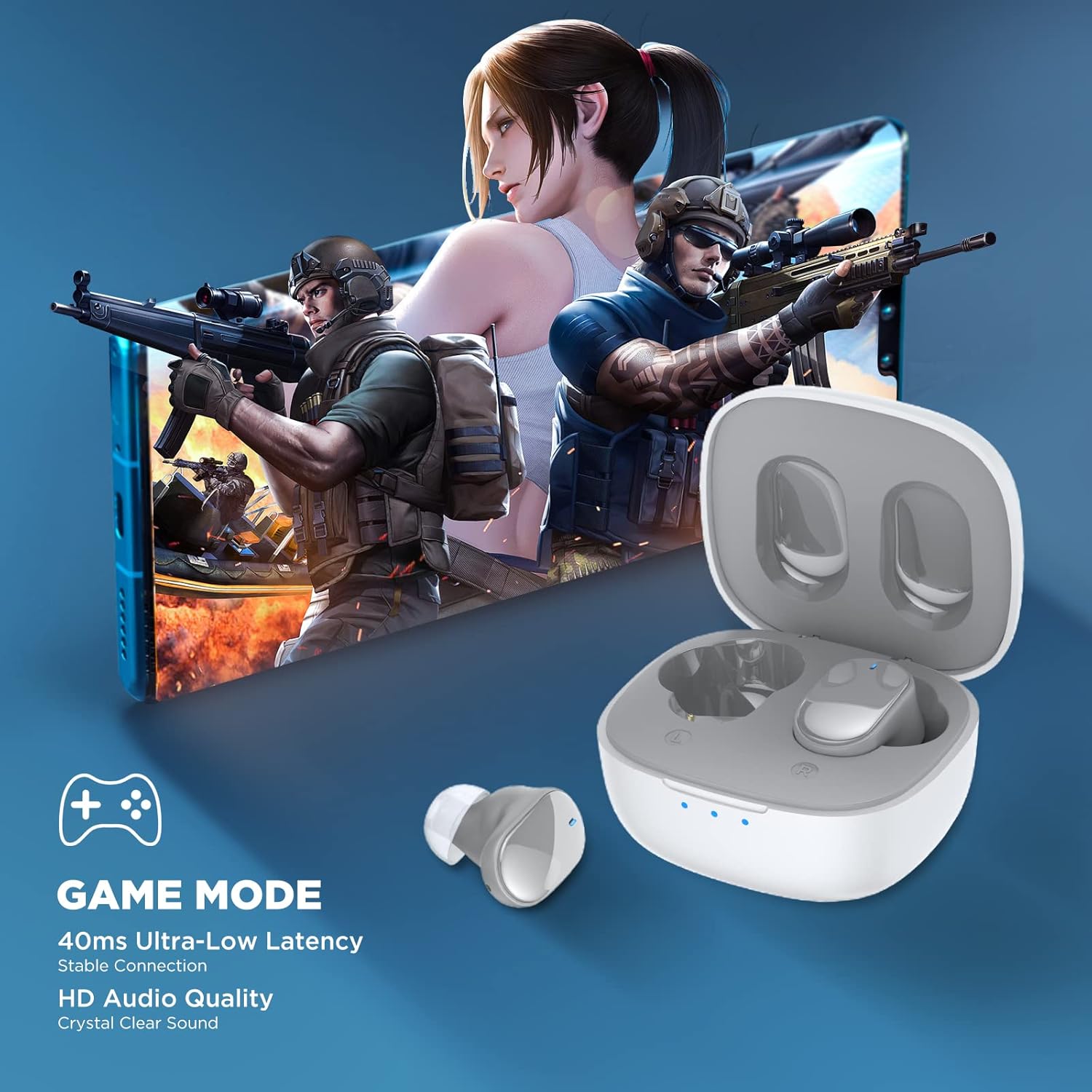
Image: Earbuds shown in a gaming context, highlighting the 40ms ultra-low latency Game Mode.
Calidade de audio
The earbuds are equipped with 10mm drivers, producing powerful bass and stunning treble for a rich audio experience.

Imaxe: Explosión view diagram illustrating the 10mm speaker driver components.
Mantemento e coidados
- Limpeza: Limpa regularmente os auriculares e a funda de carga cun pano suave, seco e sen pelusa. Non empregues produtos químicos agresivos nin materiais abrasivos.
- Earplug Care: Remove the silicone earplugs periodically and clean them with mild soap and water. Ensure they are completely dry before reattaching.
- Resistencia á auga: The earbuds are IPX4 waterproof, meaning they are resistant to sweat and splashing water. Do not submerge them in water or expose them to heavy rain.
- Almacenamento: Cando non estean en uso, garde os auriculares no seu estoxo de carga para protexelos e mantelos cargados. Garde nun lugar fresco e seco, lonxe de temperaturas extremas.
- Duración da batería: Para prolongar a duración da batería, evita descargar completamente os auriculares e a caixa de carga con frecuencia. Cárgaos regularmente, mesmo se non os usas durante períodos prolongados.
Resolución de problemas
| Problema | Posible Solución |
|---|---|
| Os auriculares non se emparellan co dispositivo. |
|
| Só funciona un auricular. |
|
| Volume baixo ou mala calidade de son. |
|
| Os auriculares non cargan. |
|
| Os controis táctiles non responden. |
|
Especificacións
| Característica | Detalle |
|---|---|
| Nome do modelo | TWS 7 |
| Versión Bluetooth | 5.3 |
| Tecnoloxía de conectividade | Sen fíos (Bluetooth) |
| Latencia de audio | 45 milisegundos (modo xogo) |
| Tempo de reprodución (carga única) | Máis de 6 horas |
| Tempo de reprodución total (co estoxo de carga) | Ata 22 horas |
| Tempo de carga dos auriculares | minutos 40 |
| Estuche de carga Tempo de carga | 1.5 horas |
| Tamaño do controlador | Controlador dinámico de 10 mm |
| Resistencia á auga | IPX4 (resistente á suor) |
| Tipo de control | Control táctil, control por voz |
| Alcance Bluetooth | Ata 10 metros (32.8 pés) |
| Rango de frecuencias | 20 Hz - 20,000 Hz |
| Dispositivos compatibles | dispositivos iOS, Android e Windows |
Información da garantía
Os teus auriculares sen fíos HTC True Wireless 7 inclúen unha extensión de garantía de 360 días. Conserva o comprobante de compra para reclamacións de garantía.
This warranty covers manufacturing defects and issues arising from normal use. It does not cover damage caused by misuse, accidents, unauthorized modifications, or improper maintenance.
Atención ao cliente
For any questions, concerns, or technical assistance, please contact HTC customer support:
- Soporte de chat en directo: Available 7 days a week, 24 hours a day. Refer to the product packaging or official HTC websitio web para obter datos de contacto específicos.
- Recursos en liña: Visit the official HTC websitio web con preguntas frecuentes, manuais actualizados e recursos de asistencia adicionais.
We are committed to ensuring your satisfaction with our in-ear headphones.


