Introdución
Thank you for choosing the Brookstone Sonic Electric Toothbrush. This manual provides essential information for the safe and effective use of your new toothbrush. Please read it thoroughly before first use and retain it for future reference.
This sonic toothbrush is designed for adults, featuring 16,500 vibrations per minute, five cleaning modes, and a built-in 2-minute timer to support comprehensive oral hygiene. It is IPX4 waterproof for durability and convenience.

Image: The Brookstone Sonic Electric Toothbrush standing upright on its white USB rechargeable base.
Configuración
Desembalaxe e carga inicial
Ao abrir o paquete, asegúrese de que estean presentes todos os compoñentes:
- 1 x Sonic Electric Toothbrush Handle
- 3 x Soft Toothbrush Replacement Heads
- 1 x USB Rechargeable Base with USB Cable
Before first use, fully charge the toothbrush. Place the toothbrush handle onto the charging pin of the rechargeable base. Connect the USB cable to the base and plug it into a compatible USB power source (e.g., wall adapter, computer USB port). A full charge takes approximately 12 hours and provides up to 30 days of use.
Colocación do cabezal do cepillo
Align the brush head with the metal shaft on the toothbrush handle. Push the brush head down firmly until it clicks into place. Ensure it is securely attached before use.

Image: A visual representation of the toothbrush handle, three replacement brush heads, and the USB charging base with its cable.
Instrucións de funcionamento
Acendido/apagado e selección de modo
- To turn on the toothbrush, press the power button once.
- To cycle through the cleaning modes, press the power button repeatedly while the toothbrush is on.
- To turn off the toothbrush, press and hold the power button for 2 seconds, or cycle through all modes until it turns off automatically.
Modos de limpeza
The toothbrush features five distinct cleaning modes:
- Limpar: For daily cleaning with strong vibrations.
- polaco: For surface cleaning and whitening.
- Limpeza profunda: Provides extended pulses for thorough cleaning between teeth.
- Coidado das enxivas: Features targeted vibrations for gentle gum line cleaning.
- Sensíbel: Offers a gentle vibrating mode for sensitive teeth and gums.

Image: A visual guide detailing the five operational modes of the toothbrush: Clean, Polish, Deep Clean, Gum Care, and Sensitive, with their respective descriptions.
Temporizador intelixente de 2 minutos
The toothbrush includes a built-in 2-minute timer, recommended by dental professionals for optimal brushing. The toothbrush will pause briefly every 30 seconds to indicate when to move to a different quadrant of your mouth, ensuring an even and thorough clean.
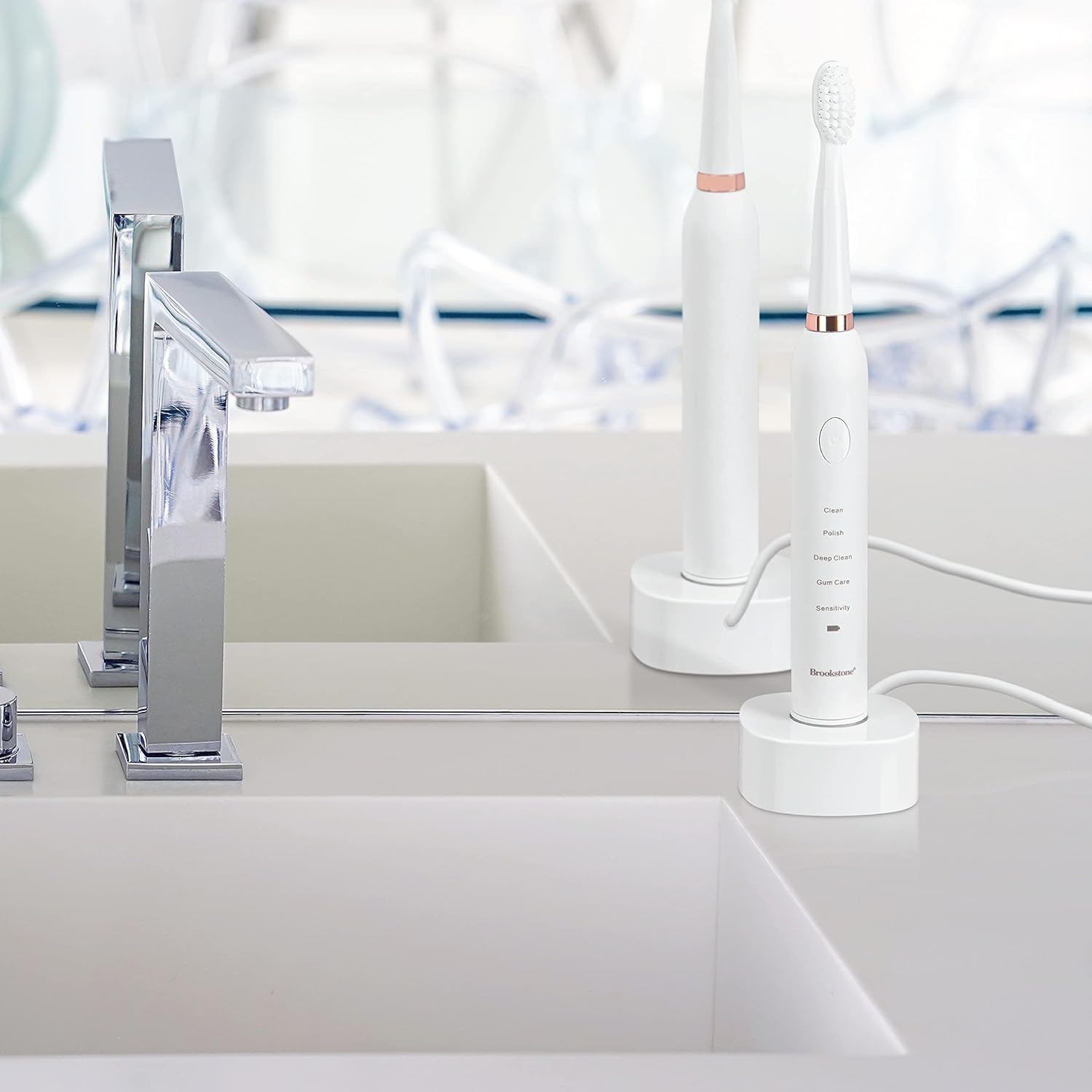
Image: A graphic highlighting key features including the 2-minute timer, sonic vibrations up to 16,500 per minute, and IPX7 waterproof rating.
Técnica de cepillado
Apply a small amount of toothpaste to the brush head. Place the brush head against your teeth at a slight angle towards the gum line. Gently move the brush across your teeth, allowing the sonic vibrations to do the work. Do not scrub aggressively. Divide your mouth into four quadrants and spend 30 seconds on each, guided by the timer pauses.
Mantemento
Limpeza do cepillo de dentes
- Despois de cada uso, enxágüe ben a cabeza do cepillo con auga corrente.
- Limpe o mango do cepillo de dentes cun anuncioamp cloth. Do not immerse the handle in water for extended periods, despite its water resistance.
- Ensure the charging base is kept dry and clean.
Cargando
When the battery indicator light signals low power, place the toothbrush on its USB rechargeable base. The indicator light will show charging status and turn green when fully charged. Avoid overcharging by unplugging the charger once fully charged, especially for prolonged periods.
Substitución da cabeza do cepillo
For optimal cleaning performance and hygiene, it is recommended to replace the brush head every 3 months, or sooner if the bristles appear frayed or worn. Replacement heads are available from Brookstone.
Resolución de problemas
| Problema | Causa posible | Solución |
|---|---|---|
| O cepillo de dentes non se acende. | A batería está esgotada. | Cargue o cepillo de dentes durante polo menos 12 horas. |
| O cepillo de dentes non carga. | Charging base or USB cable not properly connected. | Ensure the USB cable is securely plugged into both the base and the power source. Verify the toothbrush handle is correctly seated on the charging pin. |
| Vibración débil ou rendemento reducido. | Batería baixa ou cabezal do cepillo desgastado. | Recharge the toothbrush. Replace the brush head if it is old or worn. |
| A cabeza do cepillo cae durante o uso. | Cabezal do cepillo non fixado firmemente. | Ensure the brush head is pushed down firmly until it clicks into place. |
Especificacións
- Modelo: OC0005-WH8
- Dimensións do produto: 0.85 x 0.85 x 8.5 polgadas
- Peso do artigo: 5.5 onzas
- Fonte de enerxía: Alimentado por batería (1 batería de ións de litio, incluída)
- Vibracións: Ata 16,500 por minuto
- Modos de operación: 5 (Clean, Polish, Deep Clean, Gum Care, Sensitive)
- Clasificación impermeable: IPX4
- Compoñentes incluídos: Toothbrush handle, 3 replacement brush heads, USB rechargeable base, USB cable
- Material de cerdas: Nylon (Soft)
- Material do mango: Plástico
- Fabricante: Argento SC
Información de seguridade
- Risco de asfixia: Keep out of reach of children. This product is for adult use only.
- Replace brush head every 3 months for optimal hygiene and performance.
- As declaracións sobre suplementos dietéticos non foron avaliadas pola FDA e non están destinadas a diagnosticar, tratar, curar ou previr ningunha enfermidade ou condición de saúde.
- Non o use se o produto parece estar danado.
- Consult your dentist before use if you have severe gum disease or have undergone oral surgery.
Garantía e Soporte
For warranty information, technical support, or customer service inquiries, please refer to the contact information provided with your product packaging or visit the official Brookstone website. Please have your model number (OC0005-WH8) and purchase date available when contacting support.


