Introdución
This manual provides detailed instructions for the installation, operation, and maintenance of your INKBIRD IVC-001W 15CM Inline Duct Fan with Smart Controller. This system is designed to provide efficient ventilation, deodorization, dehumidification, and temperature regulation for various indoor environments.
Lea este manual detidamente antes de usar o produto para garantir un rendemento seguro e óptimo.
Información de seguridade
Observe as seguintes precaucións de seguridade para evitar lesións ou danos no dispositivo:
- Seguridade eléctrica: Ensure the power supply matches the fan's requirements. Do not operate with damaged cords or plugs.
- Instalación: Install the fan in a stable location, ensuring proper duct connections to prevent air leaks.
- Mantemento: Desconecte a alimentación antes de limpar ou realizar calquera mantemento.
- Nenos e animais: Manteña o dispositivo fóra do alcance dos nenos e das mascotas.
- Ambiente: Do not expose the fan or controller to water or extreme temperatures.
Compoñentes do produto
The INKBIRD IVC-001W package includes the following:
- 1 x INKBIRD IVC-001W Inline Duct Fan (15CM / 6-inch)
- 1 x Wi-Fi Enabled Smart Controller
- 1 x Temperature and Humidity Probe
- 1 x cable de alimentación
- Mounting Hardware (e.g., straps, screws)
- Manual de usuario (este documento)
Configuración e instalación
Follow these steps to properly install your INKBIRD Inline Duct Fan:
- Desembalaxe: Retire con coidado todos os compoñentes da embalaxe. Inspeccione se hai algún dano.
- Montaxe do ventilador: Secure the inline duct fan in your desired location (e.g., within a grow tent, basement, or kitchen ductwork). Use the provided mounting hardware to ensure it is stable and vibration-free.
- Condutos de conexión: Connect appropriate ducting to both ends of the fan. Ensure all connections are sealed to prevent air leakage and maximize efficiency.
- Montaxe do controlador: Choose a convenient location for the smart controller. It can be wall-mounted or placed on a flat surface.
- Conexión do controlador: Connect the fan to the smart controller using the provided cable. Then, connect the temperature and humidity probe to the controller.
- Conexión de alimentación: Plug the power cord into a standard electrical outlet. The controller screen should illuminate.
- Configuración Wi-Fi: Download the INKBIRD app on your smartphone. Follow the in-app instructions to connect the smart controller to your Wi-Fi network. This enables remote control and monitoring.

Image: The INKBIRD IVC-001W Inline Duct Fan connected to flexible ducting, shown in an indoor growing environment.

Imaxe: Unha detallada view of the duct fan illustrating the direction of air flow (inlet and outlet) and its connection to ductwork.
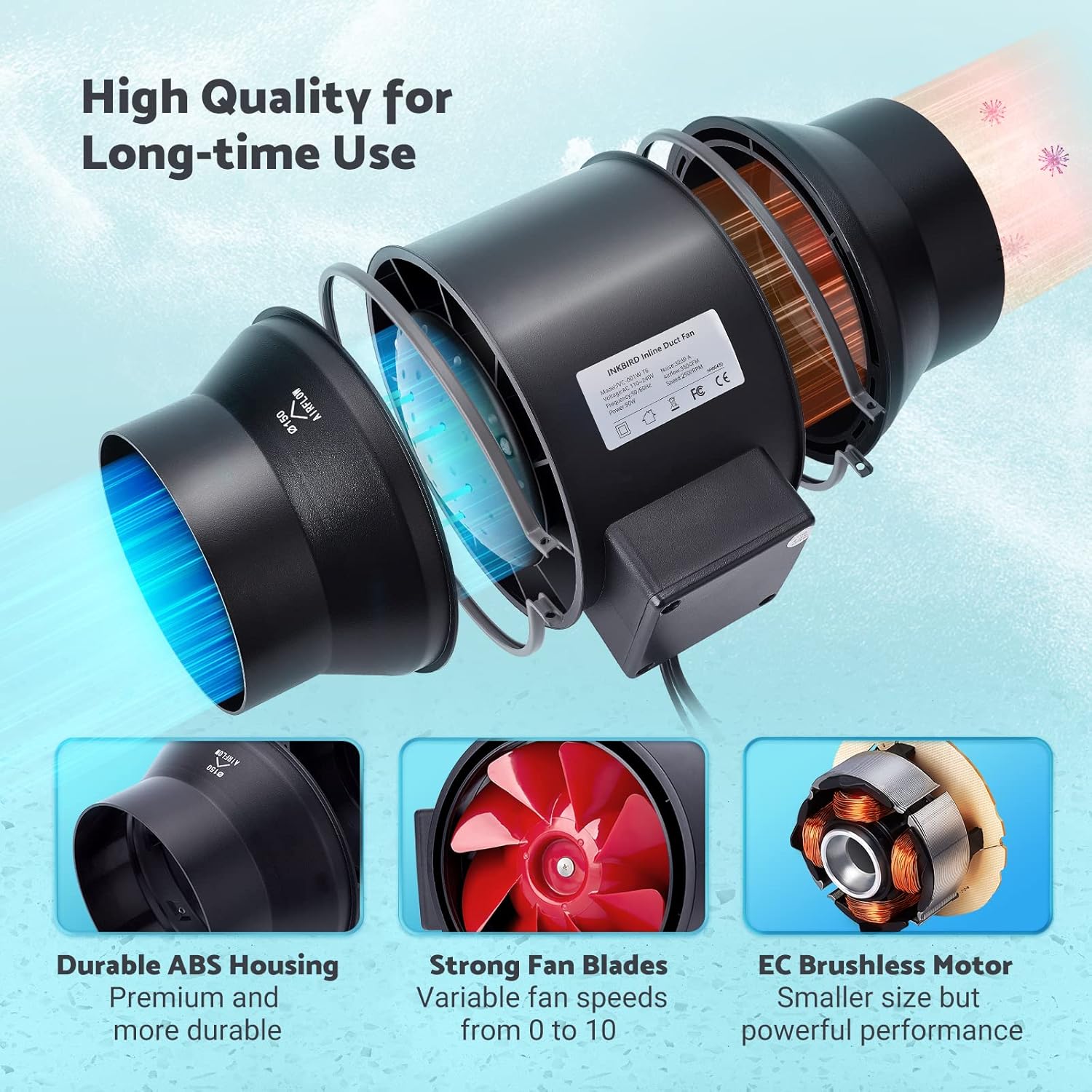
Image: The Wi-Fi enabled smart controller displaying temperature and humidity readings, with its probe connected.
Instrucións de funcionamento
The INKBIRD IVC-001W offers multiple operating modes for flexible environmental control.
Interface do controlador
The smart controller features a high-definition VA screen displaying current temperature, humidity, fan status, and settings. Buttons on the controller allow for direct interaction.

Imaxe: Unha detallada view of the smart controller's screen, showing temperature, humidity, and fan speed settings, along with its physical buttons.
Modos de funcionamento
You can select from Automatic, Manual, or Timer modes:
- Modo automático:
- Set desired temperature and humidity ranges.
- The fan will automatically adjust its speed (0-10) to maintain these preset conditions.
- Ideal for maintaining a consistent environment without constant manual adjustment.
- Modo manual:
- Manually set the fan speed from 0 (off) to 10 (maximum).
- The fan will operate at the selected speed until manually changed or turned off.
- Modo temporizador:
- Program up to 6 individual operating times per day.
- For each time slot, you can customize the start time, running length, and fan speed.
- This mode allows for precise scheduling of ventilation cycles.

Image: Screenshot of the INKBIRD smartphone app demonstrating the Automatic Mode interface, where users can set temperature and humidity thresholds.

Image: Screenshot of the INKBIRD smartphone app demonstrating the Manual Mode interface, allowing users to set a specific fan speed.

Image: Screenshot of the INKBIRD smartphone app demonstrating the Timer Mode interface, where users can schedule multiple fan operations throughout the day.
Smart App Features
The INKBIRD app provides enhanced control and monitoring capabilities:
- Control remoto: Adjust settings and change modes from anywhere.
- Seguimento: View datos de temperatura e humidade en tempo real.
- Historia: Access historical temperature and humidity data.
- Alarmas: Receive notification messages on your phone if detected temperature/humidity reaches preset alarm values.
- Bloqueo para nenos: Enable the child lock function via the app or by pressing the '+' and '-' buttons simultaneously on the controller for 2 seconds to prevent unintended changes.
- Modo ECO: The controller supports ECO mode for power saving.
Características clave
- Efficient Air Movement: Provides 350 CFM air volume and 2500 RPM fan speed for effective ventilation, deodorization, dehumidification, and temperature regulation.
- Funcionamento silencioso: Features an energy-efficient EC motor, producing only 32 dB of noise during operation (measured at 3 meters from the fan connected to a 1-meter duct).
- Velocidade do ventilador variable: Fan speed is adjustable from 0 to 10, allowing precise control over airflow.
- Construción duradeira: Built with a durable ABS housing and strong fan blades for long-term use.
- Multi-Fan Control: The smart controller can connect and control two INKBIRD fans simultaneously.
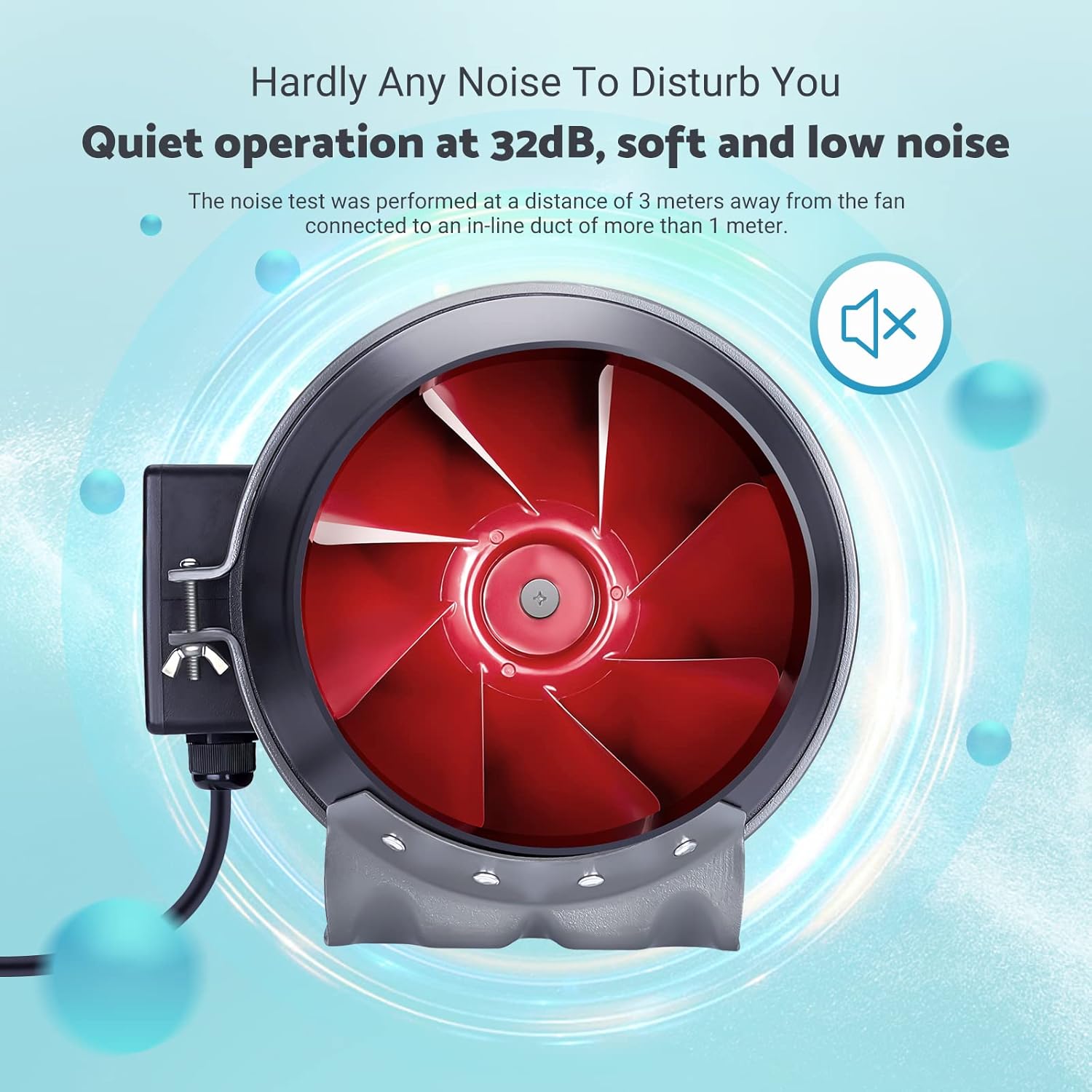
Image: The inline duct fan highlighting its multifunctional capabilities: ventilation, deodorization, humidity regulation, and temperature regulation.

Imaxe: Unha interna view of the fan, emphasizing its quiet operation at 32 dB, with the red fan blades visible.
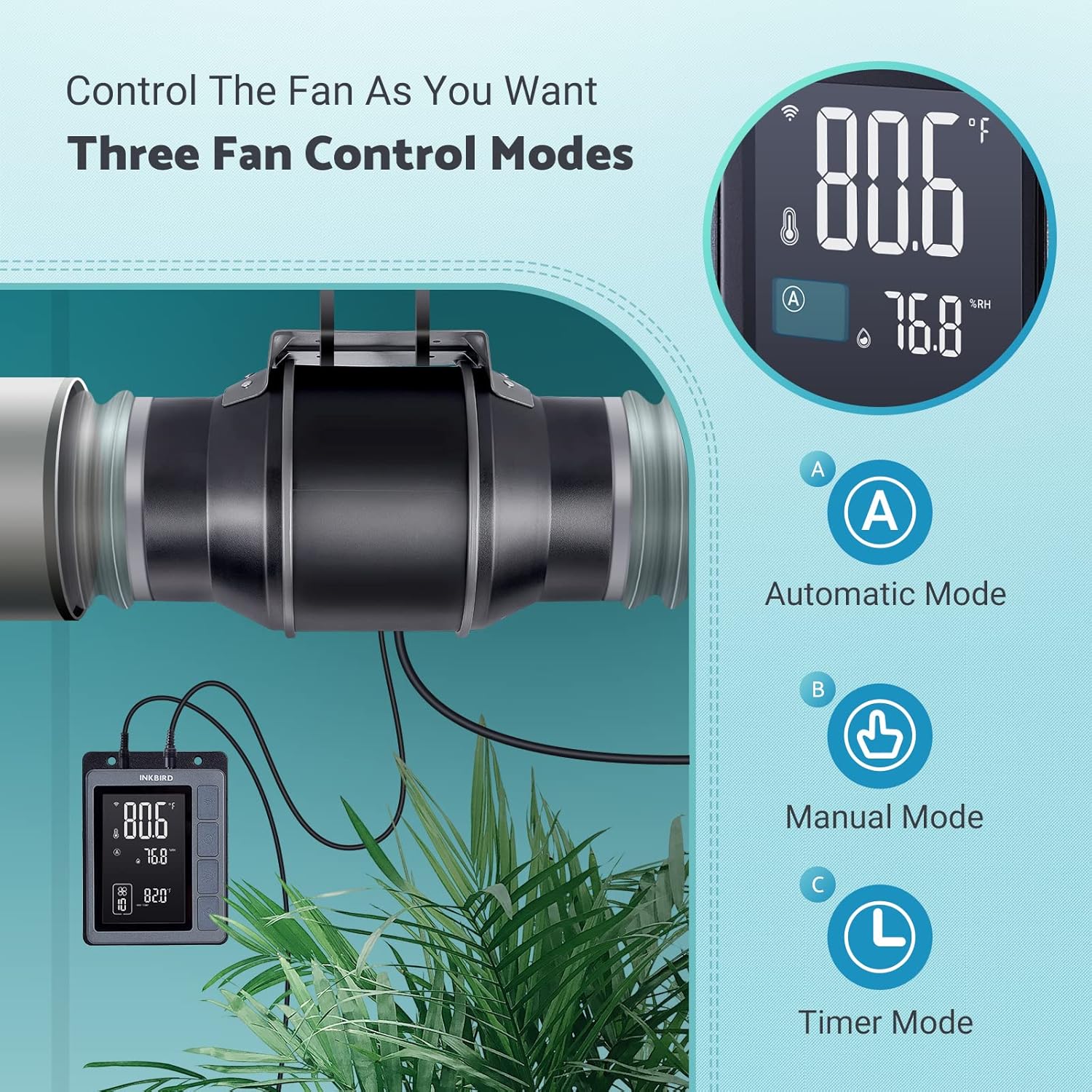
Image: An exploded diagram of the fan, highlighting its durable ABS housing, robust fan blades, and the efficient EC brushless motor.
Mantemento
Regular maintenance ensures the longevity and efficiency of your INKBIRD Inline Duct Fan.
- Desconexión de alimentación: Always unplug the fan from the power source before performing any cleaning or maintenance.
- Limpeza exterior: Wipe the exterior of the fan and controller with a soft, damp pano. Non use produtos de limpeza ou disolventes abrasivos.
- Limpeza das aspas do ventilador: Periodically inspect the fan blades for dust and debris accumulation. If necessary, carefully remove the fan from the ducting and gently clean the blades with a soft brush or cloth. Ensure no moisture enters the motor housing.
- Limpeza da sonda: Keep the temperature and humidity probe clean and free from obstructions to ensure accurate readings.
- Inspección de condutos: Regularly check the ducting for any blockages, tears, or loose connections that could impede airflow.
Resolución de problemas
If you encounter issues with your INKBIRD Inline Duct Fan, refer to the following common problems and solutions:
| Problema | Causa posible | Solución |
|---|---|---|
| O ventilador non se acende. | No power supply; loose connection; child lock enabled. | Check power cord connection and outlet. Ensure fan cable is securely connected to the controller. Disable child lock via app or controller buttons. |
| O ventilador funciona pero o fluxo de aire é feble. | Ducting blockage; fan speed set too low; air leaks in ducting. | Inspect ducting for obstructions. Increase fan speed setting. Check duct connections for leaks and seal if necessary. |
| Lecturas de temperatura/humidade incorrectas. | Probe is dirty or obstructed; probe is placed in an unsuitable location. | Clean the probe. Relocate the probe to an area that accurately represents the environment you wish to monitor. |
| Problemas coa conexión wifi. | Incorrect Wi-Fi password; router too far; network interference. | Verify Wi-Fi password. Move controller closer to the router. Restart router and controller. Ensure 2.4GHz Wi-Fi network is used. |
| O ventilador é ruidoso. | High fan speed; loose mounting; debris in fan blades. | Reduce fan speed. Ensure the fan is securely mounted. Disconnect power and inspect/clean fan blades. |
Especificacións
| Característica | Detalle |
|---|---|
| Marca | Inkbird |
| Modelo | IVC-001W |
| Diámetro do ventilador | 15CM (6-inch) |
| Volume de aire | 350 CFM |
| Velocidade do ventilador | 2500 RPM (máx.) |
| Nivel de ruído | 32 dB (at 3 meters) |
| Voltage | 24 V |
| Wattage | 50 W |
| Fonte de enerxía | Eléctrico con cable |
| Material | Plastic (ABS Housing) |
| Tipo de montaxe | Soporte de parede |
| Características especiais | Timer, Wi-Fi Smart Controller, Temperature & Humidity Control, Child Lock, ECO Mode |
| Lonxitude do cable de alimentación | 150 cm (59 polgadas) |
| Fan to Controller Cord Length | 240 cm (94.5 polgadas) |
| Lonxitude da sonda | 250 cm (98.43 polgadas) |
| Dimensións do produto | 35 D x 26.7 W x 28 H centímetros |

Image: A technical diagram illustrating the dimensions of the inline duct fan, smart controller, and the temperature/humidity probe, including cable lengths.
Garantía e Soporte
O ventilador de conduto en liña INKBIRD IVC-001W inclúe un 2 ano de garantía desde a data de compra.
Para asistencia técnica, reclamacións de garantía ou máis axuda, póñase en contacto co servizo de atención ao cliente de INKBIRD a través do seu servizo oficial websitio web ou a información de contacto que se inclúe na embalaxe do produto.
Tamén podes visitar o Tenda Inkbird en Amazon para obter máis información sobre o produto e recursos de asistencia.