1. Introdución
This manual provides detailed instructions for the operation and maintenance of your Soundmaster DAB280SW Portable DAB+ and FM RDS Digital Radio. The DAB280SW is a versatile portable radio featuring DAB+ and FM RDS reception, a headphone jack, and a practical carrying handle. It offers excellent sound quality and user-friendly controls, including preset station memory and alarm functions.
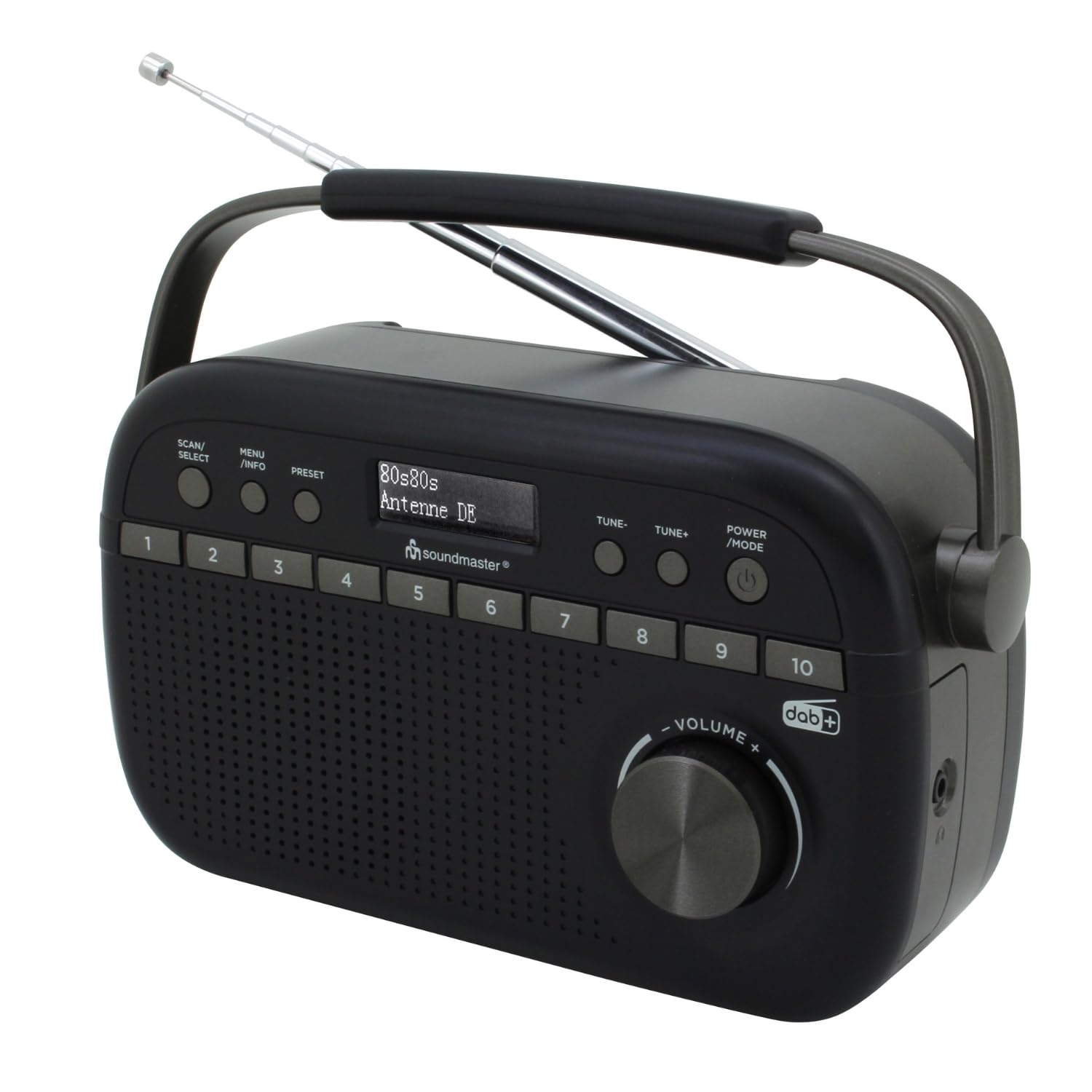
Image 1.1: The Soundmaster DAB280SW Portable DAB+ and FM RDS Digital Radio, showcasing its compact design and carrying handle.
2. Información de seguridade
- Lea atentamente todas as instrucións antes de usar o dispositivo.
- Non expoña a unidade á choiva nin á humidade para evitar incendios ou descargas eléctricas.
- Asegúrese de que haxa unha ventilación axeitada arredor da unidade. Non bloquee as aberturas de ventilación.
- Empregue só o adaptador de corrente ou as baterías especificadas.
- Non abras a c.asing. Encomende todo o mantemento a persoal cualificado.
- Manteña a unidade lonxe da luz solar directa, de fontes de calor e de campos magnéticos fortes.
- Desfágase das baterías de forma responsable segundo a normativa local.
3. Contido do paquete
Comprobe que estean presentes todos os elementos:
- Soundmaster DAB280SW Portable Radio
- AC Power Adapter (if included)
- Manual de usuario
4. Características do produto
- DAB+ Digital Radio Tuner
- FM - RDS Radio Tuner
- 10 preset station memory buttons for quick access
- Total of 40 presets available (20 DAB+, 20 FM)
- Dual alarm times
- Sleep and Snooze functions
- Conector para auriculares de 3.5 mm
- Portable design with carrying handle
- Battery or AC powered operation
5. Controles e pantalla
Familiarize yourself with the controls on your radio:
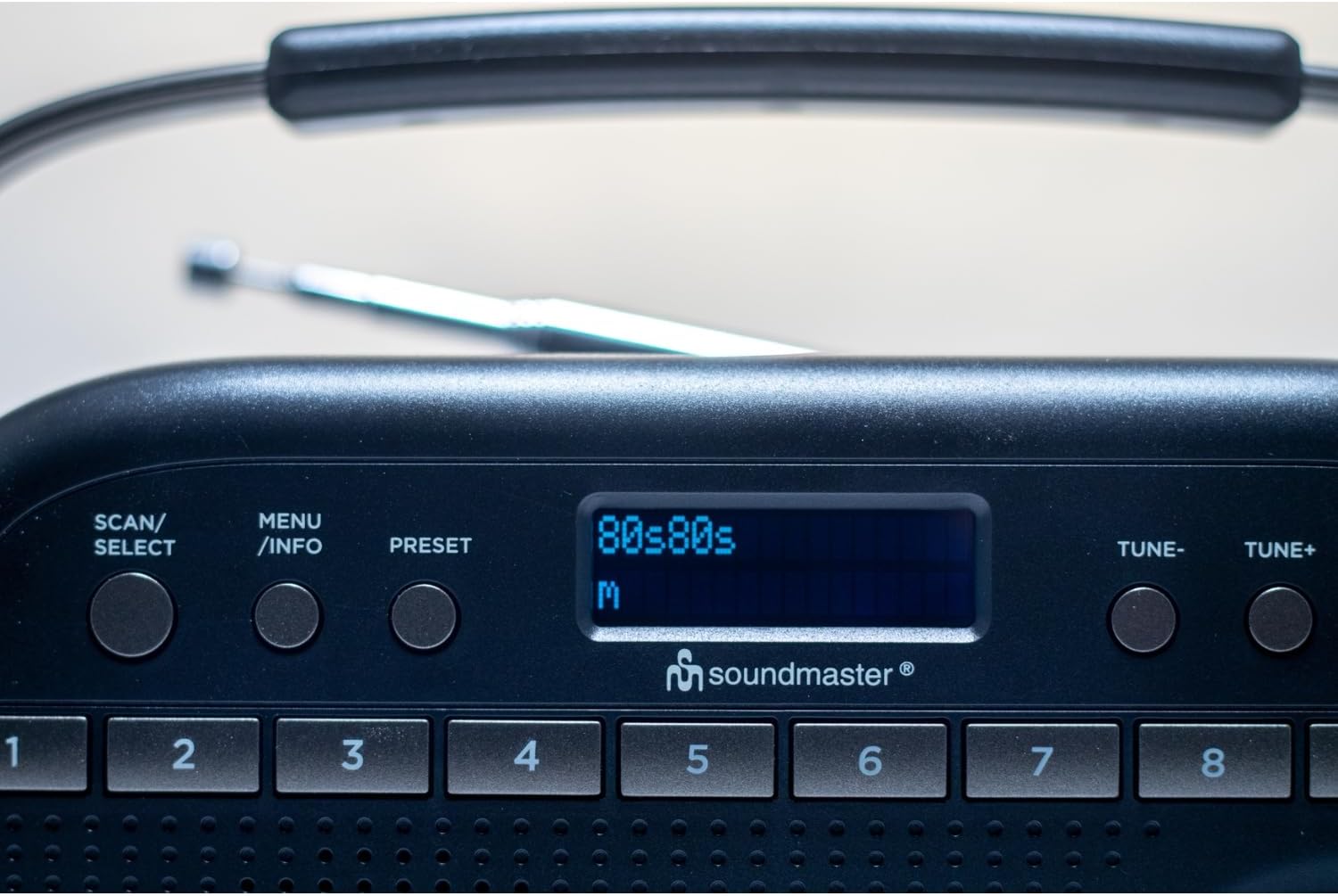
Imaxe 5.1: Arriba view of the radio showing the display, SCAN/SELECT, MENU/INFO, PRESET buttons, and preset buttons 1-8.
- Botón de ENCENDIDO/MODO: Press to turn the unit on or off. Press repeatedly to switch between DAB+ and FM modes.
- Botóns TUNE- / TUNE+: Used to manually tune frequencies in FM mode or navigate through DAB+ stations/menu options.
- SCAN/SELECT Button: Initiates a scan for stations in DAB+ or FM mode. Also confirms selections in menu.
- Botón MENÚ/INFORMACIÓN: Accesses the menu settings. Press repeatedly to cycle through information display (e.g., program type, signal strength).
- Botón PRESET: Used to save and recall favorite stations.
- Botóns predefinidos (1-10): Direct access buttons for your stored favorite stations.
- Botón VOLUME: Xira para axustar o nivel de saída de audio.
- Visualización: Shows station information, time, menu options, and other relevant data.
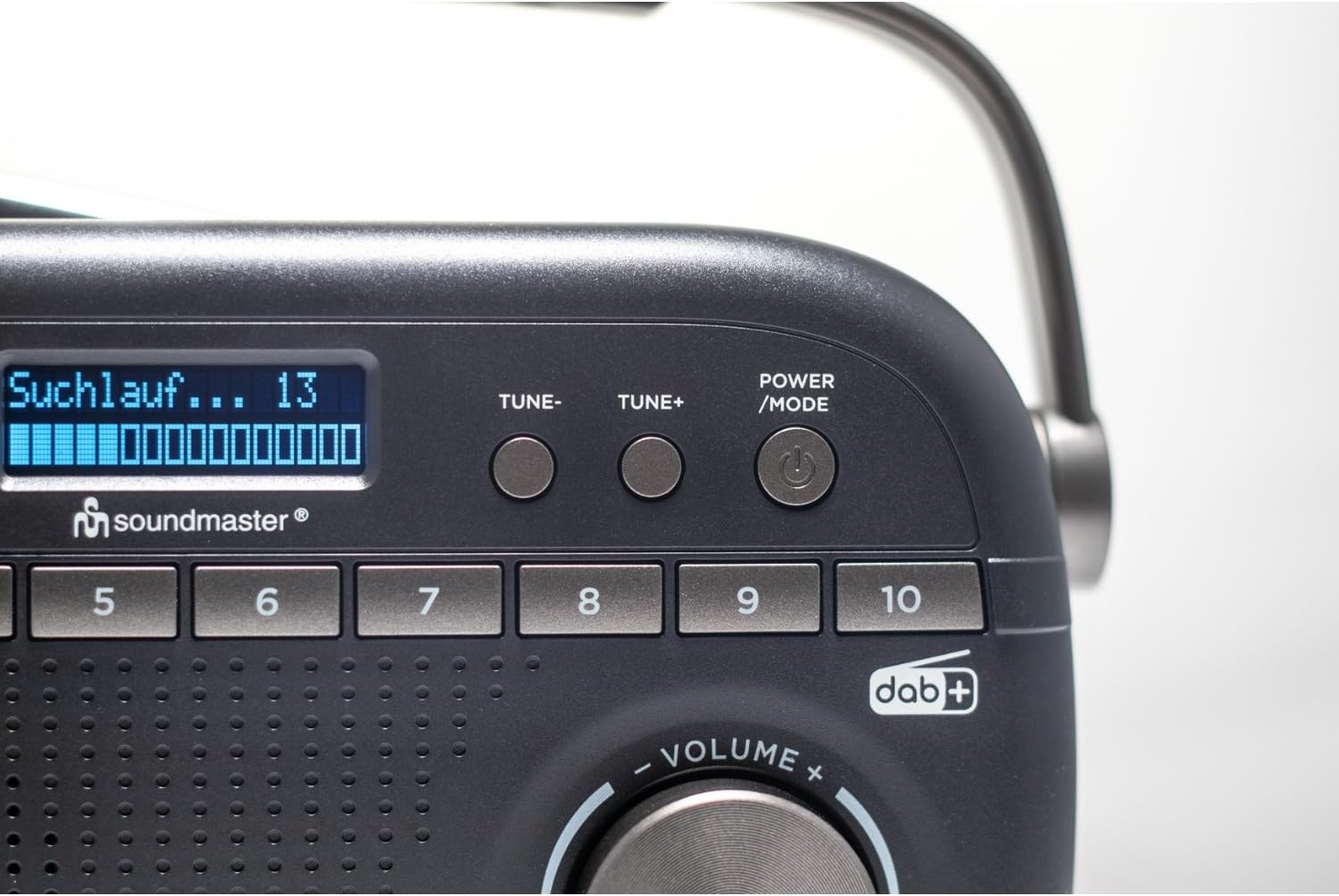
Image 5.2: Close-up of the radio display showing a 'Suchlauf...' (scanning) message, indicating station search in progress.
6. Configuración
6.1 Alimentación da unidade
The DAB280SW can be powered by either the included AC power adapter or batteries.
- Potencia CA: Connect the AC power adapter to the DC IN jack on the rear of the unit and plug the other end into a standard wall outlet.
- Potencia da batería: Open the battery compartment on the rear of the unit. Insert the required number of batteries (type not specified, typically C or AA) ensuring correct polarity (+/-). Close the battery compartment securely.

Imaxe 6.1: Traseira view of the radio, illustrating the battery compartment cover and the AC power input socket.
6.2 Axuste da antena
For optimal reception, fully extend the telescopic antenna located on the rear of the unit. Adjust its position and angle to achieve the best signal quality for both DAB+ and FM broadcasts.
7. Instrucións de funcionamento
7.1 Encendido/apagado
Preme o POTENCIA / MODO button to turn the radio on. Press and hold the POTENCIA / MODO botón para apagar a radio.
7.2 Selecting DAB+ or FM Mode
With the radio powered on, press the POTENCIA / MODO button repeatedly to cycle between DAB+ and FM radio modes. The current mode will be displayed on the screen.
7.3 Funcionamento da radio DAB+
- Configuración por primeira vez: When you first power on the radio in DAB+ mode, it will automatically perform a full scan for available stations. This may take a few minutes.
- Escaneo manual: To initiate a full scan at any time, press the ESCANIZAR / SELECCIONAR botón.
- Seleccionando estacións: After a scan, use the TUNE- or TUNE+ buttons to scroll through the list of available DAB+ stations. Press ESCANIZAR / SELECCIONAR para confirmar a súa selección.

Image 7.1: The official DAB+ digital radio logo, indicating support for digital audio broadcasting.
7.4 Funcionamento da radio FM
- Escaneo automático: No modo FM, prema ESCANIZAR / SELECCIONAR button to automatically scan for and stop at the next available strong station.
- Sintonización manual: Usa o TUNE- or TUNE+ buttons to manually adjust the frequency in small increments. Press and hold these buttons for faster tuning.
7.5 Gardar e recuperar predefinicións
The radio allows you to store up to 20 DAB+ and 20 FM stations as presets.
- Para gardar unha predefinición: Sintoniza a emisora desexada. Mantén premido o botón PRESET button until 'Preset Store' appears on the display. Use the TUNE- or TUNE+ buttons to select a preset number (1-10 for direct access, or 11-20 via menu). Press ESCANIZAR / SELECCIONAR to confirm. Alternatively, for direct access presets (1-10), press and hold the desired numbered preset button.
- Para recuperar un preselección: Prema brevemente o PRESET botón e, a continuación, use TUNE- or TUNE+ to select the desired preset number and press ESCANIZAR / SELECCIONAR. For direct access presets (1-10), simply press the corresponding numbered preset button.
7.6 Alarm, Sleep, and Snooze Functions
The DAB280SW includes dual alarm times, a sleep timer, and a snooze function. Refer to the detailed menu options for setting these features:
- Configuración de alarmas: Preme o MENÚ / INFORMACIÓN button to enter the menu. Navigate to the 'Alarm' option using TUNE- or TUNE+ e prema ESCANIZAR / SELECCIONAR. Follow the on-screen prompts to set Alarm 1 and Alarm 2, including time, source (DAB/FM/Buzzer), and duration.
- Temporizador de sono: In the menu, select 'Sleep'. Choose a duration (e.g., 15, 30, 60 minutes) after which the radio will automatically turn off.
- Repetición: When an alarm sounds, press any button (except POWER/MODE) to activate the snooze function, which will temporarily silence the alarm for a short period.
7.7 Uso de auriculares
To listen privately, plug 3.5mm stereo headphones into the headphone jack located on the side of the unit. The internal speaker will automatically mute.
8. Mantemento
- Limpeza: Limpe a unidade cun pano suave e seco. Non empregue produtos de limpeza abrasivos nin solventes.
- Substitución da batería: If using batteries, replace them when the low battery indicator appears on the display or when performance degrades. Ensure to use fresh batteries of the correct type and dispose of old batteries properly.
- Almacenamento: Se garda a radio durante un período prolongado, retire as pilas para evitar fugas.
9 Solución de problemas
- Sen enerxía: Check if the AC adapter is securely connected or if batteries are inserted correctly and are not depleted.
- Mala recepción: Fully extend and adjust the telescopic antenna. Try moving the radio to a different location, away from other electronic devices that may cause interference. Perform a full scan for stations.
- Sen son: Check the volume level. Ensure headphones are not plugged in if you intend to use the speaker.
- DAB+ Stations Missing: Perform a full DAB+ scan. DAB+ coverage may vary by location; check local availability.
- A pantalla non funciona: Tenta apagar a unidade e volvela acender. Se o problema persiste, ponte en contacto co servizo de atención ao cliente.
10. Especificacións
| Característica | Especificación |
|---|---|
| Modelo | DAB280SW |
| Tecnoloxía de sintonizador | DAB+, FM RDS |
| Bandas de radio admitidas | FM (up to 108 MHz) |
| Estacións predefinidas | 40 (20 DAB +, 20 FM) |
| Saída de audio | Conector para auriculares de 3.5 mm |
| Fonte de enerxía | AC Power Adapter, Battery Powered |
| Dimensións do produto (L x W x H) | 25 x 6 x 12 cm |
| Peso do elemento | 0.6 quilogramos |
| Características especiais | Portable, Dual Alarm, Sleep/Snooze |

Image 10.1: The Soundmaster DAB280SW radio with its approximate dimensions (25cm length, 6cm width, 12cm height) indicated.
11. Garantía e soporte
Your Soundmaster DAB280SW radio comes with a standard manufacturer's warranty. Please refer to the warranty card included in your package for specific terms and conditions. For technical support, troubleshooting assistance, or warranty claims, please contact your retailer or the Soundmaster customer service department. Contact information can typically be found on the manufacturer's websitio web ou na embalaxe do produto.


