1. Introdución
This user manual provides essential information for the safe and efficient operation, maintenance, and troubleshooting of your Generac GB2000 Portable Power Station. Please read this manual thoroughly before using the device.
The Generac GB2000 is a 2106Wh portable power station designed to provide clean, emission-free power for various applications, including home use, camping, RVs, and outdoor activities. It features a lithium-ion battery, wireless charging, and multiple output ports.
2. Información de seguridade
Siga sempre as seguintes pautas de seguridade para evitar lesións ou danos na unidade:
- Non desmonte, repare nin modifique a unidade.
- Keep the unit away from fire, heat sources, and direct sunlight.
- Evite a exposición á auga ou a outros líquidos.
- Non empregue a unidade se está danada ou se se deixou caer.
- Asegúrese de que haxa unha ventilación axeitada durante o uso e a carga.
- Manter fóra do alcance dos nenos.
3. Compoñentes e características do produto
The Generac GB2000 Portable Power Station is designed for versatility and ease of use. Below is an overview dos seus compoñentes e características principais.

Figura 3.1: Panel frontalview of Generac GB2000. This image highlights the multi-color display, LED ON/OFF button, diffused LED light, parallel ports, 12V car port, DC output ON/OFF button, USB-A output receptacles, USB-C output receptacles, AC output ON/OFF button, and NEMA 1-15R AC receptacles.
- Multi-Color 4.7" Display: Provides real-time information on battery level, remaining runtime, and output/input wattage.
- AC Outlets (3x NEMA 1-15R): For powering standard household appliances.
- Portos USB-A (2x): Para cargar dispositivos compatibles con USB-A.
- Portos USB-C (2x): For charging USB-C compatible devices.
- Porto para coche de 12 V: For powering 12V DC devices or charging from a vehicle.
- Wireless Charging Pad (15W): Conveniently charge compatible smartphones by placing them on top of the unit.
- Parallel Ports: Allows connection of two GB2000 units for increased power output (Parallel Kit sold separately).
- Deseño duradeiro: Lightweight and compact with an ergonomic handle for easy transport.
4. Configuración e carga inicial
Before first use, fully charge your Generac GB2000 Portable Power Station.
4.1 Desembalaxe
Carefully remove the power station and all accessories from the packaging. Verify that all components listed in the packing list are present and undamaged.
4.2 Métodos de carga
The GB2000 offers multiple charging options:
- Wall Outlet (AC): Connect the provided AC charging cable to the AC input port on the unit and then to a standard wall outlet. The unit can achieve 0 to 80% charge in approximately 3.3 hours.
- Solar Panel (DC): Connect compatible solar panels (sold separately) to the DC input port. Ensure the solar panels are positioned for maximum sunlight exposure.
- Car Charger (DC): Use the provided car charging cable to charge the unit from your vehicle's 12V cigarette lighter port.
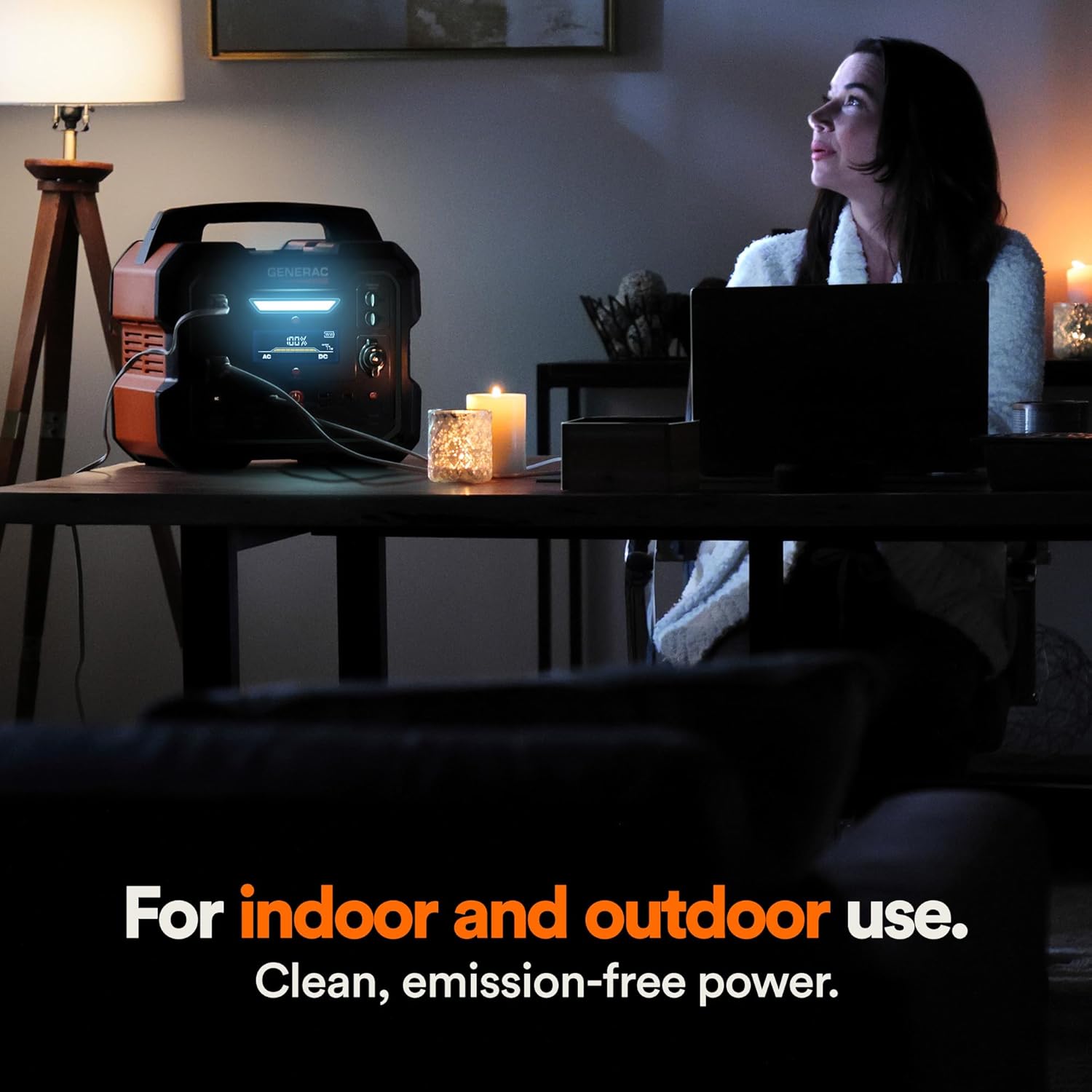
Figure 4.1: Fast Solar Recharging. The Generac GB2000 can be recharged using solar panels (sold separately) for efficient power supply in outdoor environments.
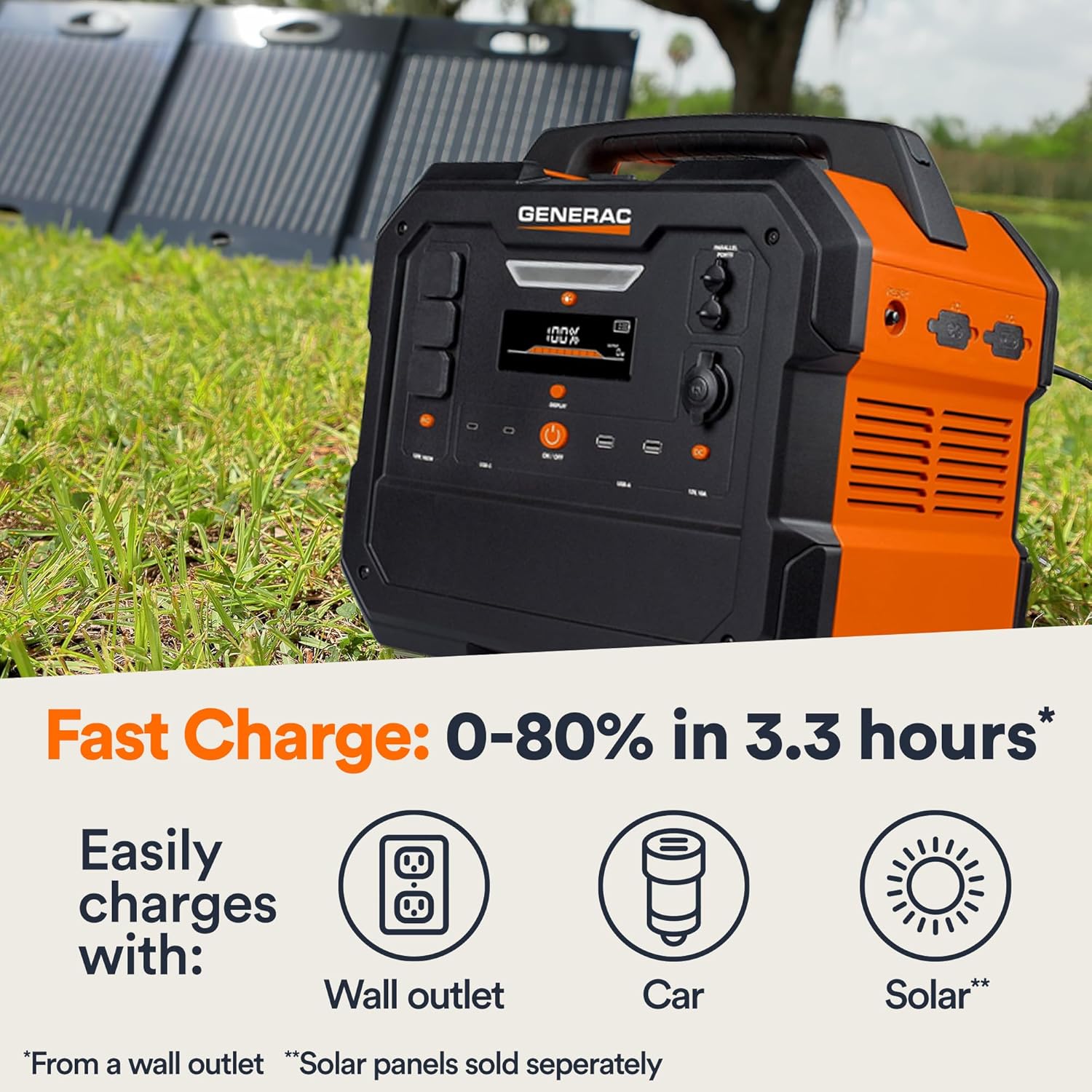
Figure 4.2: Rear Input Ports. This image shows the AC and DC input ports on the back of the Generac GB2000 for various charging methods.
5. Instrucións de funcionamento
5.1 Activar/Desactivar
Press and hold the main ON/OFF button located on the front panel to power on or power off the unit. The display will illuminate upon activation.
5.2 Uso dos portos de saída
To use specific output ports (AC, DC, USB), press the corresponding ON/OFF button for that section. The indicator light next to the button will illuminate when active.
- Saída CA: Connect your devices to the NEMA 1-15R outlets. Ensure the total wattage of connected devices does not exceed 1600W continuous output or 3200W surge.
- Saída DC: Use the 12V car port for compatible DC devices.
- Saída USB: Plug your USB-A or USB-C cables into the respective ports for charging smartphones, tablets, and other USB-powered devices.
- Carga sen fíos: Coloca o teu dispositivo compatible con Qi na base de carga sen fíos que está na parte superior da unidade.

Figure 5.1: Indoor Use of Generac GB2000. The power station provides clean, emission-free power, making it safe for indoor use to power essential devices like laptops and lighting.
5.3 Powering Electric Vehicles (EVs)
The Generac GB2000 can provide emergency power to electric vehicles. While not a primary charging solution, it can offer enough charge to reach a charging station.
5.4 Runtime and Capacity
The GB2000 has a 2106Wh capacity. The actual runtime depends on the power consumption of connected devices. Refer to the table below for estimated runtimes for common appliances:
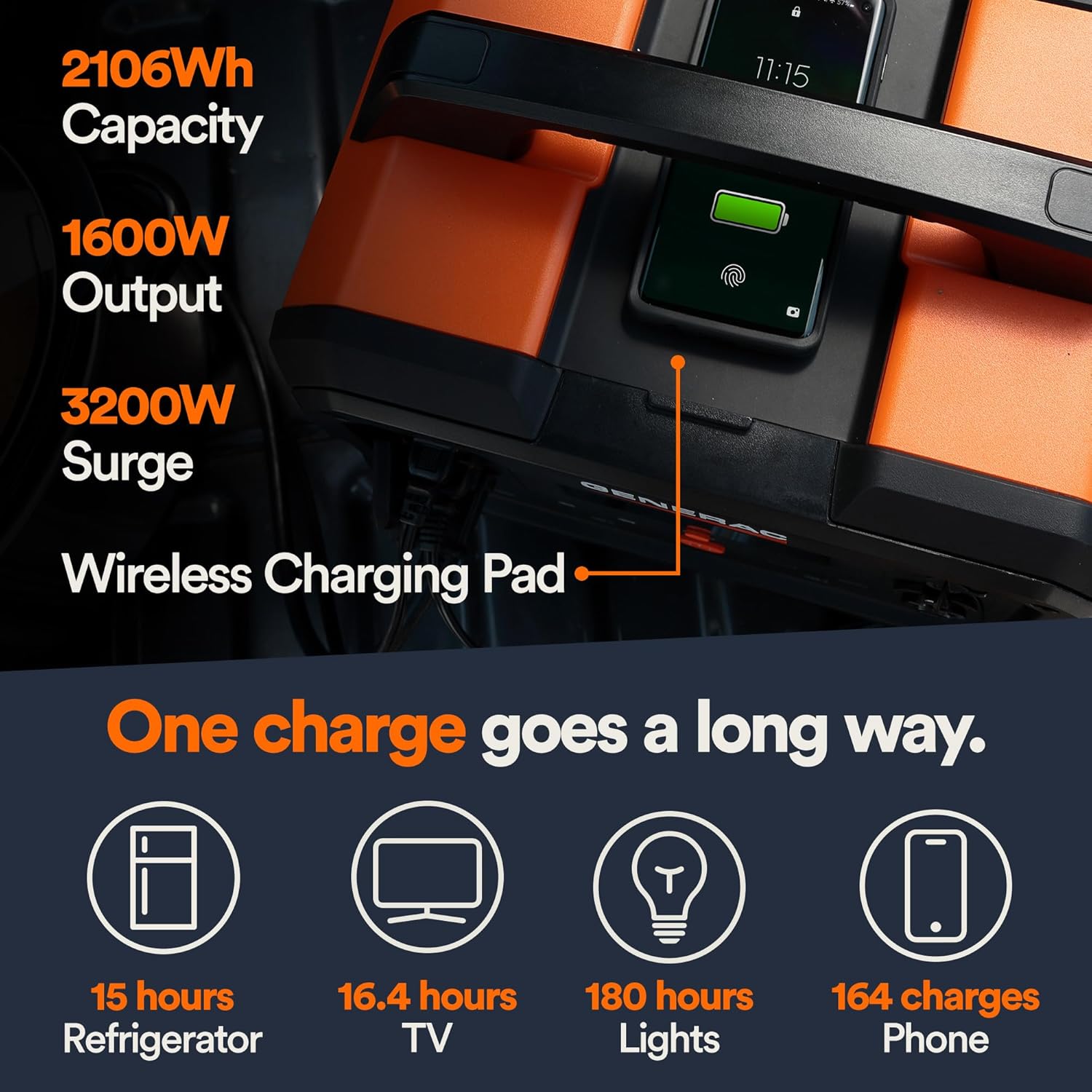
Figure 5.2: Estimated Device Runtimes. This table provides approximate usage durations for various household, jobsite, and recreation devices when powered by the Generac GB1000 and GB2000 models.
| Dispositivo | Running Watts (Approx.) | Estimated Runtime (GB2000) |
|---|---|---|
| Luz | 10 W | 180 horas |
| CPAP | 40 W | 45 horas |
| Frigorífico | 120 W | 15 horas |
| Microondas | 1200 W | 1.5 horas |
| TV de 50 " | 110 W | 16.4 horas |
| Phone (164 charges) | 11 Wh | 164 cargas |
6. Mantemento e almacenamento
6.1 Limpeza
Limpe a unidade cun pano seco e suave. Non empregue produtos de limpeza abrasivos nin solventes.
6.2 Almacenamento
Store the Generac GB2000 in a cool, dry place, away from direct sunlight and extreme temperatures. For long-term storage, charge the unit to 50-80% every 3-6 months to maintain battery health.
7 Solución de problemas
| Problema | Causa posible | Solución |
|---|---|---|
| A unidade non se acende | Low battery; Main ON/OFF button not pressed long enough. | Charge the unit; Press and hold the ON/OFF button for 3 seconds. |
| A saída de CA non funciona | Saída de CA non activada; protección contra sobrecarga activada. | Press the AC ON/OFF button; Reduce load, then restart AC output. |
| A carga sen fíos non funciona | Device not Qi-compatible; Device not properly aligned. | Ensure device is Qi-compatible; Reposition device on the charging pad. |
| Sobrequecemento da unidade | Mala ventilación; carga excesiva. | Asegúrese de que haxa un fluxo de aire limpo arredor da unidade; reduza a carga conectada. |
If issues persist, please contact Generac customer support.
8. Especificacións técnicas
| Especificación | Valor |
|---|---|
| Nome do modelo | GB2000 |
| Número de modelo do artigo | 8026 |
| Tipo de batería | Litio-Ion |
| Capacidade | 2106 Wh |
| Saída continua de CA | 1600 W |
| Peak AC Output (Surge) | 3200 W |
| Saída de carga sen fíos | 15 W |
| Dimensións (L x W x H) | 16.8" x 10.4" x 15.1" |
| Peso | 48.8 libras |
| Recharge Time (0-80% Wall Outlet) | 3.3 horas |
9. Accesorios dispoñibles
Enhance the functionality of your Generac GB2000 with these optional accessories:

Figure 9.1: Parallel Kit. Connect two Generac Power Stations together for increased power output.
- Kit paralelo: Connects two Generac power stations to double the output capacity.
- Charge Enhancer: Provides up to 50% faster charging.
- Paneis solares: For quick and efficient recharging using solar energy.
10. Garantía e soporte
For warranty information and customer support, please refer to the official Generac websitio web ou póñase en contacto coa súa liña de atención ao cliente. Garde o recibo de compra para reclamacións de garantía.
Generac offers protection plans for extended coverage:
- Plan de protección a 3 anos
- Plan de protección a 4 anos
- Protección completa: un plan cobre todas as compras pasadas e futuras elixibles.


