Introdución
This manual provides instructions for the setup, operation, and maintenance of your XTREME DIGITAL LIFESTYLE ACCESSORIES Monster Sound-Reactive Color Flow LED Equalizer Light Bar. This product features sound-reactive lighting, customizable color modes, and flexible mounting options, designed to enhance your environment with dynamic visual effects.

Image: The Monster Sound-Reactive Color Flow LED Equalizer Light Bar shown both in its retail packaging and as a standalone unit, highlighting its design and features.
Contido do paquete
- 2 x Monster Sound-Reactive Color Flow LED Equalizer Light Bars
- 2 x Vertical Stands
- 2 x cables de carga USB
- Manual de instrucións (este documento)
Configuración
The Monster LED Equalizer Light Bar offers versatile placement options. Follow these steps for initial setup:
- Cargando o dispositivo: Before first use, fully charge the light bar using the provided USB charging cable. Connect the cable to the light bar's charging port and a standard USB power source (e.g., computer, USB wall adapter). The charging indicator will show the charging status. A full charge provides approximately 3-4 hours of continuous light.
- Opcións de montaxe:
- Colocación vertical: Attach the included base to the bottom of the light bar for vertical orientation. Ensure the bar is securely seated in the base.
- Colocación horizontal: The light bar can be placed horizontally on any flat surface without the base.

Image: A visual representation illustrating the two mounting methods: vertically with the included stand and horizontally on a flat surface.
Instrucións de funcionamento
The light bar can be controlled via built-in buttons or a dedicated mobile application.
1. Basic Operation (Built-in Buttons)
The light bar features control buttons, typically located on the device, to manage power, modes, and settings.
- Botón de encendido: Press and hold to turn the device ON or OFF.
- Botón de modo: Short press to cycle through the 18 color modes and 8 equalizer patterns.
- Brightness/Speed Button: Short press to adjust brightness (4 levels) or speed (5 settings) depending on the active mode.
2. Advanced Operation (Mobile App Control)
For full customization and control, download the official Monster LED app from your device's app store. The app allows access to all 18 color modes, 8 equalizer patterns, 4 brightness levels, and 5 speed settings.
- Descarga da aplicación: Busca "Monster LED" or "Xtreme LED" in your smartphone's app store (iOS App Store or Google Play Store).
- Emparejamento:
- Ensure your light bar is powered on and within Bluetooth range of your smartphone.
- Open the app and follow the on-screen instructions to discover and pair with your light bar.
- Note: Some users have reported initial difficulties with Bluetooth pairing. Ensure Bluetooth is enabled on your phone and try restarting both the light bar and the app if issues persist.
- Personalización: Use the app interface to select desired color modes, equalizer patterns, adjust brightness, and set animation speeds.
3. Sound-Reactive Displays (Music Mode)
Activate Music Mode via the built-in buttons or the mobile app to enable the light bar to react to ambient sounds and music, creating dynamic visual effects synchronized with audio.

Image: Multiple LED light bars showcasing various multicolor moving patterns, illustrating the dynamic visual effects.

Image: A close-up of the LED light bar with a USB charging cable connected, indicating its rechargeable feature.
Mantemento
To ensure the longevity and optimal performance of your LED Equalizer Light Bar, follow these maintenance guidelines:
- Limpeza: Use a soft, dry cloth to gently wipe the surface of the light bar. Avoid abrasive cleaners, solvents, or excessive moisture, as these can damage the device.
- Almacenamento: Cando non a use durante períodos prolongados, garde a barra de luces nun lugar fresco e seco, lonxe da luz solar directa e de temperaturas extremas.
- Coidado da batería: To maintain battery health, avoid fully discharging the device frequently. Recharge the battery periodically even if not in regular use.
- Resistencia á auga: Este produto é non resistente á auga. Avoid exposure to liquids or high humidity.
Resolución de problemas
If you encounter issues with your Monster LED Equalizer Light Bar, refer to the following common solutions:
- O dispositivo non se acende:
- Ensure the device is fully charged. Connect it to a USB power source and allow it to charge for at least 30 minutes before attempting to power on again.
- Comprobe que o botón de acendido estea premido e manteña premido durante uns segundos.
- Lights Not Reacting to Sound:
- Confirm that Music Mode is activated.
- Ensure there is sufficient ambient sound for the microphone to pick up.
- Check the sensitivity settings via the mobile app, if applicable.
- Difficulty with App Pairing (Bluetooth):
- Ensure Bluetooth is enabled on your smartphone and the light bar is powered on and nearby.
- Try restarting both the light bar and the mobile application.
- If issues persist, try unpairing and re-pairing the device through your phone's Bluetooth settings and the app.
- Duración da batería curta:
- Asegúrese de que o dispositivo estea completamente cargado antes de usalo.
- Battery life can vary based on brightness levels and active modes. Higher brightness and complex patterns consume more power.
- If battery life significantly degrades over time, it may indicate battery wear.
Especificacións
| Marca | XTREME DIGITAL LIFESTYLE ACCESSORIES |
| Número de modelo | ECOM-1087-PP2 |
| Cor | Multicolor |
| Uso interior/exterior | Interior |
| Característica especial | Recargable |
| Tipo de fonte de luz | LED |
| Fonte de enerxía | Alimentado por batería |
| Material | Plástico |
| Tipo de controlador | Control da aplicación, táctil |
| Número de fontes de luz | 32 |
| Wattage | 1 vatios |
| Peso do elemento | 8 onzas (0.5 libras) |
| Dimensións do produto (L x W x H) | 2.75 x 1.6 x 7.4 polgadas |
| Nivel de resistencia á auga | Non resistente á auga |
| UPC | 805106234331 |
Información da garantía
Para obter información detallada sobre a garantía, consulte a información oficial do fabricante websitio web ou póñase en contacto co servizo de atención ao cliente. Garde o comprobante de compra para calquera reclamación de garantía.
Atención ao cliente
If you require further assistance or have questions not covered in this manual, please contact XTREME DIGITAL LIFESTYLE ACCESSORIES customer support. Visit their official website for contact details or refer to the product packaging.
Tamén podes visitar o XTREME DIGITAL LIFESTYLE ACCESSORIES Store on Amazon para máis información.
Produto Adicional Views

Image: Four LED light bars displayed on a desk, showcasing their use in a typical setup.

Image: Four LED light bars against a vibrant, abstract equalizer graphic, emphasizing their sound-reactive capabilities.
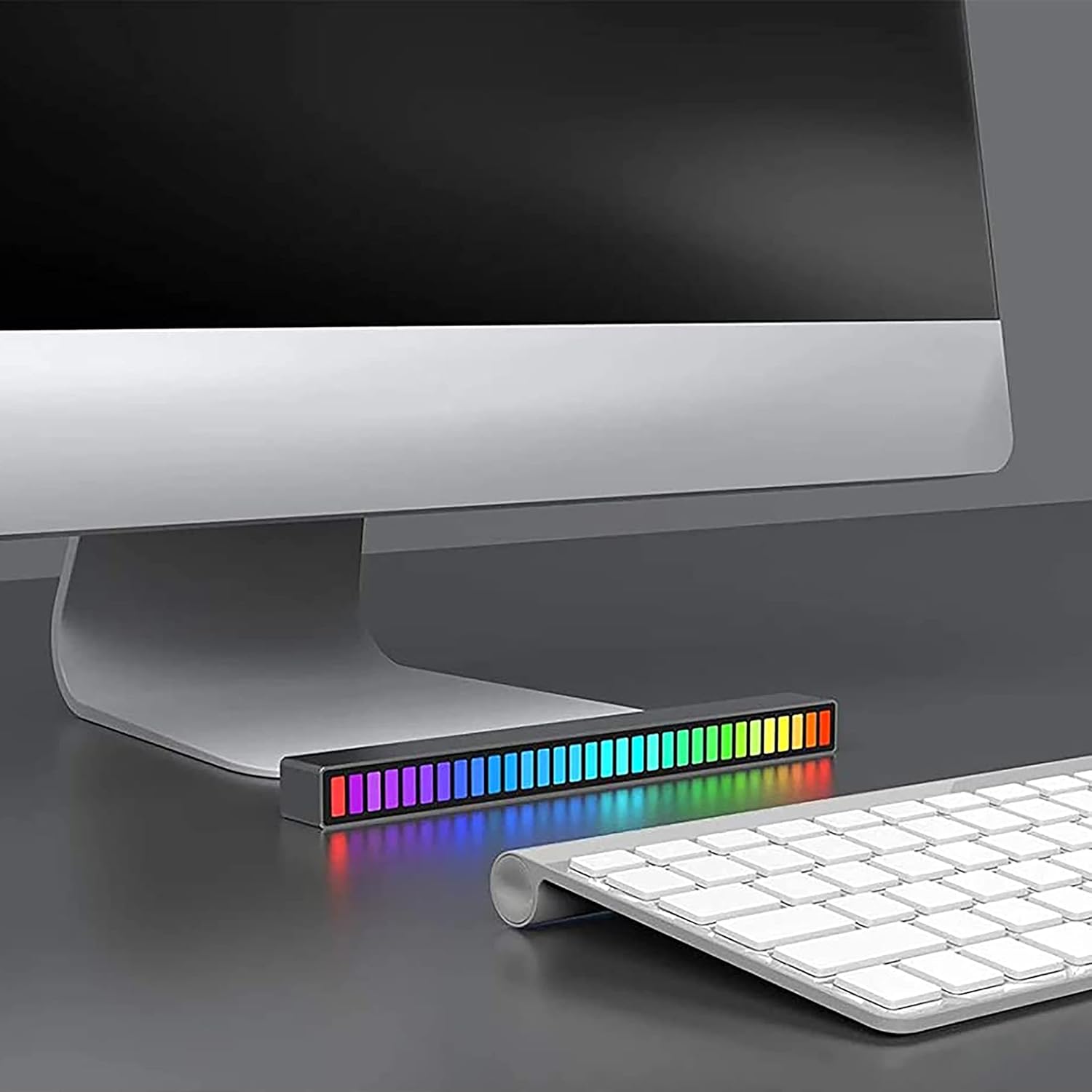
Image: A single LED light bar positioned horizontally beneath a computer monitor, demonstrating a common placement.

Image: Two LED light bars integrated into a DJ setup, illustrating their use in a music-centric environment.

Image: Two LED light bars used to augment a gaming station, providing ambient lighting during gameplay.

Image: An LED light bar positioned in a home theater setup, contributing to the atmospheric lighting while a person watches a film.

Image: Two LED light bars placed in a music studio, providing visual feedback to a person playing a guitar.
Información importante de seguridade
- Non desmonte, modifique nin intente reparar o dispositivo.
- Keep away from water, fire, and high temperatures.
- Emprega só o cable de carga USB fornecido ou un equivalente certificado.
- Desfágase do produto e da súa batería de forma responsable segundo a normativa local.


