1. Introdución
Thank you for choosing the MEDION P66400 All-in-One Audio System. This manual provides essential information for the safe and efficient operation of your device. Please read it thoroughly before use and retain it for future reference.

Fronte view of the MEDION P66400 All-in-One Audio System.
2. Información de seguridade
Observe sempre as seguintes precaucións de seguridade para evitar descargas eléctricas, incendios ou lesións:
- Non expoña o dispositivo á choiva nin á humidade.
- Non abras a c.asing; encomende todo o mantemento a persoal cualificado.
- Garantir unha ventilación adecuada para evitar o sobrequecemento.
- Use only the power cable supplied with the device.
- Manteña o dispositivo lonxe de fontes de calor e da luz solar directa.
- Non coloque obxectos pesados no dispositivo.
3. Contido do paquete
Verifica que todos os elementos estean presentes no paquete:
- MEDION P66400 All-in-One Audio System
- Mando a distancia (con 2 pilas AAA)
- Antena látega
- Cable de alimentación
- Manual de usuario
- Tarxeta de garantía

The remote control for the MEDION P66400, showing various buttons for power, navigation, volume, EQ, and playback.
4. Produto rematadoview
4.1 Controis do panel frontal
- Botón de encendido: Activa/desactiva o sistema.
- Pantalla LCD: 7.1 cm color display for menus, station information, and playback details. Dimmable in 4 levels.
- Botón de volume: Axusta o volume principal.
- Botóns de navegación: For menu navigation and track selection.
- Botón de orixe: Selects input sources (Internet Radio, DAB+, FM, CD, Bluetooth, USB, AUX).
- Botóns predefinidos: Para acceder rapidamente ás emisoras de radio gardadas.
4.2 Conexións do panel traseiro
- Entrada de enerxía: Conéctase á fonte de alimentación principal.
- Entrada de antena: Connects the supplied whip antenna for DAB+ and FM reception.
- AUX In (3.5 mm): Para conectar dispositivos de audio externos.
- Entrada de liña (RCA): For connecting external audio devices with RCA output.
- Porto USB: For playing music from USB storage devices.
- Jack para auriculares: Para escoita privada.

Diagram showing the dimensions and rear connections of the MEDION P66400.
5. Configuración
5.1 Colocación inicial
Place the audio system on a stable, flat surface. Ensure there is adequate space around the unit for ventilation. Avoid placing it near strong magnetic fields or direct heat sources.

The MEDION P66400 All-in-One Audio System placed on a desk.
5.2 Conexión da antena
Connect the supplied whip antenna to the antenna input on the rear panel for optimal DAB+ and FM radio reception. Extend the antenna fully for best signal quality.
5.3 Conexión de alimentación
Connect the power cable to the power input on the rear of the unit, then plug it into a standard wall outlet (220V).
5.4 First-Time Setup (Wi-Fi)
Upon first power-on, the system will guide you through the initial setup, including language selection and Wi-Fi network configuration. Follow the on-screen prompts to connect to your home Wi-Fi network. This is essential for Internet Radio and streaming services.
6. Instrucións de funcionamento
6.1 Radio por Internet
Select 'Internet Radio' from the source menu. You can browse stations by genre, location, or search for specific stations. The system provides access to over 25,000 internet radio stations and numerous podcasts.
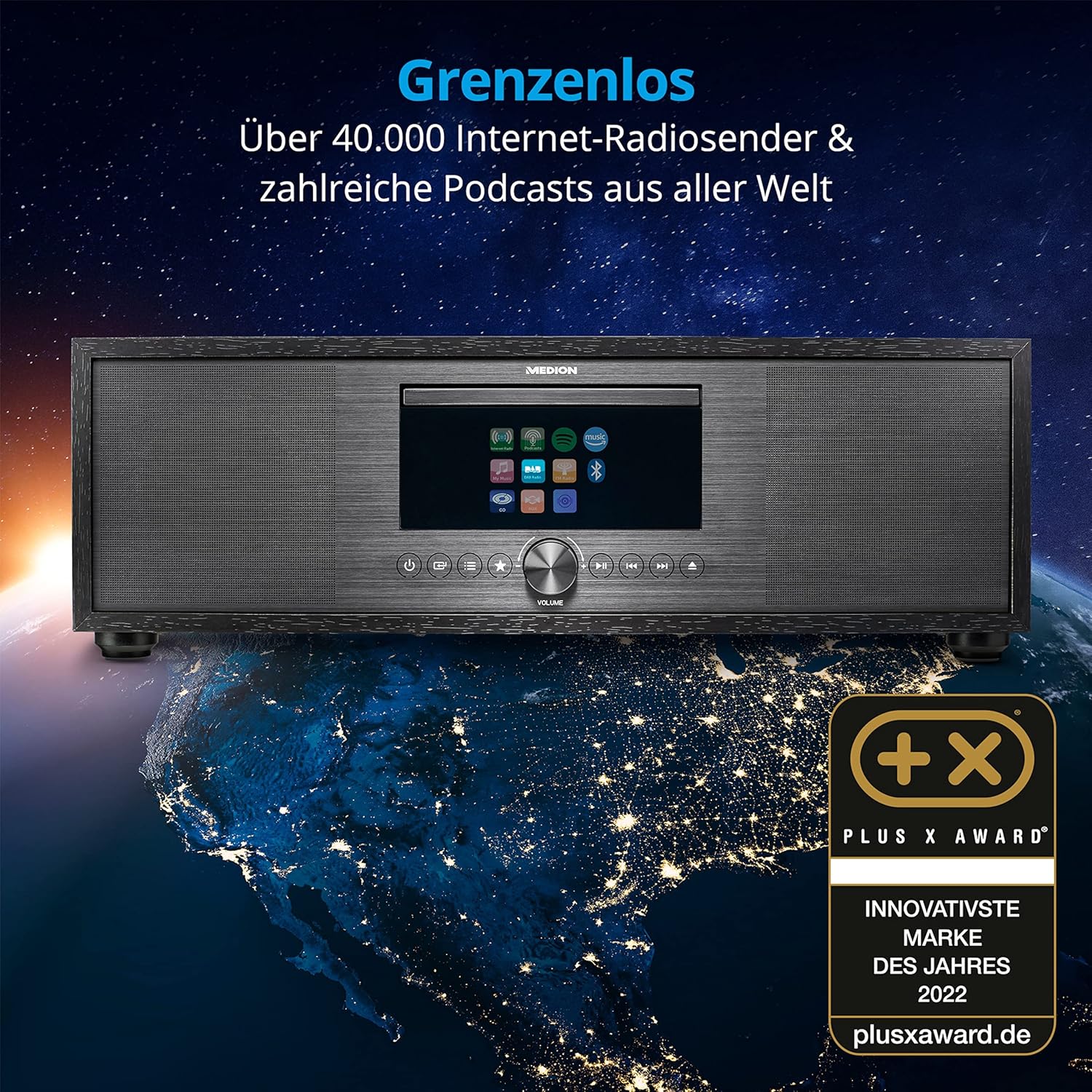
The MEDION P66400 system displaying its internet radio capabilities.
6.2 DAB+ and FM Radio
Switch to 'DAB+' or 'FM' mode. The system will automatically scan for available stations. You can save up to 40 stations as presets for quick access.
6.3 CD/MP3 Player
Insert an audio CD or an MP3 CD into the CD slot. The system will automatically detect and begin playback. Use the navigation buttons to control playback (play, pause, skip tracks).

Inserting a CD into the integrated CD player.
6.4 Conectividade Bluetooth
Select 'Bluetooth' mode. On your smartphone or other Bluetooth device, search for 'MEDION P66400' and pair. Once connected, you can stream audio wirelessly from your device to the audio system.

Streaming music via Bluetooth from a smartphone.
Reprodución por USB 6.5
Insert a USB storage device into the USB port on the rear panel. Select 'USB' as the source. The system will display the contents of the USB device, allowing you to browse and play audio files.
6.6 AUX and Line In
Connect an external audio device (e.g., MP3 player, TV) to the AUX In (3.5 mm) or Line In (RCA) ports. Select 'AUX' or 'Line In' as the source to play audio from the connected device.
6.7 Spotify Connect and Amazon Music
The system supports Spotify Connect and Amazon Music. Ensure your device is connected to Wi-Fi. Use the respective apps on your smartphone or tablet to control music playback directly on the MEDION P66400.
6.8 Función de alarma
Access the alarm settings through the system menu. You can set multiple alarms with various sources (radio, buzzer) and snooze/sleep timer functions.
6.9 Configuración de son
The system features a 2.1 audio system with an integrated subwoofer, providing rich sound. Access the equalizer settings via the menu or remote control to choose from 9 sound presets or customize your audio experience.

Illustration of the 2.1 sound system with integrated subwoofer.
7. Mantemento
To ensure the longevity and optimal performance of your audio system:
- Limpeza: Use a soft, dry cloth to clean the exterior. Do not use liquid cleaners or abrasive materials.
- Reproductor de CD: Regularly clean the CD lens with a specialized CD lens cleaner.
- Ventilación: Manteña as aberturas de ventilación libres de po e obstrucións.
- Almacenamento: Se vai gardar o dispositivo durante un período prolongado, desconécteo da corrente e gárdeo nun lugar fresco e seco.
8 Solución de problemas
| Problema | Causa posible | Solución |
|---|---|---|
| Sen poder | Cable de alimentación non conectado; toma de corrente avariada. | Comprobe a conexión do cable de alimentación; probe cunha toma de corrente diferente. |
| Sen son | Volume demasiado baixo; fonte incorrecta seleccionada; silenciar activado. | Increase volume; select correct source; deactivate mute. |
| Mala recepción de radio | Antenna not properly connected or extended; weak signal. | Ensure antenna is fully extended and positioned correctly; try repositioning the unit. |
| Problemas de vinculación Bluetooth | Device not in pairing mode; distance too far. | Ensure both devices are in pairing mode; move devices closer. |
| Non se reproduce o CD | CD inserted incorrectly; CD scratched or dirty; unsupported format. | Reinsert CD correctly; clean CD; ensure it's an audio CD or MP3 CD. |
9. Especificacións
| Característica | Especificación |
|---|---|
| Número de modelo | P66400 |
| Sistema de audio | 2.1 with integrated subwoofer |
| Potencia de saída (RMS) | 2 x 20 W + 1 x 40 W (subwoofer) |
| Sintonizador de radio | Internet Radio, DAB+, PLL FM (40 presets) |
| Mostrar | 7.1 cm LCD, 4-level dimmable |
| Conectividade | Bluetooth, USB, AUX In (3.5 mm), Line In (RCA), Headphone Jack, Wi-Fi |
| Reproductor de CD | Supports Audio-CDs, MP3-CDs |
| Servizos de streaming | Spotify Connect, Amazon Music |
| Fonte de enerxía | AC 220V (Electric Cable) |
| Dimensións (L x W x H) | 44 cm x 26 cm x 14.7 cm |
| Peso | 5.15 kg |
| Baterías de control remoto | 2 x AAA (incluídos) |
10. Garantía e soporte
For warranty information and customer support, please refer to the warranty card included in your package or visit the official MEDION websitio. Garda o comprobante de compra para reclamacións de garantía.
Fabricante: MEDION
Websitio: www.medion.com


