1. Introdución
Welcome to the user manual for your new Cecotec Cremmaet Macchia Super Automatic Coffee Machine. This manual provides essential information for the safe and efficient operation, maintenance, and troubleshooting of your appliance. Please read all instructions carefully before using the machine for the first time and keep this manual for future reference.
2. Instrucións de seguridade
Para garantir un funcionamento seguro, siga sempre as seguintes pautas de seguridade:
- Seguridade eléctrica: Asegurar o voltagO voltaxe indicado no aparello coincide coa tensión da rede eléctrica localtage before connecting. Do not immerse the appliance, power cord, or plug in water or any other liquid. Do not operate the machine with a damaged cord or plug.
- Heat and Hot Surfaces: The coffee machine generates hot water and steam. Avoid contact with hot surfaces and steam to prevent burns. Always use handles and knobs.
- Nenos e persoas vulnerables: Este aparello pode ser usado por nenos a partir de 8 anos e persoas con capacidades físicas, sensoriais ou mentais reducidas ou con falta de experiencia e coñecementos, sempre que teñan supervisión ou instrucións sobre o uso do aparello de forma segura e comprendan os perigos implicados. . Os nenos non deben xogar co aparello. A limpeza e o mantemento do usuario non deben ser feitos por nenos sen supervisión.
- Colocación: Place the machine on a stable, level, heat-resistant surface, away from water sources and direct sunlight. Ensure adequate ventilation around the appliance.
- Limpeza: Always unplug the machine before cleaning. Do not use abrasive cleaning agents or scourers.
3. Produto rematadoview
Familiarize yourself with the main components of your Cecotec Cremmaet Macchia coffee machine.

Figura 3.1: Fronte view of the Cecotec Cremmaet Macchia coffee machine, showcasing its compact design and elegant white and rose gold finish.

Figura 3.2: Close-up of the intuitive touch control panel located on the top of the machine, featuring various function icons.
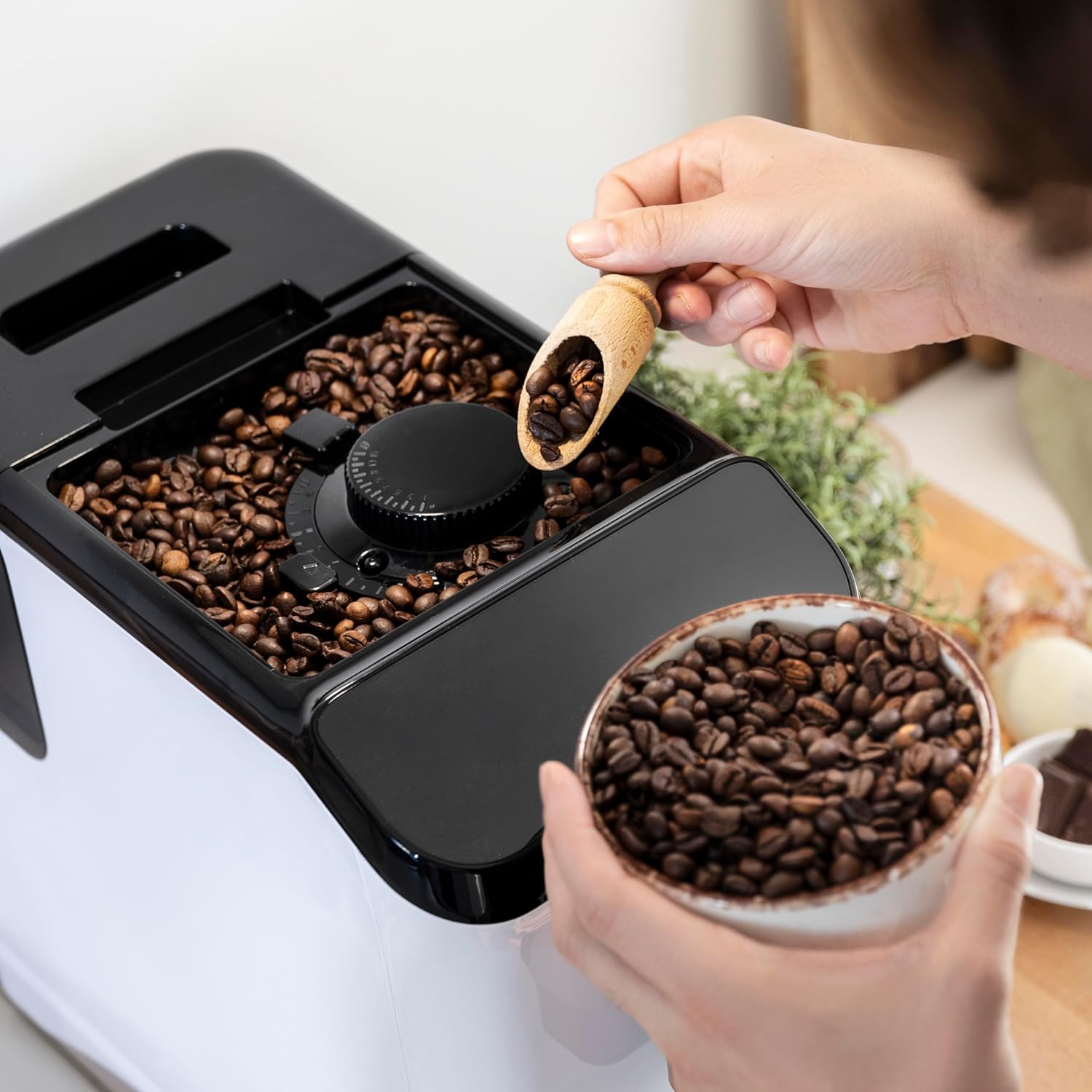
Figura 3.3: The integrated coffee bean hopper with a conical grinder, allowing for fresh grinding of beans for each cup.
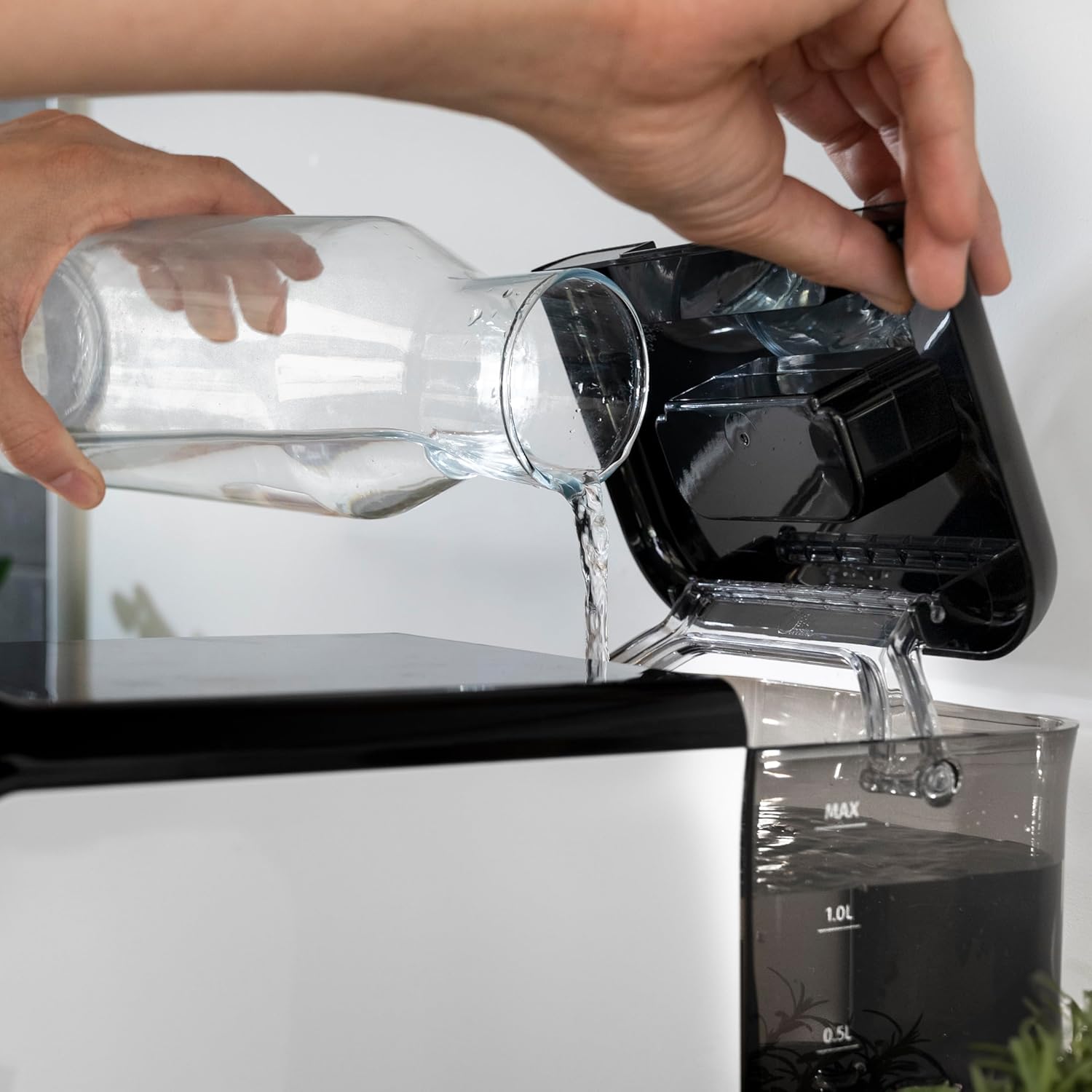
Figura 3.4: The removable 1.5-liter water tank, easily accessible for refilling and cleaning.
4. Configuración
Follow these steps to set up your coffee machine for the first time:
- Desembalaxe: Carefully remove the machine from its packaging. Remove all protective films and packaging materials.
- Limpeza inicial: Before first use, wash the water tank, drip tray, and coffee grounds container with warm water and a mild detergent. Rinse thoroughly and dry.
- Encher o depósito de auga: Fill the removable water tank with fresh, cold drinking water up to the MAX level. Ensure the tank is properly seated in the machine.
Figura 4.1: Pouring fresh water into the machine's water tank.
- Engadir grans de café: Open the lid of the bean hopper and fill it with fresh whole coffee beans. The hopper has a capacity of 200g.
Figura 4.2: Adding whole coffee beans to the integrated grinder compartment.
- Conectar: Conecte o cable de alimentación a unha toma eléctrica adecuada.
- First Use/Priming: The machine may perform an initial rinse cycle when first turned on or after a period of inactivity. Follow any on-screen prompts or indicator lights.
5. Instrucións de funcionamento
Your Cecotec coffee machine is designed for ease of use with its Plug & Play system.
5.1. Activar/Desactivar
- Press the power button on the control panel to turn the machine on. The machine will heat up and perform a brief rinse cycle.
Figura 5.1: Activating the machine by pressing the power button on the touch control panel.
- Press the power button again to turn the machine off. It will perform a final rinse cycle before shutting down.
5.2. Axustar a configuración de moenda
The integrated conical grinder offers 5 levels of grinding. Adjust the grind setting by rotating the dial inside the bean hopper. It is recommended to adjust the grinder only while it is operating to prevent damage.
5.3. Facer café
The machine can prepare espresso and American coffee.
- Coloque unha cunca debaixo do pico do café.
- Seleccione o tipo de café desexado (por exemplo, expreso, americano) no panel de control.
- A máquina moerá os grans, preparará e dispensará o café automaticamente.

Figura 5.2: Selecting a coffee option on the control panel as the machine prepares the beverage.
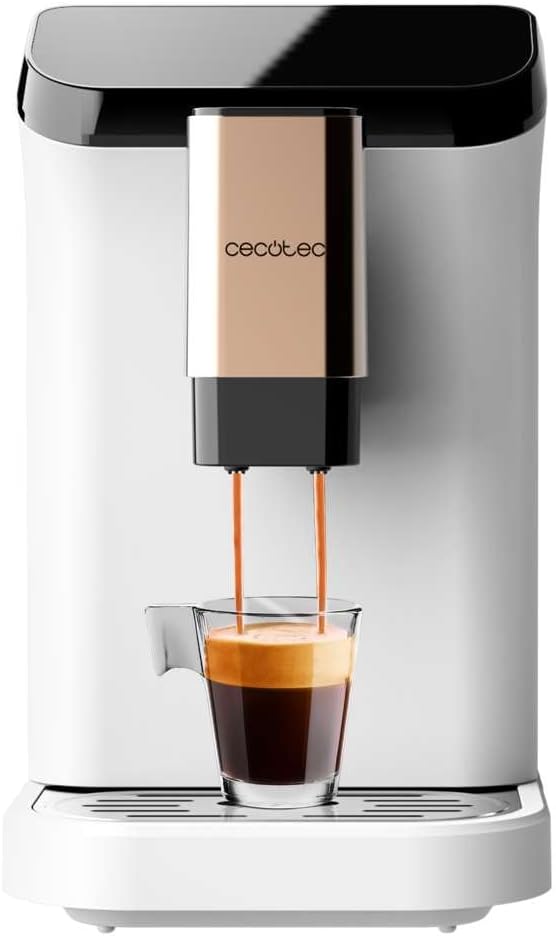
Figura 5.3: The machine actively dispensing freshly brewed coffee into a cup, highlighting the rich crema.
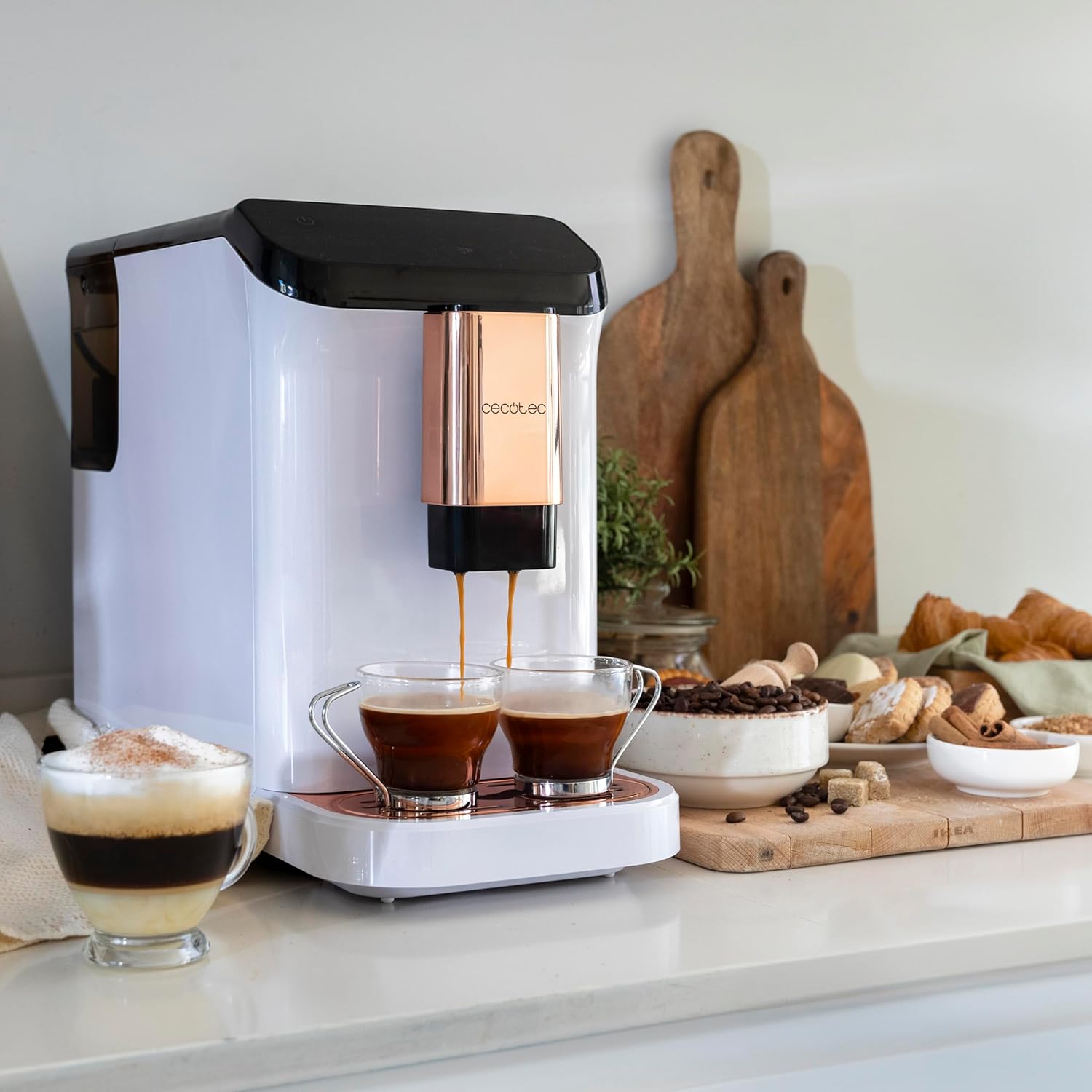
Figura 5.4: The machine's capability to brew and dispense two cups of coffee at once, ideal for sharing.
5.4. Customizing Coffee
You can easily customize and memorize the amount and intensity of your coffee to suit your taste preferences. Refer to the specific icons on the control panel for these adjustments.
6. Mantemento e Limpeza
Unha limpeza e un mantemento regulares garantirán a lonxevidade e o rendemento óptimo da súa máquina de café.
- Limpeza automática: The machine features an automatic cleaning function to keep it clear at all times. This typically occurs upon startup and shutdown.
- Emptying Grounds Container: The machine will indicate when the coffee grounds container needs to be emptied. Remove and clean it regularly.
- Limpeza da bandexa de goteo: The drip tray collects excess water and coffee spills. Empty and clean it frequently to prevent overflow and maintain hygiene.
- Partes desmontables: Periodically remove and clean the water tank and other removable components as per the initial cleaning instructions.
- Descalcificación: Over time, mineral deposits can build up inside the machine. The machine will indicate when descaling is required. Use a suitable descaling solution designed for coffee machines and follow the instructions provided with the descaler.
7 Solución de problemas
If you encounter issues with your coffee machine, refer to the following common problems and solutions:
| Problema | Causa posible | Solución |
|---|---|---|
| A máquina non se acende | Non conectado; apagadotage | Comprobe a conexión de alimentación; comprobe o disxuntor. |
| Non se dispensa café | Water tank empty; bean hopper empty; machine needs descaling. | Fill water tank; fill bean hopper; perform descaling cycle. |
| O café é demasiado débil | Axuste de moenda demasiado groso; dose de café insuficiente. | Adjust grind to a finer setting; increase coffee intensity setting. |
| Fugas de auga da máquina | Depósito de auga non asentado correctamente; bandexa de goteo chea. | Ensure water tank is correctly inserted; empty and clean drip tray. |
| Error indicator light on | Specific issue indicated by light (e.g., grounds full, water empty). | Refer to the machine's indicator light guide for specific meaning and action. |
Se o problema persiste despois de intentar estas solucións, póñase en contacto co servizo de atención ao cliente de Cecotec.
8. Especificacións
Technical details for the Cecotec Cremmaet Macchia Super Automatic Coffee Machine:
- Marca: Cecotec
- Número de modelo: 01718
- Cor: White Rose
- Dimensións do produto: 19 x 40 x 32 cm
- Peso do artigo: 7.9 kg
- Características especiais: Tanque extraíble
- Tipo de cafetera: Máquina espresso
- Tipo de filtro: Reutilizable
- Bomba de presión: 19 bar
- Sistema de calefacción: Termobloco
- Coffee Tank Capacity: 200 g (integrated grinder)
- Capacidade do depósito de auga: 1.5 litros
9. Garantía e soporte
Your Cecotec Cremmaet Macchia Super Automatic Coffee Machine comes with a manufacturer's warranty. For detailed information regarding warranty terms and conditions, please refer to the warranty card included with your product or visit the official Cecotec website. For technical support, spare parts, or service, please contact Cecotec customer service through their official channels.


