1. Introdución
Thank you for choosing the KLIM Tandem Wireless Keyboard and Mouse Set. This product is designed to provide a seamless and responsive wireless experience for both gaming and office use. This manual will guide you through the installation, operation, and maintenance of your new device.

Image 1: The KLIM Tandem wireless keyboard and mouse set, featuring RGB backlighting and a compact USB receiver.
2. Contido do paquete
Asegúrate de que todos os artigos estean presentes no teu paquete:
- KLIM Tandem Wireless Keyboard
- KLIM Tandem Wireless Mouse
- USB Wireless Receiver (located in the mouse battery compartment)
- USB Charging Cable (for both keyboard and mouse)
- Manual de usuario
3. Instrucións de configuración
3.1 Conexión dos dispositivos
- Locate the USB wireless receiver. It is typically stored in a compartment on the underside of the mouse.
- Conecta o receptor sen fíos USB a un porto USB dispoñible do teu ordenador.
- Turn on the keyboard using the power switch, usually located on the top edge.
- Acenda o rato usando o interruptor de acendido, que normalmente se atopa na parte inferior.
- Your computer should automatically detect and install the necessary drivers. The devices are ready for use once detected.

Image 2: Close-up of the KLIM Tandem mouse and its USB receiver, ready for connection.
3.2 Cargo inicial
For optimal performance, it is recommended to fully charge both the keyboard and mouse before first use. Use the provided USB charging cable to connect the devices to your computer or a USB wall adapter. An indicator light will typically show charging status and turn off or change color when fully charged.
4. Instrucións de funcionamento
4.1 Funcións do teclado
- Control de retroiluminación: The keyboard features RGB backlighting. Use the dedicated backlight key (often labeled with a lightbulb icon or combined with Fn key) to cycle through brightness levels or turn the backlight on/off. Note that the keyboard's colors are fixed in a rainbow pattern.
- Teclas de función (Fn): The keyboard includes a special Function (Fn) key. Press and hold the Fn key, then press the corresponding F1-F12 keys to access multimedia controls and other shortcuts (e.g., volume control, media playback).
- Modo de suspensión automático: To conserve battery, the keyboard backlight will automatically turn off after a period of inactivity. Press any key to reactivate it.
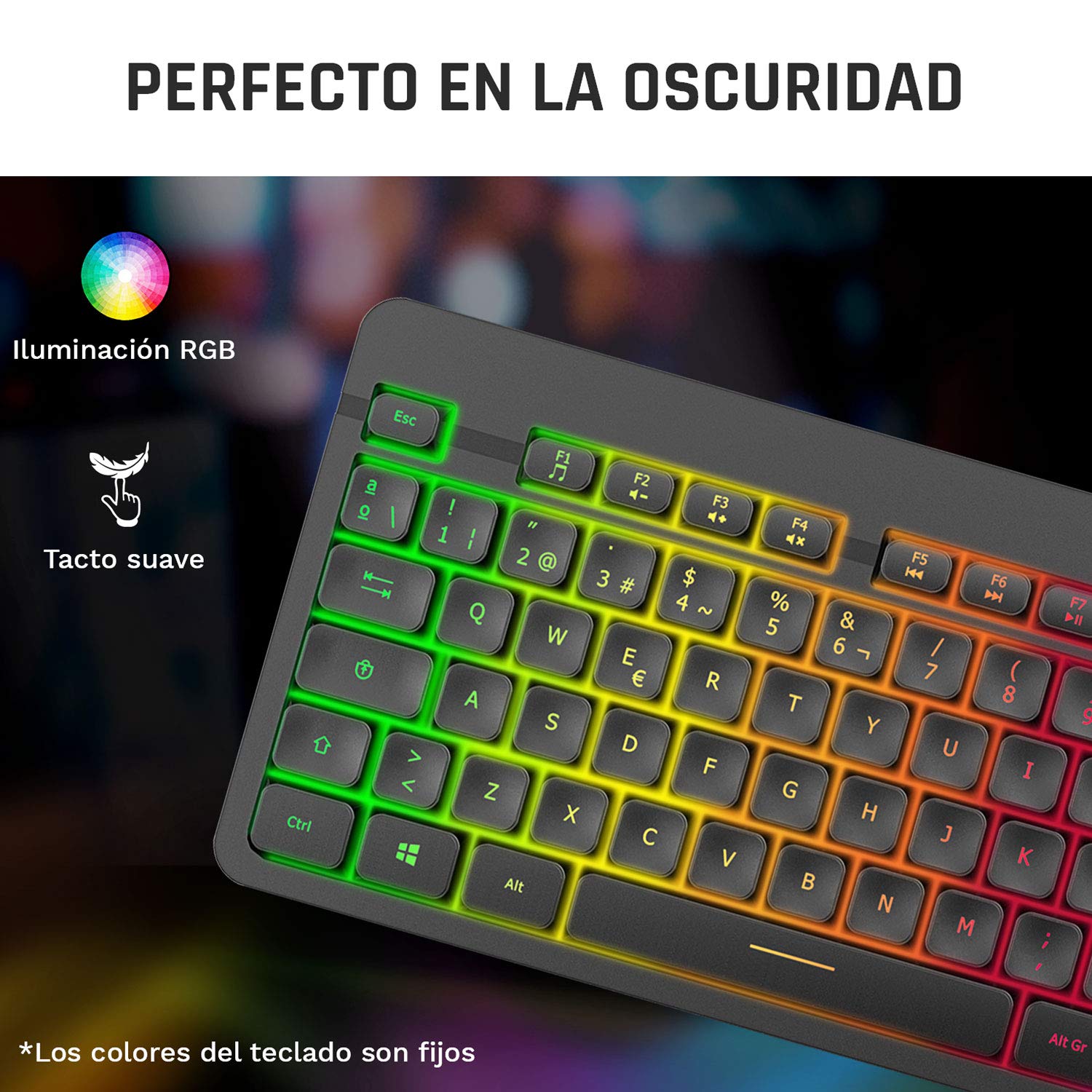
Image 3: Close-up of the KLIM Tandem keyboard showcasing its RGB illumination and soft-touch keys.
4.2 Funcións do rato
- Axuste de DPI: The mouse features adjustable DPI (Dots Per Inch) settings, allowing you to change cursor sensitivity. Use the dedicated DPI button (usually located behind the scroll wheel) to cycle through different sensitivity levels.
- Botóns laterais: The mouse includes side buttons, typically used for forward and backward navigation in web browsers or customizable for gaming.
- Illuminated Logo: The mouse features an illuminated KLIM logo. This lighting can usually be toggled on or off via a switch on the underside of the mouse, separate from the main power switch.
- Deseño ergonómico: The mouse is designed for an ergonomic grip, recommended for right-hand users.
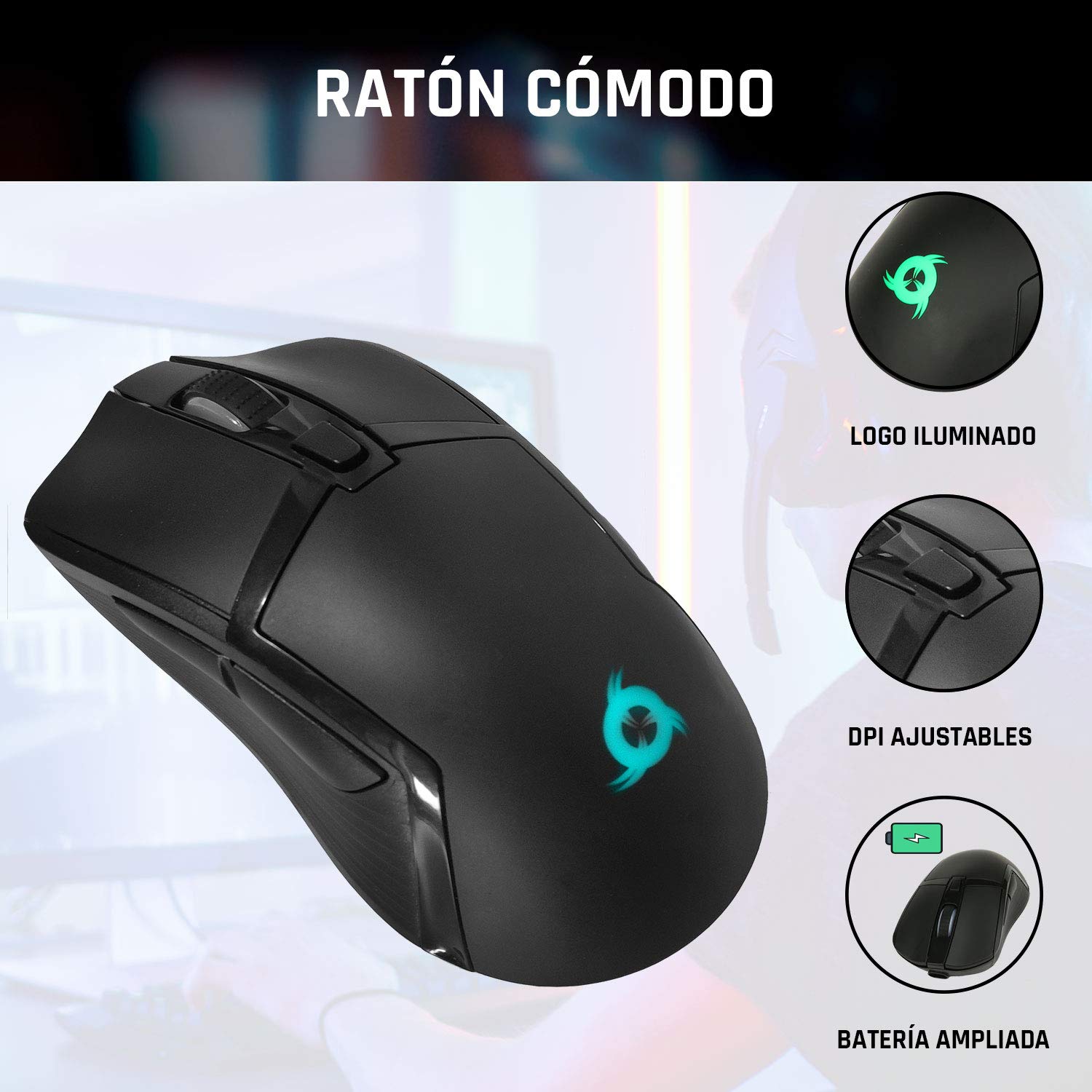
Image 4: The KLIM Tandem mouse highlighting its illuminated logo, adjustable DPI settings, and extended battery capacity.
5. Carga e duración da batería
Both the KLIM Tandem keyboard and mouse are equipped with built-in rechargeable batteries. Use the provided USB cable to charge them. You can continue to use the devices while they are charging.
- Indicador de carga: A small LED light on each device will indicate charging status. Refer to the device for specific light behavior (e.g., red for charging, off for full).
- Optimización da duración da batería: Lowering the keyboard's backlight brightness or turning it off will significantly extend battery life. The mouse's illuminated logo can also be toggled off to save power.
- Aviso de batería baixa: Devices will typically provide a visual cue (e.g., flashing indicator light) when the battery is low, signaling that charging is required.
6. Mantemento
To ensure the longevity and optimal performance of your KLIM Tandem set, follow these maintenance guidelines:
- Limpeza: Usa un pano suave e seco para limpar o teclado e o rato. Para a sucidade persistente, usa un pano lixeiramente seco.amp cloth with mild soap can be used, ensuring no liquid enters the device. Avoid harsh chemicals.
- Almacenamento: Garde os dispositivos nun lugar fresco e seco, lonxe da luz solar directa e de temperaturas extremas.
- Evitar verteduras: While the keyboard is designed to be resistant to minor spills, it is best to avoid liquid contact to prevent damage.
- Receptor USB: When not in use, the USB receiver can be stored in the mouse's dedicated compartment to prevent loss.
7 Solución de problemas
If you encounter any issues with your KLIM Tandem set, please refer to the following table:
| Problema | Causa posible | Solución |
|---|---|---|
| O teclado/rato non responde | Low battery; Devices turned off; USB receiver disconnected; Driver issue. | Charge devices; Ensure power switches are ON; Re-plug USB receiver; Restart computer. |
| A luz de fondo non funciona | Backlight turned off; Low battery; Brightness set to minimum. | Press backlight key; Charge keyboard; Adjust brightness. |
| Mouse cursor erratic or slow | Dirty sensor; Incompatible surface; Low DPI setting. | Clean mouse sensor; Use a mouse pad; Adjust DPI setting. |
| Batería de curta duración | High backlight brightness; Frequent use. | Reduce backlight brightness; Ensure full charge before use. |
8. Especificacións
Key technical specifications for the KLIM Tandem Wireless Keyboard and Mouse Set:
- Conectividade: 2.4 GHz Wireless (single USB receiver)
- Alcance sen fíos: Ata 10 metros
- Keyboard Key Type: Membrana
- Retroiluminación do teclado: Fixed RGB (rainbow pattern)
- Vida útil do teclado: Over 10 million clicks
- DPI do rato: Adjustable (multiple levels)
- Mouse Lifetime: Over 10 million clicks
- Batería: Built-in rechargeable (long-lasting)
- Material: ABS duradeiro
- Compatibilidade: PC, Mac, PS4, Xbox One (check specific game/system compatibility)

Image 5: Multilingual specifications sheet for the KLIM Tandem wireless keyboard and mouse set.
9. Garantía e soporte
KLIM Technologies offers a 5 ano de garantía on the KLIM Tandem Wireless Keyboard and Mouse Set, demonstrating confidence in product quality. For any questions, technical assistance, or warranty claims, please contact KLIM Customer Service. Our team is available to assist you and aims to respond within 24 hours.
For further support, please visit the official KLIM websitio web ou consulte a información de contacto que se inclúe na embalaxe do produto.


