
Introdución
The Turtle Beach Stealth Pro Multiplatform Wireless Gaming Headset delivers premium audio features across various gaming platforms. This headset is designed for Xbox Series X|S, Xbox One, PS5, PS4, Windows PCs, Mac, Steam Deck, and Bluetooth-equipped mobile devices. It features optimized 50mm Nanoclear drivers, versatile active noise cancellation, and advanced microphone technology for clear communication. This manual provides essential information for setting up, operating, maintaining, and troubleshooting your Stealth Pro headset.
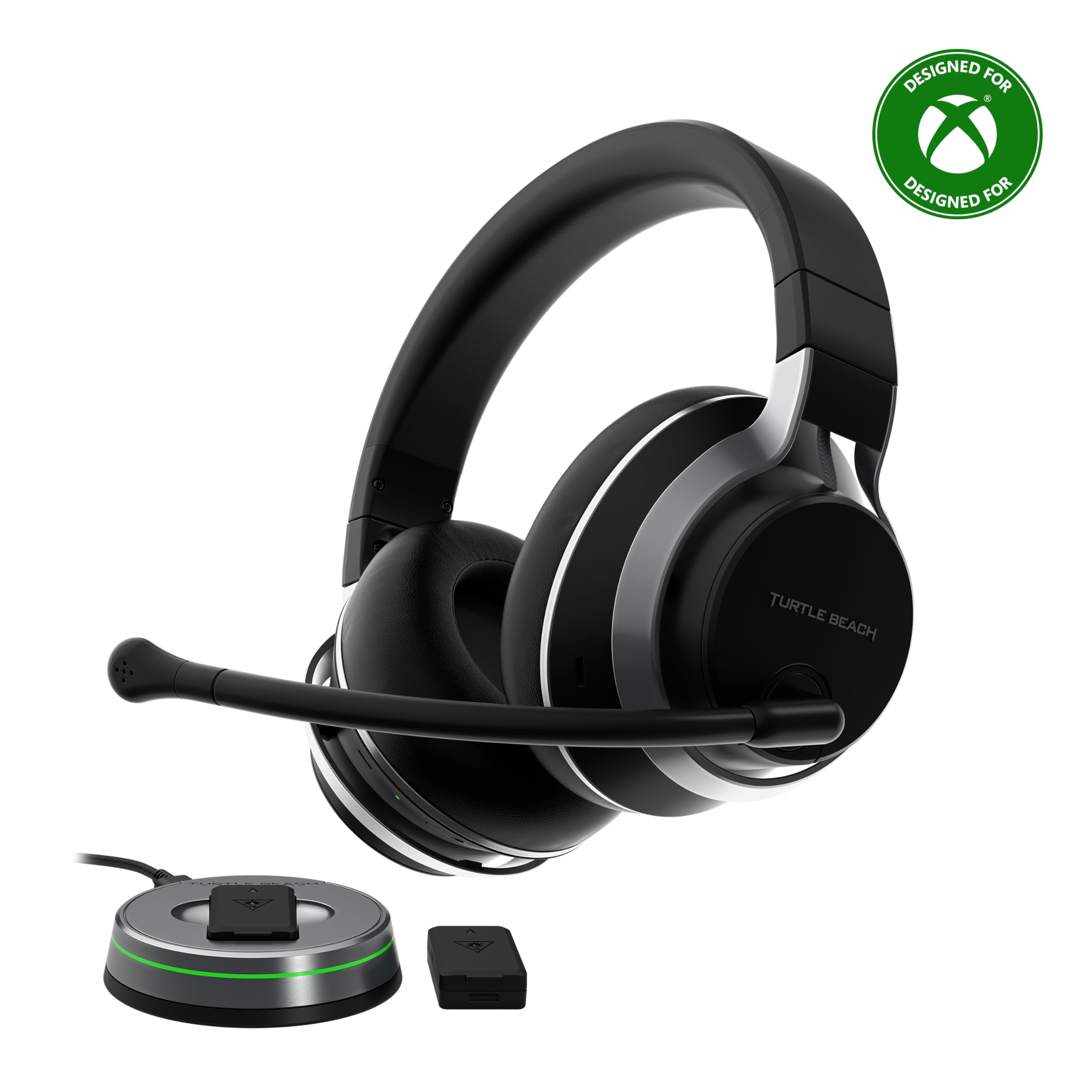
Image: The Turtle Beach Stealth Pro Wireless Gaming Headset, showcasing its sleek black design with silver accents.
O que hai na caixa
- Stealth Pro Gaming Headset
- Removable TruSpeak Boom Microphone
- 2x Rechargeable Battery Packs
- Transmitter & Charging Station
- 3ft USB-C Cable
- 6.5ft USB-C Transmitter Cable
- Bolsa de transporte
- Guía de inicio rápido
- Adhesivo Turtle Beach

Image: All components included in the Stealth Pro package, neatly arranged.
Configuración
Cargando as baterías
The Stealth Pro comes with two swappable 12+ hour battery packs. Insert one battery into the headset and the other into the charging slot on the wireless transmitter. Connect the transmitter to a USB power source using the provided USB-C cable. A quick 15-minute charge provides three hours of battery life.
Conectando co teu dispositivo
For Xbox/PlayStation/PC/Mac: Plug the wireless transmitter into an available USB port on your console or PC. The headset will automatically connect within seconds. Ensure the switch on the transmitter is set to the correct platform (Xbox/PC).
For Mobile Devices (Bluetooth): The headset supports Bluetooth 5.1 dual connectivity. Press and hold the Bluetooth pairing button on the headset to enter pairing mode. Select 'Stealth Pro' from your mobile device's Bluetooth settings. You can simultaneously listen to mobile audio while gaming on your console or PC.

Image: The Stealth Pro headset demonstrating its multiplatform compatibility with consoles, PC, and mobile devices.
Instrucións de funcionamento
Máis controisview
- Botón de encendido: Mantén premido para acender/apagar.
- Botón Bluetooth: Mantén premido para entrar no modo de vinculación.
- Superhuman Hearing Button: Activates/deactivates Superhuman Hearing mode.
- Roda de volume: Adjusts master volume. Can be remapped via the Audio Hub app.
- Botón de modo: Default functions include EQ preset selection. Can be remapped via the Audio Hub app.
Uso do micrófono
The headset includes a removable TruSpeak Boom Microphone and dual concealed microphones. The boom mic utilizes S.M.A.R.T. noise-cancelling technology for clear chat. To mute the boom mic, simply flip it up. The concealed mics are ideal for on-the-go use or a more discrete look.
Personalización de audio baseada en aplicacións
Use the Turtle Beach Audio Hub app (for iOS/Android) or Audio Hub V2 app (for Windows PCs/Mac) to customize your audio experience. This includes:
- Adjusting 10-band EQ settings for game audio, Bluetooth audio, and chat.
- Fine-tuning active noise cancellation levels.
- Programming the mappable wheel and mode button for distinct functions (e.g., Game/Chat Mix, Variable Mic Monitoring, Superhuman Hearing volume, Bass & Treble Boost).
- Adjusting microphone sensitivity, noise gate, and monitoring levels.

Image: The Turtle Beach Audio Hub app displaying advanced 10-band EQ and microphone enhancement options.
Características
Fidelidade de audio excepcional
Equipped with hand-selected 50mm Nanoclear drivers and a powerful onboard DAC, the Stealth Pro delivers a highly detailed soundstage. It supports Windows Sonic, Sony 3D Audio for PS5, Dolby Atmos, and DTS Headphone:X for immersive audio.

Imaxe: Unha interna view of the 50mm Nanoclear driver, highlighting the headset's audio capabilities.
Unrivaled Active Noise Cancellation
Experience up to 25dB of noise reduction with variable active noise cancellation. Four internal microphones reduce ambient noise, allowing you to focus on your game or fine-tune for noise transparency. Levels can be adjusted via the Audio Hub app or the headset's volume wheel.

Image: Visual representation of the headset's active noise cancellation technology.
Swappable Dual Battery System
Two swappable 12+ hour battery packs ensure continuous power. Charge one pack in the transmitter while using the other in the headset. The headset automatically reconnects when swapping packs, minimizing downtime.
Maximum Wireless Compatibility
Officially licensed for Xbox Series X|S and Xbox One, the Stealth Pro is also fully compatible with PS5, PS4, Windows PCs, Mac, and mobile devices via Bluetooth 5.1. The lag-free 2.4 GHz wireless connection provides up to 50 ft / 15m range.
Advanced Superhuman Hearing
Designed specifically for the Stealth Pro, Advanced Superhuman Hearing provides a battlefield advantage by enhancing critical in-game sounds like footsteps and weapon reloads. Adjust intensity and choose from three preset levels via the Audio Hub app.
Vídeo: Presentación oficial do produto en vídeoasing the Turtle Beach Stealth Pro Xbox Headset's features and design.
Mantemento
Limpeza
Wipe the headset and ear cushions with a soft, dry cloth. Avoid using harsh chemicals or abrasive materials. For deeper cleaning of ear cushions, gently wipe with a damp un pano e xabón suave e logo secar completamente ao aire.
Almacenamento
When not in use, store the headset in the included velvet cloth carrying pouch to protect it from dust and scratches. The lay-flat design makes it easy to store.
Coidado da batería
To prolong battery life, avoid fully discharging the batteries frequently. Charge them regularly. Store batteries in a cool, dry place away from direct sunlight.
Resolución de problemas
No Audio/Mic Issues
- Asegúrate de que os auriculares estean acendidos e completamente cargados.
- Verify the wireless transmitter is correctly plugged into your device and the platform switch is set correctly.
- Check device audio settings to ensure the Stealth Pro is selected as the input/output device.
- For boom mic issues, ensure it is securely inserted and not muted (flipped up).
- Update headset firmware via the Turtle Beach Audio Hub V2 app on PC/Mac.
Problemas de conectividade
- If experiencing intermittent connection, try moving closer to the wireless transmitter.
- Re-pair the headset with your device. For Bluetooth, forget the device and re-pair.
- Asegúrate de que ningún outro dispositivo sen fíos estea a causar interferencias.
Especificacións técnicas
| Característica | Especificación |
|---|---|
| Controladores de auriculares | 50mm Nanoclear Drivers with Neodymium magnets |
| Cancelación de ruído | Variable Active Noise Cancellation >25dB Noise Reduction @ 100Hz |
| Resposta en frecuencia | 10 Hz - 22 kHz |
| Tipo de micrófono | Unidirectional Noise Cancelling >30dB Noise Reduction @ 3kHz |
| Resposta de frecuencia do micrófono | 100 Hz - 8 kHz |
| Wireless Dual Connection | Simultaneous 2.4Ghz & Bluetooth |
| Xogos sen fíos | 2.4Ghz Lag-Free Wireless |
| distancia wireless | Up to 50’ / 15m |
| Earcup Design | Over-Ear (Closed) |
| Ear cushion Material | Leatherette wrapped Memory Foam |
| Peso do elemento | 413 gramos (14.6 onzas) |
| Dimensións do produto | 7.17 x 6.81 x 3.43 polgadas |
| Baterías | 1 pilas de polímero de litio necesarias (incluidas) |
Garantía e Soporte
For warranty information and detailed support, please refer to the documentation included in your product packaging or visit the official Turtle Beach support website. Product registration may be required for warranty claims.