1. Introdución
Welcome to the instruction manual for your SUPVAN E10/E16 Label Maker Carrying Case. This manual provides essential information for the proper use and maintenance of your carrying case, ensuring optimal protection and organization for your label maker and its accessories.
2. Produto rematadoview
This carrying case is specifically designed to protect and organize your SUPVAN E10/E16 label maker and its associated accessories. It features a durable exterior and a soft interior to safeguard your device from external elements.
- Compatibilidade: Designed for SUPVAN E10/E16 label makers.
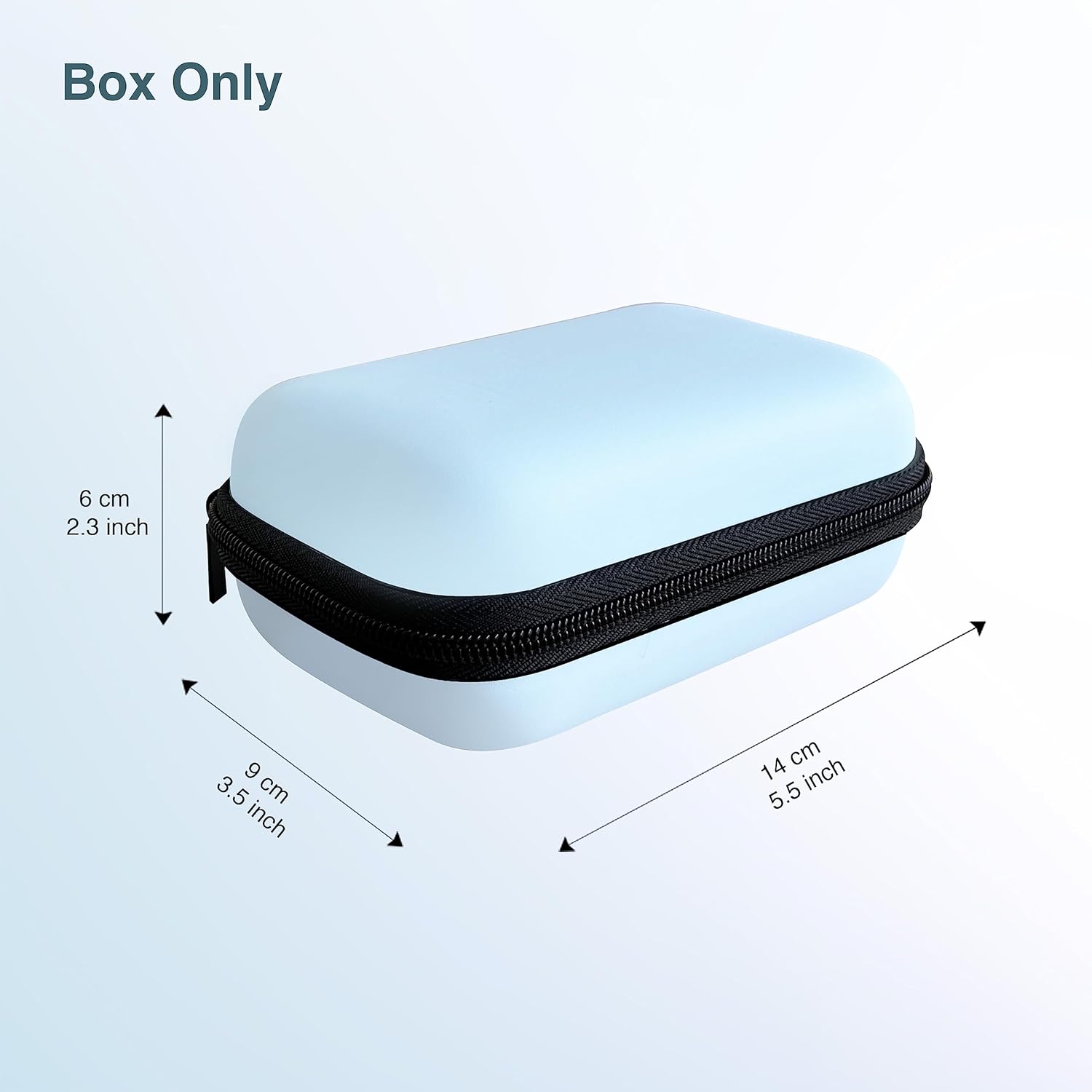
- Dimensións: 14 x 9 x 6 cm (5.5 x 3.5 x 2.3 inches).
- Material: High-quality Nylon exterior, pressure & shock resisting EVA mid-layer, and soft light fleece interior.
- Protección: Shock-resistant, waterproof, dustproof, anti-static, scratch-resistant, and stain-resistant.
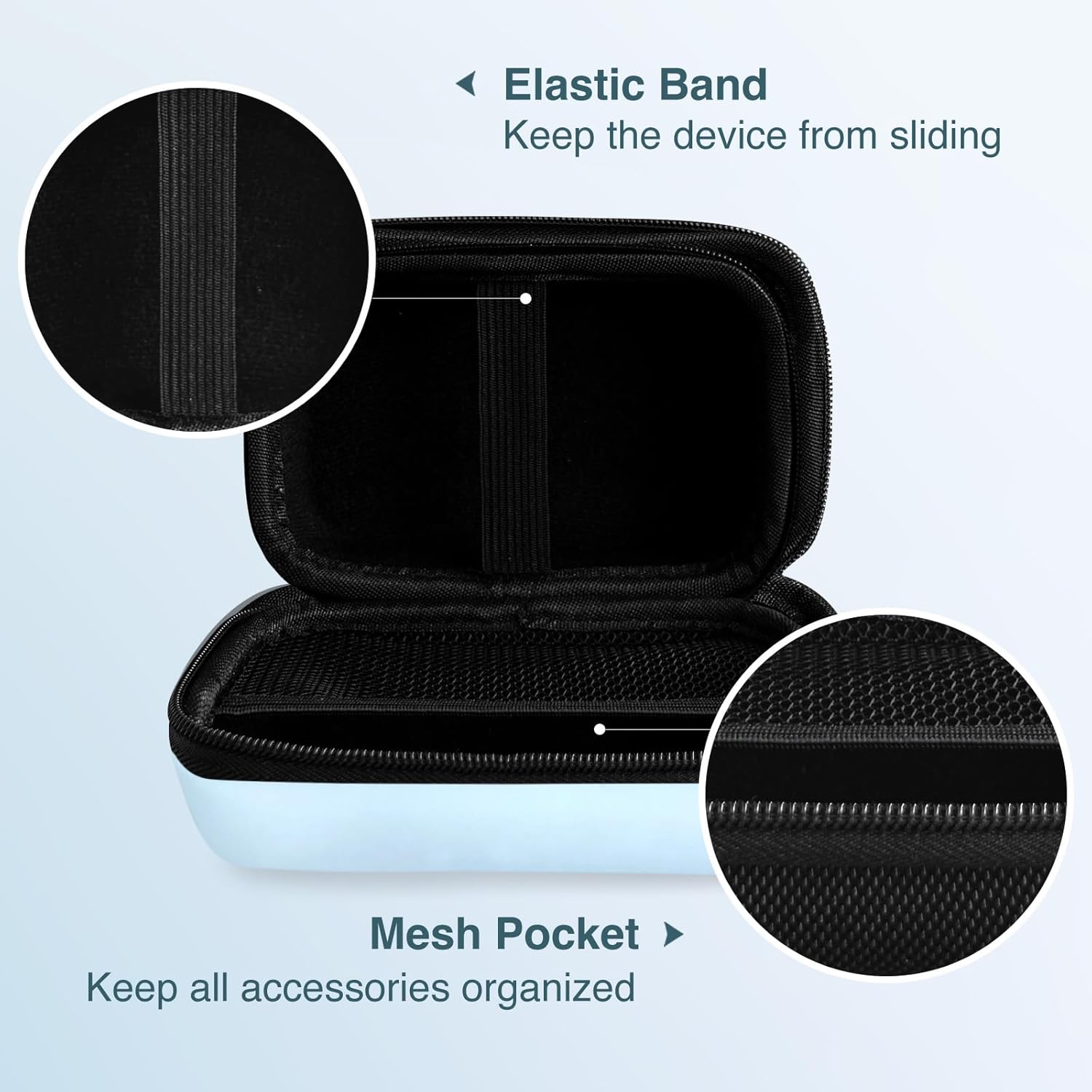
- Almacenamento: Features additional mesh pockets and elastic bands for organized storage of labels, thermal paper, USB cables, and other small accessories.

3. Configuración
The SUPVAN E10/E16 Label Maker Carrying Case requires minimal setup to begin protecting your device.
- Abrir o caso: Unzip the carrying case completely to reveal the interior compartments.
- Place Label Maker: Carefully place your SUPVAN E10/E16 label maker into the main compartment. Secure it using the integrated elastic band to prevent movement during transport.
- Organizar accesorios: Utilize the mesh pocket located on the lid for storing small accessories such as extra label rolls, USB charging cables, or thermal paper. This helps keep all items organized and easily accessible.
- Peche o caso: Once all items are securely placed, close the zipper firmly.

4. Funcionamento
The carrying case is designed for straightforward operation to protect your label maker on the go.
- Almacenamento seguro: Always ensure your label maker and all accessories are properly placed and secured within the case before closing the zipper. This prevents items from shifting and potentially causing damage.
- Portabilidade: The compact and lightweight design allows for easy transport. You can store it conveniently in a backpack, handbag, luggage, or even a larger pocket.
- Protección: The robust construction provides reliable protection against impacts, moisture, and dust during daily commutes, travel, or storage.

5. Mantemento
Proper care and cleaning will help maintain the appearance and protective qualities of your carrying case.
- Limpeza exterior: Limpe o exterior cun suave, damp cloth to remove dust or light stains. Avoid using abrasive cleaners or harsh chemicals, as these can damage the material.
- Manchas persistentes: For more stubborn stains, a mild soap solution can be applied to a cloth, gently rubbed on the affected area, and then wiped clean with a separate damp pano.
- Secado: Always allow the case to air dry completely before storing or using it. Do not machine wash or tumble dry.
- Almacenamento: Cando non estea en uso, garde a caixa nun lugar fresco e seco, lonxe da luz solar directa para evitar a degradación do material.
6 Solución de problemas
This section addresses minor issues you might encounter with your carrying case.
- Case does not close properly: Ensure that the label maker and all accessories are correctly positioned within the case and that the compartments are not overfilled. The elastic band should secure the device flat.
- Zipper is stiff or difficult to move: Apply a small amount of zipper lubricant or rub a graphite pencil lead along the zipper teeth. This can help improve smoothness and ease of movement.
- Case appears misshapen: The case is designed to be rigid. If it appears misshapen, check for any internal pressure points from improperly stored items. Remove and reposition items to ensure an even fit.
7. Especificacións
Detailed specifications for the SUPVAN E10/E16 Label Maker Carrying Case:
| Característica | Detalle |
|---|---|
| Marca | SUPVAN |
| Número de modelo | SUPE10BagBlueDE |
| Dimensións do produto (L x W x H) | 14 x 9 x 6 cm (5.5 x 3.5 x 2.3 polgadas) |
| Peso | 70 gramos |
| Cor | Azul |
| Tipo de material | Nylon (Exterior), EVA (Mid-layer), Soft Light Fleece (Interior) |
| Forma | Rectangular |
| Number of Units per Item | 1 |
| Características de protección | Drop Protection, Waterproof, Dustproof, Scratch Resistant, Stain Resistant |
| Almacenamento interno | Elastic band, Mesh pocket |


8. Información da garantía
Specific warranty details for this product are not provided in the available information. For comprehensive warranty terms and conditions, please refer to the official SUPVAN websitio web ou póñase en contacto directamente co servizo de atención ao cliente.
9. Atención ao cliente
For further assistance, product inquiries, or technical support related to your SUPVAN E10/E16 Label Maker Carrying Case, please visit the official SUPVAN websitio ou póñase en contacto co seu departamento de atención ao cliente.
Podes atopar máis información e datos de contacto en SUPVAN Brand Store.


