1. Introdución
Welcome to the DOOGEE V MAX Plus 5G Rugged Smartphone user manual. This guide will assist you in understanding the features and functions of your new device, ensuring optimal performance and longevity. Please read this manual thoroughly before using your smartphone.

Figure 1: DOOGEE V MAX Plus 5G Rugged Smartphone
2. Dispositivo rematadoview
The DOOGEE V MAX Plus is designed for durability and high performance. Key features include a large battery, advanced camera system, and robust construction.
2.1 Contido do paquete
- DOOGEE V MAX Plus Rugged Phone
- Cable USB-C
- Adaptador de alimentación
- Ferramenta de expulsión de SIM
- Manual de usuario (este documento)
Video 1: Unboxing the DOOGEE S100 PRO (similar model, demonstrates package contents and initial handling).
3. Configuración
3.1 Inserción da tarxeta SIM/SD
- Localiza a bandexa da tarxeta SIM no lateral do dispositivo.
- Insira a ferramenta de expulsión da tarxeta SIM no pequeno orificio que hai xunto á bandexa para abrila.
- Place your Nano-SIM card(s) and/or microSD card into the tray with the gold contacts facing down, ensuring correct orientation.
- Carefully push the tray back into the slot until it is flush with the device. Ensure the rubber seal is properly seated to maintain water and dust resistance.

Figure 2: SIM/SD card tray location (image shows Android 14, but the phone's side profile is visible).
3.2 Acendido inicial e configuración básica
- Mantén premido o botón de acendido (situado no lateral) ata que apareza o logotipo de DOOGEE.
- Segue as instrucións na pantalla para seleccionar o teu idioma, conectarte á wifi e configurar a túa conta de Google.
- Configure security settings such as fingerprint unlock or a PIN/pattern.
4. Uso do teléfono intelixente
4.1 Batería e carga
The DOOGEE V MAX Plus features a 22000mAh battery. Use the provided 33W fast charger for optimal charging. The device also supports OTG for reverse charging other devices.
- Cargando: Connect the USB-C cable to the phone's charging port and the power adapter. Plug the adapter into a wall outlet.
- Duración da batería: Expect extended usage times, including up to 2350 hours of standby and 130 hours of calls.
- Función OTG: Connect an OTG cable (not included) to the USB-C port to charge other devices.

Figure 3: Battery and 33W fast charging capabilities.
Video 2: Demonstrates the 22000mAh battery and camping light feature (from a similar model).
4.2 Funcións da cámara
The smartphone is equipped with a versatile camera system:
- Cámara principal de 200 MP: Para fotos de alta resolución.
- Cámara frontal de 32 MP: Para selfies e videochamadas.
- Cámara de visión nocturna de 20 MP: For clear images in low-light conditions.
- Cámara gran angular de 50 MP: Para tomas de paisaxes amplas.
- Cámara teleobxectiva de 8MP: For detailed zoomed-in photos.
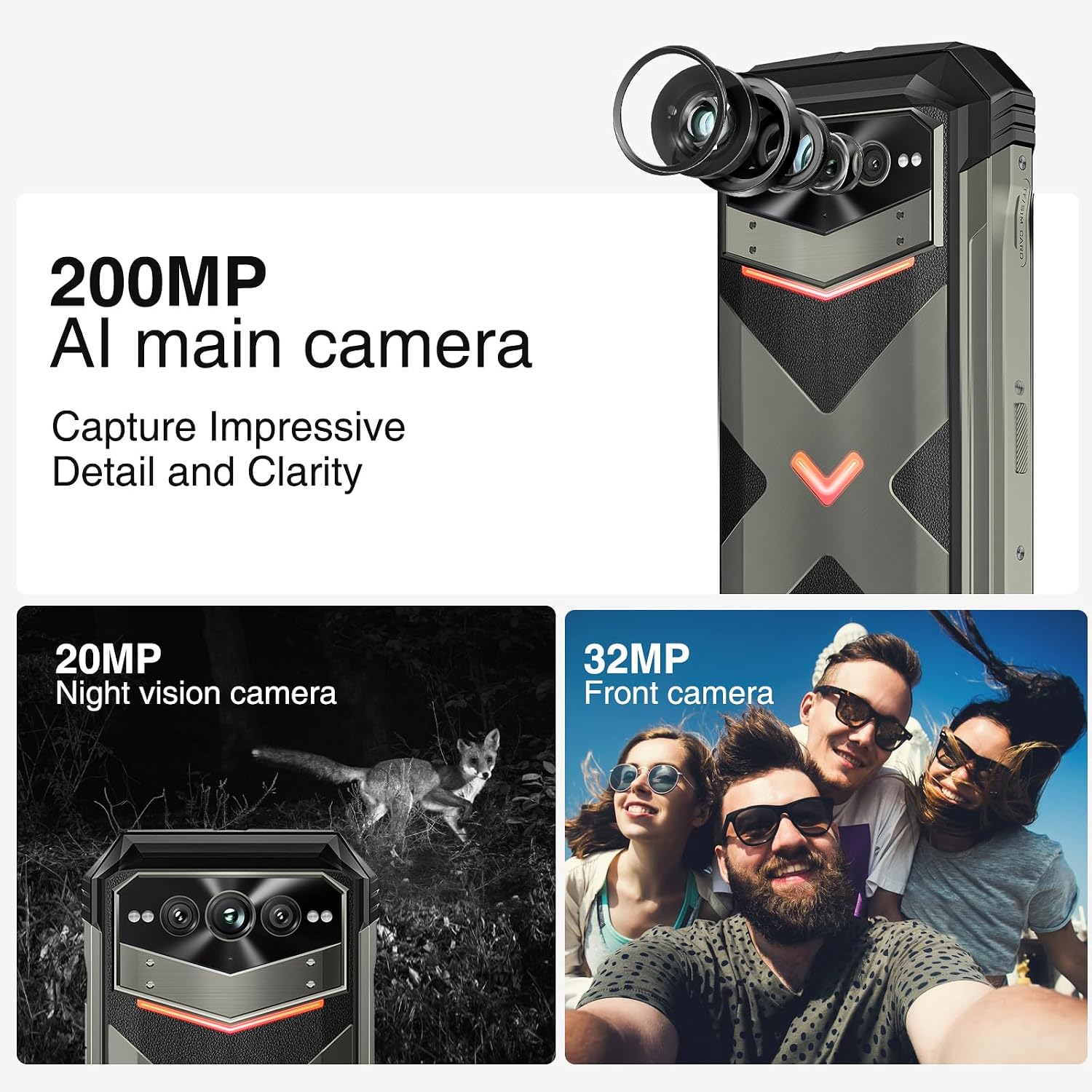
Figura 4: Máisview of the 200MP AI main camera, 20MP night vision camera, and 32MP front camera.
4.3 Visualización e interacción
The device features a 6.58-inch FHD+ display with a 120Hz refresh rate for smooth visuals.
- Pantalla: 6.58-inch FHD+ (2408x1080) display with Corning Gorilla Glass.
- Luces de interacción intelixentes: Customizable LED lights on the back for notifications, calls, and charging status.
- Desbloqueo por pegada dixital lateral: For quick and secure access.

Figure 5: Display specifications including size, resolution, aspect ratio, and refresh rate.

Figure 6: Key interaction and connectivity features.
4.4 Connectivity and Performance
The DOOGEE V MAX Plus supports 5G connectivity and runs on Android 14, powered by a MediaTek Dimensity 7050 processor.
- Sistema operativo: Android 14 para unha maior privacidade e unha configuración personalizada.
- Procesador: MediaTek Dimensity 7050 6nm 2.2GHz for efficient performance.
- Memoria e almacenamento: Up to 36GB RAM (12GB physical + 24GB virtual) and 512GB internal storage, expandable up to 2TB via microSD.
- Sen fíos: Wi-Fi 6, Cellular (5G), NFC, GPS.

Figure 7: Processor, RAM, and ROM details.
5. Mantemento
To ensure the longevity and optimal performance of your rugged smartphone, follow these maintenance guidelines:
- Limpeza: Use un suave, damp cloth to clean the device. Avoid harsh chemicals or abrasive materials. Ensure all port covers are securely closed before cleaning with water.
- Resistencia á auga e ao po: The device is IP68/IP69K rated. Ensure all port covers (USB-C, SIM tray) are fully sealed to maintain water and dust resistance. Do not intentionally submerge the device beyond its rated depth or duration.
- Coidado da batería: Avoid extreme temperatures. Do not fully discharge the battery regularly. For long-term storage, charge the battery to about 50% and power off the device.
- Actualizacións de software: Regularly check for and install system updates to ensure your device has the latest security patches and performance improvements.
6 Solución de problemas
This section addresses common issues you might encounter with your DOOGEE V MAX Plus.
| Problema | Causa posible | Solución |
|---|---|---|
| O dispositivo non se acende | Batería baixa, fallo do software | Charge the device for at least 30 minutes. Press and hold the Power button for 10-15 seconds to force restart. |
| Sinal de rede deficiente | SIM card not properly inserted, network coverage issue | Reinsert the SIM card. Move to an area with better network coverage. Contact your carrier if the issue persists. |
| Camera glitches (e.g., video not saving) | Software bug, insufficient storage | Clear camera app cache/data. Ensure sufficient storage space. Check for system updates. If persistent, consider a factory reset (backup data first). |
| Screen scrolling is jerky | High background app usage, software issue | Close unnecessary background apps. Restart the device. Ensure software is up to date. |
| Device is heavy/bulky | Inherent design due to large battery and rugged build | This is a characteristic of rugged phones with large batteries. No specific solution, but users may adapt over time. |
7. Especificacións
| Característica | Detalle |
|---|---|
| Nome do modelo | VMAXPLUS |
| Sistema Operativo | Android 14 |
| Procesador | MediaTek Dimensity 7050 (velocidade da CPU de 2.2 GHz) |
| RAM | 12 GB (ampliable ata 36 GB) |
| Almacenamento interno | 512 GB (ampliable ata 2 TB mediante microSD) |
| Tamaño da pantalla | 6.58 polgadas |
| Resolución | 2408*1080 (FHD+) |
| Taxa de actualización | 120 Hz |
| Cámara principal | 200 MP |
| Cámara frontal | 32 MP |
| Cámara de visión nocturna | 20 MP |
| Capacidade da batería | 22000 mAh |
| Cargando | Carga rápida de 33 W |
| Conectividade | 5G, Wi-Fi 6, NFC, GPS |
| Resistencia á auga/po | IP68/IP69K, MIL-STD-810H |
| Dimensións | 6.85 x 31.97 x 8.15 polgadas |
| Peso | 15.2 onzas (430 gramos) |
8. Garantía e soporte
8.1 Información da garantía
Your DOOGEE V MAX Plus 5G Rugged Smartphone comes with a standard manufacturer's warranty. Please refer to the warranty card included in your product packaging for specific terms, conditions, and duration of coverage. Keep your proof of purchase for warranty claims.
8.2 Atención ao cliente
Para obter máis axuda, soporte técnico ou consultas sobre o servizo, póñase en contacto co servizo de atención ao cliente de DOOGEE a través do seu servizo oficial website or the contact information provided in your product documentation. You may also visit the Tenda DOOGEE en Amazon para obter información e recursos adicionais sobre o produto.


