1. Produto rematadoview
The Taiahiro Low Profile Mechanical Keyboard is an ultra-slim 87-key keyboard designed specifically for Mac users, offering a compact 80% layout. It features ultra-low profile brown switches for a tactile and responsive typing experience. This wired keyboard provides full support for Mac function keys and customizable white backlighting.
Características clave
- Baixo Profile Brown Switches for tactile feedback.
- 87-key (TKL) compact design.
- Full Mac Function Keys Support.
- Detachable Type-C connection.
- 18-Modes LED White Backlighting with 4 adjustable brightness levels.
- Durable Aluminum Alloy Panel construction.
- Double Shot Injection Keycaps for comfortable typing.
- Ergonomic design for comfortable angle.
Contido do paquete
- Taiahiro Low Profile Teclado mecánico
- Cable USB-C a USB-A
- Manual de usuario
Diagrama do produto

Figura 1: Máisview of the Taiahiro Low Profile Mechanical Keyboard, highlighting its compact design and key layout.
2. Guía de configuración
Conectando o teclado
- Localiza o porto USB-C na parte traseira do teclado.
- Conecta un extremo do cable USB-C fornecido ao porto USB-C do teclado.
- Connect the other end of the USB-C cable to an available USB-A port on your computer (MacBook Pro/Air, iMac, Mac Mini, or PC).
- O teclado é plug-and-play e o teu sistema operativo debería recoñecelo automaticamente.
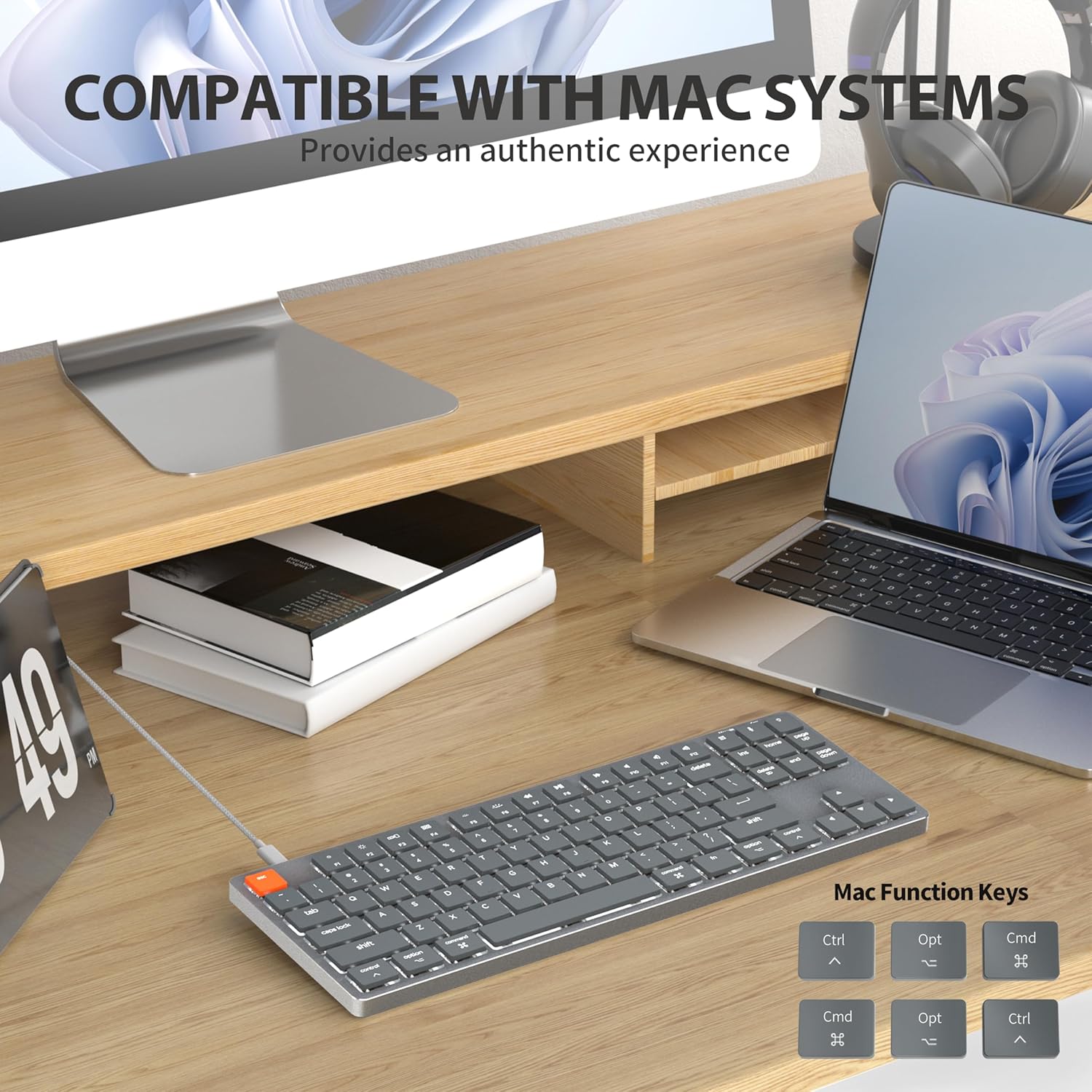
Figure 2: Connecting the detachable Type-C cable to the keyboard for convenience and efficiency.
Compatibilidade do sistema
This keyboard is designed for full compatibility with Mac OS and Windows operating systems. It supports Mac Mini, MacBook Air, MacBook Pro, PC, and iMac devices.

Figure 3: The keyboard seamlessly integrated with a Mac system, providing an authentic user experience.
3. Instrucións de funcionamento
Mecanografía básica
O baixo profile brown switches provide a quiet yet responsive typing experience with satisfying tactile feedback. The ultra-thin design and high-quality keycaps enhance fingertip comfort during extended use.
Control de retroiluminación
The keyboard features 18 distinct LED white backlighting modes. You can cycle through these modes and adjust brightness levels using the dedicated function keys. Refer to the keyboard's layout for specific key combinations, typically involving the 'Fn' key combined with other keys (e.g., Fn + F1/F2 for brightness, Fn + arrow keys for modes).

Figure 4: The keyboard's 18-modes LED white backlighting, offering customizable illumination.
Mac Function Keys Support
The keyboard is specifically designed to support Mac function keys, allowing you to easily control system functions such as screen brightness, volume, and media playback directly from the keyboard. These functions are typically accessed by pressing the 'Fn' key in combination with the corresponding F-keys (F1-F12).
Teclas de atallo
The keyboard includes multifunctional shortcut keys for enhanced productivity. These keys provide quick access to various commands, including multimedia controls. Consult the keycap legends for specific shortcut functions.

Figure 5: The keyboard's multifunctional shortcut keys, providing 100% fully loaded functionality.
4. Mantemento e coidados
Limpeza do teclado
- Desconecte o teclado do ordenador antes de limpalo.
- Use un pano suave e sen pelusa lixeiramente dampEnxágüe con auga ou unha solución de limpeza suave para limpar as teclas e a superficie.
- Para o po e os residuos entre as teclas, use aire comprimido ou un cepillo pequeno.
- Evita o uso de produtos químicos agresivos, produtos de limpeza abrasivos ou humidade excesiva.
Almacenamento
When not in use for extended periods, store the keyboard in a cool, dry place away from direct sunlight and extreme temperatures to prevent damage.
5 Solución de problemas
O teclado non responde
- Comprobar a conexión: Asegúrate de que o cable USB-C estea conectado correctamente tanto ao teclado como ao ordenador.
- Proba un porto diferente: Plug the keyboard into a different USB port on your computer.
- Reiniciar o ordenador: Ás veces, un simple reinicio do sistema pode resolver os problemas de conectividade.
- Comprobar o cable: If possible, try using a different USB-C cable to rule out a faulty cable.
Problemas de retroiluminación
- Enable Backlight: Ensure the backlight is not turned off. Use the designated function keys (e.g., Fn + backlight key) to toggle it on/off.
- Axustar o brillo: Cycle through brightness levels using the appropriate function keys (e.g., Fn + F1/F2) to ensure it's not set to the lowest level.
- Cambiar modo: Try cycling through different backlight modes to see if the issue persists across all modes.
Mac Compatibility Concerns
- Versión do sistema operativo: Ensure your Mac OS is up to date or meets the minimum requirements for peripheral compatibility.
- Tipo de procesador: While designed for Mac, some specific processor architectures (e.g., M2/ARM) might require updated drivers or system settings. Check Taiahiro's official support page for any specific driver downloads or compatibility notes.
- Modo de teclado: If your keyboard has a physical switch or key combination to toggle between Mac/Windows mode, ensure it is set to Mac mode.
6. Especificacións técnicas
| Característica | Detalle |
|---|---|
| Número de modelo | 201 |
| Marca | Taiahiro |
| Tipo de teclado | Baixo Profile Teclado mecánico |
| Tipo de cambio | Interruptor marrón |
| Número de chaves | 87 |
| Conectividade | Con cable (USB-C) |
| Retroiluminación | 18-Modes LED White Backlighting |
| Material | Panel de aliaxe de aluminio |
| Cor | Black-Gray |
| Dimensións do produto | 12.5 x 1.8 x 34.59 cm (4.92 x 0.71 x 13.62 polgadas) |
| Peso do elemento | 971 g |
| OS compatible | Mac OS, Windows |
Dimensions and Profile

Figure 6: Detailed dimensions of the 87-key ultra-thin mechanical keyboard, illustrating its compact and slim profile.
Tecnoloxía de cambio

Figure 7: Comparison of Ultra Low Profile Brown Switch with standard mechanical switches, highlighting shorter actuation point for faster and more precise input.
Keycap Design

Figure 8: The ultra-thin double shot injection keycaps, designed for comfortable and durable typing.
Ergonomía
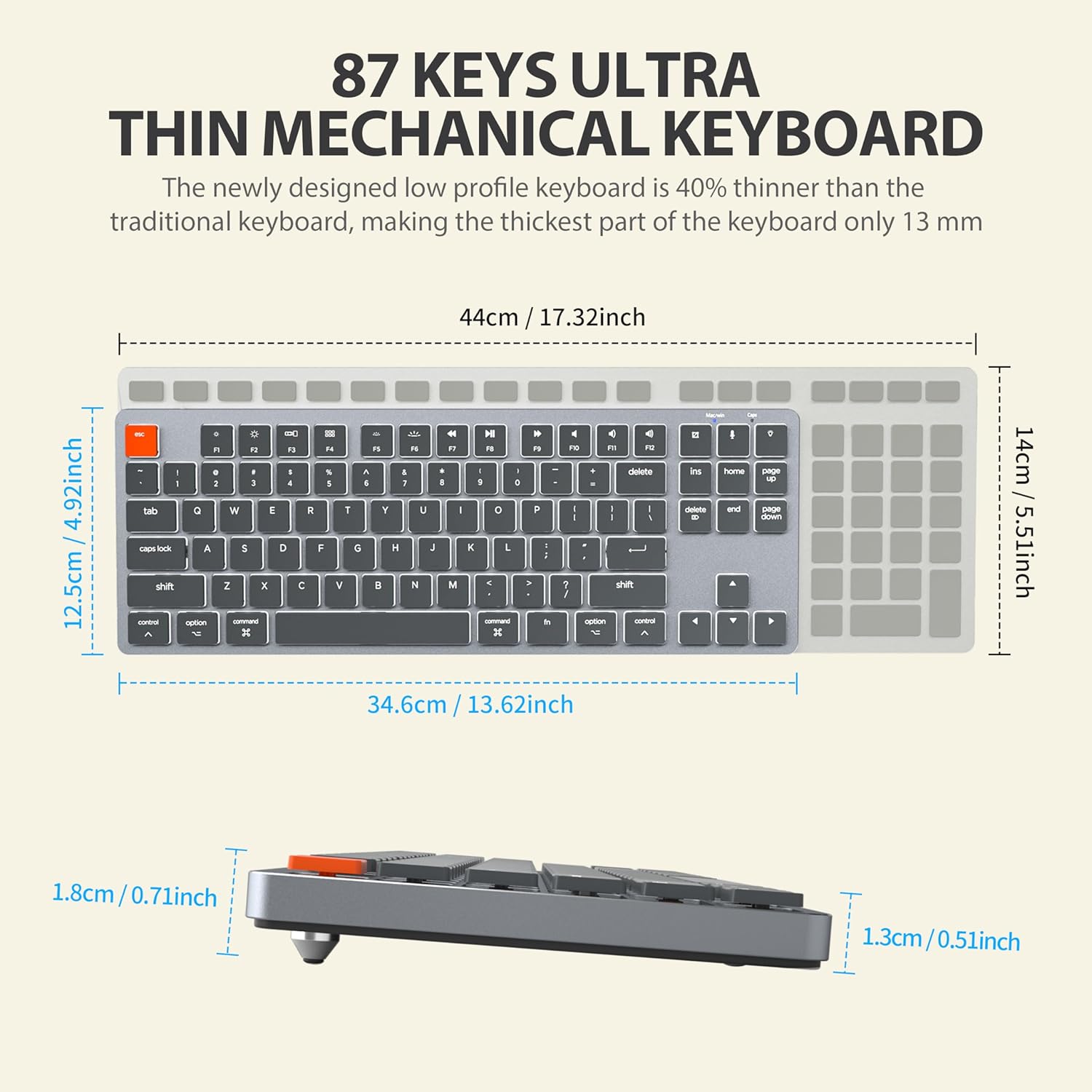
Figure 9: The ergonomic design of the keyboard, providing a comfortable angle for extended typing sessions.
7. Garantía e soporte
Información da garantía
This Taiahiro product comes with a standard manufacturer's warranty. Please refer to the product packaging or the official Taiahiro website for specific warranty terms and conditions, including coverage period and claim procedures.
Atención ao cliente
For technical assistance, troubleshooting, or any product-related inquiries, please visit the official Taiahiro websitio web ou póñase en contacto co seu departamento de atención ao cliente. A información de contacto adoita atoparse na embalaxe do produto ou na presenza oficial en liña da marca.


