Introdución
Thank you for choosing nipify Solar Motion Sensor Outdoor Lights. These lights are designed to provide efficient, eco-friendly, and reliable illumination for your outdoor spaces. With advanced solar technology and intelligent motion sensing, they offer enhanced security and convenience for your garden, patio, fence, and more.

Figura 1: Máisview of nipify Solar Motion Sensor Outdoor Lights (8-pack).
Características do produto
- Alimentado por enerxía solar e aforro de enerxía: Equipped with 140 high-quality LED beads and 180° wide-angle lighting. Converts solar energy into electricity during the day and automatically lights up at night, saving electricity costs.
- 3 Lighting Modes & Motion Sensor: Built-in sensitive motion sensor with three selectable modes for various lighting needs.
- Impermeable e resistente ás inclemencias meteorolóxicas: Made of high-quality, durable ABS material with an LED protection screen, ensuring normal operation in various weather conditions.
- High-efficiency Solar Panel: Solar energy conversion rate increased to 22% for faster charging and longer illumination time.
- Sen fíos e fácil de instalar: Simple, wire-free installation using provided screws, suitable for outdoor walls, gardens, patios, decks, garages, driveways, porches, and fences.

Figure 2: High-efficiency solar charging during the day and automatic illumination at night.
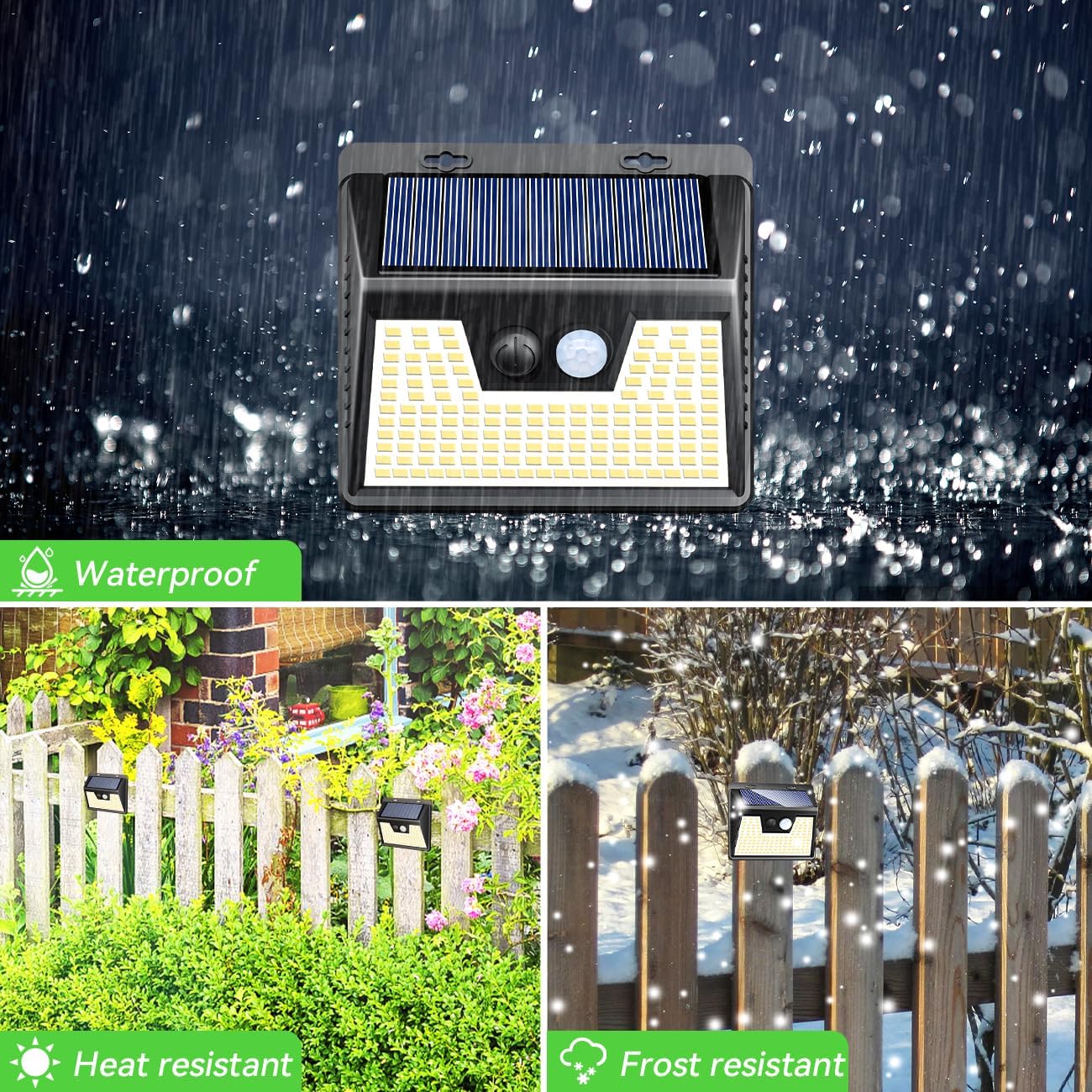
Figure 3: Waterproof and weather-resistant design for all-season use.
Contido do paquete
Comprobe o paquete para asegurarse de que estean presentes todos os compoñentes:
- nipify Solar Motion Sensor Outdoor Lights (8 units for 8-pack)
- Mounting Hardware (screws and wall plugs)
- Manual de usuario
Guía de instalación
Siga estes pasos para un rendemento óptimo:
- Escolle unha localización: Select a location that receives direct sunlight for at least 6-8 hours a day to ensure the solar panel can fully charge. Avoid areas under eaves, trees, or other obstructions that might block sunlight.
- Activate the Light and Set the Mode: Before installation, press the power button on the light to activate it and select your desired lighting mode (see "Operating Instructions" section for details on modes).
- Montar a luz: Use the provided screws and wall plugs to securely mount the light on a wall, fence, or other suitable surface. Ensure the light is stable and facing an area where motion detection is desired.
- Carga inicial: Allow the solar light to charge for a full day (6-8 hours) in direct sunlight before its first use at night.

Figure 4: Step-by-step installation and initial setup.
Instrucións de funcionamento
The nipify Solar Motion Sensor Outdoor Lights feature 3 intelligent lighting modes. Use the mode button on the light to cycle through them:
Mode 1: Constant Light Mode
The light automatically turns on at a medium brightness level at night and turns off during the day. This mode provides continuous ambient lighting.
Modo 2: Modo de sensor de luz tenue
The light stays at a low brightness (dim light) when no motion is detected. When motion is detected, it switches to full brightness for approximately 20 seconds, then returns to dim light.
Mode 3: Sensor Light Mode
The light remains off when no motion is detected. When motion is detected, it turns on at full brightness for approximately 20 seconds, then turns off again.

Figure 5: Visual representation of the 3 lighting modes.
To change modes, press the button on the front of the light. Each press will cycle to the next mode.
Mantemento
To ensure the longevity and optimal performance of your solar lights, follow these maintenance tips:
- Limpar o panel solar: Limpe o panel solar regularmente cun pano suave eamp pano para eliminar o po, a sucidade, as follas ou a neve. Un panel limpo garante a máxima absorción da luz solar e a eficiencia de carga.
- Eliminar obstáculos: Periodically check that no new obstructions (e.g., growing branches, new structures) are blocking direct sunlight from reaching the solar panel.
- Coidado da batería: While the internal battery is designed for long life, if the light's performance significantly degrades over several years, consider replacing the unit as the battery is not user-replaceable.
Resolución de problemas
If you encounter issues with your nipify Solar Motion Sensor Outdoor Lights, refer to the table below:
| Problema | Causa posible | Solución |
|---|---|---|
| A luz non se acende pola noite. | Insufficient sunlight exposure during the day. | Ensure the solar panel receives 6-8 hours of direct sunlight. Relocate if necessary. |
| O panel solar está sucio. | Limpar a superficie do panel solar cun pano suave eamp pano. | |
| Light is not activated or in the wrong mode. | Press the power/mode button to activate the light and select the desired mode. | |
| O sensor de movemento non funciona. | O sensor está obstruído ou sucio. | Ensure the sensor lens is clean and clear of obstructions. |
| Light is installed too high or too far from detection area. | Adjust installation height and position to optimize motion detection range. | |
| Light stays dim or turns off too quickly. | Carga insuficiente. | Allow the light to charge for a full day in direct sunlight. |
| Degradación da batería co paso do tempo. | Consider replacing the unit if it's several years old and performance has significantly decreased. |
Especificacións
| Atributo | Detalle |
|---|---|
| Marca | nipificar |
| Número de modelo | NO/NA |
| Tipo de fonte de luz | LED (140 LED) |
| Cor clara | Branco Cálido |
| Fonte de enerxía | Energía solar |
| Material | Acrilonitrilo Butadieno Estireno (ABS) |
| Dimensións do produto | 10 cm de longo x 5 cm de ancho x 5 cm de alto |
| Peso do elemento | 2.4 libras (para o paquete de 8) |
| Característica especial | Sensor de movemento |
| Nivel de resistencia á auga | Impermeable |
| Solar Conversion Efficiency | 22 % |
| Tipo de instalación | Soporte de parede |
| Número de elementos | 8 (para paquete de 8) |
Información importante de seguridade
- Do not disassemble or modify the product. This may cause damage and void any warranty.
- Keep the product away from fire or high temperatures.
- Ensure the installation surface is sturdy enough to support the light.
- Do not stare directly into the LED lights when they are on, as this may cause eye strain.
- Dispose of the product according to local regulations at the end of its lifespan.
Garantía e Soporte
nipify is committed to providing high-quality products. For any questions, concerns, or support needs regarding your solar lights, please contact nipify customer service through the platform where you purchased the product or visit the official nipify store.
For more information and to explore other nipify products, please visit the nipify Store on Amazon.


