1. Introdución
This manual provides comprehensive instructions for the setup, operation, maintenance, and troubleshooting of your Havit MS951GT Wireless Mouse. Please read this manual carefully before using the product to ensure optimal performance and longevity.
2. Contido do paquete
Verifique que todos os elementos estean presentes no seu paquete:
- Rato sen fíos Havit MS951GT
- Receptor USB
- Manual de usuario (este documento)
Note: An AA battery is typically not included and must be purchased separately.
3. Produto rematadoview
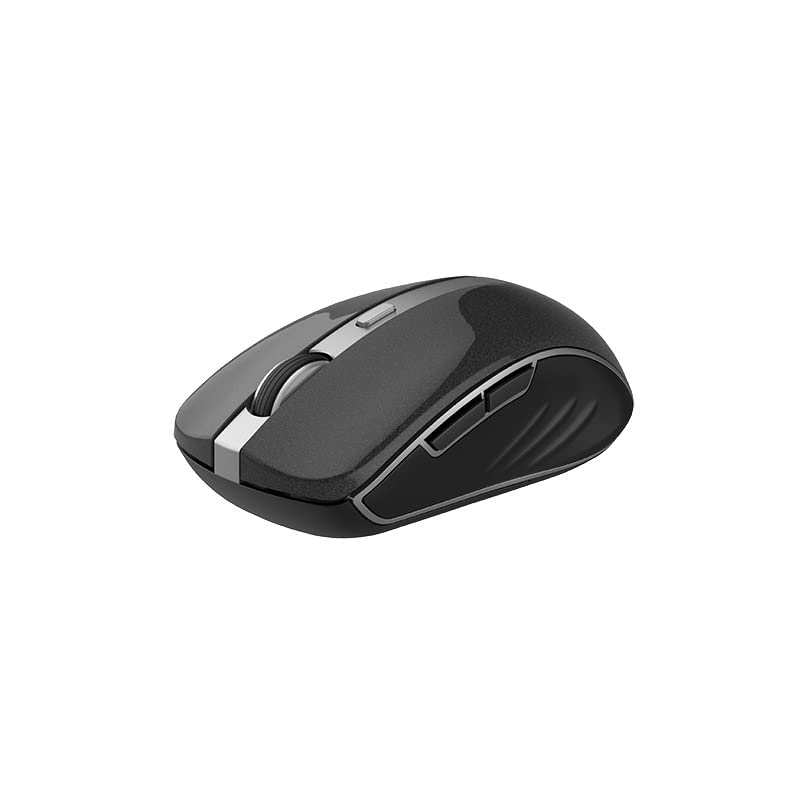
The Havit MS951GT is a wireless optical mouse designed for comfortable and precise control. It features symmetrical ergonomics, making it suitable for both left and right-handed users, and includes multi-level DPI adjustment for varied sensitivity needs.

Imaxe 3.1: Havit MS951GT Wireless Mouse highlighting key features such as DPI adjustment and side buttons.
Compoñentes clave:
- Botóns de clic esquerdo/dereito: Standard mouse functionality.
- Roda de desprazamento: Para a funcionalidade de desprazamento vertical e clic co botón central.
- Botón de axuste de DPI: Cycles through sensitivity settings (800-1200-1600 DPI).
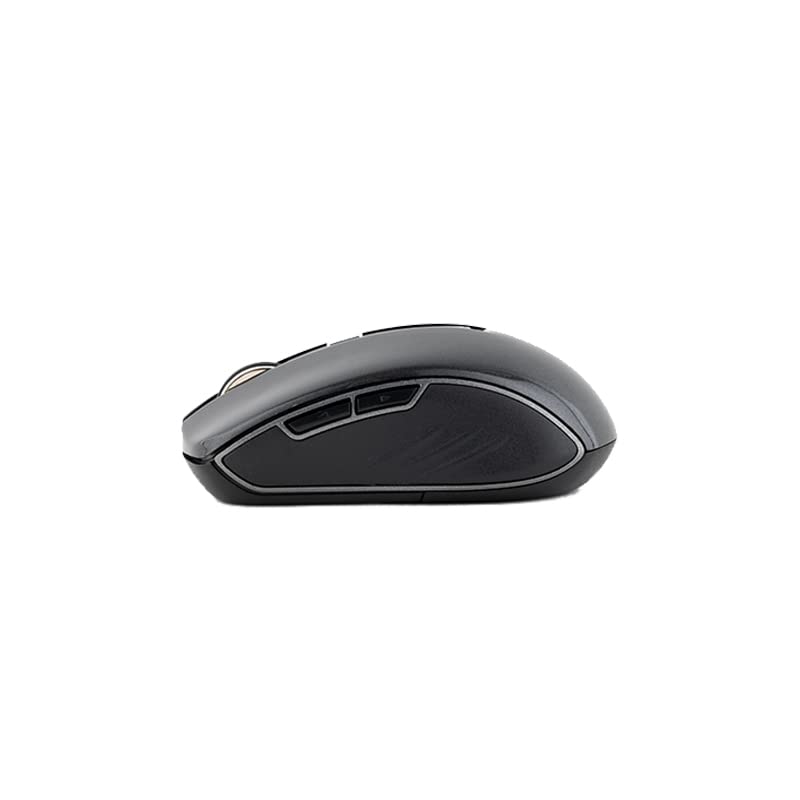
- Botóns laterais: Multi-functional, typically used for forward/backward page navigation.
- Compartimento de batería: Located on the underside of the mouse.
- Almacenamento do receptor USB: A dedicated slot on the underside for the USB receiver when not in use.
4. Configuración
4.1. Instalación da batería
- Turn the mouse over to access the underside.
- Locate the battery compartment cover and gently slide or lift it off.
- Insert one AA battery into the compartment, ensuring the polarity (+/-) matches the indicators inside.
- Volva colocar a tapa do compartimento da batería ata que encaixe firmemente no seu lugar.
4.2. Conexión do receptor USB
- Locate the USB receiver, which is typically stored in a slot on the underside of the mouse or within the packaging.
- Conecte o receptor USB a un porto USB dispoñible no seu ordenador.
- Your computer should automatically detect and install the necessary drivers. This is a plug-and-play device, so no additional software installation is usually required.
Imaxe 4.1: The underside of the Havit MS951GT mouse, illustrating the battery compartment and the storage slot for the USB receiver.
5. Instrucións de funcionamento
5.1. Funcións básicas do rato
- Clic esquerdo: Select items, open files, activate links.
- Clic dereito: Access context menus.
- Roda de desprazamento: Desprácese cara arriba ou cara abaixo polos documentos e web pages. Pressing the scroll wheel often acts as a middle-click.
5.2. Axuste de DPI
The DPI (Dots Per Inch) button, located behind the scroll wheel, allows you to adjust the mouse's sensitivity. Pressing this button will cycle through the available DPI settings:
- 800 DPI: Lower sensitivity for precise tasks.
- 1200 DPI: Sensibilidade estándar para uso xeral.
- 1600 DPI: Higher sensitivity for faster cursor movement.
Escolle a configuración de DPI que mellor se adapte ás túas preferencias e aos requisitos da tarefa.
5.3. Side Buttons
The Havit MS951GT features multi-function side buttons, typically located on the left side of the mouse. By default, these buttons are configured for:
- Botón de avance: Navega cara adiante web navegadores ou file exploradores.
- Botón de retroceso: Navega cara atrás en web navegadores ou file exploradores.
Imaxe 5.1: Lado view of the Havit MS951GT mouse, illustrating the position of the multi-function side buttons.
6. Mantemento
6.1. Limpeza
Para manter un rendemento e unha hixiene óptimos, limpa o rato regularmente:
- Desconecte o receptor USB do seu ordenador.
- Use un pano suave e sen pelusa lixeiramente dampEnxágüe con auga ou unha solución de limpeza suave para limpar a superficie do rato.
- Evite o uso de produtos químicos agresivos ou materiais abrasivos.
- Use a cotton swab or compressed air to clean around the scroll wheel and optical sensor.
6.2. Substitución da batería
When the mouse performance degrades or it stops responding, it is likely time to replace the AA battery. Refer to Section 4.1 for battery installation instructions.
6.3. Almacenamento
When not in use for an extended period, the mouse features a built-in auto-sleep function to conserve battery life. For transport or long-term storage, it is recommended to:
- Remove the AA battery to prevent leakage.
- Store the USB receiver in its dedicated slot on the underside of the mouse to prevent loss.
7 Solución de problemas
If you encounter issues with your Havit MS951GT Wireless Mouse, please refer to the following common solutions:
7.1. O rato non responde
- Comprobar a batería: Ensure the AA battery is correctly inserted and has sufficient charge. Replace if necessary.
- Comprobar o receptor USB: Asegúrate de que o receptor USB estea conectado correctamente a un porto USB que funcione no teu ordenador. Proba cun porto USB diferente.
- Ciclo de enerxía: Turn off the mouse (if it has a power switch), remove the battery, wait a few seconds, then reinsert the battery and turn it back on.
7.2. Movemento errático do cursor
- Limpar o sensor óptico: Dust or debris on the optical sensor can cause erratic movement. Clean the sensor on the underside of the mouse with a soft, dry cloth or compressed air.
- Superficie de comprobación: Asegúrate de usar o rato sobre unha superficie limpa, non reflectante e uniforme. Evita o vidro ou as superficies moi reflectantes.
7.3. Connection Issues / Lag
- Reducir a interferencia: Move the mouse closer to the USB receiver. Avoid placing the receiver near other wireless devices (e.g., Wi-Fi routers, cordless phones) that might cause interference.
- Re-plug Receiver: Desconecte e volva conectar o receptor USB.
8. Especificacións
| Característica | Especificación |
|---|---|
| Marca | Havit |
| Modelo | MS951GT |
| Tecnoloxía sen fíos | 2.4 GHz |
| Distancia sen fíos | 10 m |
| Niveis de DPI | 800-1200-1600 DPI |
| Número de chave | 6 (Left, Right, Scroll, DPI, 2 Side Buttons) |
| Fonte de alimentación | 1 * AA Battery |
| Dimensións (LxWxH) | 50 x 50 x 50 mm (aproximadamente) |
| Peso do elemento | 100 g |
| Compatibilidade do sistema operativo | Windows XP and above (PC, Laptop) |
| Material | Plástico |
| Orientación das mans | Ambidiestro |
9. Garantía e soporte
Havit products are designed for reliability and performance. For information regarding warranty coverage, please refer to the warranty card included with your product or visit the official Havit website. If you require technical assistance or have questions not covered in this manual, please contact Havit customer support through their official channels.
Conserve o comprobante de compra para reclamacións de garantía.


