Introdución
The RetroSound Europa DIN Radio Motor 2 combines classic European radio aesthetics from the 1960s and 70s with modern audio technology. This unit is designed for easy installation in vehicles requiring a DIN-sized radio. It features integrated shafts for simplified assembly and includes a universal DIN mounting kit. This manual provides instructions for the proper setup, operation, and maintenance of your RetroSound Europa DIN Radio Motor 2.

Image: The RetroSound Europa DIN Radio Motor 2 unit shown with its retail packaging, highlighting its classic design.
Configuración e instalación
The RetroSound Europa DIN Radio Motor 2 requires assembly and proper electrical connection. Follow these steps for installation:
- Montaxe: The unit features integrated shafts for simplified assembly. Attach the faceplate and knobs according to the included assembly guide.
- Montaxe: Use the universal DIN mounting kit to secure the radio into your vehicle's dashboard opening. Ensure a snug and stable fit.
- Conexións de cableado: Connect the included wiring harness to the radio's rear ports. Refer to the diagram below for specific connections.
- Power/Speakers: Connect the main harness for power supply and speaker outputs.
- Antena: Connect your vehicle's antenna cable to the radio's antenna input.
- Micrófono externo: Plug in the included Bluetooth microphone for hands-free calling.
- Porto USB: Connect USB devices for media playback or charging.
- Line Out (Front/Rear): Use these RCA outputs to connect external amplevantadores.
- Saída do subwoofer: Connect a dedicated subwoofer ampmáis vivo.
- Controis de radio: Connect any optional steering wheel control interfaces if applicable.
- Encendido inicial: After all connections are secure, turn on your vehicle's ignition to power the radio.

Imaxe: Traseira view of the RetroSound Europa DIN Radio Motor 2, showing labeled connection points for power, speakers, antenna, external microphone, USB, and RCA line outputs.
Instrucións de funcionamento
Familiarize yourself with the controls and functions of your RetroSound Europa DIN Radio Motor 2.
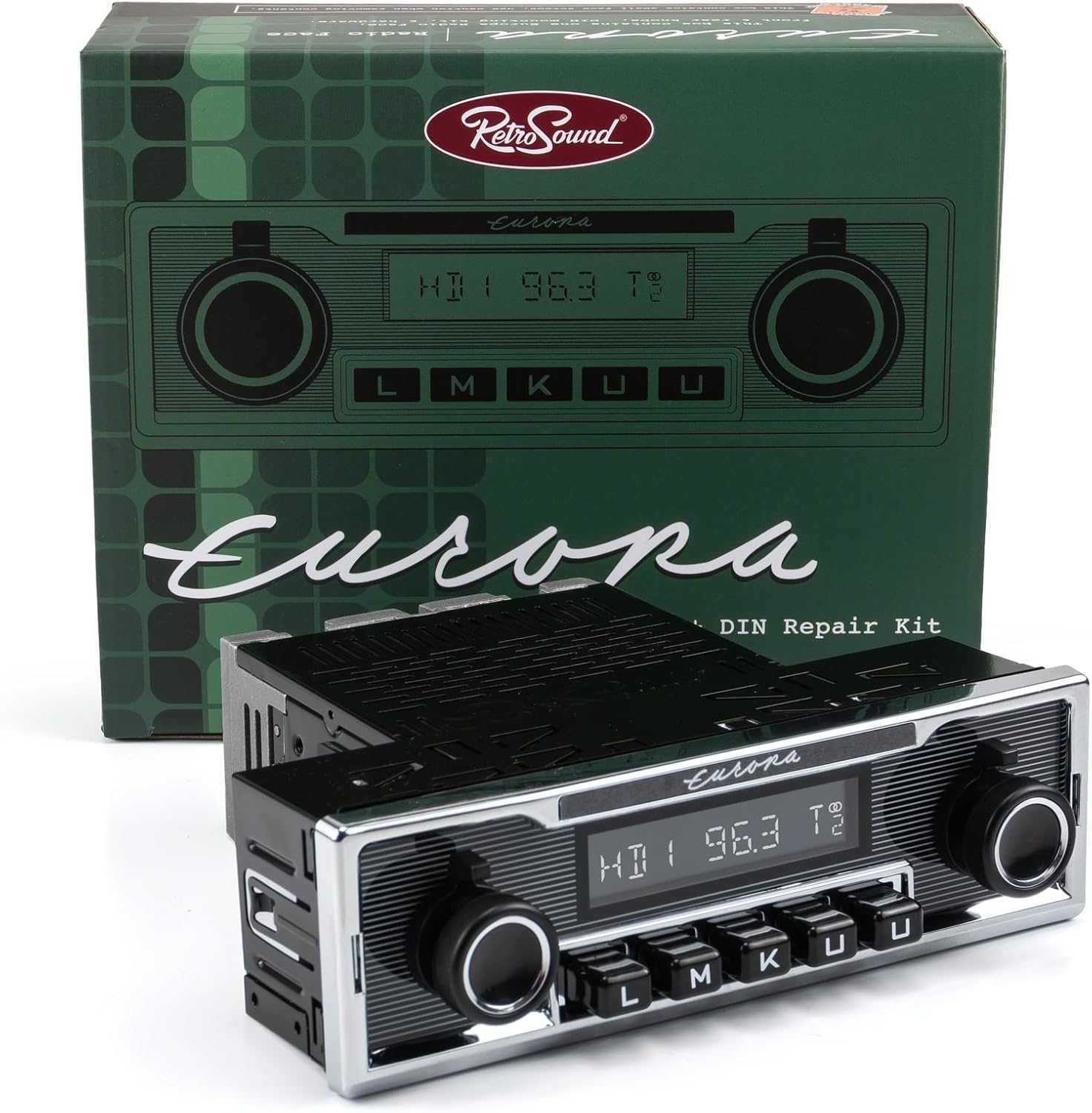
Imaxe: Fronte view of the RetroSound Europa DIN Radio Motor 2, displaying the display, control knobs, and push-buttons.
Funcións básicas:
- Encendido/apagado: Press the left knob to turn the unit on or off.
- Control de volume: Rotate the left knob to adjust the volume level.
- Selección da fonte: Use the push-buttons or right knob to cycle through available audio sources (AM/FM, Bluetooth, USB, Auxiliary).
- Visualización: The 32,000-color display shows current station, track information, or menu options. The color is adjustable to match your vehicle's gauge color.
Radio Tuner (AM/FM RDS):
- Afinación: Use the right knob to manually tune frequencies or seek for stations.
- Presets: The unit supports 30 presets. Press and hold a preset button to save the current station. Briefly press to recall a saved station.
- Tuner Frequencies: Selectable tuner frequencies are available for USA, EUR, AUS, JAP, and RUS regions. Adjust this setting in the system menu if needed.
Bluetooth Connectivity (Version 5.0):
The unit features built-in Bluetooth for hands-free calling and audio streaming.
- Emparejamento:
- Asegúrate de que o Bluetooth estea activado no teu dispositivo móbil.
- Select "Bluetooth" as the source on the radio.
- Busca available devices on your phone and select "RetroSound Europa" (or similar).
- Confirma o emparellamento en ambos dispositivos se se che solicita.
- Chamadas mans libres: Once paired, calls will route through the radio and the external microphone.
- Transmisión de audio: Play audio from your paired device directly through the radio.
USB and Auxiliary Input:
- Porto USB: Connect USB flash drives for audio playback. The USB port also provides 2.1-amp device charging. It is compatible with Made for iPod/iPhone and Android devices.
- Entrada auxiliar: Connect portable audio devices using a 3.5mm auxiliary cable (cable not included).

Image: The RetroSound Europa DIN Radio Motor 2 installed in a vehicle's dashboard, demonstrating its integrated appearance.
Mantemento
To ensure the longevity and optimal performance of your RetroSound Europa DIN Radio Motor 2, follow these simple maintenance guidelines:
- Limpeza: Use a soft, dry cloth to clean the unit's faceplate and display. Avoid abrasive cleaners or solvents, which can damage the finish.
- Condicións ambientais: Protect the unit from extreme temperatures, direct sunlight for prolonged periods, and excessive moisture.
- Conexións: Comprobe periodicamente todas as conexións do cableado para asegurarse de que estean seguras e libres de corrosión.
Resolución de problemas
If you encounter issues with your RetroSound Europa DIN Radio Motor 2, refer to the following common problems and solutions:
- Sen enerxía:
- Check all power connections and ensure they are securely attached.
- Verify the vehicle's fuse for the radio is not blown.
- Ensure the ignition is on.
- Sen son:
- Comproba as conexións dos altofalantes.
- Asegúrate de que o volume non estea ao mínimo nin silenciado.
- Verify the correct audio source is selected.
- Problemas de sincronización Bluetooth:
- Asegúrate de que o Bluetooth estea activado tanto na radio como no teu dispositivo móbil.
- Delete previous pairings from your phone's Bluetooth settings and try pairing again.
- Reinicie tanto a radio como o dispositivo móbil.
- Mala recepción de radio:
- Comprobe a conexión da antena.
- Ensure the antenna is fully extended (if applicable).
- Interference from other electronic devices can affect reception.
For persistent issues, contact RetroSound customer support or consult a qualified car audio technician.
Especificacións
Below are the technical specifications for the RetroSound Europa DIN Radio Motor 2 (Model: EUR-M2):
| Característica | Especificación |
|---|---|
| Número de modelo | EUR-M2 |
| Marca | RetroSound |
| Tecnoloxía de sintonizador | AM/FM RDS |
| Bandas de radio admitidas | AM, FM (USA/EUR/AUS/JAP/RUS selectable frequencies) |
| Presets | 30 (AM/FM) |
| Versión Bluetooth | 5.0 (with external microphone) |
| AmpPoder máis vivo | 300-watt peak, 25 watts RMS x 4 channels (Mosfet) |
| Porto USB | Rear-mounted, 2.1-amp device charging, compatible with iPod/iPhone/Android |
| Entrada auxiliar | Yes (for portable devices) |
| Pre-saídas | Dual RCA (for external amplifiers), Dedicated Subwoofer Output |
| Mostrar | 32,000 color adjustable |
| Peso do elemento | 3.4 libras |
| Tecnoloxía de conectividade | Auxiliar, Bluetooth, RCA, USB |
| Fonte de enerxía | Corded Electric (Vehicle 12V) |
| Memoria non volátil | Si |
Información da garantía
Specific warranty details for the RetroSound Europa DIN Radio Motor 2 are typically provided with the product packaging or on the manufacturer's official website. Please refer to these sources for the most accurate and up-to-date warranty terms and conditions. Generally, RetroSound products come with a limited warranty covering manufacturing defects for a specified period from the date of purchase.
Apoio
For further assistance, technical support, or to inquire about replacement parts, please contact RetroSound customer service. You can typically find contact information, FAQs, and additional resources on the official RetroSound websitio:
Visit RetroSound Official Websitio
When contacting support, please have your product model number (EUR-M2) and purchase details readily available.


