1. Información de seguridade
This OMTech 60W CO2 Laser Engraver is a Class 2 laser product with 0.827 mW output power. Always follow safety guidelines to prevent injury or damage. Read this manual completely before operation.
- Protección ocular: Never look directly into the laser beam. Always use appropriate laser safety glasses.
- Ventilación: Ensure adequate ventilation to remove smoke and fumes generated during operation. The built-in air assist helps, but an external exhaust system is crucial.
- Seguridade contra incendios: Do not leave the machine unattended during operation. Keep a fire extinguisher nearby. Engraving certain materials can cause flames.
- Compatibilidade de materiais: Only engrave or cut materials compatible with CO2 lasers. Avoid materials that produce toxic fumes or are highly flammable.
- Parada de emerxencia: Familiarícese coa localización e a función do botón de parada de emerxencia.
- Supervisión: The widened viewing window is made from flame retardant material for safe observation of the engraving process.
2. Produto rematadoview
The OMTech 60W CO2 Laser Engraver is designed for precision engraving and cutting on various non-metallic materials. It features a 20x28 inch (500x700 mm) work area, autofocus, and a 4-way pass-through for larger items.

Figura 2.1: Fronte view of the OMTech 60W CO2 Laser Engraver.
Características principais:
- Potencia láser: 60W CO2 laser tube.
- Área de traballo: 20x28 inches (500x700 mm).
- Enfoque automático: Automatic focal distance adjustment.
- Autolift Workbed: Adjustable workbed height.
- 4-Way Pass-Through: Accommodates larger and longer materials.
- Asistencia de aire: Integrated air assist for smoke and dust removal.
- Dual Workbeds: Includes honeycomb and aluminum blade beds.
- Compatibilidade de software: Compatible with RDWorks, LightBurn, CorelDRAW, and AutoCAD.
3. Configuración
3.1 Desembalaxe e colocación
Carefully unbox the laser engraver. Ensure the machine is placed on a stable, level surface in a well-ventilated area, away from flammable materials.
3.2 Conexións
- Potencia: Conecte o cable de alimentación a unha toma de terra.
- USB/Ethernet: Connect the machine to your computer using the provided USB or Ethernet cable.
- Bomba de auga: Connect the water pump and ensure the laser tube is properly cooled.
- Asistencia de aire: The machine has built-in air assist. Ensure the air compressor (if external) is connected and functioning.
- Sistema de escape: Connect the exhaust pipe to an external ventilation system to safely remove fumes.

Figure 3.1: Proper connection of the exhaust system is essential for safety and performance.
4. Instrucións de funcionamento
4.1 Instalación e configuración do software
Install the recommended laser software (e.g., LightBurn, RDWorks) from the provided USB flash drive or official website. Follow the software's instructions for machine connection and initial setup.
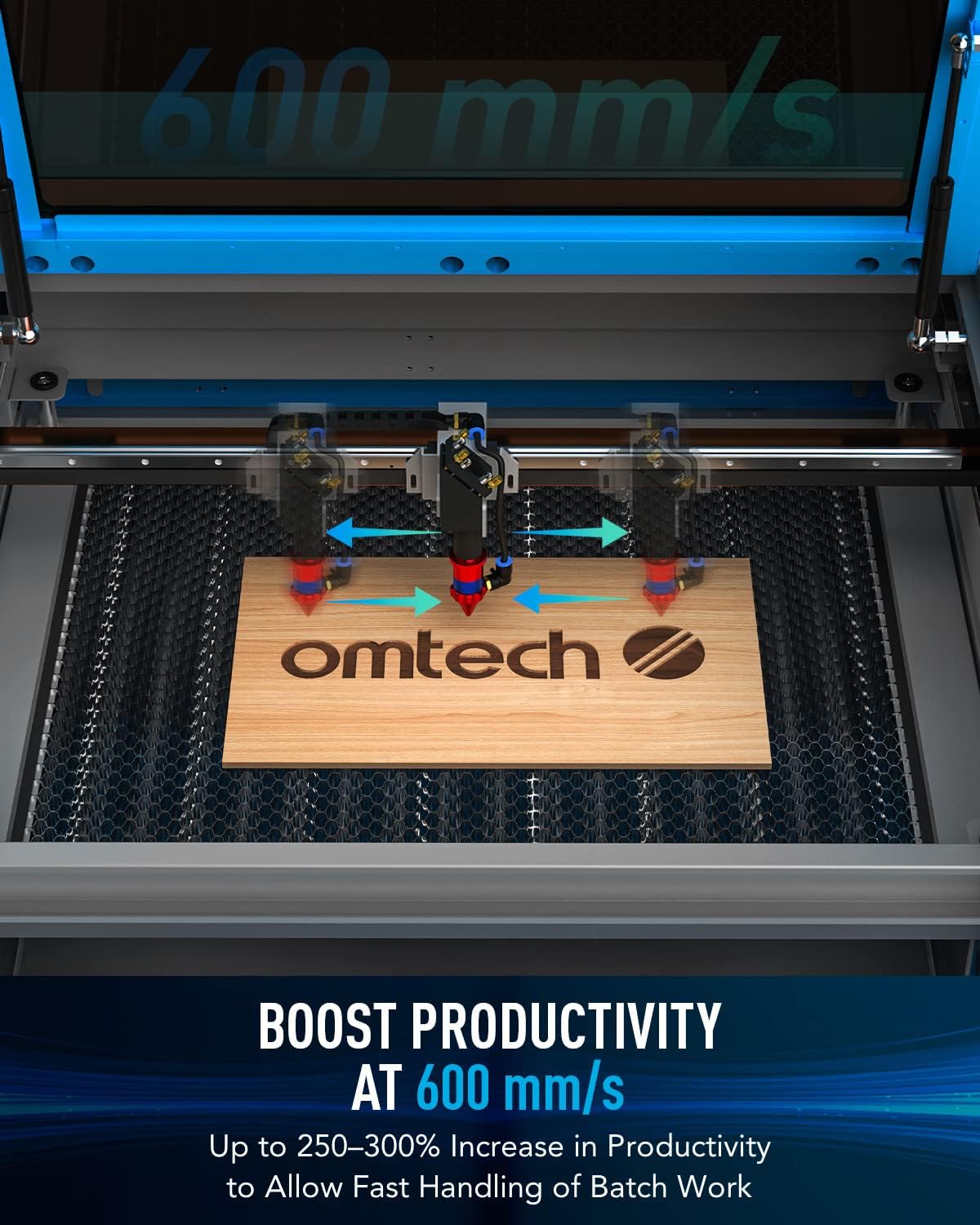
Figure 4.1: Digital control panel and compatible software interfaces.
4.2 Material Loading and Focusing
- Material de carga: Place your material flat on the workbed. For acrylic mirror, load with the non-reflective side facing up for engraving.
- Enfoque automático: Use the autofocus function to automatically set the correct focal distance. This eliminates manual adjustments and ensures precise results.

Figure 4.2: The autofocus feature automatically adjusts the laser head to the optimal focal distance.
4.3 Proceso de gravado e corte
Prepare your design in the software. Set appropriate power and speed settings for your material. Initiate the engraving or cutting process. Monitor the operation through the flame-retardant viewxanela.
Video 4.1: Demonstration of laser engraving and cutting on acrylic mirror. This video illustrates material preparation, software settings, and post-processing for acrylic mirror projects.
Video 4.2: Guide on how to laser engrave a photo using a CO2 laser engraver. This video covers image preparation and specific settings for achieving detailed photo engravings.
5. Mantemento
- Limpeza: Regularly clean the work area, lenses, and mirrors to ensure optimal performance and longevity.
- Laser Tube Care: The high-performance DC tube delivers 60W of power for up to 1000 hours of usage and doubles its lifespan when consistently used at lower settings. Ensure proper water cooling is maintained.
- Air Assist Nozzle: Keep the air assist nozzle clear of debris to maintain efficient smoke and dust removal.
6 Solución de problemas
| Problema | Causa posible | Solución |
|---|---|---|
| O láser non dispara | Power supply issue, laser tube fault, software error | Check power connections, inspect laser tube, restart software/machine |
| Mala calidade de gravado | Incorrect focus, wrong power/speed settings, dirty optics | Perform autofocus, adjust settings, clean lenses and mirrors |
| A máquina non se conecta ao ordenador | USB/Ethernet cable issue, driver problem, software configuration | Check cable, reinstall drivers, verify software settings |
| Exceso de fume/fumes | Ineffective exhaust, clogged air assist | Ensure exhaust system is powerful and clear, clean air assist nozzle |
7. Especificacións
- Dimensións do produto: 47.2 x 34.3 x 36.6 polgadas
- Peso do artigo: 249 libras
- Velocidade máxima de gravado: 600 mm/s
- Front/Back Pass Size: 32.8 x 3.7 polgadas
- Side/Side Pass Size: 20.4 x 0.7 polgadas
- Transmisión de datos: Cable USB, cable Ethernet, unidade flash USB, fóra de liña
8. Que hai na caixa
- 1 gravador láser de CO2 de 60 W
- 1 x Manual de usuario
- 1x cable de alimentación
- 1x Unidade flash USB
- 1x cable USB
- 1x cable Ethernet
- 1x cinta de dobre cara
- 1x Xogo de chaves inglesas
- 1 tubo de illamento de silicona
- 1 resistencia cerámica
- 1 tubo de escape
- 1x Limpador de tubosamp
- 1x Bomba de auga
- 1x Tubo de auga
- 1x conxunto de cables
- 6 claves
9. Garantía e soporte
This OMTech 60W CO2 Laser Engraver comes with a two-year support warranty. For technical assistance, please contact our U.S.-based technical support team. 24/7 online customer service is also available.


