1. Introdución
Thank you for choosing the Baseus Bowie D05 Wireless Headphones. This manual provides detailed instructions on how to set up, operate, maintain, and troubleshoot your new headphones. Please read this manual carefully before use to ensure optimal performance and longevity of your device.
2. Que hai na caixa
Ao desembalar, asegúrate de que estean presentes todos os seguintes elementos:
- Auriculares inalámbricos Baseus Bowie D05
- Cable de carga USB-A a USB-C
- Cable de audio de 3.5 mm
- Manual de usuario
Image: The Baseus Bowie D05 headphones shown alongside their USB-C charging cable and 3.5mm audio cable, illustrating the complete package contents.
3. Produto rematadoview
Familiarize yourself with the various parts and controls of your Baseus Bowie D05 headphones:
- Botón de acendido/multifunción: Used for powering on/off, play/pause, answering/ending calls, and activating voice assistant.
- Botón para subir o volume: Aumenta o volume, mantén premido para a seguinte canción.
- Botón para baixar o volume: Reduce o volume, mantén premido para volver á pista anterior.
- Porto de carga USB-C: Para cargar os auriculares.
- Conector de audio de 3.5 mm: Para conexión por cable.
- Indicador LED: Mostra o estado de enerxía, carga e emparellamento.
- Micrófono: Para chamadas e comandos de voz.

Imaxe: Unha detallada view of the left earcup of the Baseus Bowie D05 headphones, highlighting the location of the control buttons (volume up/down, multi-function) and the charging/audio ports.
4. Configuración
4.1 Carga dos auriculares
- Connect the USB-C end of the charging cable to the headphone's charging port.
- Connect the USB-A end to a USB power adapter (5V/1A recommended) or a computer's USB port.
- The LED indicator will show red during charging and turn off or blue when fully charged.
- Unha carga completa adoita tardar aproximadamente de 1.5 a 2 horas.
4.2 Emparejamento Bluetooth
- Asegúrate de que os auriculares estean completamente cargados.
- Press and hold the Power/Multi-function button for 3-5 seconds until the LED indicator flashes blue and red alternately, indicating pairing mode.
- No teu dispositivo (teléfono intelixente, tableta, ordenador), activa o Bluetooth.
- Busca "Baseus Bowie D05" in the list of available Bluetooth devices.
- Select "Baseus Bowie D05" to connect. Once connected, the LED indicator will flash blue slowly or turn off.
4.3 Conexión con cable (opcional)
You can use the headphones with the included 3.5mm audio cable when the battery is low or for devices without Bluetooth connectivity.
- Conecta un extremo do cable de audio de 3.5 mm á toma de audio de 3.5 mm dos auriculares.
- Conecta o outro extremo á toma de saída de audio do teu dispositivo.
- Note: Controls on the headphones may not function in wired mode.
5. Instrucións de funcionamento
5.1 Encendido/apagado
- Encendido: Manteña premido o botón de acendido/multifunción durante 3 segundos.
- Apagado: Manteña premido o botón de acendido/multifunción durante 5 segundos.
5.2 Reprodución de música
- Reproducir/Pausa: Prema brevemente o botón de acendido/multifunción.
- Subir volume: Prema brevemente o botón Subir volume.
- Baixar volume: Prema brevemente o botón para baixar o volume.
- Próxima pista: Mantén premido o botón para subir volume.
- Pista anterior: Mantén premido o botón para baixar o volume.
5.3 Xestión de chamadas
- Responder/Finalizar chamada: Prema brevemente o botón de acendido/multifunción.
- Rexeitar a chamada: Prema prolongadamente o botón de acendido/multifunción durante 2 segundos.
5.4 Conexión multidispositivo
The Baseus Bowie D05 headphones support simultaneous connection to two devices, allowing seamless switching between them.
- Connect the headphones to the first device via Bluetooth as described in section 4.2.
- Desconecta os auriculares do primeiro dispositivo (non os desemparelles).
- Connect the headphones to the second device via Bluetooth.
- Reconnect the headphones to the first device from its Bluetooth settings. The headphones should now be connected to both devices.
Image: The Baseus Bowie D05 headphones are depicted wirelessly connected to both a smartphone and a tablet, demonstrating their multi-device connectivity feature.
6. Mantemento
Para garantir a lonxevidade e o rendemento óptimo dos seus auriculares, siga estas pautas de mantemento:
- Limpeza: Usa un pano suave, seco e sen fiapos para limpar os auriculares. Non empregues produtos de limpeza abrasivos, alcol nin disolventes químicos.
- Almacenamento: Cando non os use, garde os auriculares nun lugar fresco e seco, lonxe da luz solar directa e de temperaturas extremas.
- Evitar a humidade: Manteña os auriculares lonxe da auga e da humidade excesiva.
- Manipular con coidado: Evite deixar caer os auriculares nin someterlos a impactos fortes.
7 Solución de problemas
If you encounter any issues with your Baseus Bowie D05 headphones, please refer to the following common problems and solutions:
| Problema | Posible Solución |
|---|---|
| Os auriculares non se acenden. | Asegúrate de que os auriculares estean completamente cargados. Conéctaos a unha fonte de alimentación e inténtao de novo. |
| Non se pode emparellar co dispositivo. | Ensure headphones are in pairing mode (flashing blue/red). Turn off and on Bluetooth on your device. Clear previous Bluetooth connections on your device. Move headphones closer to the device. |
| Sen son ou volume baixo. | Check headphone and device volume levels. Ensure headphones are properly connected. Try playing different audio. If using wired connection, ensure cable is fully inserted. |
| Mala calidade de son. | Move closer to your device to avoid interference. Avoid obstacles between headphones and device. Try disconnecting and reconnecting. |
| Headphones disconnect frequently. | Ensure headphones are fully charged. Keep within Bluetooth range (typically 10 meters). Avoid strong electromagnetic interference. |
Se o problema persiste despois de probar estas solucións, póñase en contacto co servizo de atención ao cliente.
8. Especificacións
Detailed technical specifications for the Baseus Bowie D05 Wireless Headphones:
- Nome do modelo: NGTD020202
- Marca: Baseus
- Tecnoloxía de conectividade: Sen fíos (Bluetooth)
- Tecnoloxía de comunicación sen fíos: Bluetooth
- Colocación do oído: Sobre orella
- Factor de forma: Sobre orella
- Tipo de controlador de audio: Driver dinámico
- Tamaño da unidade do controlador: 40 mm
- Duración da batería: Up to 70 hours of audio playback (at 70% volume)
- Porto de carga: USB-C
- Conector de audio: Jack de 3.5 mm
- Material: Plástico
- Peso do artigo: Aproximadamente 209 gramos (7.37 onzas)
- Cor: Creamy-White (as per product title, though spec says Black)
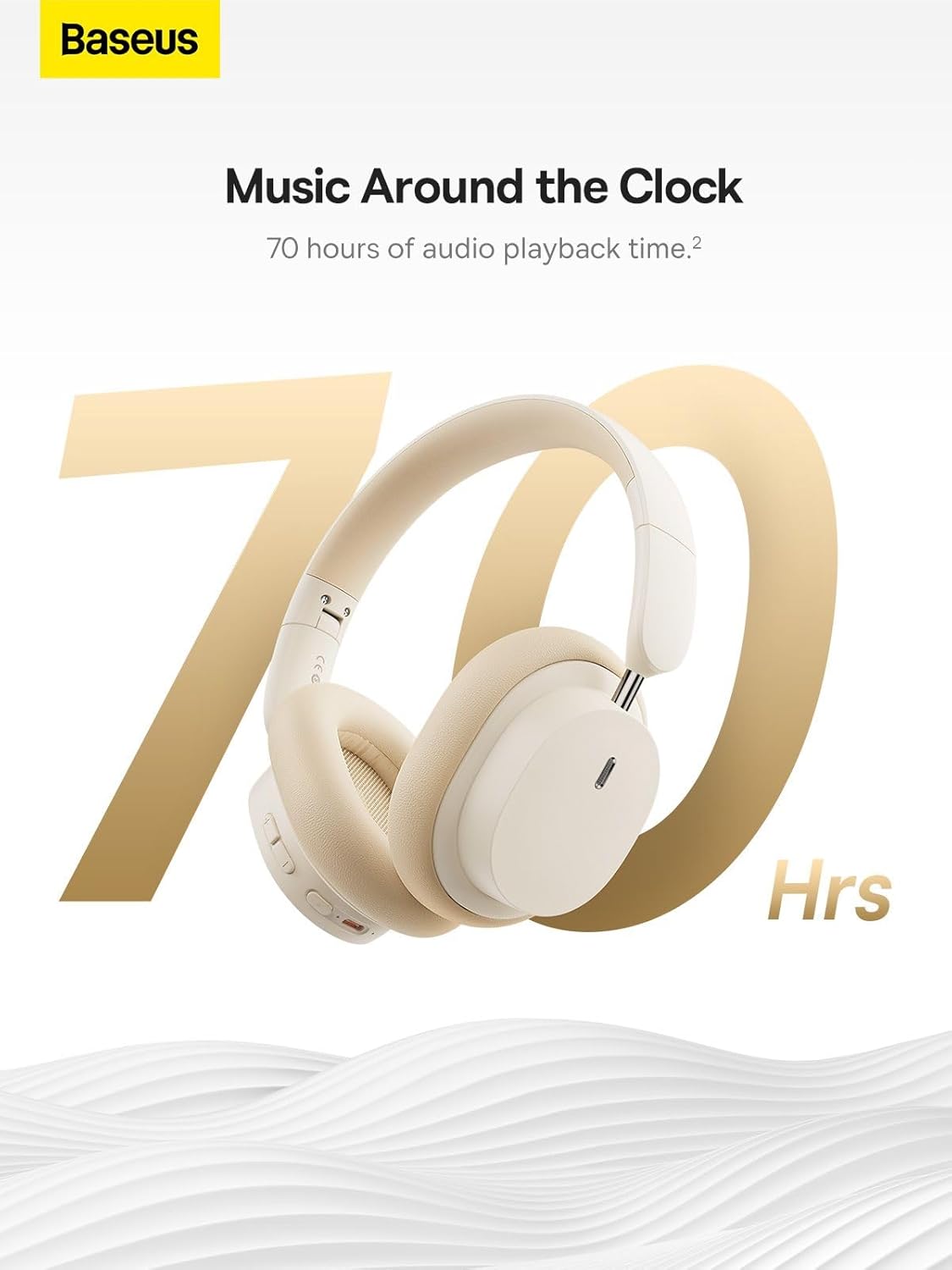
Image: The Baseus Bowie D05 headphones are featured with a prominent '70 Hrs' graphic, highlighting their extended audio playback time on a single charge.

Image: Two individuals are shown comfortably wearing the Baseus Bowie D05 headphones, emphasizing their lightweight design with the text 'Only 209g' for extended listening sessions.

Image: A visual representation of a 40mm large driver unit, illustrating its capability to deliver detailed high-end and fuller low-end audio performance.
9. Garantía e soporte
9.1 Información da garantía
Baseus products are covered by a limited warranty from the date of purchase. Please refer to the warranty card included in your product packaging or visit the official Baseus websitio web para obter información detallada sobre os termos e condicións da garantía.
9.2 Atención ao cliente
For technical assistance, troubleshooting, or warranty claims, please contact Baseus customer support through the following channels:
- Oficial Websitio: Visit the Baseus official websitio con preguntas frecuentes, recursos de asistencia e formularios de contacto.
- Soporte por correo electrónico: Consulte a embalaxe do produto ou a ficha oficial websitio para o enderezo de correo electrónico de atención ao cliente.
- Distribuidor autorizado: Contact the retailer from whom you purchased the product for assistance.



