1. Introdución
This manual provides essential information for the safe and efficient use of your Blackview Active 8 Pro Rugged Tablet. Please read this manual thoroughly before using the device to ensure optimal performance and longevity.
O Negroview Active 8 Pro is designed for durability and performance, featuring a ruggedized construction, a large-capacity battery, and advanced processing capabilities to support various demanding environments and tasks.

Figura 1: Negroview Active 8 Pro Rugged Tablet (Orange variant shown)
2. Que hai na caixa
Verifica que todos os elementos estean presentes no paquete do teu produto:
- 1x Negroview Active 8 Pro Rugged Tablet
- 1x Stylus Pen
- 1x Tempered Glass Screen Film
- 1x 33W Charger Cable
- 1x Date Cable (Type C)
- 1x OTG USB Cable
- 1x SIM/TF Card Pin
- 1x TÜV Instruction
- 1 x Destornillador

Figure 2: Package contents of the Blackview Active 8 Pro.
3. Configuración
3.1. Instalación da tarxeta SIM/TF
The tablet supports dual Nano SIM cards or one Nano SIM card and one TF (MicroSD) card for expanded storage up to 1TB.
- Localiza a ranura para tarxetas SIM/TF no lateral da tableta.
- Use the provided SIM/TF Card Pin to gently eject the tray.
- Place your Nano SIM card(s) and/or TF card into the designated slots on the tray. Ensure correct orientation.
- Volva inserir a bandexa con coidado na tableta ata que encaixe no seu lugar.
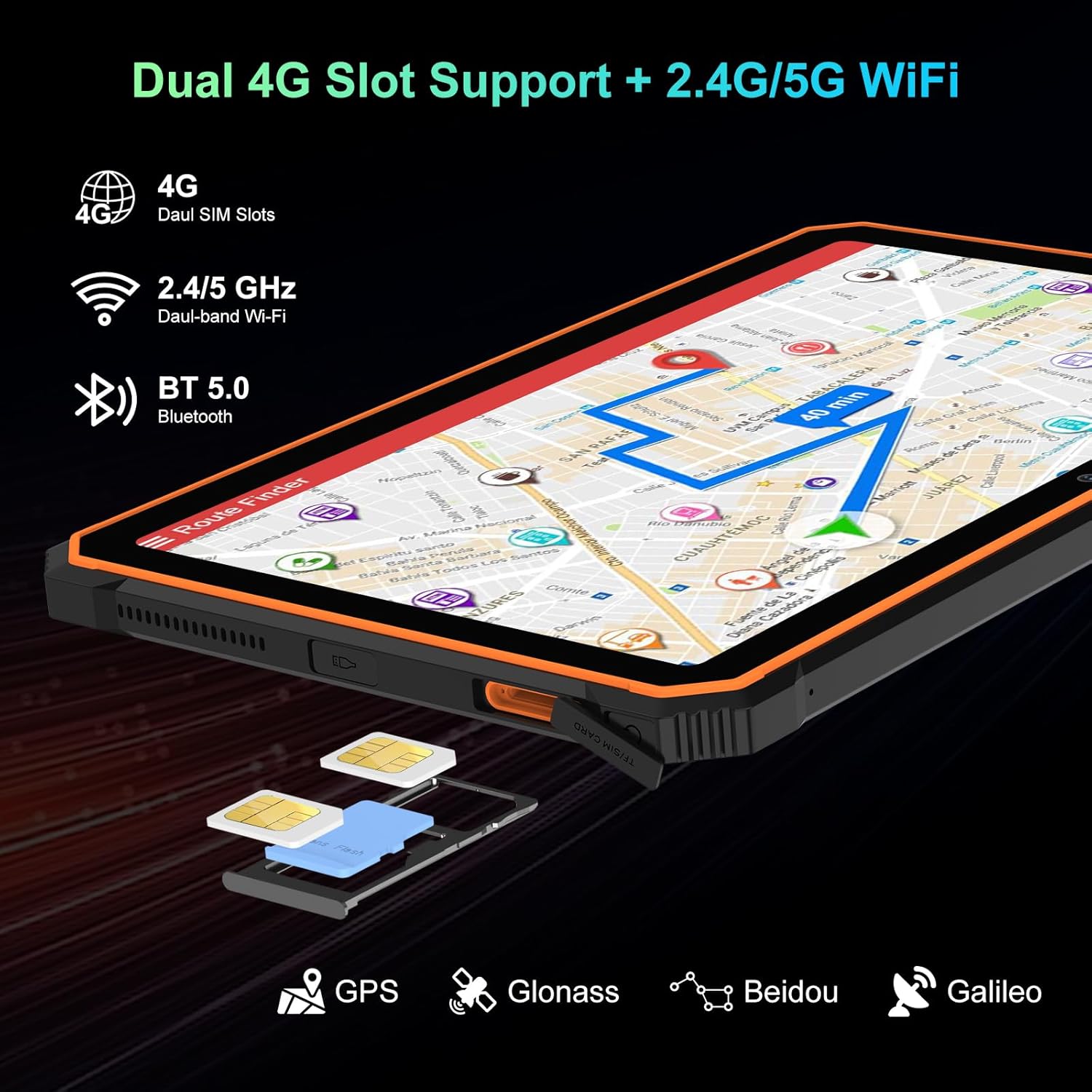
Figure 3: SIM/TF card slot location.
3.2. Acendido e carga iniciais
- Press and hold the Power Button (located on the side) until the Blackview aparece o logotipo.
- For first-time use, or if the battery is low, connect the tablet to the 33W Charger Cable and power adapter.
- Allow the tablet to charge fully before extensive use. The 22000mAh battery provides extended usage times.

Figure 4: Battery and charging overview.
Video 1: Unboxing the Blackview Active8Pro Rugged Tablet. This video demonstrates the unboxing process and initial handling of the tablet.
4. Instrucións de funcionamento
4.1. Navegación básica
- Botón de encendido: Mantén premido para acender/apagar ou reiniciar. Preme brevemente para bloquear/desbloquear a pantalla.
- Botóns de volume: Axusta o volume multimedia, o volume do ton de chamada e o volume das notificacións.
- Pantalla táctil: Navigate the Android 14 interface using taps, swipes, and pinch-to-zoom gestures.
4.2. Características da pantalla
The 10.36-inch 2.4K FHD+ IPS display offers vibrant visuals. It includes three eye-care modes and TÜV Rheinland Low Blue Light certification for comfortable viewing.
- Access display settings to adjust brightness, activate eye-care modes (Reading Mode, Night Light, Dark Mode), and customize color temperature.
- The display is protected by Tough Corning Gorilla Glass 5.

Figure 5: Display and audio features.
4.3. Uso da cámara
The tablet is equipped with a 48MP Samsung rear camera and a 16MP Hynix front camera. It supports Google Lens and Arcsoft technology for enhanced imaging.
- Abre a aplicación da Cámara desde a pantalla de inicio ou o caixón de aplicacións.
- Switch between front and rear cameras, select photo or video mode, and explore features like Beauty Mode, Improved HDR, and Portrait Mode.
- The tablet also features an Underwater Camera mode for capturing photos and videos while submerged.
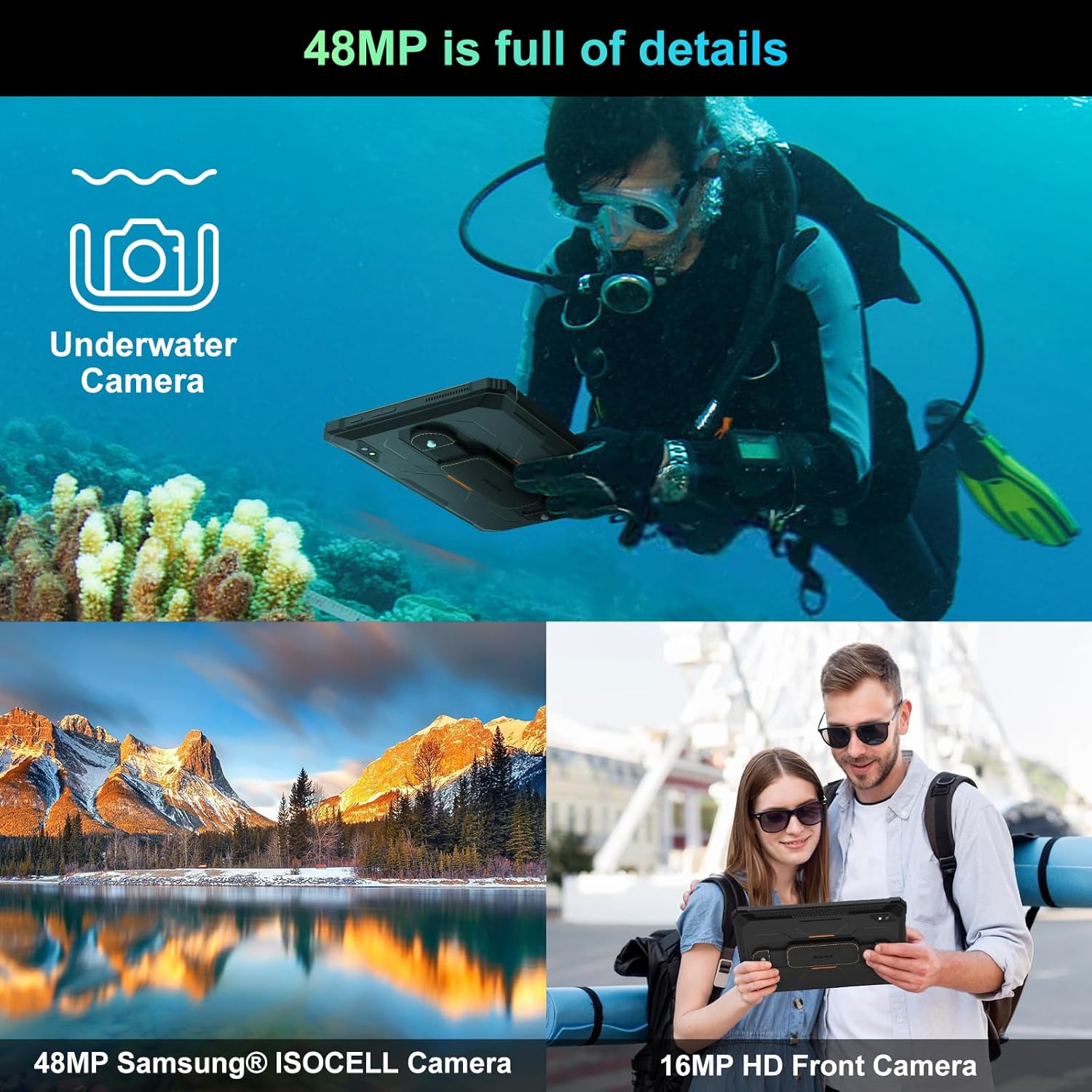
Figure 6: Camera capabilities.
4.4. Conectividade
The tablet supports 4G LTE, 5G WiFi, Bluetooth 5.0, and multiple navigation systems (GPS, Glonass, Beidou, Galileo).
- Acceso Axustes> Rede e Internet to manage Wi-Fi, mobile data, and hotspot settings.
- Acceso Settings > Connected Devices para xestionar as conexións Bluetooth.
4.5. Carga inversa OTG
The tablet's OTG (On-The-Go) function allows it to act as a power bank to charge other compatible devices using the provided OTG USB Cable.
- Connect the OTG USB Cable to the tablet's Type C port.
- Connect your external device (e.g., smartphone, smartwatch) to the other end of the OTG USB Cable.
- The tablet will begin charging the connected device.

Figure 7: OTG Reverse Charging capability.
Vídeo 2: Negroview Rugged Tablet Active 8Pro 22000mAh Android Tablet. This video highlights the tablet's features, including its large battery and OTG function.
5. Mantemento
5.1. Características robustas
O Negroview Active 8 Pro is built to withstand harsh conditions, certified with IP68 (waterproof), IP69K (dustproof), and MIL-STD-810H (dropproof).
- Impermeable: Can be submerged in up to 1.5 meters of water for 30 minutes. Ensure all port covers are securely closed before exposure to water.
- A proba de po: Totalmente protexido contra a entrada de po.
- Dropproof: Deseñado para soportar caídas de ata 1.5 metros.

Figure 8: Ruggedness certifications.
Video 3: Active8Pro Waterproof and Drop-resistant Tablet. This video showcases the tablet's durability against water and drops.
5.2. Limpeza e coidado
- Clean the screen with a soft, lint-free cloth. For stubborn smudges, use a screen cleaner designed for electronics.
- Evite o uso de produtos químicos agresivos ou materiais abrasivos.
- Ensure all ports are dry before charging or connecting accessories after water exposure.
6 Solución de problemas
Se tes problemas co teu Blackview Active 8 Pro, try the following basic troubleshooting steps:
- O dispositivo non responde: Press and hold the Power Button for 10-15 seconds to force a restart.
- Problemas de carga: Ensure the charger cable and adapter are securely connected and undamaged. Try a different outlet.
- Problemas de conectividade: Toggle Wi-Fi or Bluetooth off and on. Restart the tablet.
- Fallos da aplicación: Pecha a aplicación problemática e ábrea de novo. Se o problema persiste, borra a caché da aplicación ou reinstaláa.
- Rendemento lento: Close unused apps, clear cache, or restart the tablet. Consider freeing up storage space.
7. Especificacións
| Característica | Detalle |
|---|---|
| Modelo | Active 8 Pro |
| Sistema Operativo | Android 14 |
| Procesador | MediaTek Helio G99 (Octa-core, 3 GHz) |
| RAM | 24 GB (8 GB físico + 16 GB ampliable) |
| Almacenamento interno | 256 GB |
| Almacenamento ampliable | Ata 1 TB mediante tarxeta TF |
| Tamaño de visualización | 10.36 polgadas |
| Resolución de pantalla | 2.4K FHD+ IPS (1200*2000 Pixels) |
| Capacidade da batería | 22000 mAh |
| Cargando | Carga rápida de 33 W, carga inversa OTG |
| Cámara traseira | 48MP (Samsung) |
| Cámara frontal | 16MP (Hynix) |
| Conectividade | 4G LTE, 5G WiFi (802.11ac), Bluetooth 5.0 |
| Navegación | GPS, Glonass, Beidou, Galileo |
| Robusteza | IP68, IP69K, MIL-STD-810H |
| Dimensións | 10.09 x 6.53 x 0.66 polgadas |
| Peso | 2.15 libras |
Video 4: Benchmark Score of Active8Pro Android 14 Rugged Tablet. This video demonstrates the tablet's performance capabilities.
Video 5: Battery Life of Active8Pro (22000mAh). This video illustrates the extended battery life of the tablet.
8. Garantía e soporte
Negroview ofrece a 2 ano de garantía for this tablet. This includes free repair warranty and lifetime technician support.
For any questions or assistance, please contact Blackview customer service. They are committed to providing satisfactory solutions and ensuring a great user experience.

Figura 9: Negroview Garantía de dous anos de asistencia.


