1. Introdución
This manual provides essential information for the proper use and maintenance of your Reflex Active Series 23 Smart Watch. Please read it thoroughly before using your device to ensure optimal performance and longevity.
The Reflex Active Series 23 Smart Watch is designed to integrate seamlessly into your daily life, offering features such as communication, health monitoring, and activity tracking. It features a black strap and a black brushed alloy case.
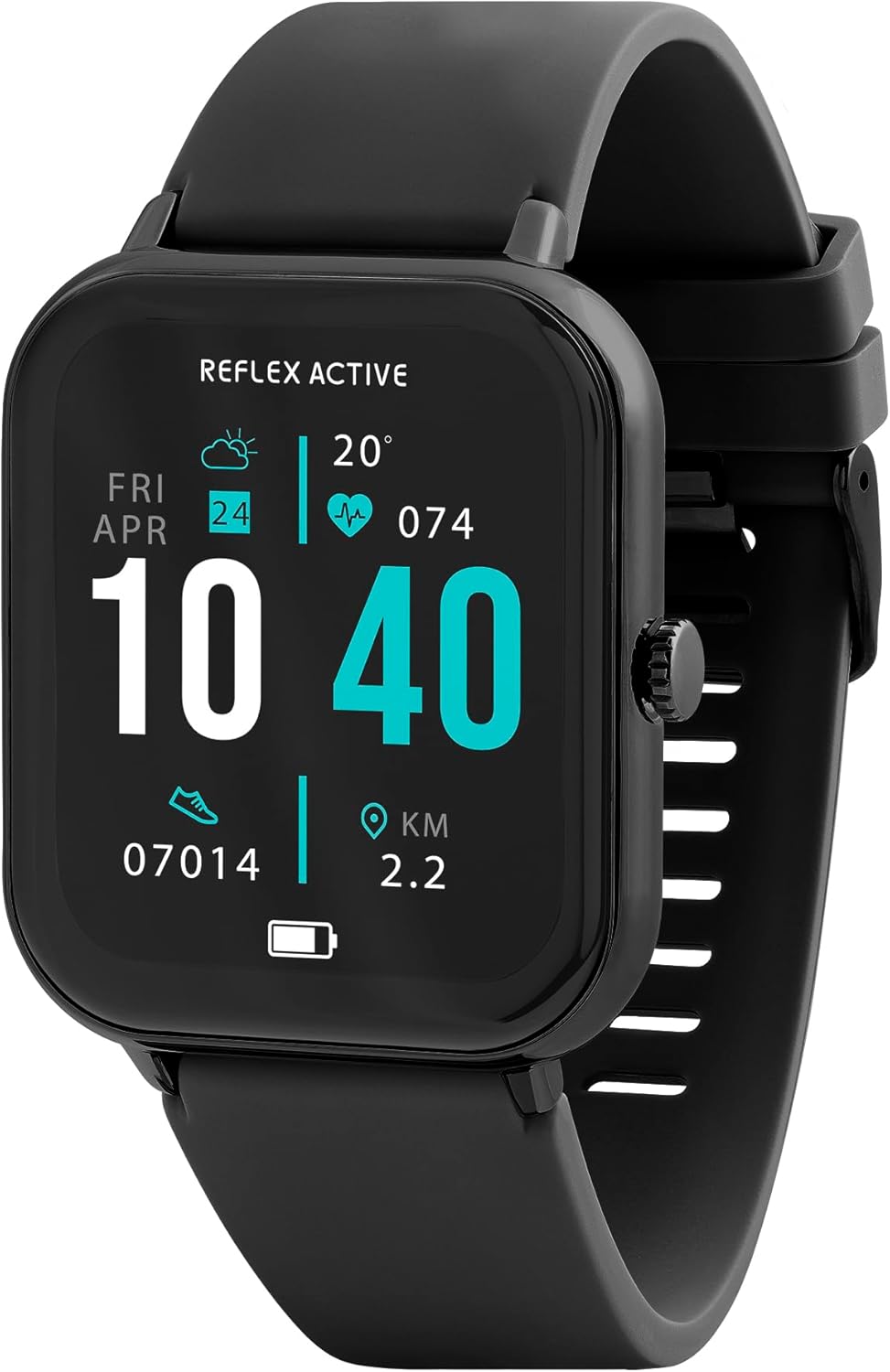
Image 1.1: Reflex Active Series 23 Smart Watch displaying key information.
2. Información de seguridade
- Exención de responsabilidade médica: This device is not a medical device. Data provided by the watch, including heart rate, blood oxygen, and activity tracking, is for reference only and should not be used for medical diagnosis or treatment. Consult a medical professional for any health concerns.
- Seguridade da batería: Do not attempt to replace the battery yourself. Improper battery replacement can lead to overheating, fire, or explosion.
- Resistencia á auga: The device is IP68 water resistant. This means it is protected against immersion in water up to 1.5 meters for up to 30 minutes. It is suitable for everyday use and shallow-water activities but not for diving or high-pressure water activities. Avoid exposure to hot water, steam, or chemicals.
- Risco de asfixia: Manteña o dispositivo e os seus accesorios fóra do alcance dos nenos pequenos.
- Seguridade na condución: Do not operate the watch or check notifications while driving or in situations that require full attention.
- Irritación cutánea: If you experience skin irritation, redness, or discomfort, discontinue use and consult a doctor. Ensure the watch is clean and dry before wearing.
3. Configuración
3.1. Desembalaxe e Inspección Inicial
Ao abrir o paquete, comproba que estean presentes todos os compoñentes:
- Reflex Active Series 23 Smart Watch
- Cable de carga USB
- Guía de instrucións (este documento)
- Información sobre a garantía de 2 anos

Image 3.1: Package contents of the Reflex Active Smart Watch.
3.2. Carga do reloxo intelixente
Before first use, fully charge your smart watch. Connect the magnetic charging cable to the charging points on the back of the watch and plug the USB end into a compatible power adapter (not included) or a computer's USB port. The watch display will indicate charging status.
3.3. Instalación da aplicación
To unlock the full functionality of your Reflex Active Series 23 Smart Watch, you need to install the free Reflex Active Red App on your smartphone. The app is compatible with both iOS and Android devices.
- Scan the QR code in the instruction guide or search for "Reflex Active Red App" in your device's app store.
- Descarga e instala a aplicación.
- Sigue as instrucións en pantalla para crear unha conta e configurar o teu profesionalfile.

Image 3.2: Reflex Active Red App download options.
3.4. Pairing Your Smart Watch
After installing the app, follow these steps to pair your watch with your smartphone:
- Asegúrate de que o reloxo estea cargado e acendido.
- Activa o Bluetooth no teu smartphone.
- Open the Reflex Active Red App.
- Vaia á sección de emparellamento de dispositivos dentro da aplicación.
- Select your Reflex Active Series 23 from the list of available devices.
- Confirma a solicitude de emparellamento tanto no reloxo como no teléfono intelixente.
4. Funcionamento do reloxo intelixente
4.1. Navegación básica
The Reflex Active Series 23 features a responsive touchscreen and a side button for navigation:
- Pase o dedo cara arriba/abaixo: Desprácese polos menús e as notificacións.
- Pase o dedo cara á esquerda/dereita: Access quick-view widgets or different watch faces.
- Toca: Selecciona un elemento ou abre unha aplicación.
- Botón lateral: Preme para volver á pantalla de inicio ou activar a pantalla. Mantén premido para ver as opcións de acendido e apagado.
4.2. Características de comunicación
Stay connected directly from your wrist.
- Facer e recibir chamadas: Once paired, you can make and receive calls directly on your watch.
- Notificacións de mensaxes: Receive alerts for incoming messages from various apps.

Image 4.1: Receiving an incoming call on the smart watch.

Image 4.2: Smart watch displaying a wellness feature.
4.3. Health and Activity Tracking
The watch offers comprehensive tracking features:
- Monitor de frecuencia cardíaca: Rexistra continuamente a túa frecuencia cardíaca.
- Contador de pasos: Records your daily steps and distance.
- Seguimento do sono: Monitoriza os teus patróns e a calidade do sono.
- Seguimento de calorías: Estima as calorías queimadas en función da actividade.
- Seguimento do ciclo: Helps monitor menstrual cycles (via app).
- Multi-Activity Tracking: Supports various sports modes.
- Exercicios de respiración: Sesións de respiración guiada para a relaxación.
- Alertas de hidratación: Reminders to drink water.
- Recordatorios de sedentarismo: Avisa para que te movas despois de períodos de inactividade.
- Conexión GPS: Utilizes your phone's GPS for accurate route tracking during outdoor activities.

Imaxe 4.3: Acabadoview of Reflex Active Smart Watch features.
4.4. Características adicionais
- Control de música: Controla a reprodución de música no teu teléfono intelixente directamente desde o reloxo.
- Control da cámara: Usa o reloxo como obturador remoto para a cámara do teu teléfono intelixente.
- Personalised Photo Dials: Customize your watch face with your own photos via the app.
- Watch Locator: Use the app to find your watch if it's misplaced nearby.
- Actualizacións do tempo: Obtén información meteorolóxica en tempo real.
- Lanterna: A simple flashlight function on the watch display.
4.5. General Product Video
O seguinte vídeo ofrece unha visión xeralview of Reflex Active smartwatch features, including calling, notifications, health tracking, and customization. While it may feature other series, the core functionalities are similar to your Series 23.
Vídeo 4.1: Xeral rematadoview of Reflex Active Smart Watch features (Note: Features shown may vary slightly by model series).
5. Mantemento
5.1. Limpeza do reloxo intelixente
Para manter a aparencia e a funcionalidade do reloxo:
- Wipe the screen and case with a soft, lint-free cloth.
- For the strap, use a damp cloth and mild soap if necessary, then rinse thoroughly and dry completely before wearing.
- Evite o uso de produtos químicos agresivos ou materiais abrasivos.
5.2. Resistencia á auga (IP68)
Your Reflex Active Series 23 Smart Watch is rated IP68 water resistant. This means it can withstand dust, dirt, and sand, and is resistant to submersion up to a maximum depth of 1.5m underwater for up to thirty minutes. It is suitable for everyday use, such as washing hands or light rain exposure. However, it is not recommended for swimming, showering, or prolonged water exposure, especially in hot water or with soap, as this can compromise the seals.
5.3. Coidado da batería
- Charge the watch regularly to prevent deep discharge.
- Evita expoñer o reloxo a temperaturas extremas, xa que poden reducir a duración da batería.
- Use só o cable de carga proporcionado.
6 Solución de problemas
If you encounter issues with your Reflex Active Series 23 Smart Watch, try the following solutions:
- O reloxo non se acende: Asegúrate de que o reloxo estea completamente cargado. Conéctao ao cargador durante polo menos 30 minutos.
- Not pairing with smartphone:
- Asegúrate de que o Bluetooth estea activado no teu teléfono.
- Asegúrate de que o reloxo estea dentro do alcance do teu teléfono.
- Reinicia tanto o reloxo como o teléfono intelixente.
- Check if the Reflex Active Red App is updated to the latest version.
- Se xa o emparellaches, tenta desemparellar e volver emparellar o dispositivo a través da configuración de Bluetooth do teléfono e da aplicación.
- Seguimento de actividades impreciso:
- Asegúrate de levar o reloxo ben axustado no pulso, aproximadamente a un dedo por riba do óso do pulso.
- Calibrate your stride length in the Reflex Active Red App if steps or distance are consistently off.
- Ensure your personal information (height, weight, age) is accurate in the app.
- Non aparecen as notificacións:
- Check notification settings within the Reflex Active Red App to ensure desired apps are enabled.
- Verify that your phone's notification settings allow the Reflex Active Red App to send notifications.
- Asegúrate de que o reloxo estea conectado por Bluetooth.
- A pantalla non responde: Try restarting the watch by long-pressing the side button until power options appear, then select restart. If unresponsive, allow the battery to fully drain and then recharge.
7. Especificacións
| Número de modelo | RA23-2170 |
| Marca | Reflex Active |
| Material do caso | Black Brushed Alloy |
| Material da correa | Silicona negra |
| Resistencia á auga | IP68 |
| Tipo de batería | 1 polímero de litio (incluído) |
| Dimensións do paquete | 18.4 x 8.9 x 2.4 cm |
| Peso do elemento | 38 g |
| Compatibilidade | iOS & Android (via Reflex Active Red App) |
8. Garantía e soporte
Your Reflex Active Series 23 Smart Watch comes with a 2 anos de garantía desde a data de compra, cubrindo defectos de fabricación. Conserve o comprobante de compra para reclamacións de garantía.
For further assistance, troubleshooting, or warranty inquiries, please contact the UK support team. Details can be found on the Reflex Active website or within the Reflex Active Red App.
Soporte en liña: Visit the official Reflex Active websitio web con preguntas frecuentes e recursos de asistencia.
Soporte da aplicación: The Reflex Active Red App often includes a support section or contact information.


