1. Introdución
This manual provides comprehensive instructions for the FK Irons Flux Max Wireless Pen Tattoo Machine. It covers essential information regarding setup, operation, maintenance, and troubleshooting to ensure optimal performance and longevity of your device. The Flux Max is designed for professional tattoo artists, offering advanced features and ergonomic design for precision and comfort.
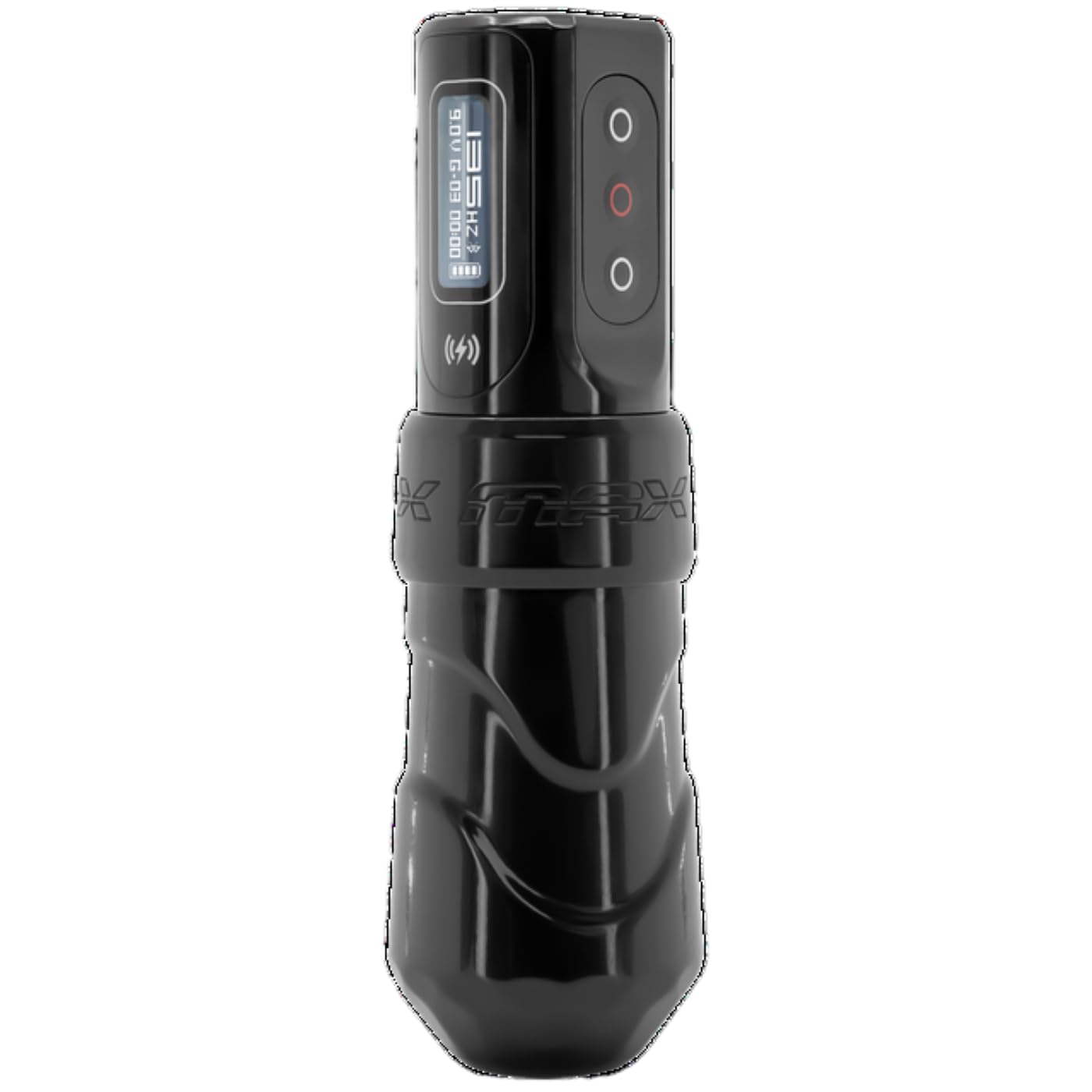
The FK Irons Flux Max wireless tattoo machine pen offers extended stroke length options, including 3.2mm, 4.0mm, and 4.5mm. It features the PowerBolt II battery pack with an OLED digital display, Bluetooth connectivity, and over 10 hours of tattooing power. The PowerBolt II allows for adjustable give directly on the device, eliminating the need for a mobile app connection. Constructed from 6061 T6 aluminum, the machine incorporates a redesigned ergonomic grip for enhanced control and comfort, with voltage adjustments available in 0.1 increment steps.
2. Características clave
- Extended Stroke Length Options: Available in 3.2mm, 4.0mm, and 4.5mm for versatile tattooing applications.
- PowerBolt II Battery Pack: Provides over 10 hours of battery life with an OLED digital display.
- Conectividade Bluetooth: Enables advanced features and connectivity.
- Adjustable Give: Control needle give directly from the PowerBolt II without requiring a mobile application.
- Deseño ergonómico: Features a redesigned grip and forward-weighted balance for maximum control and comfort during extended use.
- Precisión Voltage Axuste: Allows for fine-tuning of voltage en incrementos de 0.1 V.
- Construción duradeira: Made from high-quality 6061 T6 aluminum.
3. Información de seguridade
This device is intended for professional use only by trained and certified tattoo artists. Adherence to local health and safety regulations is mandatory.
- Só para uso externo: The tattoo machine is for external application of tattoo ink to the skin.
- Esterilización: Ensure all components that come into contact with the skin or ink are thoroughly sterilized before each use. Use appropriate sterilization methods as per industry standards.
- Uso profesional: This equipment is designed for experienced or professional tattoo artists only.
- Fonte de enerxía: Use only the provided PowerBolt II battery pack or compatible FK Irons power sources.
- Evitar a humidade: Keep the device dry. Do not immerse in liquids.
- Eliminación: Dispose of needles and other consumables according to biohazard waste regulations.
4. Configuración
4.1 Desembalaxe e inspección
Carefully unpack all components. Inspect the machine and PowerBolt II for any signs of damage. If any damage is observed, do not use the device and contact your supplier immediately.
4.2 Charging the PowerBolt II
- Connect the provided USB-C charging cable to the PowerBolt II charging port.
- Conecta o outro extremo do cable a un adaptador de corrente USB compatible (non incluído).
- The OLED display on the PowerBolt II will indicate charging status. A full charge typically takes approximately 1.5 hours.
- Ensure the PowerBolt II is fully charged before initial use for optimal battery performance.

4.3 Attaching the PowerBolt II to the Machine
- Align the PowerBolt II with the machine body, ensuring the connection points are clean and free of debris.
- Gently push and twist the PowerBolt II onto the machine body until it is securely seated. Do not force the connection.

4.4 Needle Cartridge Installation
- Asegúrese de que a máquina estea apagada.
- Select a sterile, compatible needle cartridge.
- Insert the needle cartridge into the machine's cartridge receiver, twisting gently until it locks into place.
- Adjust the needle depth by rotating the grip of the machine.
5. Funcionamento
5.1 Acendido/Apagado
- To power on, press and hold the power button on the PowerBolt II until the OLED display illuminates.
- Para apagar, manteña premido o botón de acendido ata que se apague a pantalla.
5.2 Axuste do volumetage
- Once powered on, the OLED display will show the current voltage.
- Use o up (+) e abaixo (-) buttons on the PowerBolt II to adjust the voltage en incrementos de 0.1 V.
- O vol. operativo recomendadotage range is typically between 5V and 12V, but may vary based on needle configuration and artist preference.
5.3 Adjusting Give
The PowerBolt II allows for direct adjustment of needle give. Refer to the PowerBolt II specific instructions for detailed steps on accessing and modifying give settings via the OLED display menu.
5.4 Conectividade Bluetooth
The Flux Max features Bluetooth connectivity for advanced control and firmware updates via the Darklab app. Consult the Darklab app documentation for pairing instructions and available features.
5.5 Using the Killswitch (Optional)
The FK Irons Killswitch (sold separately) can be paired with the Flux Max for wireless foot pedal control. Follow the Killswitch's pairing instructions to connect it to your machine.

5.6 Vídeo do produto
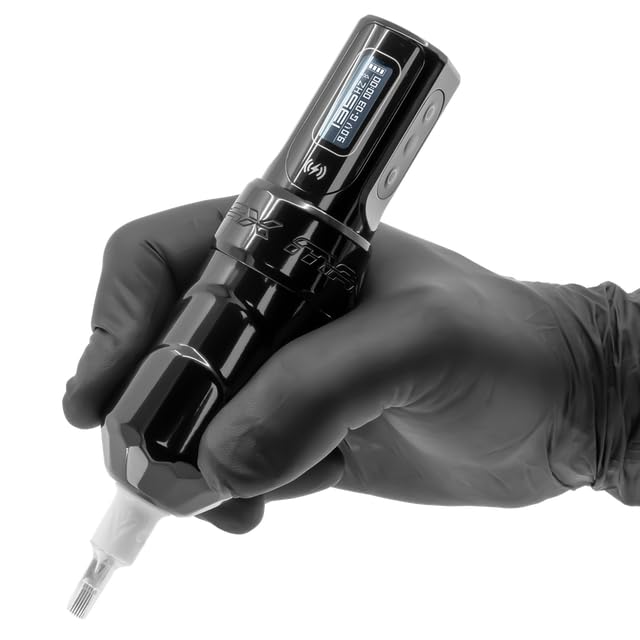
Vídeo 1: Produto oficial rematadoview of the FK Irons Flux Max, demonstrating its features and design.
6. Mantemento
6.1 Limpeza
- After each use, wipe down the exterior of the machine and PowerBolt II with a sterile wipe or a cloth dampened with an approved disinfectant solution.
- Do not spray cleaning solutions directly into the machine or PowerBolt II.
- Ensure no liquids enter the internal components or charging port.
6.2 Almacenamento
- Garde a máquina nun lugar limpo e seco, lonxe da luz solar directa e de temperaturas extremas.
- When storing for extended periods, ensure the PowerBolt II is partially charged (around 50%) to preserve battery health.
6.3 Coidado coa batería
- Evite descargar completamente a batería con frecuencia.
- Non expoña a batería a altas temperaturas.
- If the battery shows signs of damage or swelling, discontinue use immediately and dispose of it properly.
7 Solución de problemas
| Problema | Causa posible | Solución |
|---|---|---|
| A máquina non se acende. | Battery discharged. PowerBolt II not securely attached. | Charge the PowerBolt II. Reattach the PowerBolt II firmly to the machine body. |
| Inconsistent needle movement. | Loose needle cartridge. Incorrect voltagconfiguración. | Ensure needle cartridge is securely locked. Adjust voltage to recommended range. |
| PowerBolt II not charging. | Faulty cable or adapter. Charging port obstructed. | Try a different USB-C cable and power adapter. Inspect charging port for debris. |
| Problemas de conexión Bluetooth. | Out of range. App not updated. | Ensure machine is within range of the connected device. Update Darklab app to the latest version. |
If troubleshooting steps do not resolve the issue, please contact FK Irons customer support.
8. Especificacións
| Característica | Detalle |
|---|---|
| Modelo | Fluxo máx |
| Marca | Ferros FK |
| Lonxitude dos trazos | 3.2mm, 4.0mm, 4.5mm (this model is 4.0mm) |
| Tipo de batería | Ión de litio (1 incluída) |
| Duración da batería | Ata máis de 10 horas |
| Conectividade | Bluetooth |
| Voltage Axuste | 0.1V increments |
| Material | Aluminio 6061 T6 |
| Dimensións do produto | 4.87 x 1.26 x 6 polgadas |
| Peso | 6.4 onzas |
| UPC | 810034257093 |
| Fabricante | Ferros FK |

9. Garantía e soporte
For warranty information, please refer to the official FK Irons websitio web ou póñase en contacto directamente co servizo de atención ao cliente. Os termos e condicións da garantía poden variar segundo a rexión e o produto.
For technical support, troubleshooting assistance beyond this manual, or inquiries regarding parts and service, please contact FK Irons customer support through their official channels:
- Websitio: www.fkirons.com
- Información de contacto: Consulta a sección "Contacto" na páxina oficial websitio para obter números de teléfono ou asistencia por correo electrónico.


