1. Información de seguridade
Read and understand all instructions before operating the Hyper Toys 24V Go Kart Ride On. Failure to follow safety guidelines may result in serious injury.
- Requírese supervisión dun adulto: This product is intended for use under direct adult supervision.
- Equipo de protección: Always wear a helmet and appropriate safety gear (e.g., knee pads, elbow pads) when operating the Go Kart.
- Límite de peso: Do not exceed the maximum rider weight of 154 libras (70 kg).
- Superficie de operación: Operate the Go Kart only on hard, flat, dry surfaces. Avoid loose dirt, sand, gravel, steep inclines, or wet conditions.
- Área limpa: Ensure the operating area is free from obstacles, traffic, and other hazards.
- Seguridade da batería: Handle the battery according to instructions. Do not modify or expose to extreme temperatures.
- Sen pasaxeiros: This Go Kart is designed for a single rider only.
2. Produto rematadoview
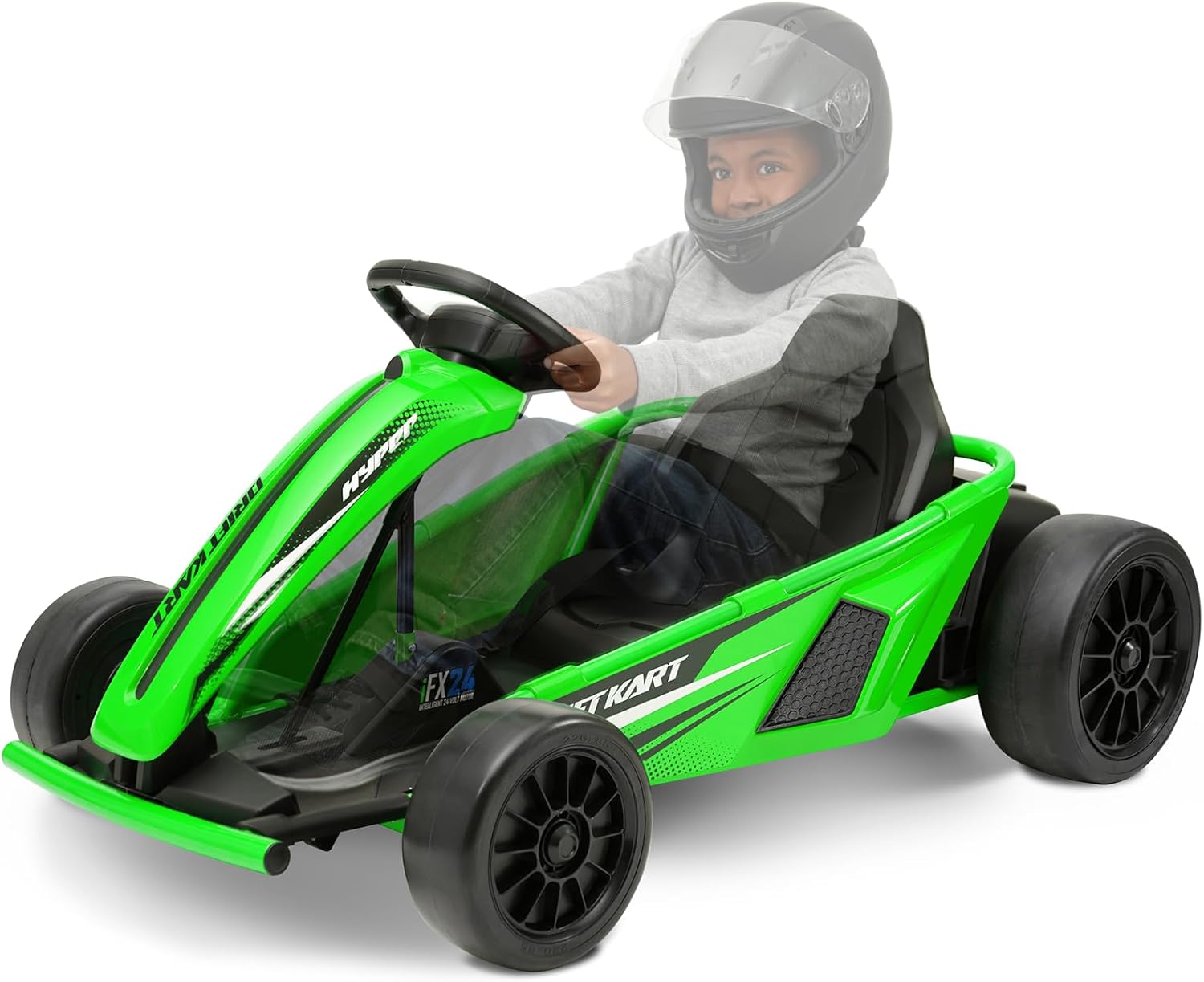
The Hyper Toys 24V Go Kart Ride On is an electric vehicle designed for recreational use on appropriate surfaces. It features multiple speed settings and a drift driving mode for an engaging experience.
Características principais:
- Fácil operación de botón
- Forward low speed: 5 mph
- Reverse speed: 5 mph
- Forward maximum speed: 9 mph
- Drift driving mode
- Realistic racing-style steering wheel
- Durable construction with a racing bucket seat


3. Instrucións de montaxe
The Hyper Toys 24V Go Kart requires some assembly before first use. Please follow these general steps. Refer to the detailed assembly manual included in the product packaging for specific diagrams and instructions.
Ferramentas necesarias:
- Wrench (size may vary)
- Desaparafusador (cabeza Phillips)
Pasos de montaxe:
- Desempaquetar compoñentes: Carefully remove all parts from the packaging and verify against the parts list in your manual.
- Attach Front Wheels: Securely attach the front wheels to the axle using the provided hardware.
- Coloque as rodas traseiras: Securely attach the rear wheels to the drive axle.
- Install Steering Column: Insert the steering column and connect it to the steering mechanism.
- Asento de montaxe: Attach the racing bucket seat to the Go Kart frame.
- Conectar batería: Locate the battery compartment, typically under the seat or chassis. Connect the battery terminals as instructed. Ensure connections are secure.
- Comprobacións finais: Before first use, ensure all bolts, nuts, and connections are tight and secure.
4. Operating the Go Kart
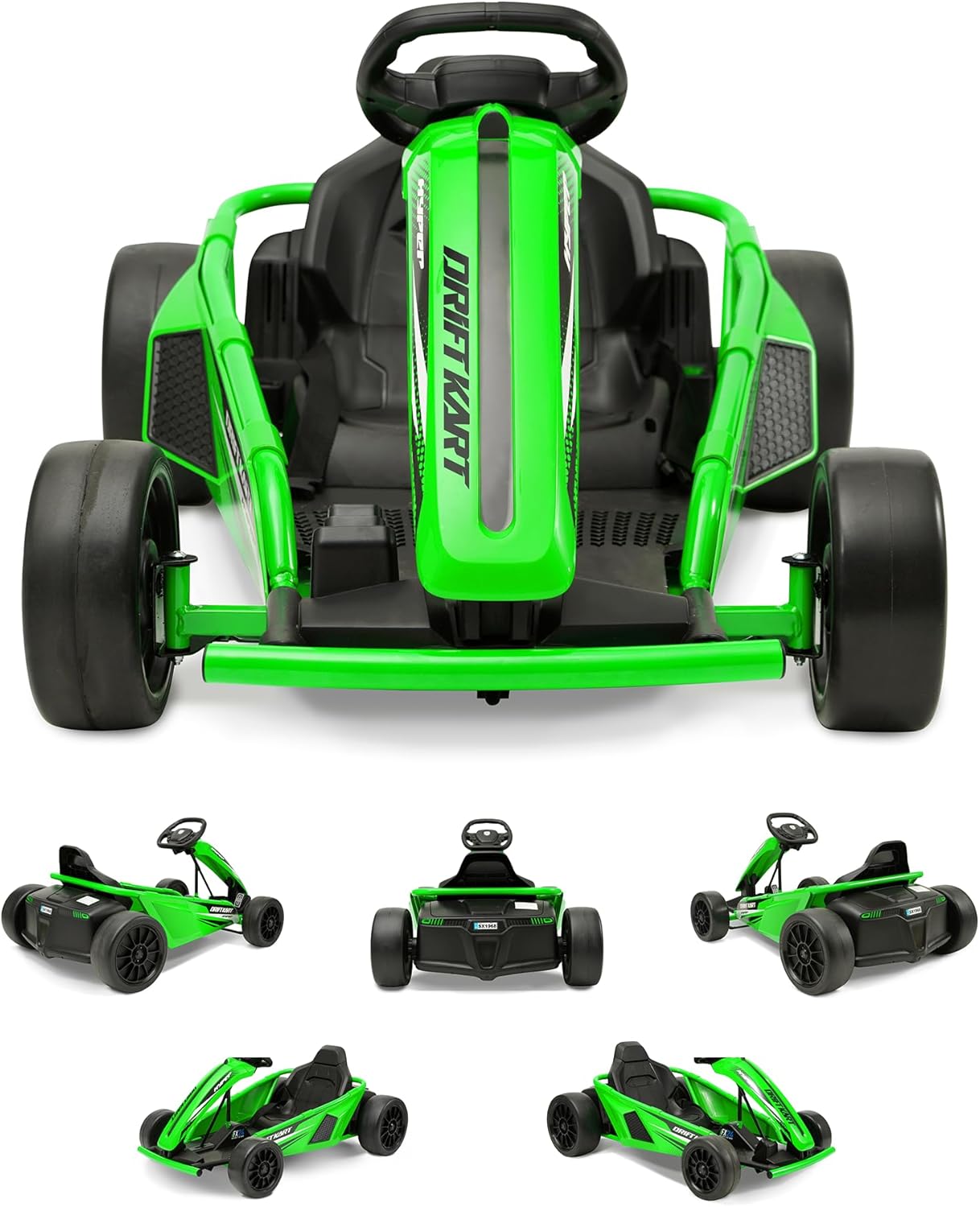
Familiarize yourself with the controls before operating the Go Kart.
Controis:
- Botón de encendido: Located on the dashboard or near the steering wheel. Press to turn the Go Kart on or off.
- Pedal do acelerador: Located on the right footrest. Press to move forward.
- Pedal de freo: Located on the left footrest. Press to slow down or stop.
- Selector de velocidade: A switch or button to select between low speed (5 mph), reverse (5 mph), and maximum speed (9 mph).
- Drift Mode Switch: Activates the drift function, typically affecting the rear wheels for controlled sliding.
Starting and Driving:
- Ensure the Go Kart is fully charged.
- Sit securely in the racing bucket seat.
- Press the power button to turn on the Go Kart.
- Select your desired speed setting (low, reverse, or max).
- Gently press the accelerator pedal to begin moving.
- Usa o volante para controlar a dirección.
- To activate drift mode, engage the drift mode switch while driving. This mode is best used on smooth, hard surfaces.
- To stop, release the accelerator and press the brake pedal.

5. Mantemento e coidados
Regular maintenance ensures the longevity and safe operation of your Go Kart.
Carga da batería:
- The Go Kart uses 1 Lithium Ion battery (included).
- Always use the charger provided with the Go Kart.
- Charge the battery fully before first use (typically 8-12 hours).
- Non sobrecargues a batería. Desconecta o cargador unha vez que a carga estea completa.
- Charge the battery after each use, even if only for a short period, to maintain battery health.
- If storing the Go Kart for an extended period, charge the battery monthly.
Limpeza:
- Wipe down the Go Kart with a damp pano despois de cada uso.
- Evite o uso de produtos químicos agresivos ou produtos de limpeza abrasivos.
- Do not spray water directly onto electrical components.
Almacenamento:
- Store the Go Kart in a dry, cool place away from direct sunlight and moisture.
- Protect the Go Kart from extreme temperatures.
Coidado das rodas:
- The Go Kart is designed for hard surfaces. Avoid rough terrain or surfaces that may cause excessive wear to the wheels.
- Periodically inspect wheels for wear and tear.
6 Solución de problemas
If you encounter issues with your Go Kart, refer to the following common problems and solutions.
| Problema | Causa posible | Solución |
|---|---|---|
| Go Kart does not move | Battery not charged; Battery connection loose; Power switch off; Motor issue | Charge battery fully; Check battery terminals for secure connection; Ensure power switch is ON; Inspect motor and wiring (contact support if needed). |
| Velocidade ou potencia reducidas | Low battery charge; Overload (exceeding weight limit); Operating on unsuitable surface | Recharge battery; Ensure rider is within weight limit; Operate on hard, flat surfaces. |
| Go Kart makes unusual noises | Loose parts; Debris in wheels/motor; Worn components | Inspect for loose parts and tighten; Clear any debris; Contact support for worn component assessment. |
| Steering is difficult or unresponsive | Steering mechanism obstruction; Loose steering components | Check for obstructions; Inspect and tighten steering connections. |
If troubleshooting steps do not resolve the issue, please contact Hyper Toys customer support.
7. Especificacións
Detailed specifications for the Hyper Toys 24V Go Kart Ride On.
| Característica | Detalle |
|---|---|
| Dimensións do produto | 46 x 11.5 x 23 polgadas (117 x 29 x 58 cm) |
| Peso do elemento | 56 libras (25.4 kg) |
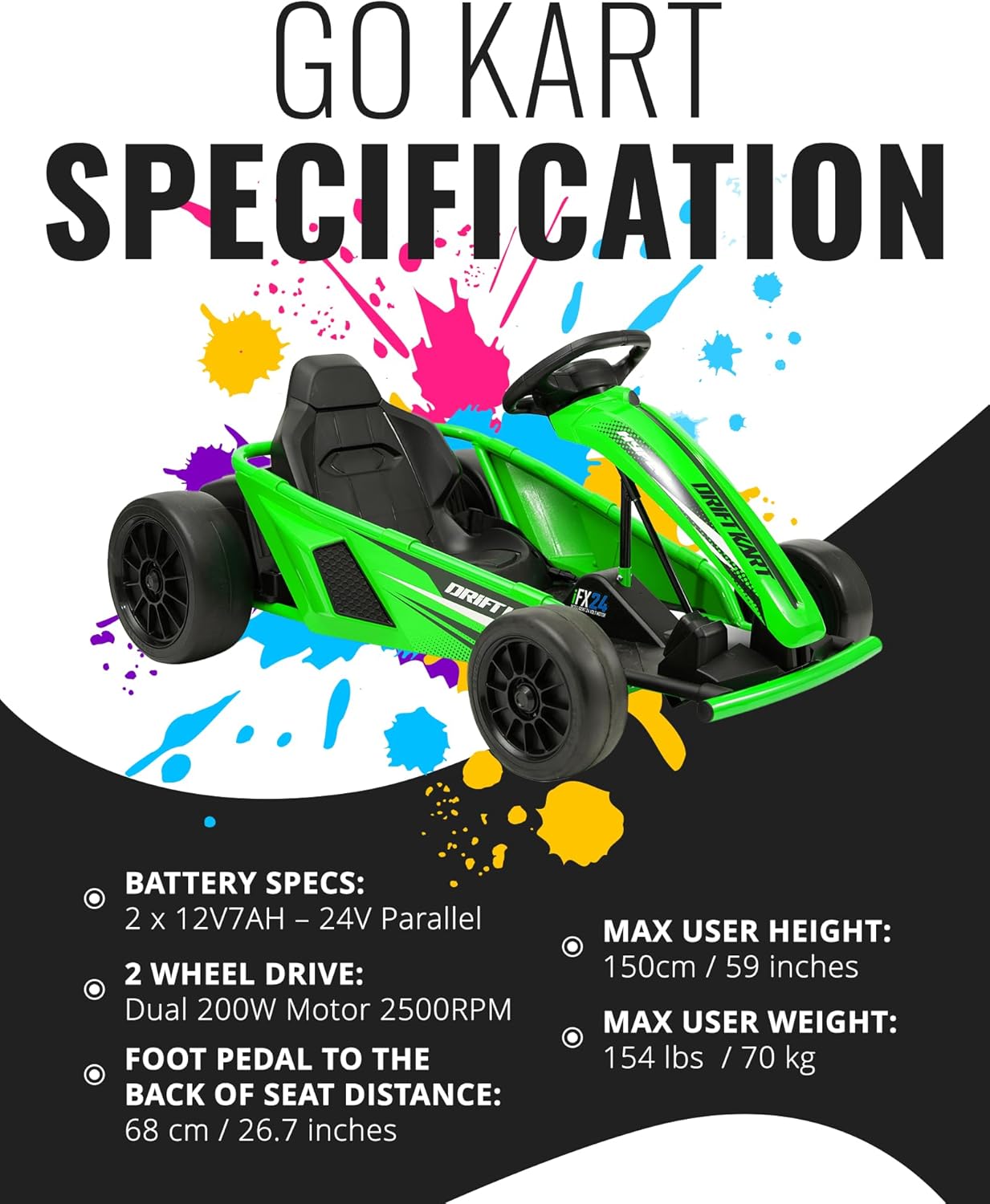
| Batería | 1 Lithium Ion battery (included), 2 x 12V7AH - 24V Parallel |
| Motor | Dual 200W Motor 2500RPM (2 Wheel Drive) |
| Peso máximo do piloto | 154 libras (70 kg) |
| Max User Height | 150 cm / 59 polgadas |
| Foot Pedal to Back of Seat Distance | 68 cm / 26.7 polgadas |
| Velocidades | Forward Low: 5 mph, Reverse: 5 mph, Forward Max: 9 mph |
| Superficie de operación | Hard surfaces only |

8. Garantía e soporte
Hyper Toy Co is committed to providing high-quality products. This product comes with a standard manufacturer's warranty covering defects in materials and workmanship under normal use.
Información da garantía:
- Please refer to the warranty card included in your product packaging for specific terms, conditions, and duration.
- Conserve o seu comprobante de compra para reclamacións de garantía.
Atención ao cliente:
For technical assistance, parts replacement, or warranty inquiries, please contact Hyper Toys customer support:
- Websitio: Visit the official Hyper Toys website (refer to product packaging for URL).
- Correo electrónico: [Insert Customer Support Email Here, if available in packaging]
- Teléfono: [Insert Customer Support Phone Number Here, if available in packaging]


