1. Introdución
Thank you for choosing the Mesqool CR1024 Projection Alarm Clock. This device combines a digital alarm clock with a time projector, displaying time on your wall or ceiling. It also features temperature and humidity monitoring, dual alarms, a night light, and USB charging ports. This manual will guide you through the setup, operation, and maintenance of your new alarm clock.
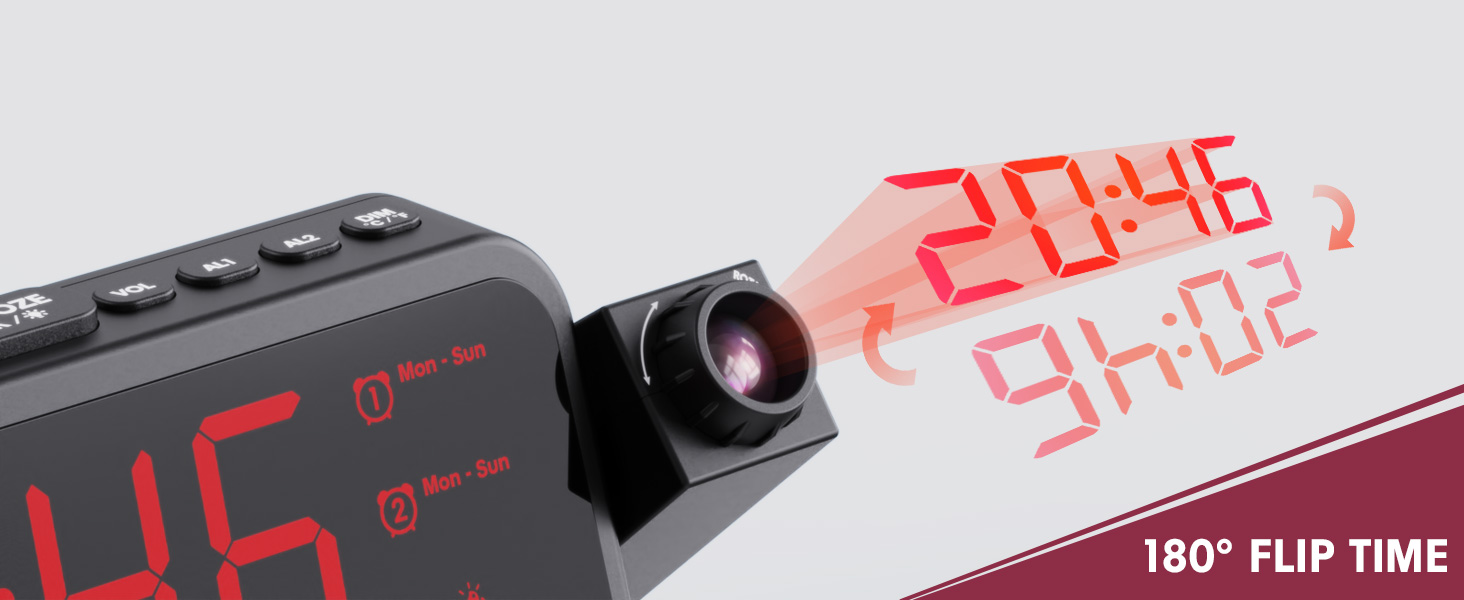
Image 1.1: Mesqool CR1024 Projection Alarm Clock with a smartphone connected for charging.
Características principais:
- 180° Swivel Projection with Adjustable Focus
- Large LED Display with Time, Date, Day, Temperature, and Humidity
- Dual Alarms with Weekday/Weekend/7-Day/One-time Modes
- 9-Minute Snooze Function
- Integrated Soft LED Night Light with Adjustable Brightness
- 7-Level Adjustable Alarm Volume
- Dimmer de visualización de 5 niveis
- Memory Function (requires 2x AAA batteries, not included)
- Dual USB Charging Ports (Type-C and USB-A)
2. Configuración
2.1 Conexión de alimentación
- Conecte o adaptador de corrente fornecido ao porto DC IN na parte traseira do reloxo despertador.
- Plug the power adapter into a standard electrical outlet. The clock display will illuminate.
- Para enerxía de reserva durante a saídatages, insert two AAA batteries (not included) into the battery compartment. This will preserve time and alarm settings.
2.2 Configuración inicial da data e da hora
- Manteña premido o HORARIO botón para entrar no modo de configuración da hora.
- Usa o + or - botóns para axustar a hora. Prema HORARIO para confirmar.
- Repeat the process to set the minute, year, month, and day.
- Preme HORARIO de novo para saír do modo de configuración.
2.3 Formato de 12/24 horas e horario de verán
- Para cambiar entre os formatos de hora de 12 horas e 24 horas, prema o botón 12/24H botón.
- To activate or deactivate Daylight Saving Time (DST), press the DST button. An indicator will appear on the display when DST is active.

Image 2.1: The clock displaying time in both 12-hour and 24-hour formats.
3. Instrucións de funcionamento
3.1 Configuración de alarmas
O reloxo admite dúas alarmas independentes (AL1 e AL2).
- Manteña premido o AL1 or AL2 botón para entrar no modo de configuración da alarma.
- Usa o + or - buttons to adjust the alarm hour. Press the respective alarm button (AL1 or AL2) para confirmar.
- Repeat to set the alarm minute.
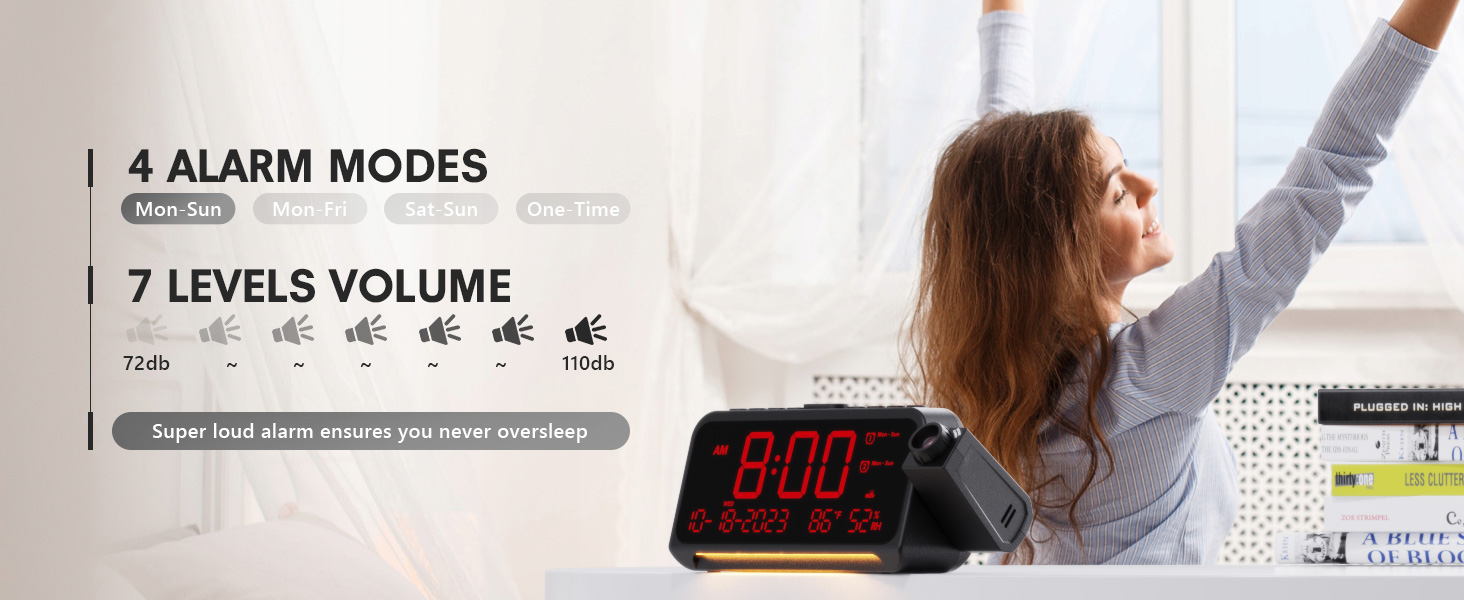
- After setting the minute, use + or - to select the alarm mode: Mon-Sun, Mon-Fri, Sat-Sun, or One-time.
- Press the alarm button again to confirm and exit.
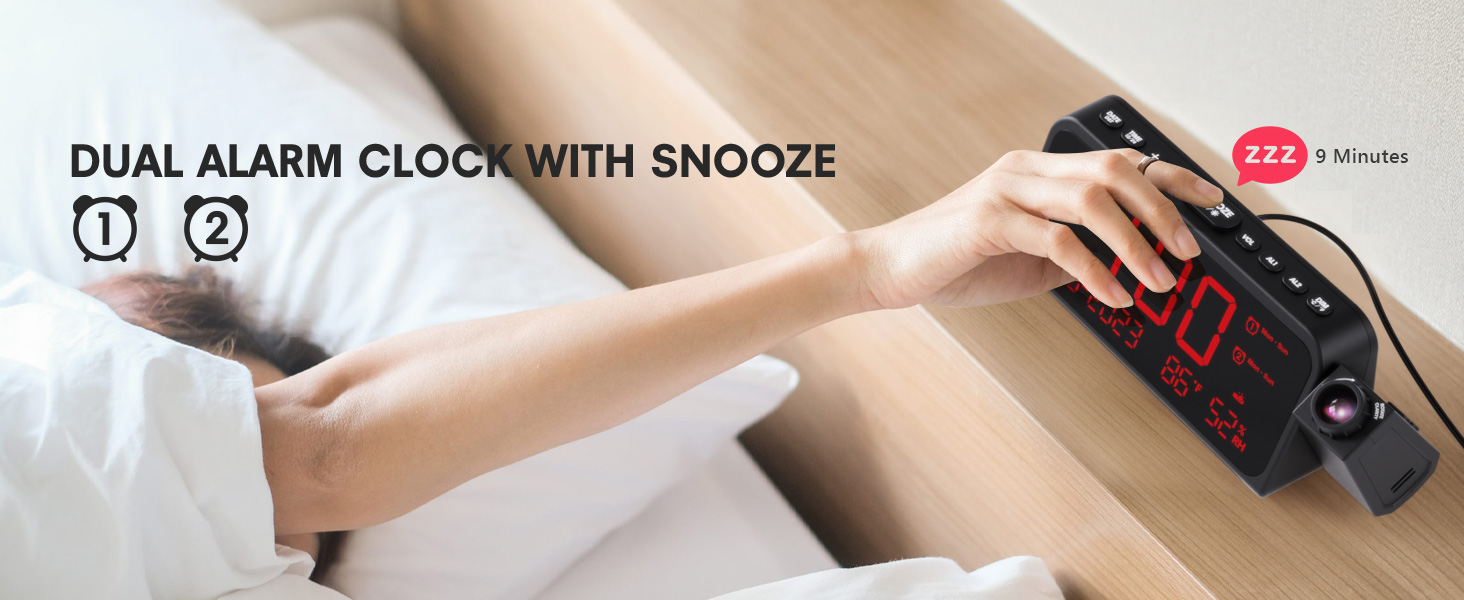
Image 3.1: The clock displaying dual alarm settings and snooze functionality.
3.2 Función Snooze
Cando soe unha alarma, prema o botón grande SNOOZE/OK/* botón para activar a función de repetición da alarma. A alarma porase en pausa durante 9 minutos e logo volverá soar.
3.3 Axuste do volume da alarma
Preme o VOL button to cycle through 7 levels of alarm volume. Adjust to your preferred loudness.

Image 3.2: Visual representation of the 4 alarm modes and 7 adjustable volume levels.
3.4 Configuración da proxección
- Proxección ON/OFF: Preme o PROXECCIÓN botón para activar ou desactivar a proxección.
- Brillo da proxección: Prema repetidamente o PROXECCIÓN button to cycle through 5 brightness levels (Dim, Low, Medium, High, Full).
- Orientación da proxección: The projector arm can swivel 180 degrees. Rotate the arm to direct the time display to your desired surface (wall or ceiling).
- Axuste do foco: Use the focus ring on the projector lens to sharpen the projected image.
Imaxe 3.3: Detallada view of the projection features, including distance, time flip, rotation, focus, and brightness levels.
3.5 Atenuador de pantalla
Preme o DIMMER button to adjust the brightness of the main LED display. There are 5 levels of brightness to choose from, allowing you to customize it for comfort, especially at night.
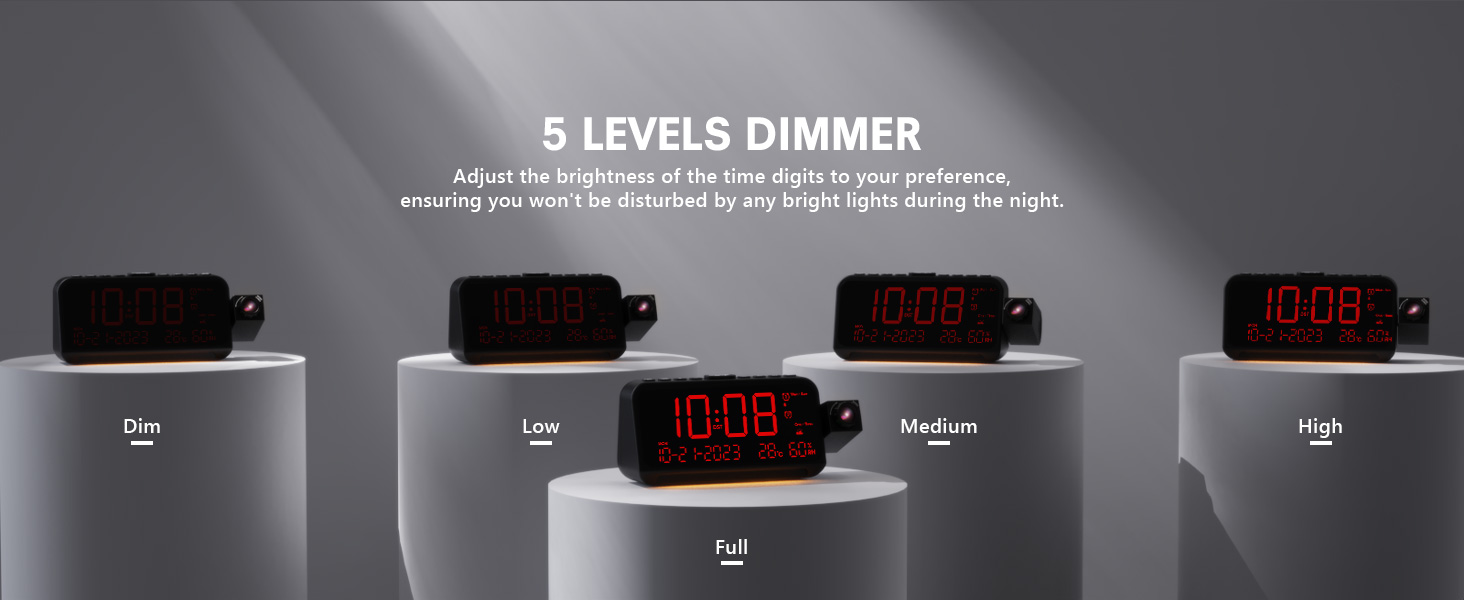
Image 3.4: The clock demonstrating its 5-level adjustable display dimmer.
3.6 Luz nocturna
The clock features a soft LED night light located at the bottom. Press the LUZ button to cycle through Off, Medium, and Full brightness settings for the night light.
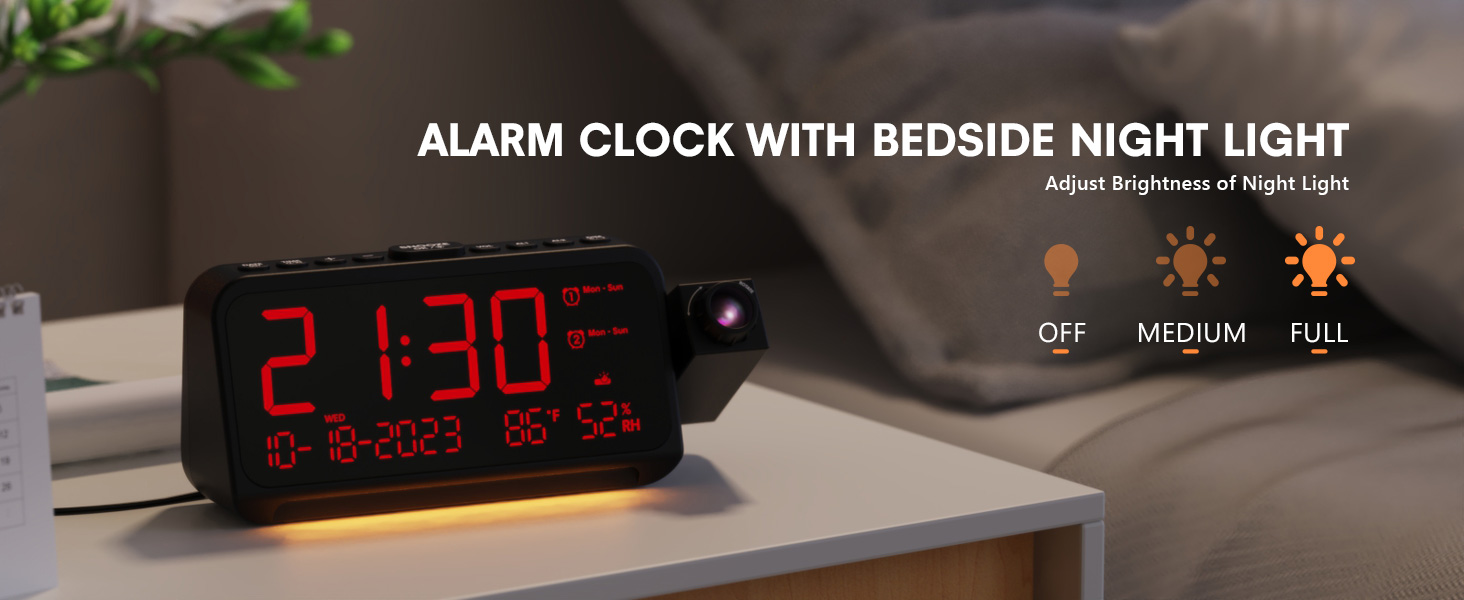
Image 3.5: The clock with its integrated night light, showing different brightness options.
3.7 portos de carga USB
The clock is equipped with a Type-C and a standard USB-A charging port on the back. You can use these ports to charge your mobile devices while the clock is powered.

Image 3.6: The back of the clock showing the Type-C and USB-A charging ports in use.
4. Mantemento
To ensure the longevity and optimal performance of your Mesqool CR1024 Projection Alarm Clock, follow these maintenance guidelines:
- Limpeza: Wipe the clock's surface with a soft, dry cloth. Avoid using abrasive cleaners, solvents, or chemical sprays, as these can damage the finish or electronic components.
- Ambiente: Place the clock in a dry environment, away from direct sunlight, extreme temperatures, and high humidity.
- Ventilación: Asegúrese de que as aberturas de ventilación non estean bloqueadas para evitar o sobrequecemento.
- Substitución da batería: If using AAA batteries for backup, replace them annually or when the low battery indicator appears to ensure settings are retained during power outages.
5 Solución de problemas
If you encounter issues with your Mesqool CR1024 Projection Alarm Clock, please refer to the following common problems and solutions:
| Problema | Causa posible | Solución |
|---|---|---|
| Projection is blurry or unclear. | Incorrect focus or projection distance. | Adjust the focus ring on the projector lens. Ensure the clock is within the optimal projection distance (4.92-9.84 ft). |
| A alarma non soa ou é demasiado silenciosa. | Alarm not activated or volume set too low. | Ensure the alarm is enabled (AL1/AL2 indicator on display). Press the VOL button to increase the alarm volume. |
| A pantalla é demasiado brillante ou demasiado escura. | Display dimmer setting is not optimal. | Preme o DIMMER button to cycle through the 5 brightness levels. |
| Reinicio da hora/configuración despois dun apagadotage. | No backup batteries or batteries are depleted. | Install two fresh AAA batteries (not included) in the battery compartment for memory backup. |
| Cannot change time format from 24-hour to 12-hour. | Incorrect button press or temporary glitch. | Preme o 12/24H button. If the issue persists, try unplugging the clock for a few minutes and then reconnecting power. |
6. Especificacións
| Característica | Detalle |
|---|---|
| Marca | Mesqool |
| Número de modelo | CR1024 |
| Tipo de visualización | LED dixital |
| Fonte de enerxía | Eléctrico con cable |
| Copia de seguridade da batería | 2 pilas AAA (non incluídas) |
| Dimensións do produto | 7.87"W x 3.4"H (7.87x2.36x3.43 inch) |
| Peso do elemento | 12 onzas (0.34 quilogramos) |
| Material | Acrilonitrilo Butadieno Estireno (ABS) |
| Características especiais | Projection, Dual Alarms, Snooze, Night Light, Temperature, Humidity, Calendar, DST, USB Charging |

Image 6.1: Dimensions of the Mesqool CR1024 Projection Alarm Clock.
7. Garantía e soporte
7.1 Información da garantía
This Mesqool CR1024 Projection Alarm Clock comes with a 24 meses de garantía from the date of purchase. Mesqool also provides lifetime support for this product. Please retain your proof of purchase for warranty claims.
7.2 Atención ao cliente
For any questions, technical assistance, or warranty inquiries, please contact Mesqool customer support through the retailer where you purchased the product or refer to the official Mesqool websitio para información de contacto.


