1. Introdución
Welcome to your Mionbel Bluetooth Bone Conduction Headphones. This manual provides detailed instructions for the proper use, setup, and maintenance of your new headphones. Please read this manual thoroughly before use to ensure optimal performance and longevity.
Información de seguridade
- Non desmonte nin modifique o dispositivo.
- Manter lonxe de temperaturas e humidade extremas.
- Evitar a exposición prolongada a volumes altos para previr danos auditivos.
- Asegúrese de que o porto de carga estea seco antes de cargar.
- The open-ear design allows you to hear your surroundings. Exercise caution in environments requiring full attention.
2. Contido do paquete
Verifique que todos os elementos estean presentes no seu paquete:
- Mionbel Bluetooth Bone Conduction Headphones
- Cable de carga USB
- Manual de usuario
- Earplugs (for optional use to enhance sound isolation in noisy environments)
3. Produto rematadoview
Familiarize yourself with the components of your Mionbel Bluetooth Bone Conduction Headphones.

Figure 3.1: Mionbel Bluetooth Bone Conduction Headphones, showing the flexible neckband, ear hooks, control buttons (power, volume), and a pair of orange earplugs.
The image above displays the Mionbel Bluetooth Bone Conduction Headphones. Key components include the power/multi-function button, volume controls, charging port, and bone conduction transducers positioned near the cheekbones.
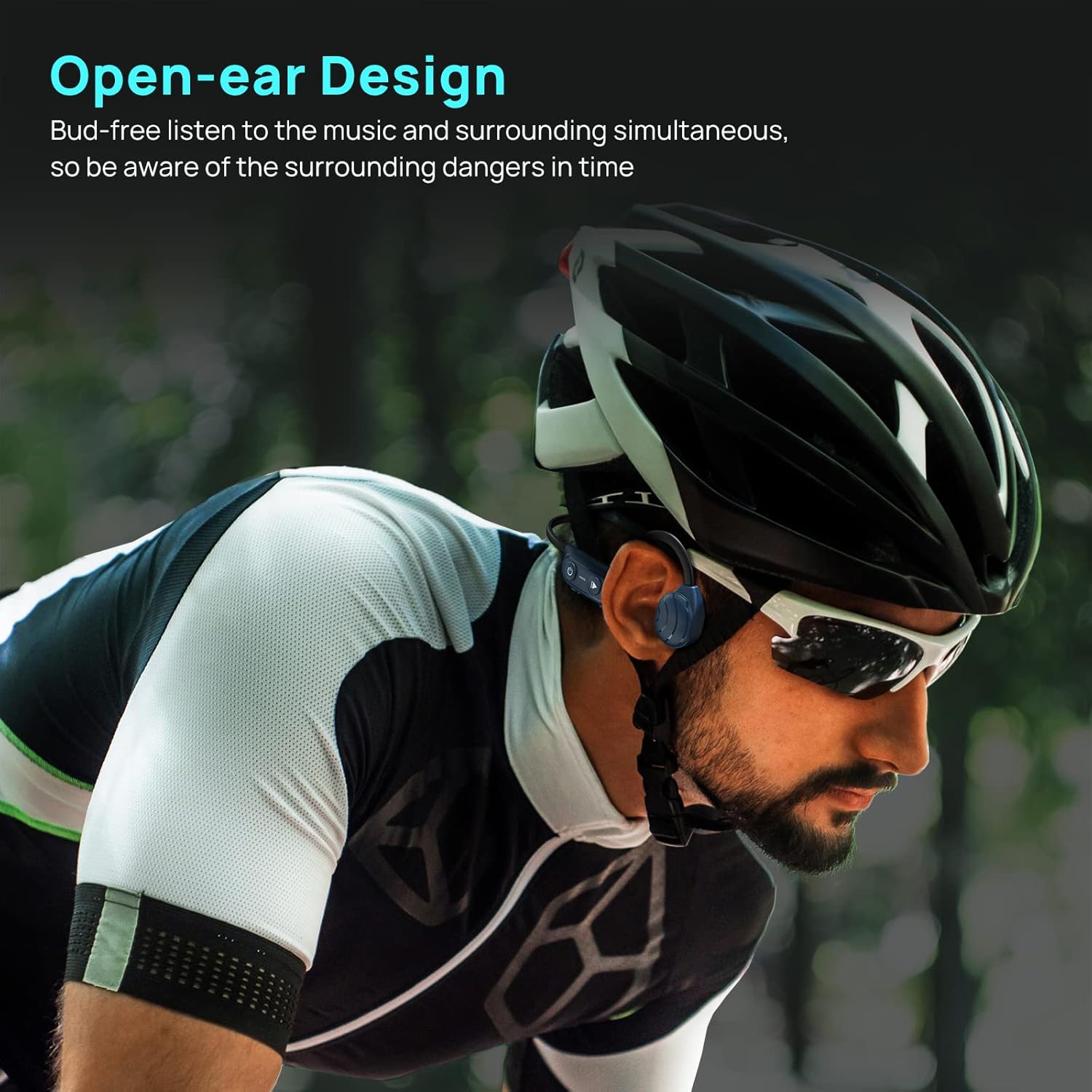
Figure 3.2: A person wearing the Mionbel Bluetooth Bone Conduction Headphones while cycling, demonstrating the open-ear design that allows awareness of surroundings.

Figure 3.3: An infographic comparing bone conduction (top, showing a woman wearing the headphones) and traditional air conduction (bottom, showing an earbud in an ear canal) technologies.
4. Configuración
4.1 Carga dos auriculares
Antes do primeiro uso, carga completamente os auriculares.
- Conecta o cable de carga USB ao porto de carga dos auriculares.
- Conecta o outro extremo do cable a un adaptador de corrente USB (non incluído) ou ao porto USB dun ordenador.
- O indicador LED mostrará o estado de carga (por exemplo, vermello para a carga, azul para a carga completa).
- A carga adoita tardar aproximadamente 2 horas.
4.2 Acendido/Apagado
- Para acender: Press and hold the Power/Multi-function button for approximately 3 seconds until the LED indicator flashes blue and a voice prompt confirms "Power On".
- Para apagar: Press and hold the Power/Multi-function button for approximately 5 seconds until the LED indicator flashes red and a voice prompt confirms "Power Off".
4.3 Emparejamento Bluetooth
- Asegúrese de que os auriculares estean apagados.
- Press and hold the Power/Multi-function button for approximately 5-7 seconds until the LED indicator flashes red and blue alternately, indicating pairing mode. A voice prompt will say "Pairing".
- No teu dispositivo (teléfono intelixente, tableta, ordenador), activa o Bluetooth e busca os dispositivos dispoñibles.
- Select "Mionbel Bluetooth Headphones" (or similar name) from the list of devices.
- Once connected, the LED indicator will flash blue slowly, and a voice prompt will confirm "Connected".
5. Instrucións de funcionamento
5.1 Reprodución de música
- Reproducir/Pausa: Prema o botón de acendido/multifunción unha vez.
- Próxima pista: Manteña premido o botón para subir o volume durante 2 segundos.
- Pista anterior: Manteña premido o botón para baixar o volume durante 2 segundos.
- Subir volume: Preme o botón para subir o volume unha vez.
- Baixar volume: Preme o botón para baixar o volume unha vez.

Figure 5.1: A person listening to music with the Mionbel Bluetooth Bone Conduction Headphones, illustrating the stereo sound experience.
5.2 Xestión de chamadas
- Responder/Finalizar chamada: Prema o botón de acendido/multifunción unha vez.
- Rexeitar a chamada: Manteña premido o botón de acendido/multifunción durante 2 segundos.
- Activar o asistente de voz: Prema dúas veces o botón de acendido/apagado/multifunción.

Figure 5.2: A collage showing individuals using the Mionbel Bluetooth Bone Conduction Headphones during various activities such as running, cycling, and working, highlighting their ergonomic design and versatility.
6. Mantemento
6.1 Limpeza
Gently wipe the headphones with a soft, dry cloth. Do not use abrasive cleaners or immerse the headphones in water.
6.2 Almacenamento
Garda os auriculares nun lugar fresco e seco, lonxe da luz solar directa e de temperaturas extremas. Evita colocar obxectos pesados enriba dos auriculares.

Figure 6.1: The Mionbel Bluetooth Bone Conduction Headphones demonstrating their flexibility and durability, made from high-toughness titanium alloy.
7 Solución de problemas
| Problema | Solución |
|---|---|
| Non se pode acender | Ensure the headphones are fully charged. Connect to a power source and allow a few minutes before attempting to power on again. |
| Non se pode emparellar co dispositivo |
|
| Sen son |
|
| Mala calidade de son |
|
8. Especificacións
- Modelo: Auriculares de condución ósea Bluetooth
- Marca: Mionbel
- Conectividade: Bluetooth 5.0
- Factor de forma: Open-ear, Bone Conduction
- Material: High-toughness titanium alloy
- Tempo de carga: Aproximadamente 2 horas
- Características do cable: Wireless (No cable)
9. Garantía e soporte
Mionbel products come with a standard manufacturer's warranty. For detailed warranty information, product support, or service inquiries, please refer to the warranty card included in your package or visit the official Mionbel websitio.
For further assistance, please contact Mionbel customer support through the contact information provided on the official websitio web ou a túa plataforma de compra.


