1. Introdución
This manual provides instructions for the assembly, operation, maintenance, and troubleshooting of your FLEXISPOT E6 Pro Electric Standing Desk. Please read this manual thoroughly before use to ensure proper function and safety.

Figure 1: FLEXISPOT E6 Pro Electric Standing Desk
2. Información de seguridade
Importantes precaucións de seguridade:
- Ensure the desk is properly anchored to the wall or floor when height is adjusted, especially if loading heavy items.
- Keep children and pets away from the desk during operation to prevent injury from moving parts.
- Do not place hands or other body parts near the lifting mechanism while the desk is in motion.
- Do not overload the desk. Refer to the specifications section for maximum weight capacity.
- Only use the provided power adapter and components.
- If any unusual sounds or movements occur, immediately stop operation and unplug the desk.
3. Instrucións de montaxe
Assembly is required for this product. It is recommended to have two people for assembly due to the weight and size of the components. All necessary hardware and tools are typically included. Follow the steps below for a smooth assembly process.
3.1 Desembalaxe e preparación
- Abra a embalaxe con coidado e retire todos os compoñentes.
- Verify all parts are present against the included parts list.
- Coloca todos os compoñentes sobre unha superficie suave e limpa para evitar rabuñaduras.
3.2 Montaxe do cadro
Attach the desk legs to the crossbar and feet. Ensure all screws are tightened securely.
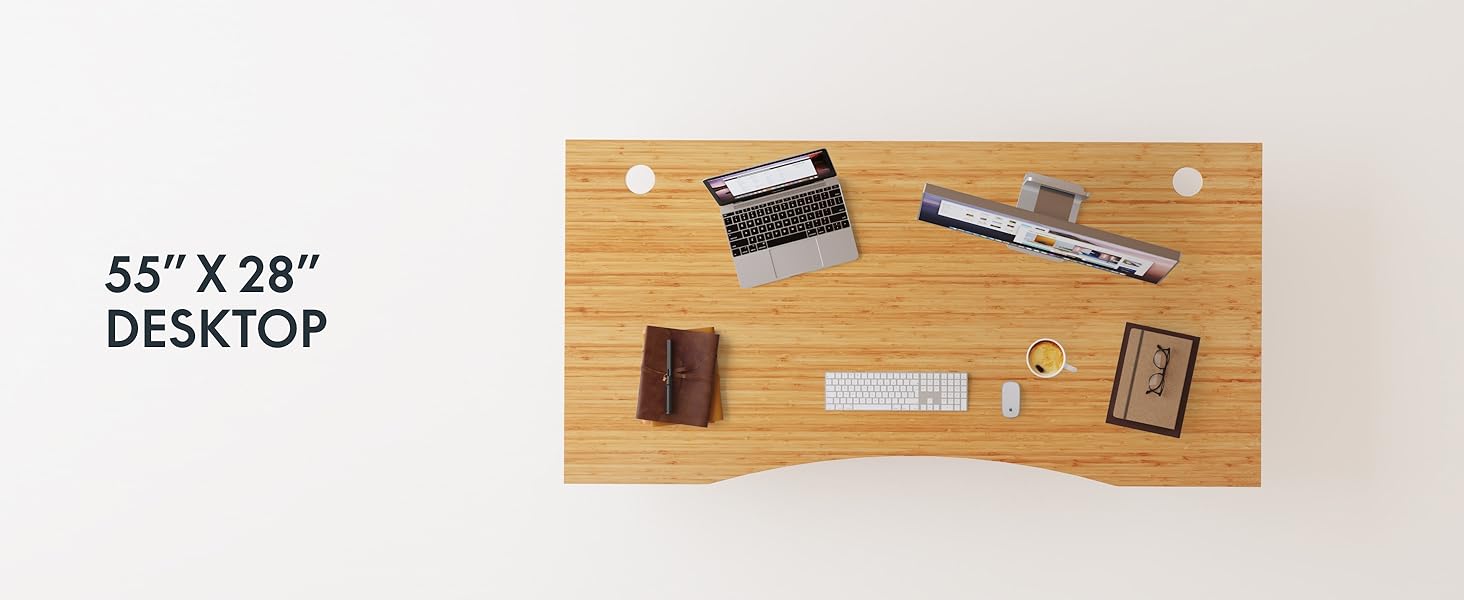
Figure 2: Desk Frame Assembly
3.3 Desktop Attachment
Carefully place the bamboo desktop onto the assembled frame. Align the pre-drilled holes and secure the desktop with the provided screws. The desktop features a curved design for ergonomic comfort.

Figure 3: Curved Bamboo Desktop
3.4 Control Panel and Cable Management
Mount the digital control panel to the underside of the desk. Connect all motor and power cables according to the diagram. Utilize the integrated cable management holes to organize wires and prevent clutter.

Figure 4: Control Panel and Cable Management

Figure 5: Cable Management Hole
4. Instrucións de funcionamento
The FLEXISPOT E6 Pro desk features a user-friendly digital control panel for height adjustment and memory presets.

Figura 6: Panel de control dixital
4.1 Axustar a altura do escritorio
- Preme o Frecha cara arriba botón para levantar o escritorio.
- Preme o Frecha abaixo botón para baixar o escritorio.
- Solte o botón na altura desexada.
4.2 Configuración de predefinicións de memoria
The control panel allows you to save up to two preferred height settings.
- Axusta o escritorio á altura desexada.
- Preme o "M" botón. A pantalla parpadeará.
- Preme o "1" or "2" button within 3 seconds to save the current height to that preset.
- To recall a saved height, simply press the corresponding "1" or "2" button. The desk will automatically move to the saved position.
4.3 porto de carga USB
A USB port is integrated into the control panel for convenient charging of your devices.
4.4 Función anticolisión
The desk is equipped with an anti-collision system that automatically stops and slightly reverses movement if it encounters an obstruction during height adjustment. This feature helps prevent damage and injury.

Figure 7: Anti-Collision System in action
5. Mantemento
Regular maintenance ensures the longevity and optimal performance of your standing desk.
- Limpeza: The bamboo desktop has a smooth, waterproof surface, making it easy to clean. Use a soft, damp cloth with mild soap to wipe down the surface. Avoid abrasive cleaners or harsh chemicals.
- Inspección: Comprobe periodicamente todos os parafusos e conexións para asegurarse de que estean ben axustados. Volva a apertalos se é necesario.
- Xestión de cables Ensure cables are neatly organized and not pinched or tangled, which could affect desk operation.

Figure 8: Waterproof Bamboo Surface
6 Solución de problemas
If you encounter issues with your FLEXISPOT E6 Pro desk, refer to the following common problems and solutions:
| Problema | Causa posible | Solución |
|---|---|---|
| O escritorio non se move. | Power cable disconnected, control panel locked, or motor error. | Check power connections. Unlock control panel if applicable. Unplug for 10 seconds and plug back in to reset. |
| Uneven height adjustment. | Uneven load, loose connections, or motor synchronization issue. | Ensure weight is evenly distributed. Check all frame connections. Perform a reset procedure (refer to full manual if available). |
| O escritorio detense inesperadamente. | Anti-collision system activated, or overload. | Check for obstructions. Reduce weight on the desk if exceeding maximum capacity. |
| Ruído durante o funcionamento. | Loose components or normal motor sound. | Tighten all screws. A low hum from the dual motors (less than 45 dB) is normal. |
If the problem persists, please contact FLEXISPOT customer support.
7. Especificacións
| Característica | Detalle |
|---|---|
| Marca | FLEXISPOT |
| Número de modelo | ET365 |
| Dimensións do produto | 77.9" D x 29.5" W x 23.6" H |
| Tamaño do escritorio | 78"x30" Whole-piece |
| Cor | Black Frame + Curved Bamboo Top |
| Material base | Metal |
| Tipo de material superior | Madeira (bambú) |
| Mecanismo de elevación | Motor eléctrico dual |
| Altura mínima | 23.6 polgadas |
| Altura máxima | 48.8 polgadas |
| Recomendación de peso máximo | 352 libras |
| Nivel de ruído | Menos de 45 dB |
| Montaxe necesaria | Si |
8. Garantía e soporte
8.1 Información da garantía
FLEXISPOT provides the following warranty coverage for your E6 Pro Electric Standing Desk:
- Cobertura de 10 anos: Desk frame and motor.
- Cobertura de 2 anos: Control panel and electronics.
This warranty covers manufacturing defects and malfunctions under normal use. Please retain your proof of purchase for warranty claims.
8.2 Atención ao cliente
For any assistance, questions, or warranty claims, please contact FLEXISPOT customer support. You can find more information and contact details on the official FLEXISPOT websitio web ou a través da túa plataforma de compra.
Visit the official FLEXISPOT Store: Tenda FLEXISPOT en Amazon


