1. Produto rematadoview
The TRENDnet AX5400 Dual Band WiFi 6 PoE+ Access Point, model TEW-925DAP, is designed to maximize networking speeds using the latest WiFi 6 technology. It features two concurrent WiFi bands, providing speeds up to 4804Mbps on the 5GHz band and 573Mbps on the 2.4GHz band. This access point supports both Access Point (AP) and Repeater modes, offering flexibility for various network setups. Advanced technologies like 1024-QAM, OFDMA, and MU-MIMO enhance performance in busy network environments by processing multiple data streams simultaneously. The device also includes access control, bandwidth control, and band steering functionalities. Its low-profile design allows it to blend seamlessly into most environments, and it comes with a convenient wall/ceiling mounting plate.
This device is NDAA & TAA compliant, adhering to U.S. integrity and supply chain standards for government contracts.
2. Contido do paquete
Verify that all items are present and in good condition. If any items are missing or damaged, please contact your retailer for assistance.
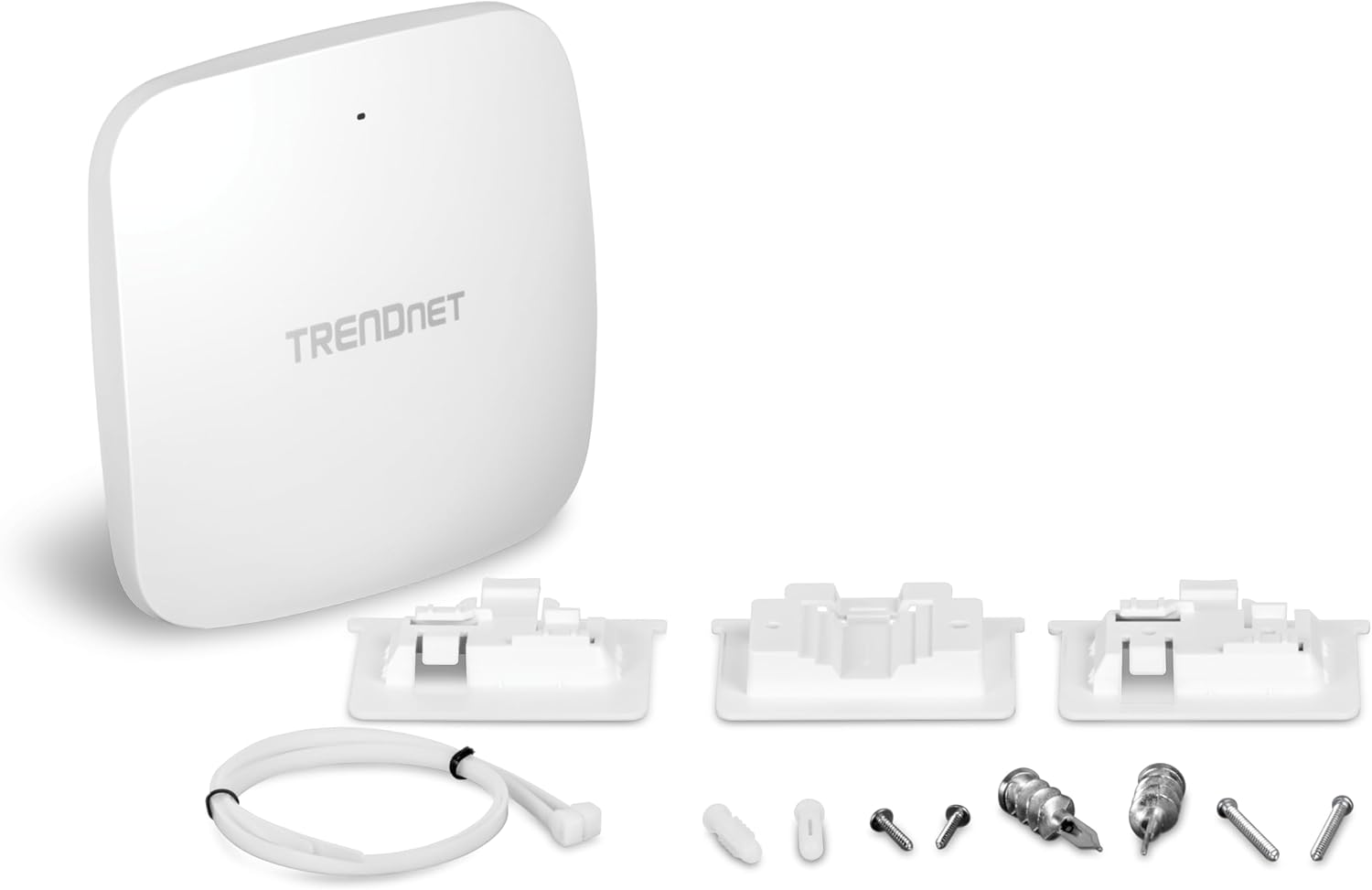
- TEW-925DAP Access Point
- Guía de instalación rápida
- Cable de rede (1 m / 3.28 pés)
- Placas de montaxe

Image: Included components for the TEW-925DAP, featuring the access point, mounting plates, network cable, and quick installation guide.
3. Descrición física
3.1 Fronte View

Imaxe: Fronte view of the TEW-925DAP Access Point, showing its clean, low-profile deseño.
3.2 Laterais View

Imaxe: Lateral view of the TEW-925DAP Access Point, highlighting its slim profile.
3.3 Traseira View e Portos
Imaxe: Traseira view of the TEW-925DAP, detailing the 1 x 802.3at PoE+ 2.5GBASE-T LAN port (power input), power port (12V DC, 1A external power adapter not included), LED indicator, and reset button.

Image: Close-up of the 2.5G PoE+ port, emphasizing its role in saving installation time and setup costs.
4. Características clave
- AX5400 WiFi 6: Two concurrent high-speed WiFi 6 bands maximize device networking speeds: 4804Mbps on 5GHz and 573Mbps on 2.4GHz.
- Built for Busy Environments: MU-MIMO technology processes multiple data streams simultaneously, and WiFi 6 OFDMA technology increases real-time WiFi performance in high-density user environments.
- Soporte PoE+: Features a 1 x 802.3at PoE+ 2.5GBASE-T LAN port for power input, simplifying installation and reducing cabling costs.
- Encrypted Wireless: Supports wireless encryption up to WPA3 for enhanced network security.
- Dirección de banda: Automatically directs wireless devices from the 2.4GHz band to the 5GHz band to alleviate network congestion and optimize performance.
- Baixo Profile Vivenda: Designed to blend into various environments, includes a wall/ceiling mounting plate for flexible placement.
- NDAA & TAA Compliant: Complies with National Defense Authorization Act and Trade Agreements Act guidelines.
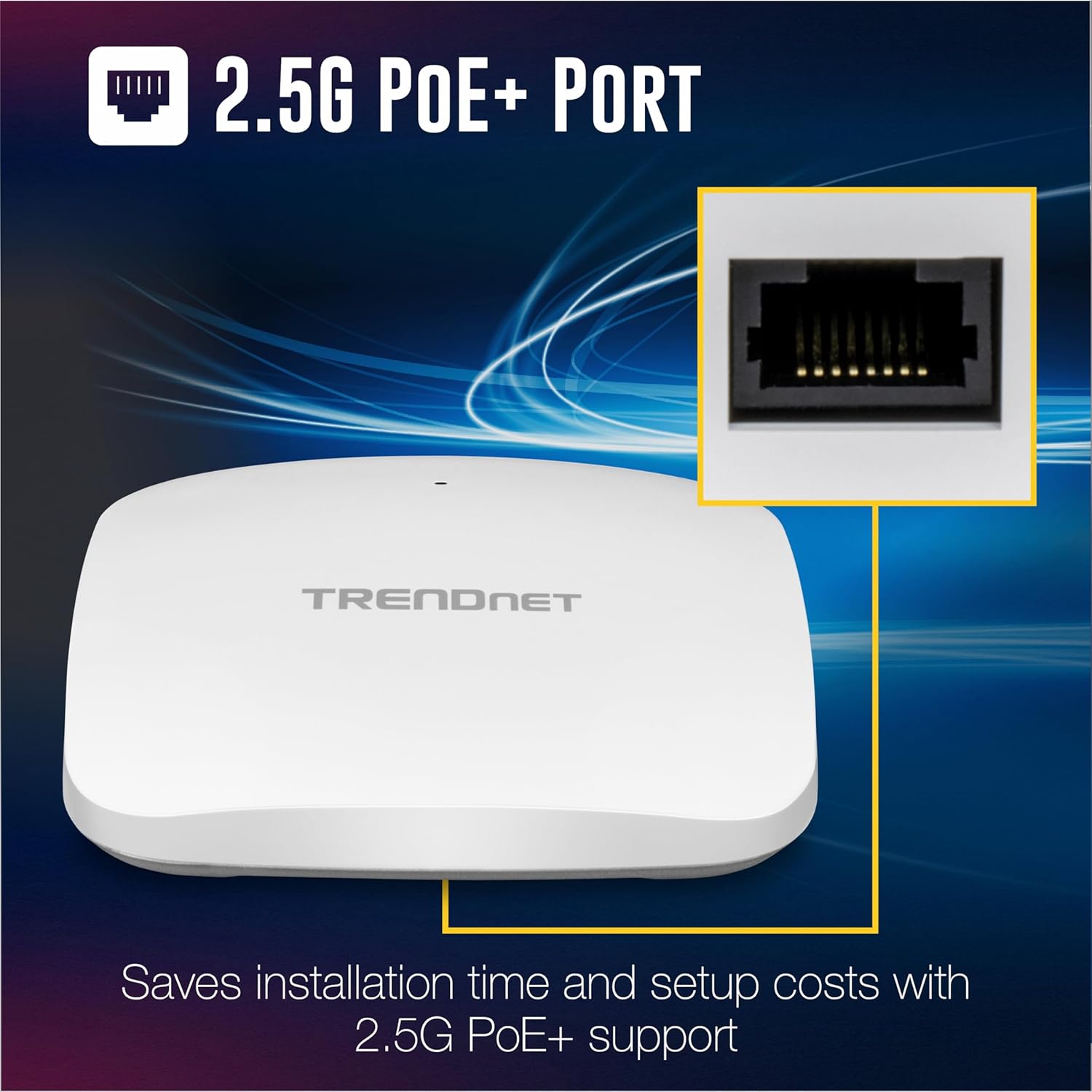
Image: Visual representation of the AX5400 Dual Band WiFi 6 capabilities, showing 5GHz at 4804Mbps and 2.4GHz at 573Mbps.

Image: Illustration of MU-MIMO and OFDMA performance, demonstrating how the access point efficiently handles multiple devices concurrently.

Image: The TEW-925DAP's low-profile housing, shown mounted on both a wall and a ceiling, demonstrating its versatile installation options.

Image: Certification logos for NDAA and TAA compliance, highlighting the product's adherence to specific government standards.
5. Instalación
The TEW-925DAP can be mounted on a wall or ceiling using the included mounting plates. For optimal performance, position the access point centrally within the desired coverage area, away from obstructions and sources of interference such as large metal objects or microwave ovens.
5.1 Alimentación do dispositivo
The access point supports Power over Ethernet (PoE+). Connect a standard Ethernet cable from a PoE+ switch or injector to the 2.5GBASE-T PoE+ LAN port on the TEW-925DAP. This will provide both power and data connectivity through a single cable.

Vídeo: Un overview of TRENDnet's Reliable, High-Performance WiFi 6 PoE+ Access Points, showcasing their capabilities and ease of deployment.
5.2 Diagrama de conexión de rede
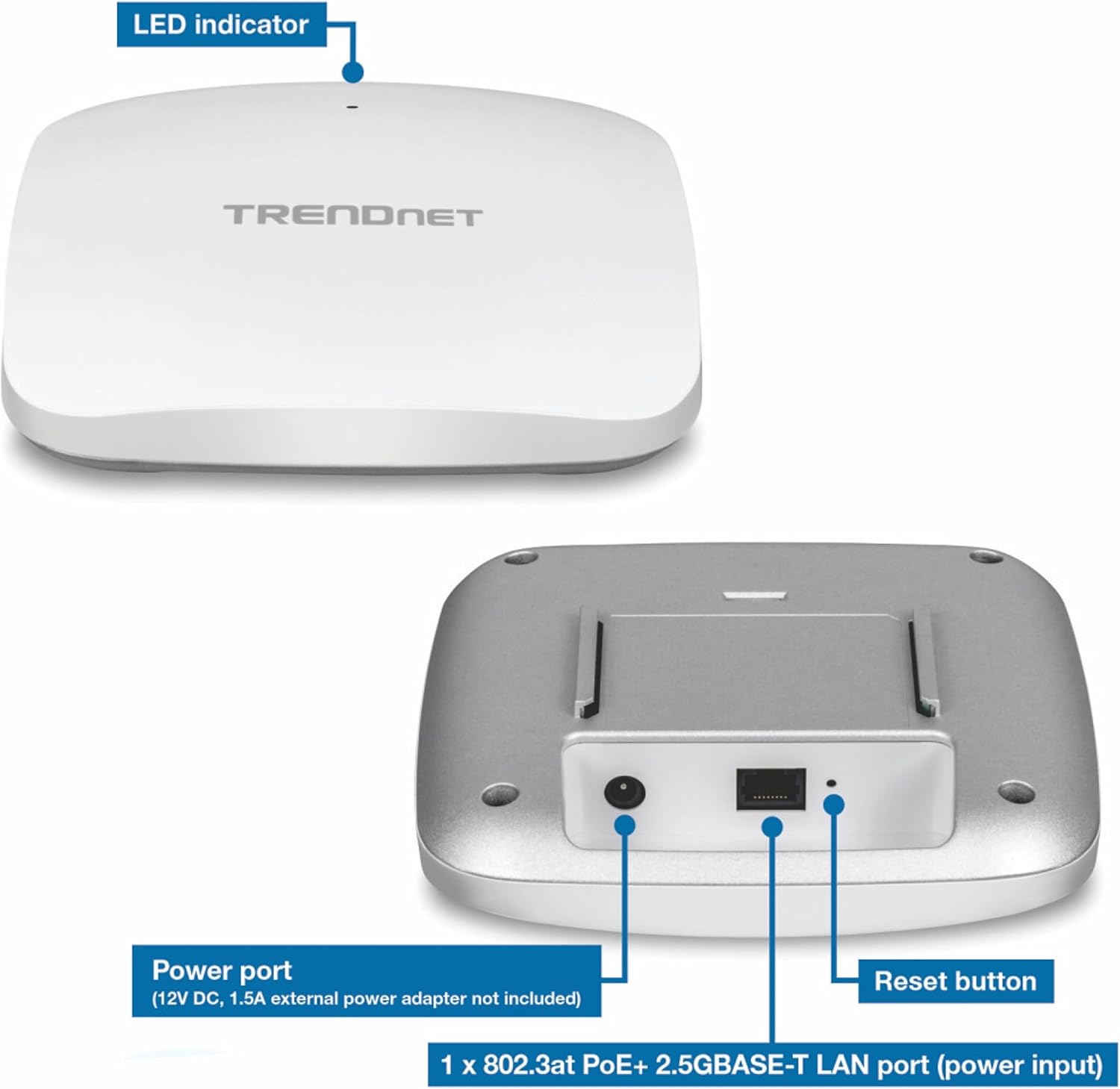
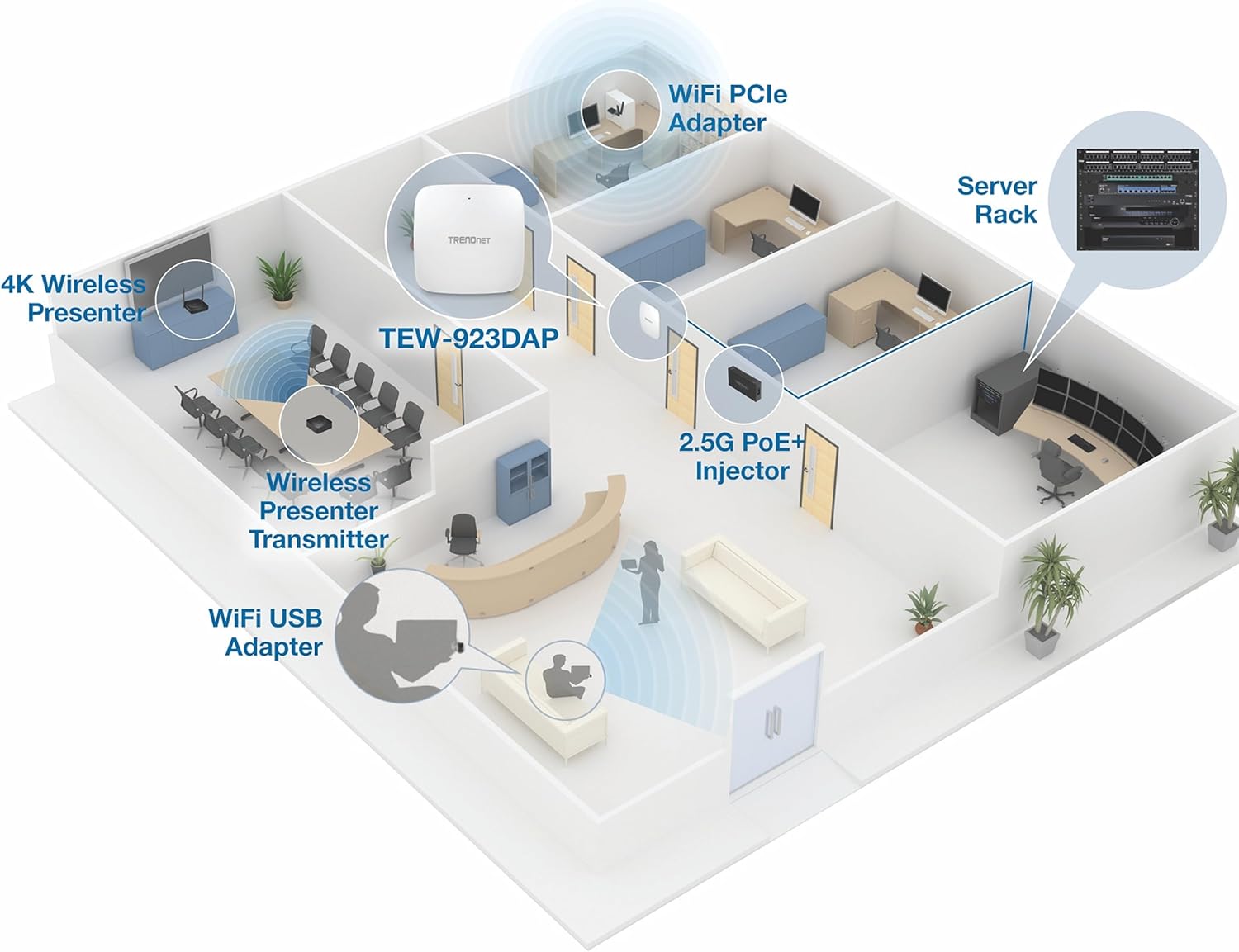
Image: A network diagram demonstrating how the TEW-925DAP integrates into a 2.5G network, showing connections to a PoE+ injector, switch, and various client adapters.
6. Modos de funcionamento
The TEW-925DAP supports the following operational modes:
- Modo de punto de acceso (AP): In this mode, the device functions as a central hub for wireless clients, providing WiFi connectivity to your wired network.
- Modo repetidor: This mode extends the range of an existing wireless network by receiving and retransmitting the WiFi signal.
6.1 Network Performance in Busy Environments
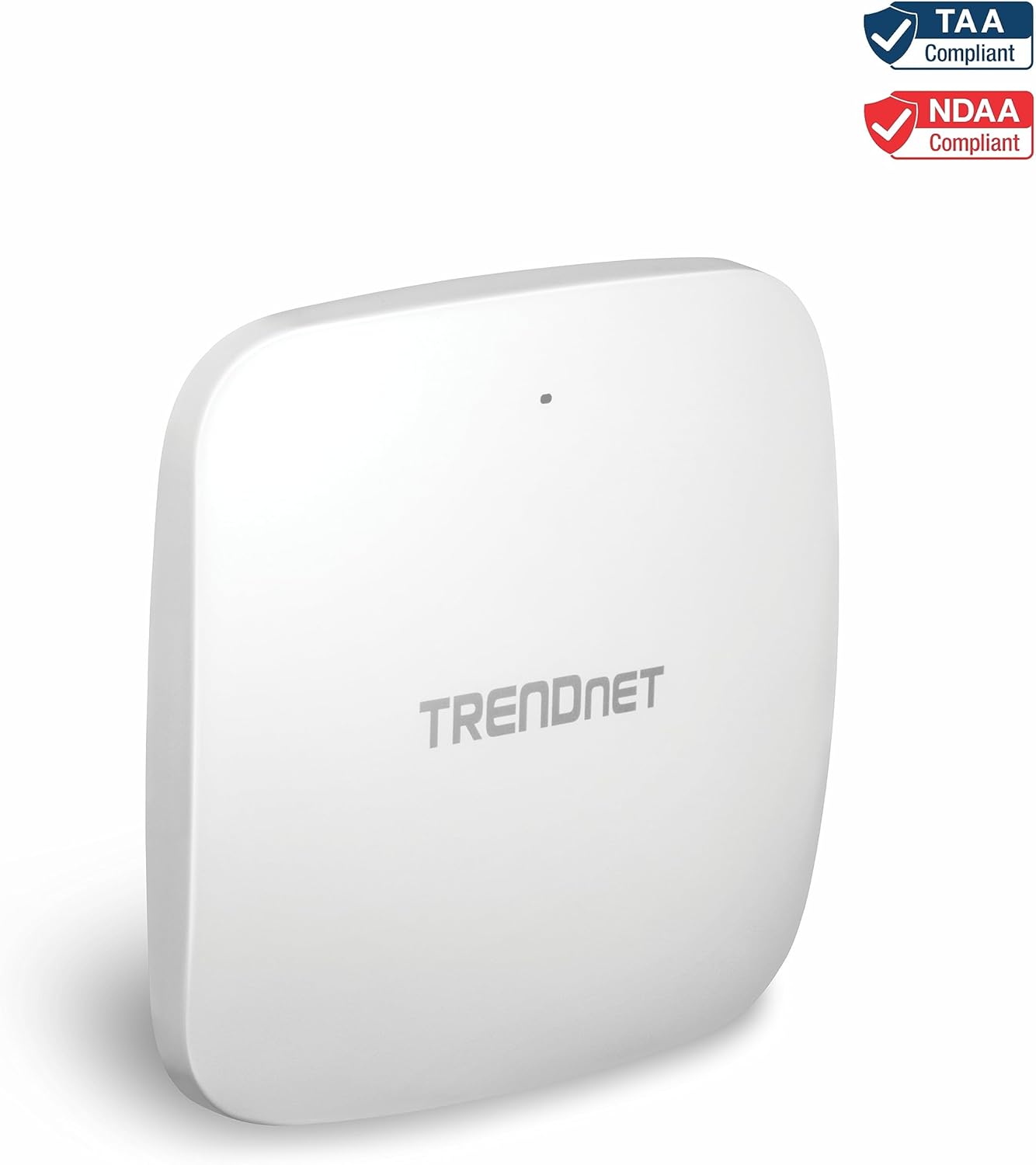
Image: An illustration of the access point providing robust WiFi coverage in a busy office setting, demonstrating its suitability for high-demand environments.
7. TRENDnet Hive Cloud Management
The TRENDnet Hive Cloud Manager offers a centralized, cloud-based solution for managing your network devices. It simplifies network administration, reduces management time and costs, and provides hassle-free remote monitoring.
- Xestión centralizada: Troubleshoot and monitor TRENDnet Hive compatible devices from the cloud or a centralized location.
- Intuitive Alerts and Notifications: Receive real-time alerts for device disconnections or other critical events.
- Soporte de aplicacións móbiles: Experience all features available on the TRENDnet Hive web portal conveniently from your mobile device.
- Escalabilidade: Easily scalable for future expansions and upgrades, supporting a growing network infrastructure.
Imaxe: Unha vez máisview of the TRENDnet Hive Easy Network Cloud Manager, highlighting its features like saving management time, reducing complexity, remote monitoring, and intuitive alerts.
Video: A detailed explanation of the TRENDnet Hive Cloud Manager, demonstrating its capabilities for centralized network management.
8. Especificacións
| Característica | Detalle |
|---|---|
| Número de modelo | TEW-925DAP |
| Tipo sen fíos | 802.11ax (WiFi 6) |
| Clase de banda de frecuencia | Dobre banda |
| 5GHz Band Speed | Ata 4804 Mbps |
| 2.4GHz Band Speed | Ata 573 Mbps |
| Porto LAN | 1 x 802.3at PoE+ 2.5GBASE-T LAN port |
| Entrada de enerxía | PoE+ (802.3at) or 12V DC, 1A (adapter not included) |
| Dimensións (LxWxH) | 6.26 x 6.26 x 1.18 polgadas |
| Peso do elemento | 12.8 onzas |
| Sistema Operativo | RouterOS (as per specification, though typically managed via web UI or Hive) |
| Seguridade sen fíos | Cifrado WPA3 |
| Cumprimento | NDAA & TAA Compliant |
9 Solución de problemas
- Sen enerxía: Ensure the Ethernet cable is securely connected to a PoE+ enabled port on a switch or a PoE+ injector. Verify the PoE+ source is active. If using an optional power adapter, ensure it is correctly connected and the power outlet is functional.
- Sen sinal wifi: Check the LED indicator on the access point. If it's not lit or blinking as expected, refer to the power troubleshooting step. Ensure the access point is configured correctly in either AP or Repeater mode. Verify that the SSID is broadcast and not hidden.
- Velocidade wifi lenta: Ensure your client devices support WiFi 6 (802.11ax) for optimal performance. Check for potential interference from other wireless devices or physical obstructions. Utilize the band steering feature to encourage devices to connect to the less congested 5GHz band. Verify the uplink connection speed to the access point.
- Non se pode acceder Web Interface: Ensure your computer is on the same network segment as the access point. Verify the IP address of the access point and your computer. Try clearing your browser's cache or using a different browser. If the IP address is unknown, a factory reset might be necessary (refer to the reset button on the device).
- Device Disconnected from TRENDnet Hive: Check the internet connection of the access point. Ensure the device firmware is up to date and that the Hive service is active and properly configured.
10. Mantemento
- Actualizacións de firmware: Regularly check the TRENDnet website for the latest firmware updates. Keeping the firmware updated ensures optimal performance, security, and access to new features.
- Limpeza: Manteña o dispositivo limpo e libre de po. Use un pano suave e seco para limpar. Non empregue produtos de limpeza líquidos nin en aerosol.
- Condicións ambientais: Ensure the device is operated within its specified temperature and humidity ranges to prevent overheating or damage.
- Seguridade da rede: Regularmente review and update your WiFi passwords and network security settings (e.g., WPA3 encryption).
11. Garantía e soporte
TRENDnet stands by the quality of its products. The TEW-925DAP AX5400 Dual Band WiFi 6 PoE+ Access Point is backed and supported with 3 years of TRENDnet Manufacturer Protection.
For technical assistance, TRENDnet provides a team of English-speaking advisors and technical experts available during normal business hours. Please refer to the official TRENDnet websitio web con información de contacto e recursos de apoio.


