Produto rematadoview
The Timex TW2V84600 is a robust and versatile analog-digital watch designed for daily wear and various activities. It combines classic analog timekeeping with modern digital functionalities, including a day-date calendar, chronograph, world time, countdown timer, and alarm. The watch features a durable stainless steel case and bracelet, mineral glass, and is water-resistant up to 10 ATM. Its Indiglo backlight ensures readability in low-light conditions.
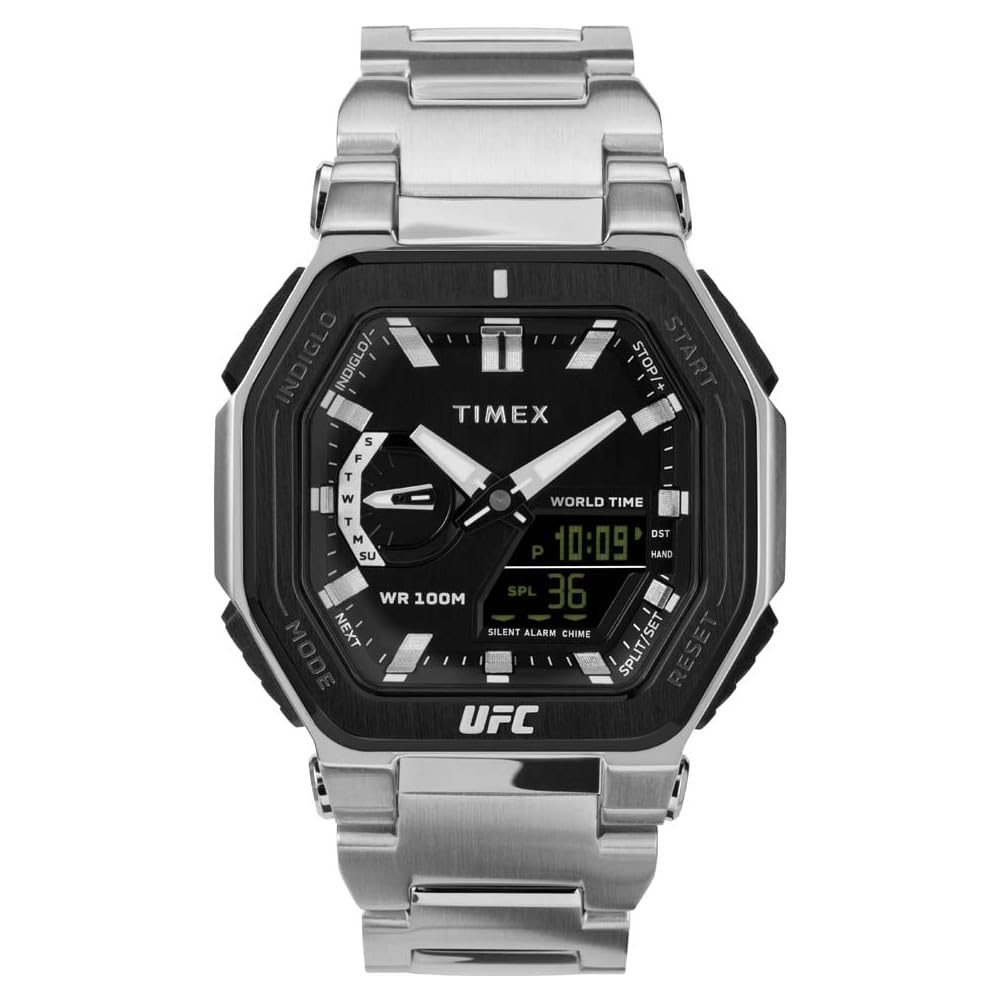
Figura 1: Fronte view of the Timex TW2V84600 watch, showcasing its analog and digital display.
Configuración inicial
Before using your watch, it is recommended to familiarize yourself with its buttons and crown. The watch is powered by a quartz movement with an included battery.
- Axuste da hora analóxica: Pull the crown out to the first position. Rotate the crown to set the hour and minute hands. Push the crown back in to synchronize the analog time.
- Axustar a data e a hora dixital: Use the pushers (typically located at 2, 4, 8, and 10 o'clock positions) to navigate through modes (Time, Date, Alarm, Chronograph, Timer, World Time). Refer to the "Operating Your Watch" section for detailed steps on setting each digital function.
- Activating Indiglo: Press the Indiglo button (usually a pusher on the side) to illuminate the watch face for a few seconds.
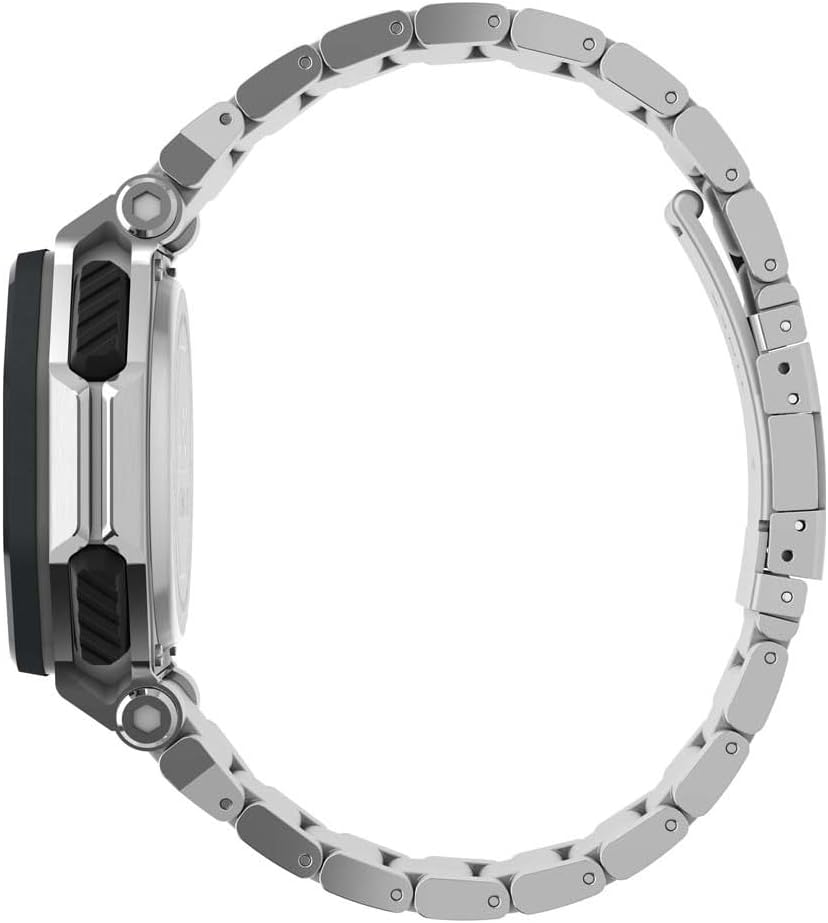
Figura 2: Lateral view of the watch, highlighting the crown and function pushers.
Funcionamento do reloxo
This section details the operation of the various functions available on your Timex TW2V84600 watch.
1. Digital Time and Date Setting
- Press the MODE button (often at 8 o'clock) repeatedly until the digital display shows the time setting mode (e.g., flashing hours).
- Use the SET/ADJUST button (often at 10 o'clock) to select the digit you wish to change (hours, minutes, 12/24-hour format, year, month, day).
- Use the START/STOP button (often at 2 o'clock) or RESET button (often at 4 o'clock) to increase or decrease the selected value.
- Once all settings are correct, press the MODE button to exit the setting mode.
2. Cronógrafo (reloxo)
- Press the MODE button until the chronograph display appears (usually showing "00:00:00").
- Prema o botón START/STOP para comezar a cronometrar.
- Press START/STOP again to pause the timing.
- To resume, press START/STOP. To reset, press the RESET button while the chronograph is stopped.
3. Temporizador de conta atrás
- Press the MODE button until the countdown timer display appears.
- Use the SET/ADJUST button to set the desired countdown time (hours, minutes, seconds).
- Press the START/STOP button to begin the countdown.
- An alarm will sound when the timer reaches zero. Press any button to stop the alarm.
4. Configuración da alarma
- Press the MODE button until the alarm display appears.
- Use the SET/ADJUST button to set the desired alarm time.
- Press the START/STOP button to activate or deactivate the alarm. An alarm icon will typically appear when activated.
- Cando soe a alarma, prema calquera botón para silenciala.
5. Hora mundial
- Press the MODE button until the World Time display appears.
- Use the SET/ADJUST or START/STOP buttons to cycle through different city codes or time zones.
- The digital display will show the current time in the selected time zone.
Coidados e Mantemento
- Limpeza: Wipe the watch case and bracelet with a soft, damp cloth. For stainless steel, a mild soap solution can be used, followed by rinsing and drying thoroughly. Avoid harsh chemicals.
- Resistencia á auga: Your watch is water-resistant up to 10 ATM (100 meters). This means it is suitable for swimming, showering, and snorkeling. Do not operate the pushers or crown while the watch is wet or submerged to prevent water intrusion.
- Temperatura: Avoid exposing your watch to extreme temperatures (hot or cold) for extended periods, as this can affect battery life and accuracy.
- Substitución da batería: The watch uses a CR2025 battery. When the display dims or functions become erratic, it may be time for a battery replacement. It is recommended to have the battery replaced by a qualified watch technician to ensure proper sealing and water resistance.
- Resistencia ao choque: While the watch is designed to be shock-resistant, avoid severe impacts to prevent damage to internal components or the crystal.

Figura 3: Traseira view of the watch, displaying the stainless steel case back with model and water resistance markings.
Resolución de problemas
| Problema | Causa posible | Solución |
|---|---|---|
| Watch not running / Digital display blank | Batería esgotada | Replace the battery (CR2025). Consult a professional watch technician. |
| Incorrect time / Date | Time/date not set correctly or accidentally reset. | Refer to the "Initial Setup" and "Operating Your Watch" sections to reset the time and date. |
| Auga dentro do reloxo | Crown/pushers operated underwater or seals compromised. | Leve o reloxo inmediatamente a un centro de servizo cualificado. Non intente abrilo vostede mesmo. |
| Indiglo backlight not working | Batería baixa ou avaría. | Replace the battery. If the issue persists, contact Timex customer support. |
Especificacións técnicas
| Número de modelo | TW2V84600 |
| Movemento | Cuarzo |
| Material do caso | Aceiro inoxidable |
| Diámetro da caixa | 45 mm |
| Espesor da caixa | 14 mm |
| Material da banda | Aceiro inoxidable |
| Ancho de banda | 26 mm |
| Material de cristal | Vidro mineral |
| Resistencia á auga | 10 ATM (100 metros) |
| Tipo de batería | CR2025 (incluído) |
| Peso | 208 gramos |
| Características especiais | Analog-Digital Display, Day-Date Calendar, Chronograph, World Time, Countdown Timer, Alarm, Luminous Hands, Indiglo Backlight, Shock Resistant |

Figure 4: Close-up of the watch's case back, showing detailed engravings including model information and water resistance.
Garantía e Soporte
Timex watches are manufactured to high-quality standards and come with a limited warranty. For specific warranty details, please refer to the warranty card included with your purchase or visit the official Timex website. For technical support, service, or replacement parts, please contact Timex customer service directly or visit an authorized service center.
You can find more information and contact details on the official Timex websitio: www.timex.com


