Introdución
Thank you for choosing the EMOS EMILY Rechargeable LED Desk LampEste manual proporciona información esencial para o uso seguro e eficiente do seu novo lamp. The EMILY lamp features a flexible gooseneck, continuous dimming, and a built-in rechargeable battery, making it ideal for various applications.
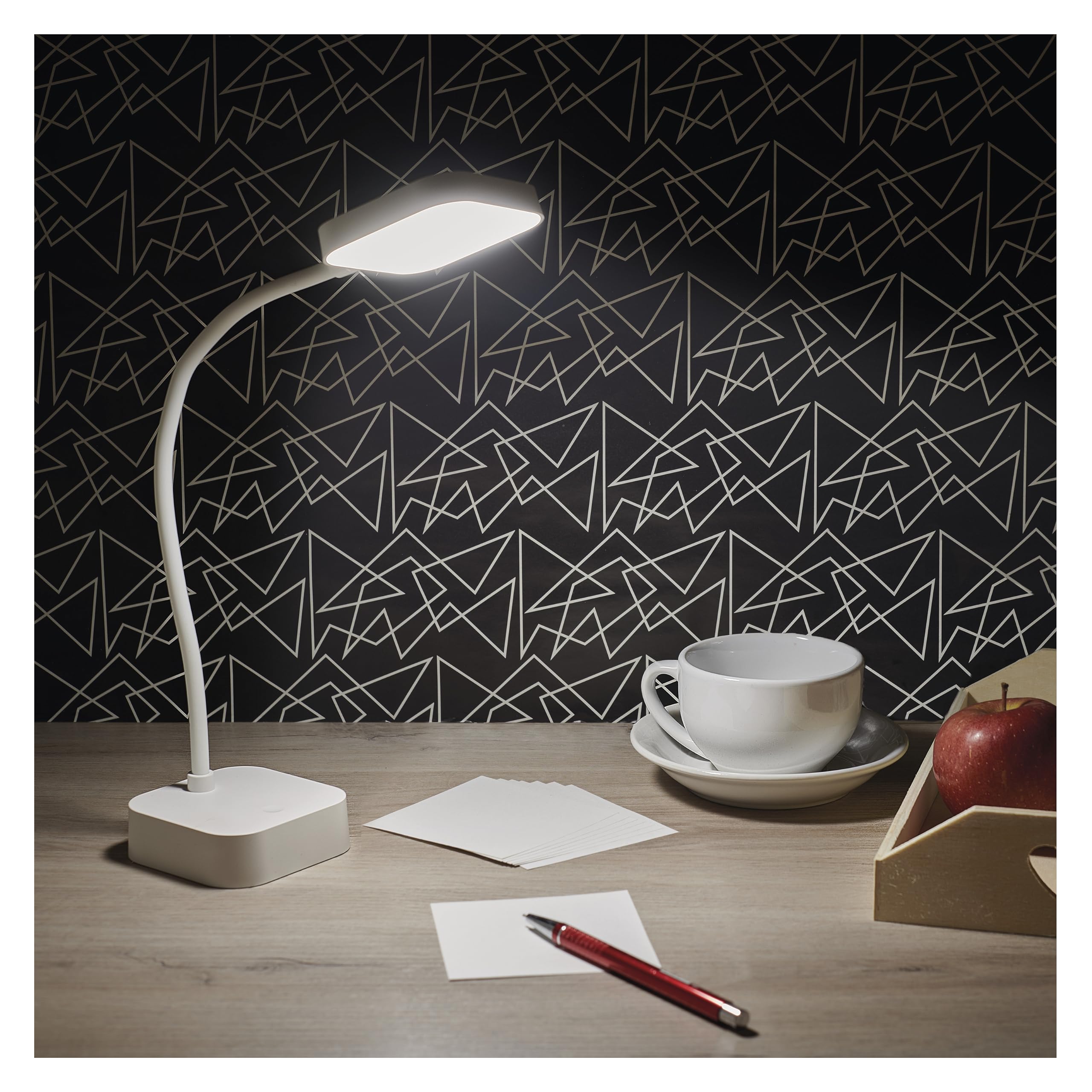
Image: The EMOS EMILY LED Desk Lamp in white, featuring a square base and lamp head connected by a flexible gooseneck.
Configuración
- Desempaquetar o Lamp: Retire con coidado o lamp and all accessories from the packaging. Ensure all components listed in the specifications are present.
- Carga inicial: Antes do primeiro uso, cargue completamente o lamp. Connect the supplied 1-meter USB charging cable to the lamp's charging port and to a suitable USB power adapter (not included). The charging indicator light will show the charging status.

Image: Close-up of the lamp's base showing the ON/OFF slide switch and the DC 5V charging port, with a charging cable being inserted.
- Activa o Lamp: Locate the slide switch on the back of the lamp's base. Slide it from the "OFF" position to the "ON" position to enable the lampfuncións de .
Instrucións de funcionamento
- Encendido/apagado: Coa lamp activated (switch in "ON" position), lightly touch the touch button located on the lampbase para acender ou apagar a luz.
- Adjust Brightness (Dimming): To adjust the light intensity, press and hold the touch button. The brightness will continuously cycle between 10% and 100%. Release the button when the desired brightness is reached.
- Colocación de Lamp: O lamp features a flexible gooseneck. Bend and rotate the gooseneck to direct the light precisely where needed.

Image: Three EMOS EMILY lamps shown from different angles, highlighting the flexibility of their gooseneck arms.
Mantemento
- Limpeza: Desconecta o lamp from any power source before cleaning. Use a soft, dry cloth to wipe the lampSuperficie de . Non empregue produtos de limpeza abrasivos nin disolventes.
- Almacenamento: Se almacena o lamp for an extended period, ensure it is fully charged and then turn the slide switch to the "OFF" position. Store in a cool, dry place.
- Coidado da batería: To prolong battery life, avoid completely discharging the battery frequently. Recharge the lamp when the light output noticeably diminishes.
Resolución de problemas
| Problema | Causa posible | Solución |
|---|---|---|
| Lamp non acende. | A batería está descargada. O interruptor de alimentación está apagado. O botón táctil non responde. | Carga o lamp. Slide the power switch to "ON". Ensure the touch button is clean and try again. |
| A luz é tenue ou parpadea. | Batería baixa. Dimming setting is too low. | Recarga o lamp plenamente. Press and hold the touch button to increase brightness. |
| Lamp non cobra. | USB cable or adapter faulty. Porto de carga obstruído. | Try a different USB cable and adapter. Comprobe se hai residuos no porto de carga. |
Especificacións
- Número de modelo: Z7627
- Marca: EMOS
- Potencia: 2 W
- Fluxo luminoso: Máximo 100 lm
- Temperatura de cor: 5000 Kelvin (branco neutro)
- Adormecer: Continuous (10-100%)
- Duración da batería: Up to 96 hours (depending on brightness setting)
- Tipo de batería: 1 batería de iones de litio (incluída)
- Cargando: USB (1m cable included, adapter not included)
- Material: Plástico
- Dimensións do produto: 8 x 8 x 30 cm (aprox. 3.15 x 3.15 x 11.8 polgadas)
- Peso: 340 gramos (aprox. 0.75 libras)
- Compoñentes incluídos: 1 Escritorio Lamp, 1 USB Charging Cable

Image: Technical drawing illustrating the dimensions of the EMOS EMILY LED Desk Lamp, including height, base diameter, and lamp tamaño da cabeza.
Información da garantía
Specific warranty details for the EMOS EMILY LED Desk Lamp may vary by region and retailer. Please refer to the warranty card included with your purchase or contact your point of sale for detailed information regarding warranty coverage and terms.
Atención ao cliente
For further assistance, technical support, or inquiries regarding your EMOS EMILY LED Desk Lamp, please contact the retailer from whom you purchased the product. You may also visit the official EMOS websitio web con información xeral sobre o produto e recursos de asistencia.


